Search...Search plugins and themes...
⌘K
Sign in
  • Get started
  • Download
  • Pricing
  • Enterprise
  • Account
  • Obsidian
  • Overview
  • Sync
  • Publish
  • Canvas
  • Mobile
  • Web Clipper
  • CLI
  • Learn
  • Help
  • Developers
  • Changelog
  • About
  • Roadmap
  • Blog
  • Resources
  • System status
  • License overview
  • Terms of service
  • Privacy policy
  • Security
  • Community
  • Plugins
  • Themes
  • Discord
  • Forum / 中文论坛
  • Merch store
  • Brand guidelines
Follow us
DiscordTwitterBlueskyThreadsMastodonYouTubeGitHub
© 2026 Obsidian

WatchLog

BogdanSBogdanS333 downloads

Track your anime, movies, and TV shows — with episode tracking, progress stats, upcoming release alerts, and embeddable widgets.

Add to Obsidian
  • Overview
  • Scorecard
  • Updates2

Track your anime, movies, and TV shows directly inside Obsidian — with episode tracking, progress stats, upcoming release alerts, and embeddable widgets.

Features

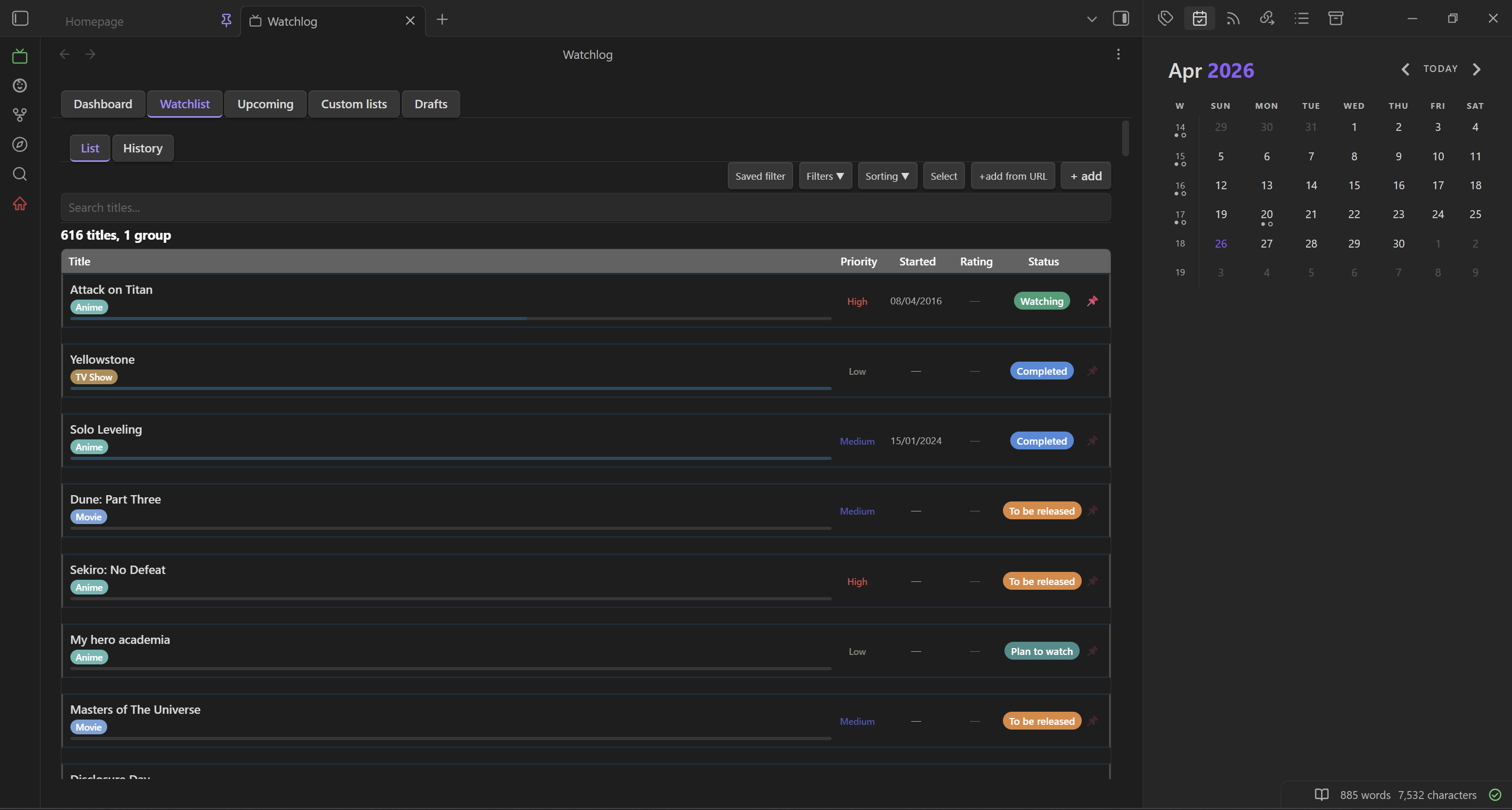
Watchlist

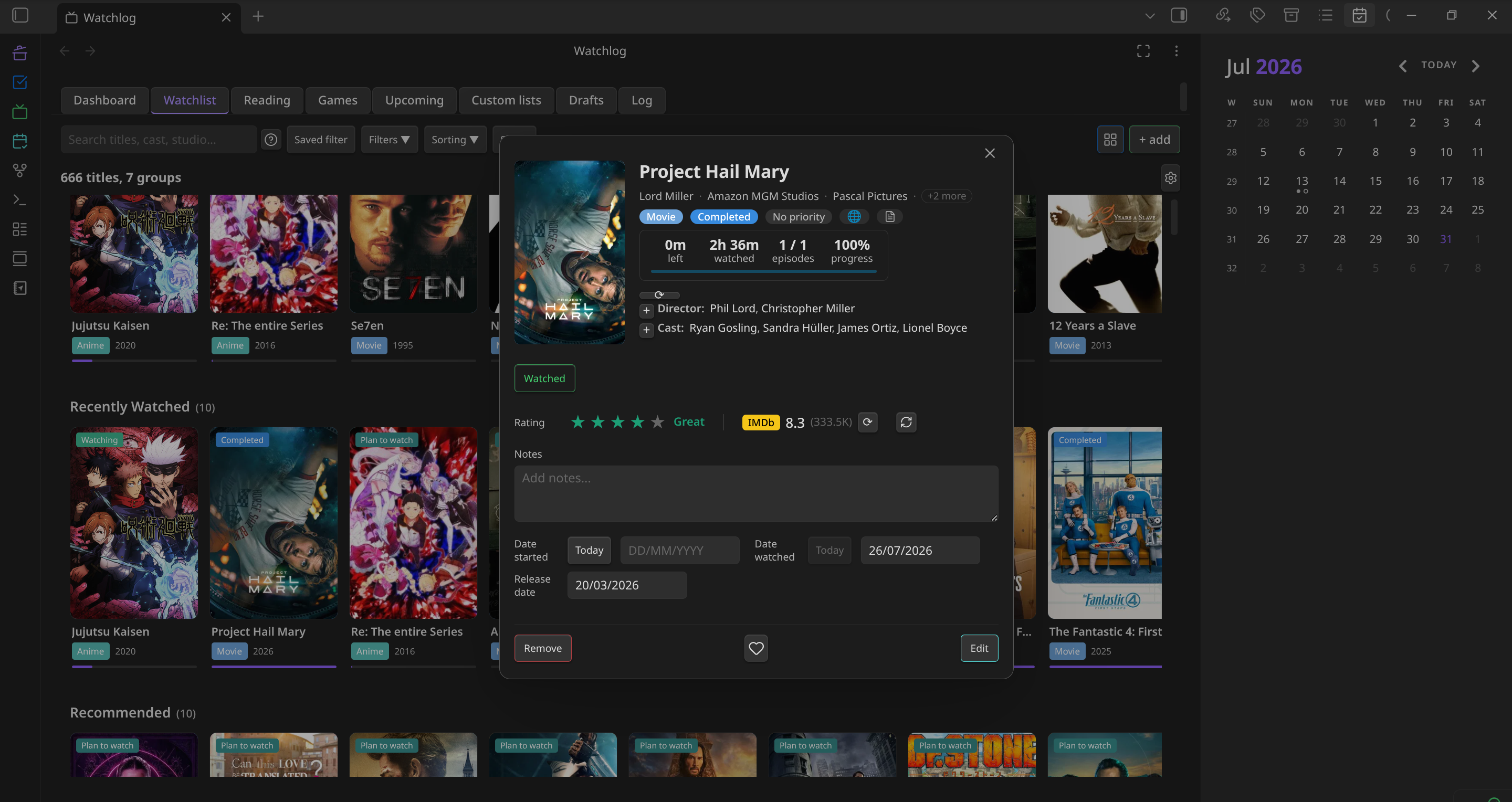
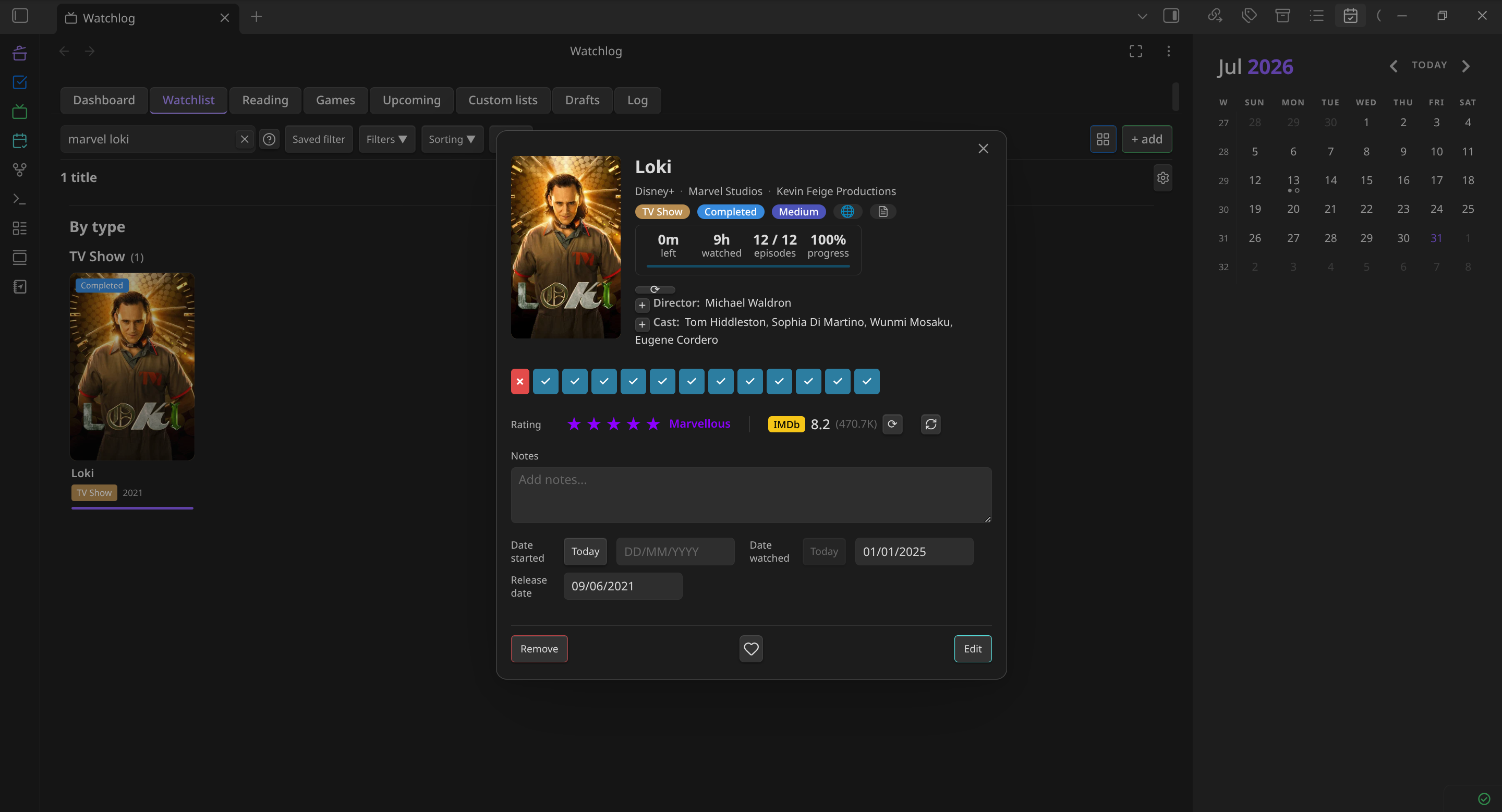
  • Full title management — add, edit, and delete titles with fields for type, status, priority, rating (0–5 stars), notes, episode count, episode duration, release date, and an external link.
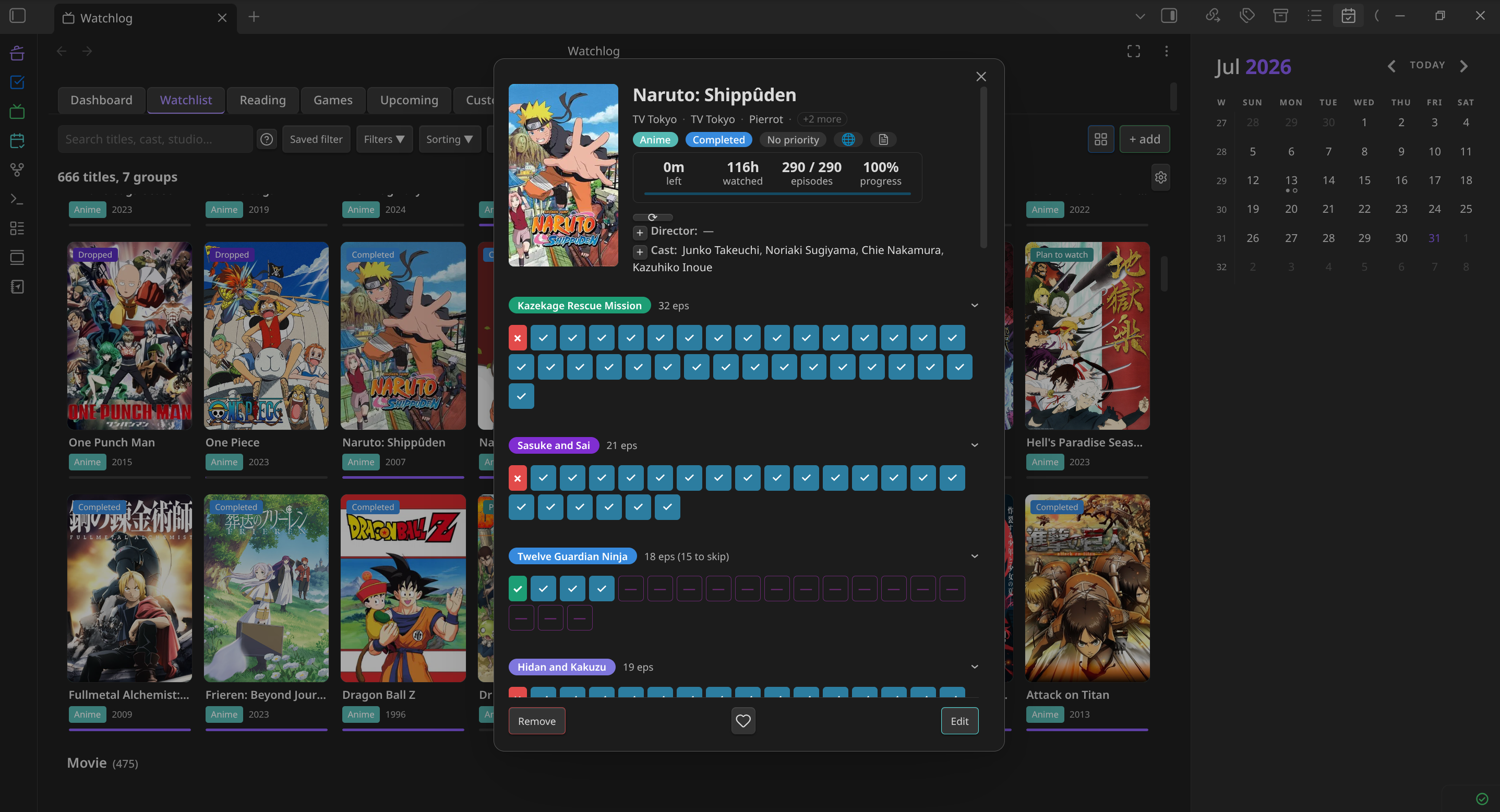
  • Episode tracking — mark individual episodes as watched; seasons are shown as collapsible groups with per-season progress bars.
  • Groups — bundle related titles (a film and its sequel, an anime and its movie) into a single collapsible row. Group rating, status, and progress are computed automatically from members.
  • Pinning — pin a title or group so it appears in "Now Watching" widgets across your vault.
  • Sorting — two-level sort (primary + secondary) across eleven keys: date added, title, status, type, rating, priority, episode duration, progress, remaining episodes, date modified, and random.
  • Filtering — exclude by type, status, priority, rating, or group; show only unrated or unprioritized titles; show only recently released titles (past 7 days). Save and restore named filter presets.
  • Fuzzy search — instant search across all title names.
  • Selection mode — select multiple titles or groups for batch delete or CSV export.
  • History log — a second sub-tab records every add, complete, review, and delete action with timestamps (up to 1 000 entries).

Dashboard

  • Per-type progress rings or rectangular cards (Anime, Movie, TV Show, etc.) plus a combined Total card.
  • Total time watched and total time remaining, computed from episode counts and durations.
  • Library summary: total titles and completed count.
  • Suggestions panel: shortest unwatched title per type, with a random-pick button.
  • Recently watched and recently added sections (last 3 each).

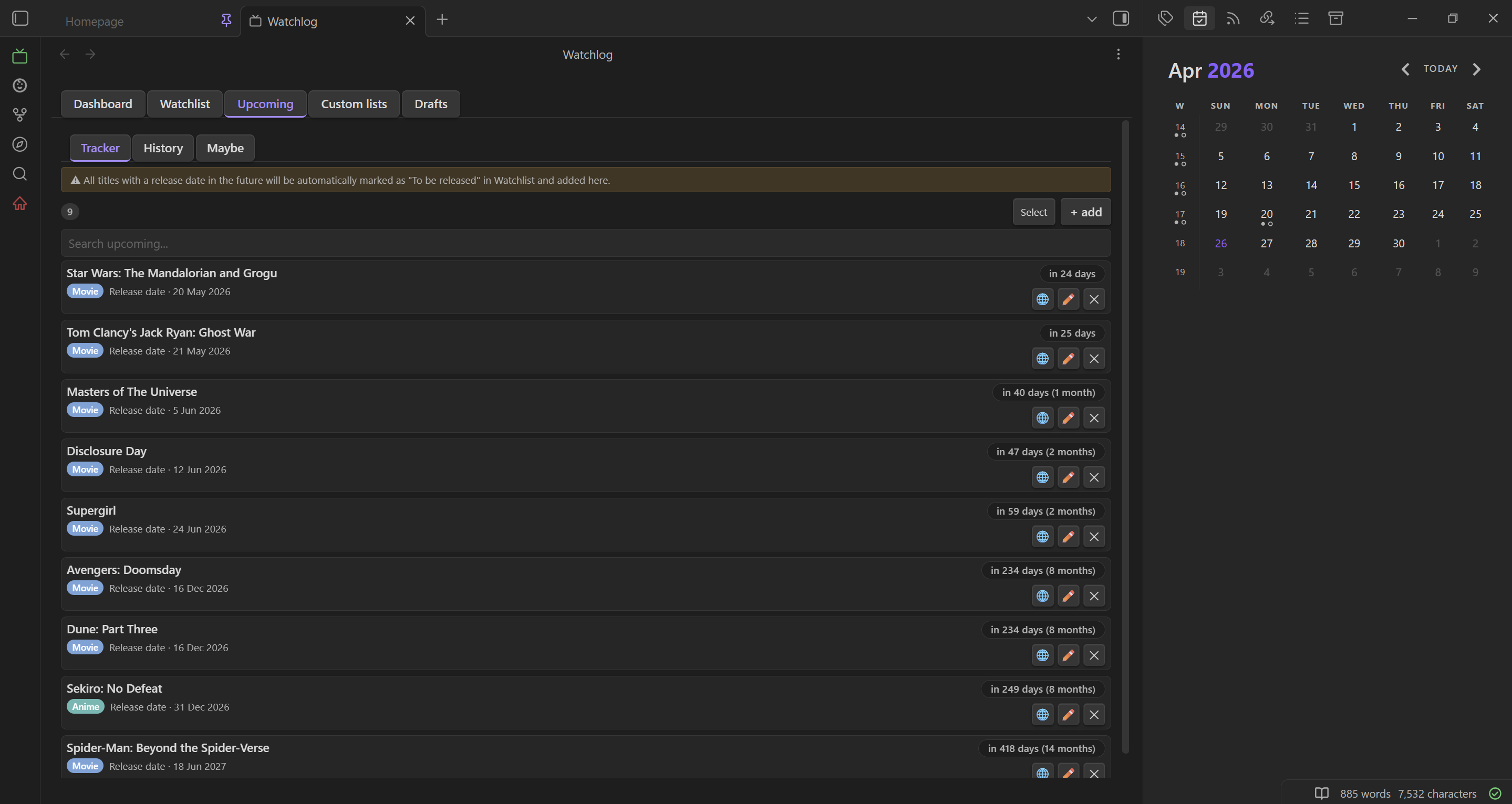
Upcoming Releases

  • Tracker — schedule releases with recurrence (once, daily, weekly, monthly), optional air time (HH:MM), and automatic countdown labels ("Today", "Tomorrow", "in N days").
  • Auto-status — any title added with a future release date is automatically marked "To be released" and added to the Tracker.
  • Tick button — mark the current episode as watched and advance the countdown in one click.
  • Notifications — desktop notifications fire at the scheduled air time (checked every 60 seconds).
  • History sub-tab — shows releases from the past 6 months with relative timestamps.
  • Maybe sub-tab — holds titles you are considering for the Tracker; add them when you are ready.

Drafts

  • Monitors your entire vault for a configurable tag (default #watchlog).
  • Extracts title names following the tag — supports comma-separated lists on the same line.
  • Shows pending titles (not yet in Watchlist), already-added titles (dimmed), and dismissed titles.
  • One-click "Add" opens the add dialog with the title pre-filled.

Custom Lists

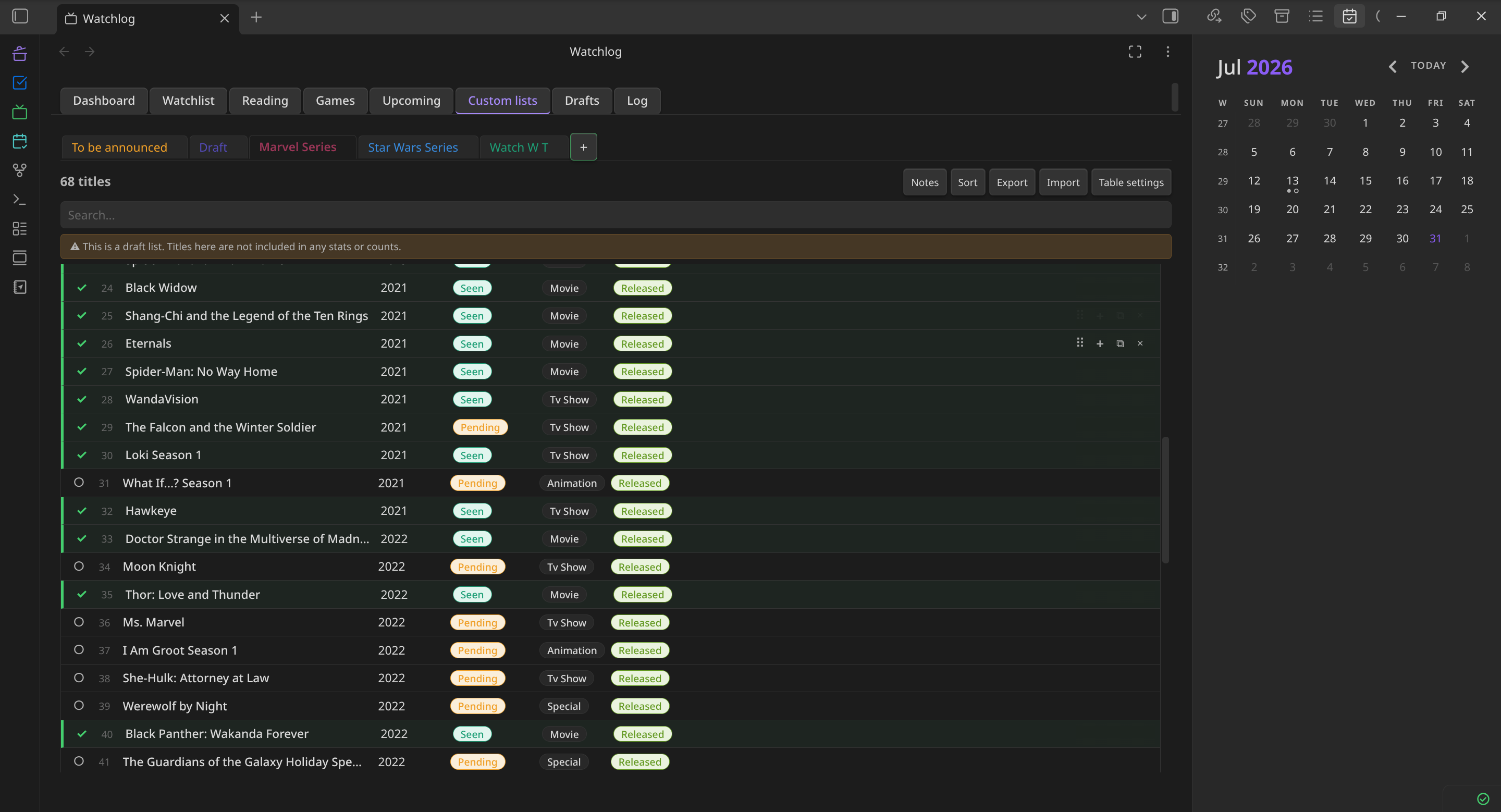
  • Create freeform tables stored as Markdown files in your vault.
  • Define custom columns with type (text, number, select), optional bold/italic formatting, and a lock flag to prevent accidental deletion.
  • Edit cells inline or via a modal; drag to reorder columns.
  • Each list has a Notes section rendered as Markdown.
  • Pre-configure default columns in settings to apply to every new list.

Inline Widgets

Embed live plugin data anywhere in your vault using fenced code blocks:

Widget What it shows
wl-todo Full progress card for a specific title — status, progress bar, next episode checkbox
wl-todo:mini Compact single-line version of the above
wl-stat:watched Total time watched (all Watching + Completed titles)
wl-stat:remaining Total time remaining (Plan to watch + Watching)
wl-stat:completed Count of Completed titles
wl-stat:time Time watched + time remaining in one card
wl-stat:time completed full Wide triple card: Time Watched · Time Remaining · Completed
wl-upcoming:next Next upcoming title with name, type, release date, and countdown
wl-nowwatching Currently pinned title with name, type badge, and progress bar
wl-now-next Wide dual card: Now Watching · Up Next

Widget state syncs bidirectionally with the Watchlist when the sync setting is enabled.

Note File Generation

  • Each title automatically gets a Markdown file in WatchLog/[Type]/[Title].md with YAML frontmatter (title, type, status, priority, rating, dates, progress, external link) and a ## Notes section.
  • Files are kept up to date whenever a title is edited.
  • A "Regenerate note files" button in Settings scans all titles and creates any missing files without overwriting existing ones.

API Integration (optional)

  • Jikan / MyAnimeList — anime search and metadata, free, no key required.
  • OMDb — movies and TV shows, free API key required. Returns season-by-season episode counts.
  • TMDB — movies and TV shows, free API read token required. Alternative to OMDb.
  • Add from URL — paste an IMDb link to auto-fill all fields.

Import / Export

  • CSV export — export selected titles with 13 fields to a timestamped CSV file.
  • CSV import — smart column detection, manual mapping, value mapping (status/type/rating), duplicate preview, and auto-creation of new types.
  • JSON backup — full data export and restore (with confirmation dialog).

Customization

  • Three color themes: Default, Nightfall (purple), Bluez (blue).
  • Fully configurable type, status, and priority tags with custom colors.
  • Configurable season palette colors.
  • Episode numbering mode: absolute (1→n across all seasons) or per-season (resets each season, display only).

Screenshots

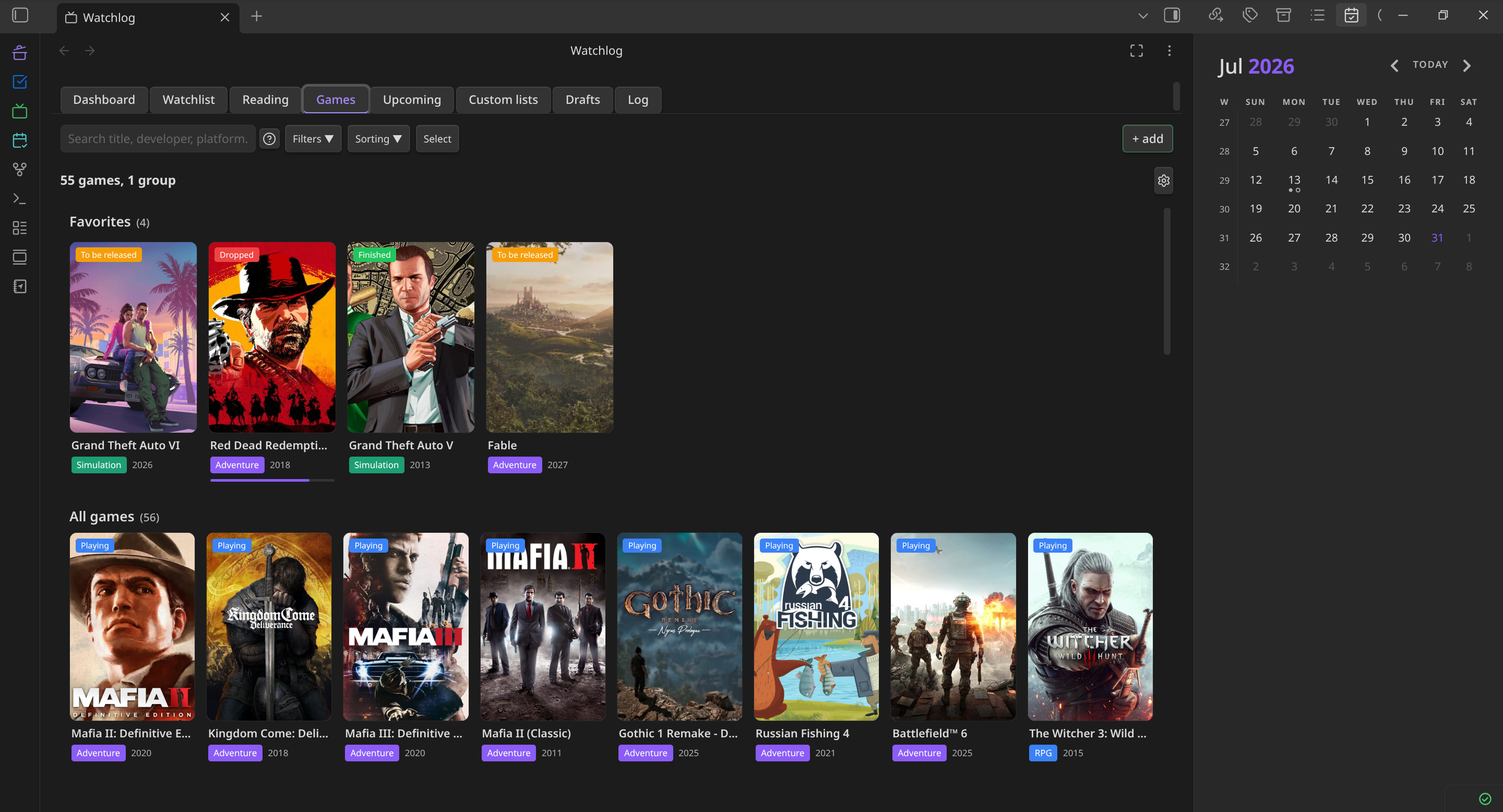
Dashboard Watchlist Upcoming Expanded Title


Installation

Manual

  1. Download main.js, manifest.json, and styles.css from the latest release.
  2. Create the folder .obsidian/plugins/watchlog/ inside your vault.
  3. Copy the three files into that folder.
  4. In Obsidian, go to Settings → Community plugins, disable Safe mode if prompted, and enable WatchLog.

API Keys (Optional)

WatchLog works out of the box for anime (powered by Jikan — no key required).

For movies and TV shows, you can optionally connect one of:

  • OMDb — Get a free API key
  • TMDB — Get a free API key

Enter your key in Settings → WatchLog → API. The settings page includes direct links to both sites and a "Test connection" button for each.


Usage

Adding a title

Click the + button in the Watchlist header, or use the Obsidian command palette and search for "WatchLog: Add title". Fill in the title name, type, and any other fields — or use the search bar inside the dialog to look it up via the configured API.

Tracking episodes

Expand a title row by clicking it. Check off individual episodes, or use the season-level checkbox to mark a whole season at once. Progress is shown as a bar and a percentage in the collapsed row.

Using widgets

In any Markdown note, create a fenced code block with a widget name:

```wl-todo
My Favourite Anime
```

The widget renders live in Reading view. See the Widgets section of the plugin Settings for a full syntax reference with copy buttons.

Upcoming releases

Open the Upcoming tab and click + to schedule a title. Set the recurrence and — optionally — an air time. The plugin will notify you at that time and advance the episode counter automatically.

Drafts

In any vault note, write a line like:

#watchlog Some Movie, Another Show

Open the Drafts tab to see all pending titles detected across your vault. Click Add to move them into your Watchlist.


License

MIT

79%
HealthExcellent
ReviewSatisfactory
About
Track anime, movies, and TV shows in Obsidian with episode-level progress, watchlists, groups, pins, fuzzy search, and embeddable widgets. View per-type progress, time watched/remaining, suggestions, and schedule recurring release alerts with countdowns.
VideoDatesVisualization
Details
Current version
1.1.0
Last updated
2 weeks ago
Created
4 weeks ago
Updates
2 releases
Downloads
333
Compatible with
Obsidian 1.7.2+
Platforms
Desktop, Mobile
License
MIT
Report bugRequest featureReport plugin
Author
BogdanSBogdanSshynkro
GitHubshynkro
  1. Community
  2. Plugins
  3. Video
  4. WatchLog

Related plugins

Markwhen

Create timelines, gantt charts, calendars, and more using markwhen.

April's Automatic Timelines

Simple timeline generator for story tellers.

Prisma Calendar

Prisma turns any note with a date into a flexible planning system inside Obsidian. There are no rigid schemas or predefined structures — just your data, your rules, fully under your control.

Advanced Canvas

Supercharge your canvas experience. Create presentations, flowcharts and more.

Day Planner

Day planning from a task list in a Markdown note with enhanced time block functionality.

Excalidraw

Visual PKM powerhouse. Create and edit Excalidraw drawings.

Mermaid Tools

Improved Mermaid.js experience: visual toolbar with common elements and more.

Maps

Adds a map layout to bases so you can display notes as an interactive map view.

Tasks

Track tasks across your vault. Supports due dates, recurring tasks, done dates, sub-set of checklist items, and filtering.

Life Tracker

Capture and visualize the data that matters in your life.