Vox Reader
 danialkalbasi288 downloads
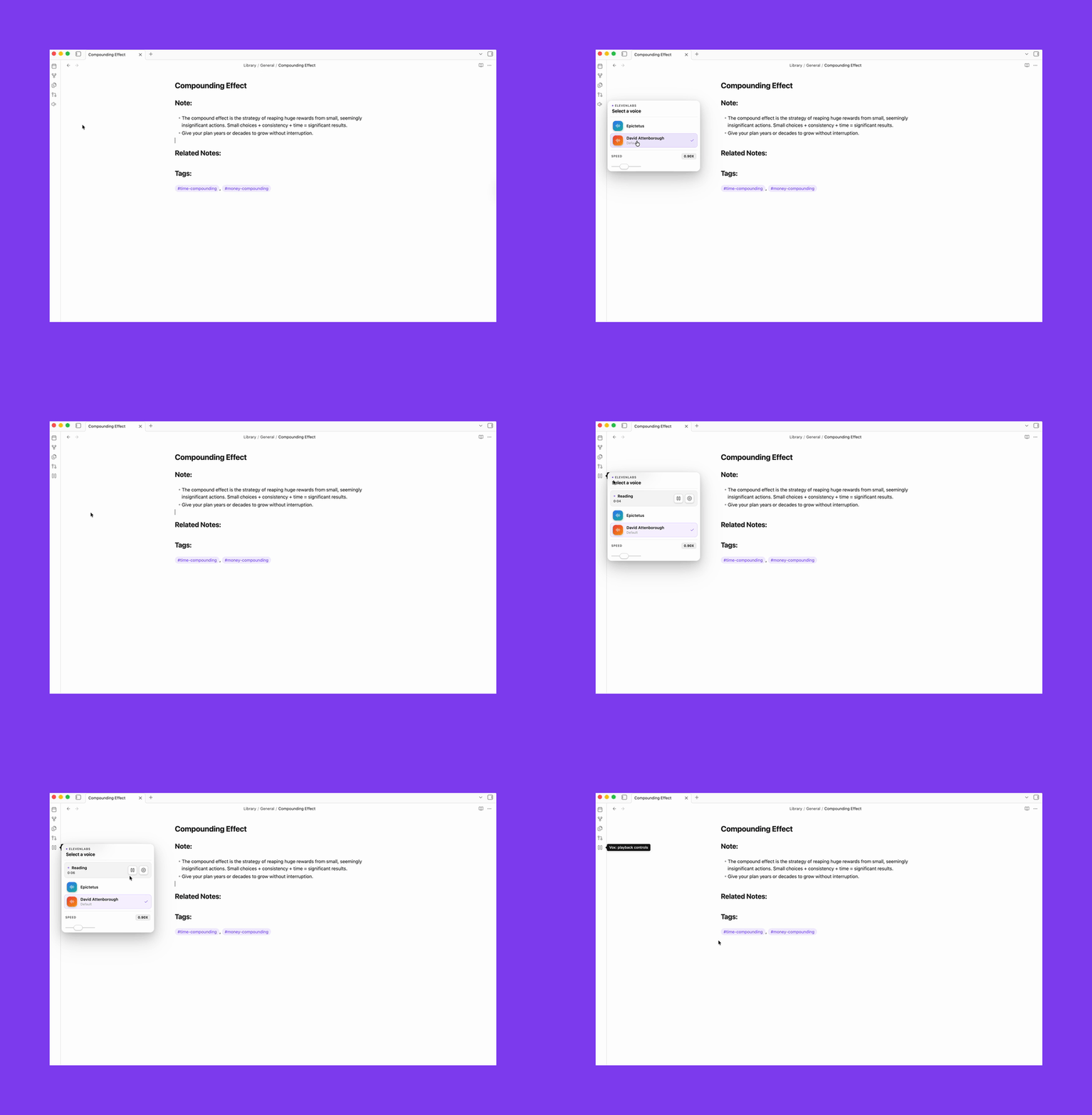
Bring your notes to life with natural voices from ElevenLabs or OpenAI, or use the built-in browser voice.
- Overview
- Scorecard
- Updates2
Listen to your notes with your favorite voices.
Features
- Reads any note aloud with full playback controls (pause, resume, stop)
- Three providers: ElevenLabs, OpenAI, Browser
- Voice assignment: globally, per folder, or per note
Ideas for how to use it
- Review meeting notes or decisions hands-free while you're away from your desk
- Catch awkward phrasing in your own writing by hearing it read back
- Work through a long research note without staring at a screen
- Proofread in a second language by listening for rhythm and flow rather than reading
- Practice a presentation or speech by listening back to your notes and hearing how it lands
Setup
- Go to Settings → Community plugins, click Open plugins folder, drop the plugin folder in (
.obsidian/plugins/vox-reader/) - Enable it under Settings → Community plugins
- Open Settings → Vox, pick your provider
ElevenLabs
The voices sound like people. That's not obvious until you compare them side by side, but once you do it's hard to go back.
Get your API key
- Create an account at elevenlabs.io
- Profile → API keys → copy your key
- Paste it into Settings → Vox → API key
Create a voice
ElevenLabs Voice Design lets you generate a voice from a text description. Paste a prompt and generate.
There's a ready-made collection of voice prompts in VOICES.md: Epictetus, Tony Robbins, David Attenborough. Start there.
A few things I've noticed:
- Stability 0.5, similarity boost 0.75 is a good starting point
- Try the same prompt with different base voices. The description shapes personality, the base voice shapes timbre
Add voices to Vox
Go to Settings → Vox → Browse voices. The browser loads your full ElevenLabs library: premade voices and anything you've cloned or created. Each entry shows gender, age, accent, and use case. Click ▶ to hear a preview clip, then Add to save it.
Added voices appear as chips below the button. Click a chip to set it as the default. Click × to remove it.
Speed range: 0.7x - 1.2x. ElevenLabs applies it server-side, so quality stays clean.
OpenAI
Easier to set up. High quality, more neutral character.
- Get an API key from platform.openai.com
- Paste it into Settings → Vox → API key
- Pick a voice:
alloy · ash · ballad · cedar · coral · echo · fable · marin · nova · onyx · sage · shimmer · verse - Set a Tone if you want: calm, conversational, news anchor, storytelling, energetic
Models: tts-1 is faster and cheaper. tts-1-hd sounds noticeably better for long reads. Cost is around $0.015 per 1k characters.
Speed range: 0.25x - 4.0x.
Browser
Uses your OS's built-in speech synthesis.
- Switch the provider to Browser in Vox settings
- Optionally set a voice name (
SamanthaorAlexon macOS)
Quality depends entirely on your OS. Fine for short reads, not great for anything longer.
Speed range: 0.6x - 2.0x.
Development
npm install
npm run dev
npm run build      # production build
npm run typecheck  # type-check without building
For Obsidian development, enable Settings → Vox → Auto-reload while developing.
Then run npm run dev; Vox reloads itself in Obsidian when main.js, styles.css, or manifest.json changes.