Vikalp
 Tushar50 downloads
Alternative control for writing: keep versions of words, sentences and paragraphs in place, run lint on text to catch issues.
- Overview
- Scorecard
- Updates7
Settle on the right way to say something. Keep several versions of a word, sentence or paragraph in place, dim text instead of deleting it, keep spare writing nearby, lint on demand, and ask AI for options, marks and cuts. Vikalp is Hindi for "alternative".
Website · Install in Obsidian · Latest release · Guide
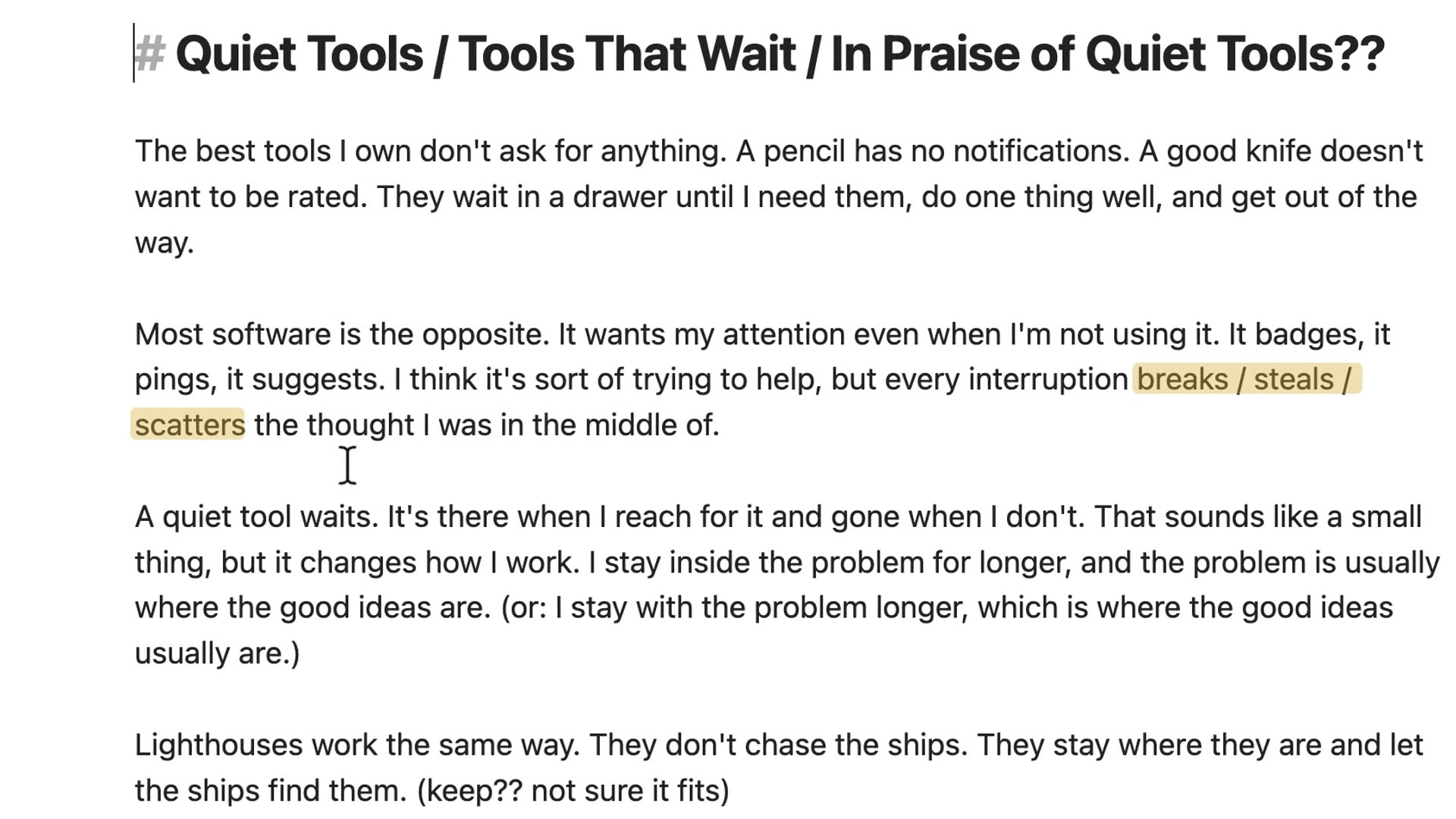
What it does
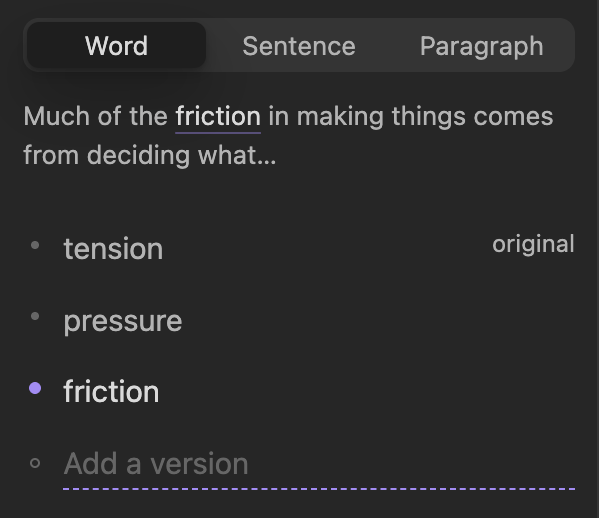
Alternatives. Put the cursor on a word, press ⌘J, type versions. Press ⌘J again for the sentence, again for the paragraph. Hover and press the arrow keys to read each one in place. Whatever is showing is the note.
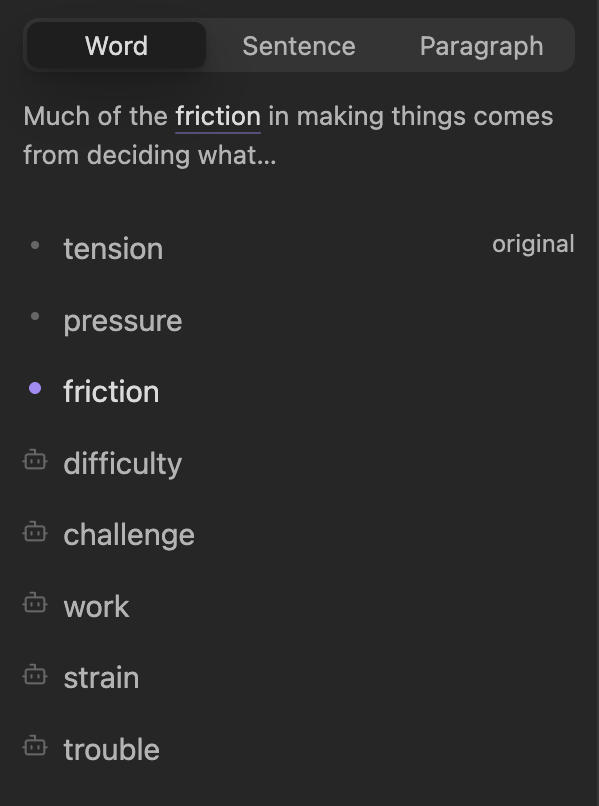
AI versions. Press ⌘⇧J and options stream in, marked with a small robot. Your showing version never changes; you pick.
Ghosting. Fade a passage instead of deleting it. Revive it later, or copy the note without it.

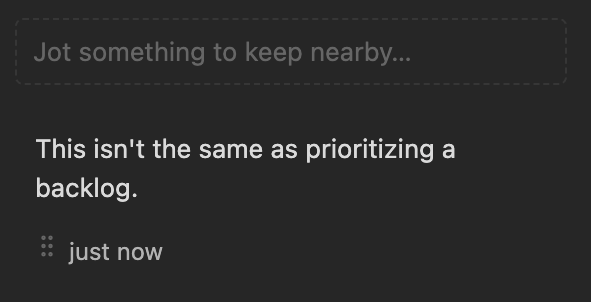
Overflow. A per-note side panel for writing you cut but want nearby. Drag it back when it fits.
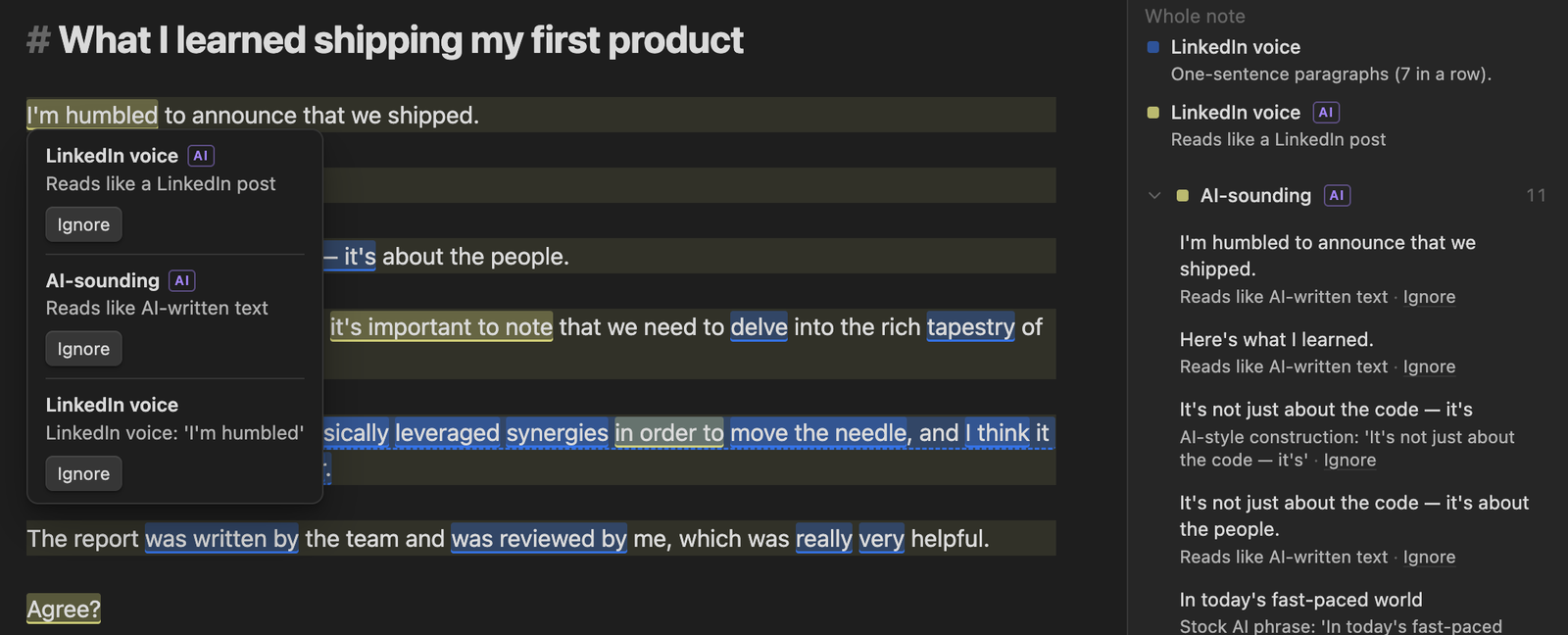
Linter. Rules for hedging, wordiness, AI-sounding phrases, LinkedIn voice, repetition, passive voice and more. Edit them or add your own as YAML. On OpenRouter, AI rules use Jev, TypeSafe's yes/no model. On other providers they use the model you picked.
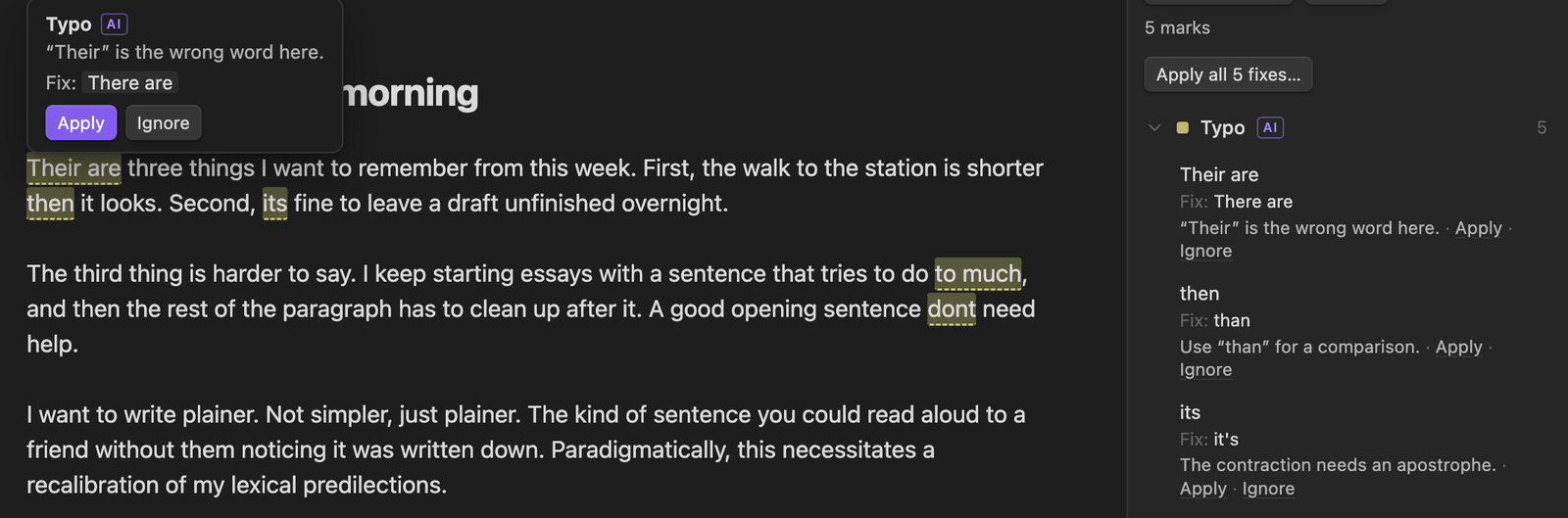
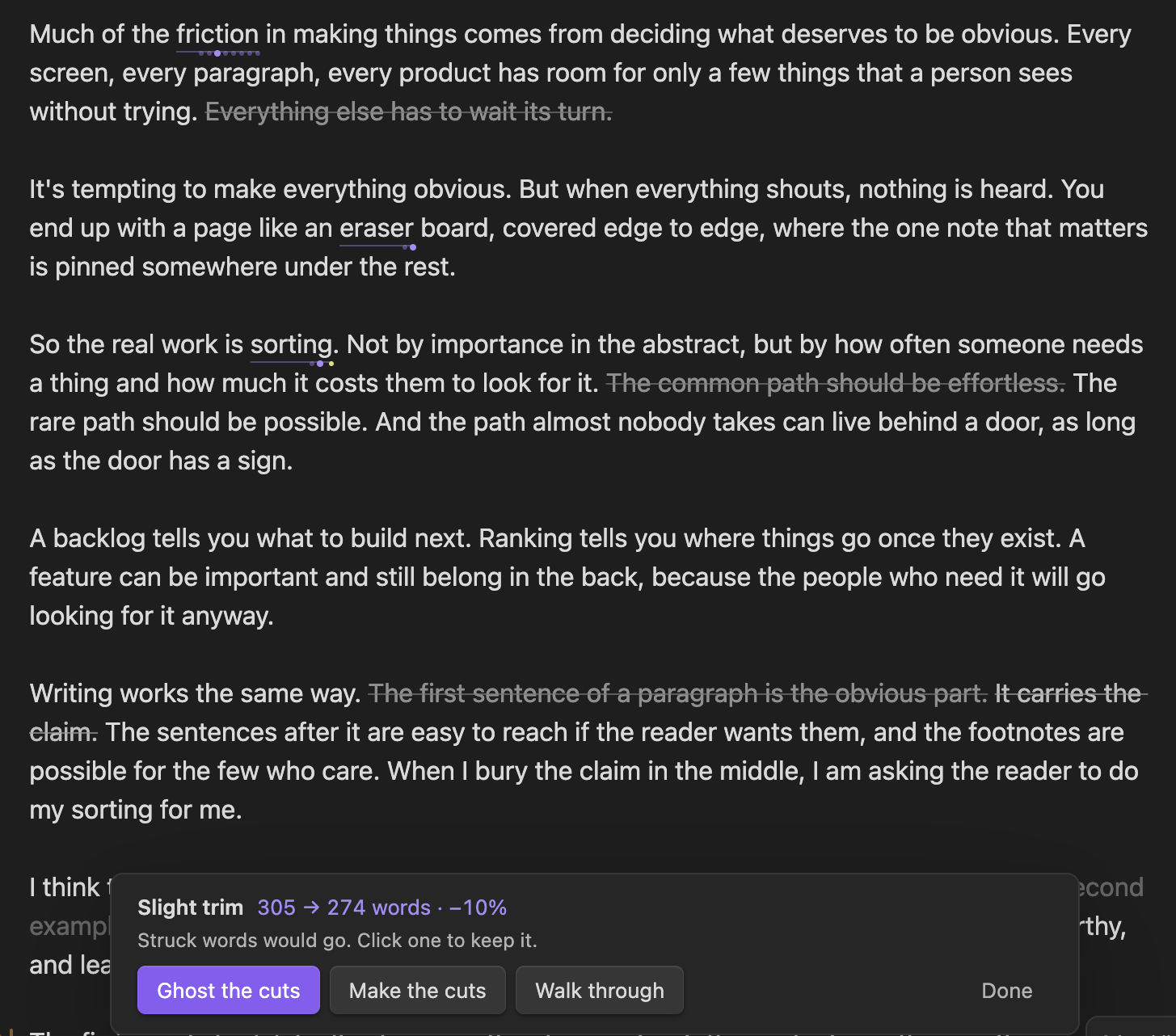
The Lab. AI passes that mark typos, weak or convoluted sentences, off-tone words and hedges, and trim levels that fade the words a model would cut. You keep or cut each one.
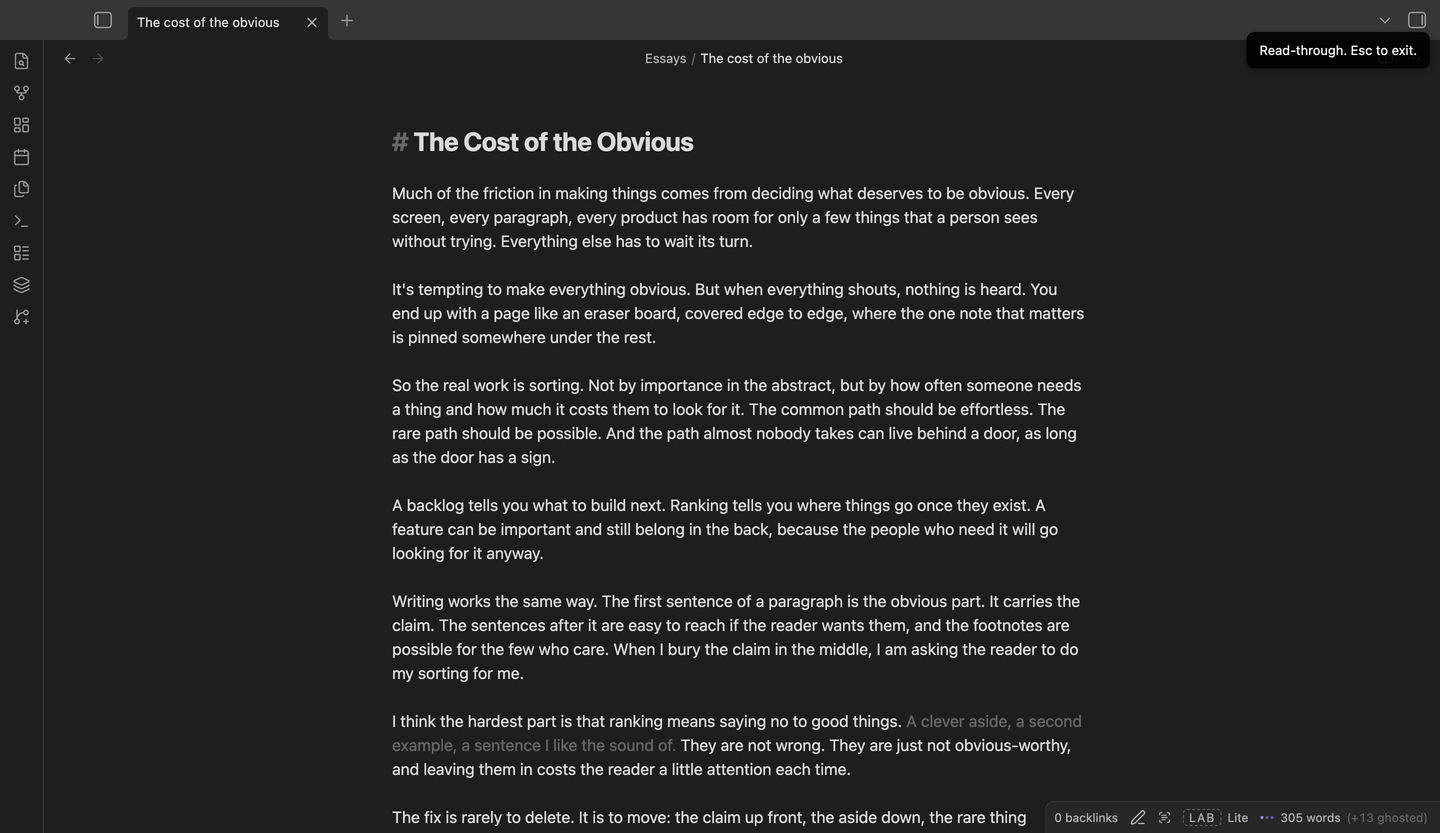
Read-through. Hide every marker and read like a reader.
AI never writes prose into your note. It can add labelled versions, mark text, or propose cutting your own words, and nothing runs until you click.
Install
In Obsidian, open Settings → Community plugins → Browse and search for Vikalp. You can also open it from the plugin directory or with the link obsidian://show-plugin?id=vikalp. Desktop only.
To install by hand, download main.js, manifest.json and styles.css from the latest release into <your vault>/.obsidian/plugins/vikalp/ and enable Vikalp in Settings → Community plugins.
Then pick an AI provider in Vikalp's settings for the AI features, ⌘J, ⌘⇧J, ⌘⇧↵ and ⌘. work from the start, and the right-click menu and the ⌘. menu show each action's key. Change them in Settings → Hotkeys, or turn off Use suggested hotkeys if they clash with keys you already use.
Network use
Alternatives, ghosting, Overflow, the lint rules without AI and read-through work offline.
The AI features (AI versions, AI rules and the Lab) send text to the provider you pick in settings: OpenRouter, Anthropic or OpenAI with your own API key, or a model on your own computer through Ollama or LM Studio. Any other OpenAI-compatible server works too. Asking for AI versions sends the note title, the paragraph and the paragraphs on either side. Lab passes and AI rules send the open note. Nothing is sent until you click something. You pay the provider for what you use, and the Lab shows the cost of every call. With Ollama or LM Studio running on your own machine, the text stays on it and costs nothing.
- The plugin connects only to the provider you chose:
openrouter.ai,api.anthropic.com,api.openai.com,localhostfor Ollama and LM Studio, or the URL you typed for a custom server. - Asking for versions, running a Lab pass or picking a trim level is one request each. A linter run with AI rules on makes one request per paragraph. The Ollama, LM Studio and custom settings fetch the server's model list when you open them, and the OpenRouter settings fetch its model list and benchmark scores to suggest open models.
- Your API keys are kept in Obsidian's secret storage on this device and sent only to that provider.
- Model lists and benchmark scores are fetched through Obsidian's own request API. Model calls stream their answer through the browser's fetch, because Obsidian's request API can't stream.
- Vikalp's own code uses no base64. The bundled AI and YAML libraries contain base64 helpers for binary data that Vikalp never sends. Nothing is hidden or obfuscated; the code is open source.
- It writes to the clipboard only for Copy clean text, and never reads it.
- Vikalp has no telemetry and no account.
Inspired from Jason's and Jhey's tweets.
Working on the plugin? See docs/development.md.