Verso
 Live A Quiet Life2k downloads
Your reading life, scheduled. Track books, build reading schedules, and stay on pace.
- Overview
- Scorecard
- Updates14
Your reading life, scheduled.
Verso is a reading scheduler for Obsidian that helps you build realistic reading schedules and stay on pace — without the guilt trips. It tells you where you actually are, not where you wish you were.
What it does
You add a book, set a target finish date, and tell Verso which days you read. It builds a schedule, tracks your daily chunks, and gives you an honest picture of your progress.
If you fall behind, it doesn't spiral into shame math — it redistributes your remaining pages across your remaining days and tells you what you need to do. If you catch up, it clears the "Behind" badge immediately. No streaks, no points, no coaching.
Features
Dashboard
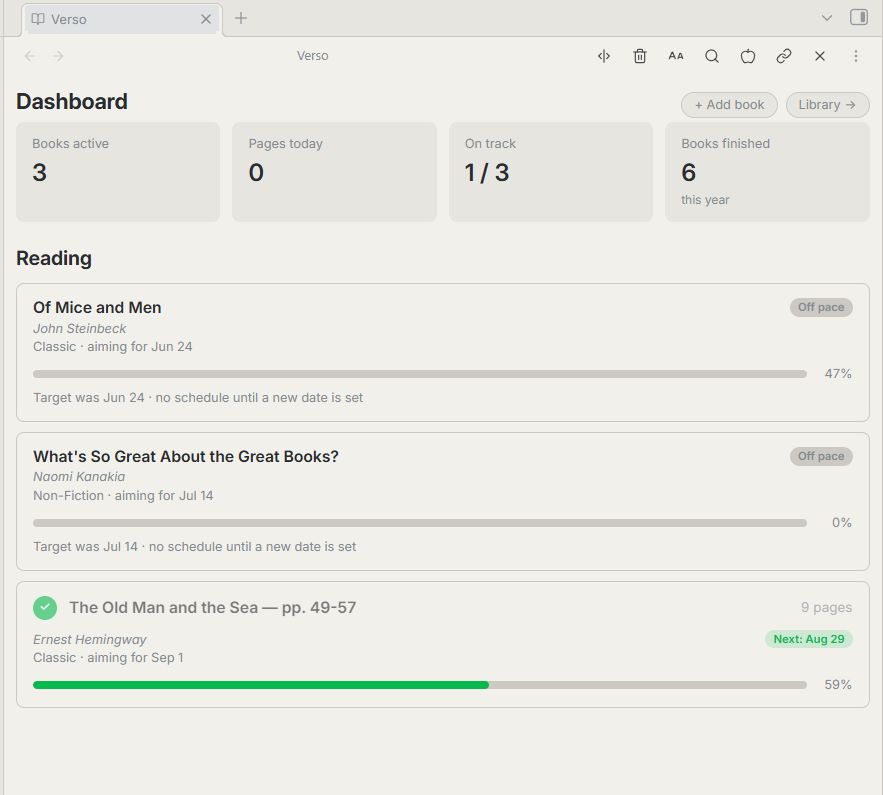
Your active reading, at a glance. Books are sorted by urgency: off-pace first, then at-risk, then behind, then on-track by due date, then not yet started. Each book shows its status, today's reading chunk, and progress toward completion.
Today sidebar
A compact reading reminder that lives in your sidebar. Shows just the books with something due today — click to mark a chunk complete without leaving your notes.
Library
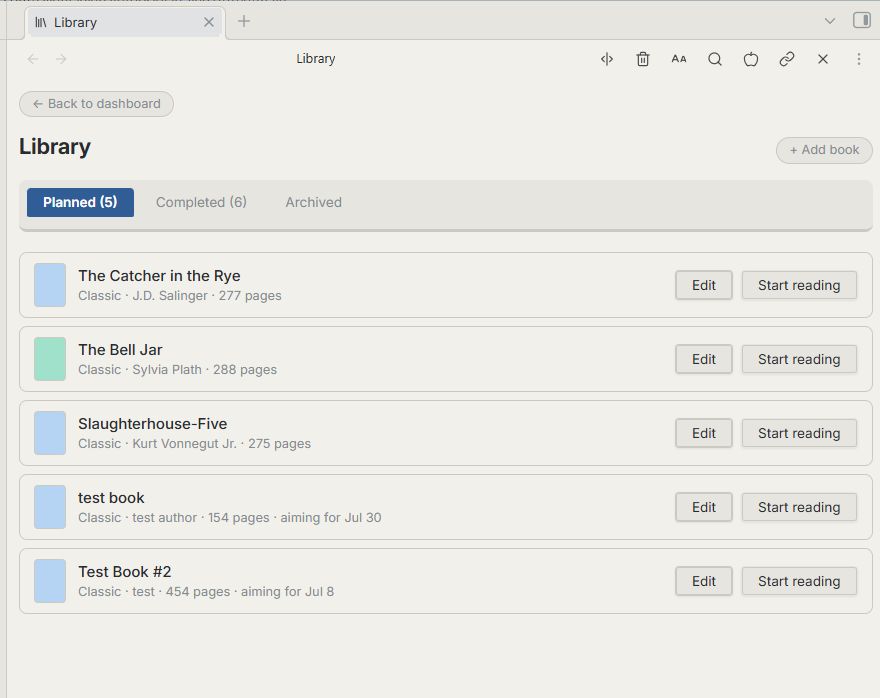
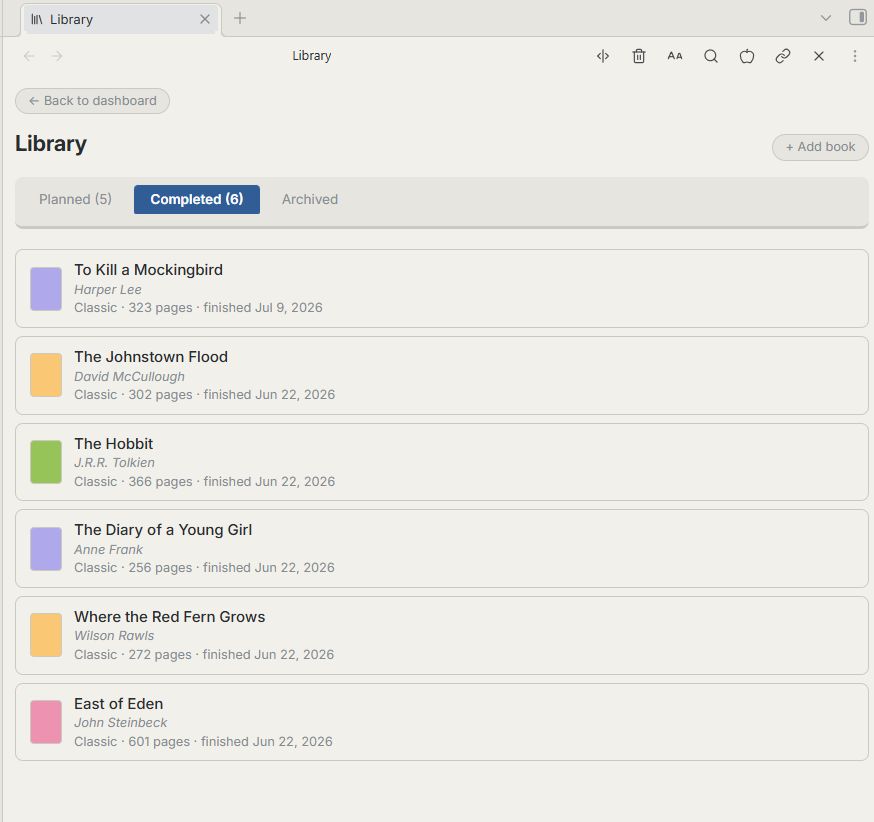
Tabs for your Planned, Completed, and Archived books. Finished books get shelved — literally: their spines line up on a visual bookshelf, sorted by when you finished them. Archived books remember why they were set aside and can be restored whenever you're ready to pick them back up.
Honest scheduling
When you log what you actually read — more or less than the plan — Verso updates your schedule around reality, not the original numbers. Catch up or fall behind, the math always starts from where you actually are. Backdated start dates, missed days, and catch-up sessions all resolve cleanly.
If a book's target date passes entirely, Verso doesn't keep inventing a new plan around a date that's already gone. It marks the book Off pace, stops scheduling, and waits — your progress stays exactly as it was, with nothing new to check off until you set a new target date. Once you do, it picks up from where you actually are, not from page one.
Book completion celebration
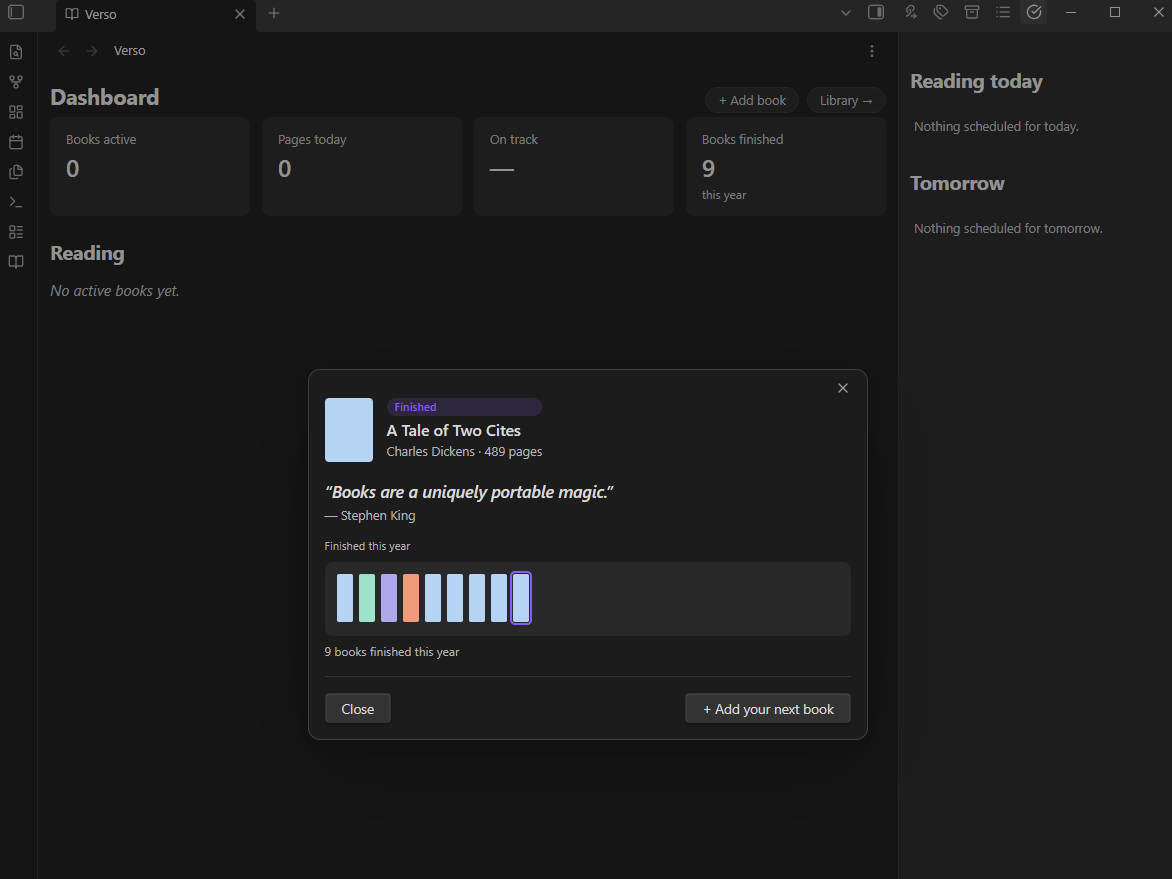
When you finish a book, Verso marks the moment with a quote about reading — a different one each time, drawn from a larger set for longer books. It also tells you honestly whether you moved your finish date along the way, and lines your finished book up on a shelf with everything else you've read this year. No inflated praise — just the truth, warmly delivered.
Pages or percent
Reading on a Kindle, Kobo, or another e-reader that only shows percentages? Track that book by percent instead of page numbers. Set it per book when you add or edit it — the scheduling math works exactly the same either way.
Customizable vocabulary
Reading for a book club? Tracking a project? Working through a subject? Call your collections whatever fits your situation — Projects, Lists, Shelves, Classes, or your own word. The label propagates throughout the interface so it always feels like yours.
Flexible reading days
Set your default reading days globally (every day, weekdays only, or custom), then override per book as needed.
Days off
Going on a trip? Mark the dates, for all books or just one, and Verso schedules no reading on them. You choose whether finish dates stay put (a few more pages on the other days) or move later by the days lost, and Verso shows what each choice does before you save. If you find time to read on a day off anyway, click Log reading on the book's card and it counts.
Fill in a book from a note
Keep book notes in your vault? In Add book, choose Fill in from a note… and Verso copies the title, author and page count from the note's properties. You pick which property names it reads in Settings.
Pages left today
On desktop, the status bar shows how many pages you have left today. Click it to open the dashboard.
Sync-friendly
If you sync your vault between devices, Verso merges changes made on each one instead of letting one device's copy overwrite the other's.
Philosophy
Verso is a thoughtful friend, not a productivity app. It won't gamify your reading or pretend you're "crushing it" when you're three weeks behind. It will tell you the truth, do the math, and get out of your way.
It's built for independent readers and book clubs — people who read for their own reasons, on their own terms.
Installation
From the Community Plugins directory
- Open Obsidian → Settings → Community Plugins
- Search for Verso
- Install and enable
Manual installation
- Download
main.js,styles.css, andmanifest.jsonfrom the latest release - Create a folder called
versoinside your vault's.obsidian/plugins/directory - Place the three files inside it
- Enable the plugin in Settings → Community Plugins
Getting started
- Open the Verso Dashboard from the ribbon or via the command palette (
Verso: Open Dashboard) - Click Add a book
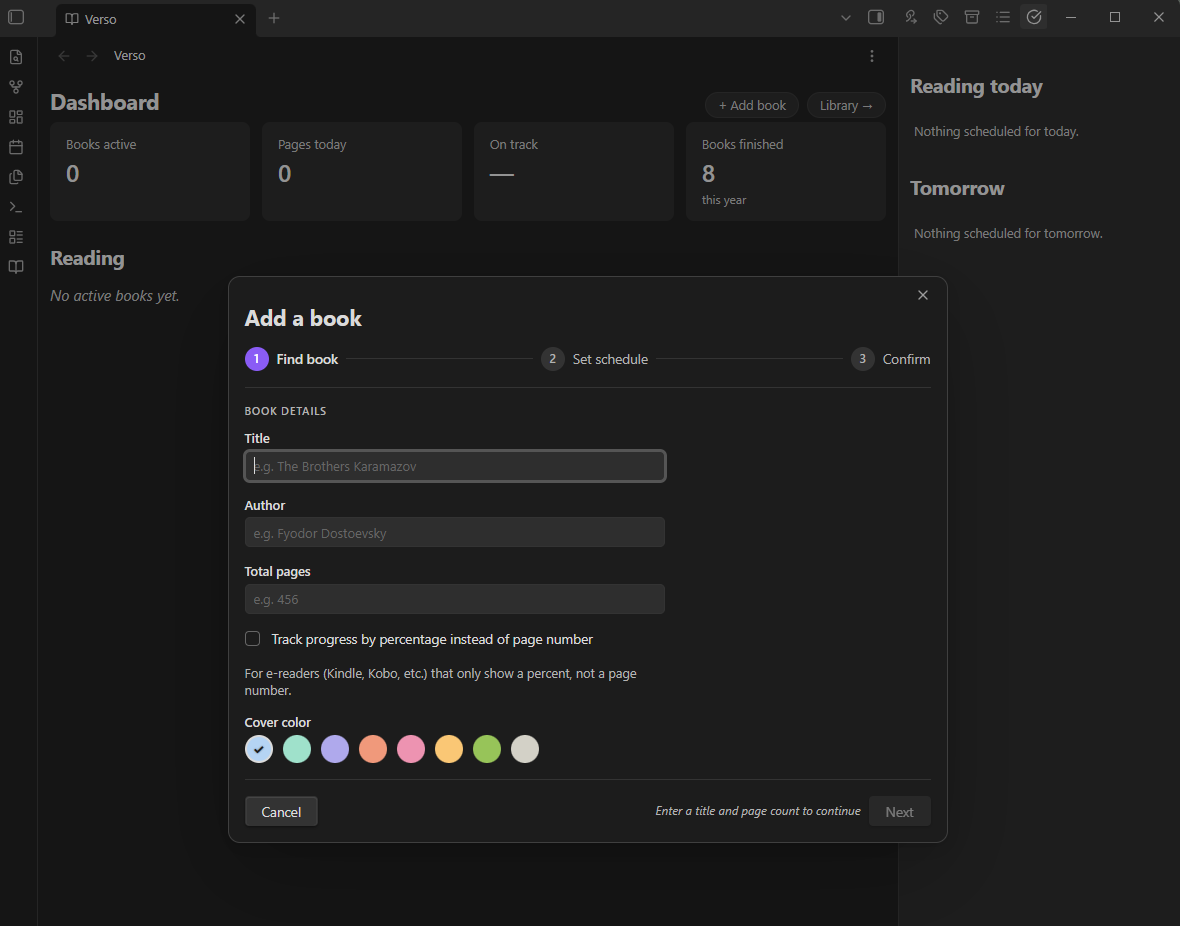
- Enter the title, author, and page count
- Set your start date, target finish date, and reading days
- Verso builds your schedule — start reading
Compatibility
- Obsidian 1.13.1 or later
- Desktop and mobile
Mobile support is new as of 1.3.0 and has been tested on Android. As of 1.3.2, when the on-screen keyboard would cover the field you're typing in, Verso's shorter windows move up just far enough to keep it visible.