Vault Loss Alarm
 theluckystrike1 downloads
Warn you when notes or attachments vanish from your vault and list each missing path with its last known size.
- Overview
- Scorecard
- Updates1
Vault Loss Alarm warns you when notes or attachments vanish from your vault. The report lists missing paths and their last known sizes. It also finds Markdown notes that became empty since the saved baseline.
Use the report to check your backup or sync state. The plugin stores file metadata, so it cannot recover note text or attachment contents. Core checks are free and need no account.
Features
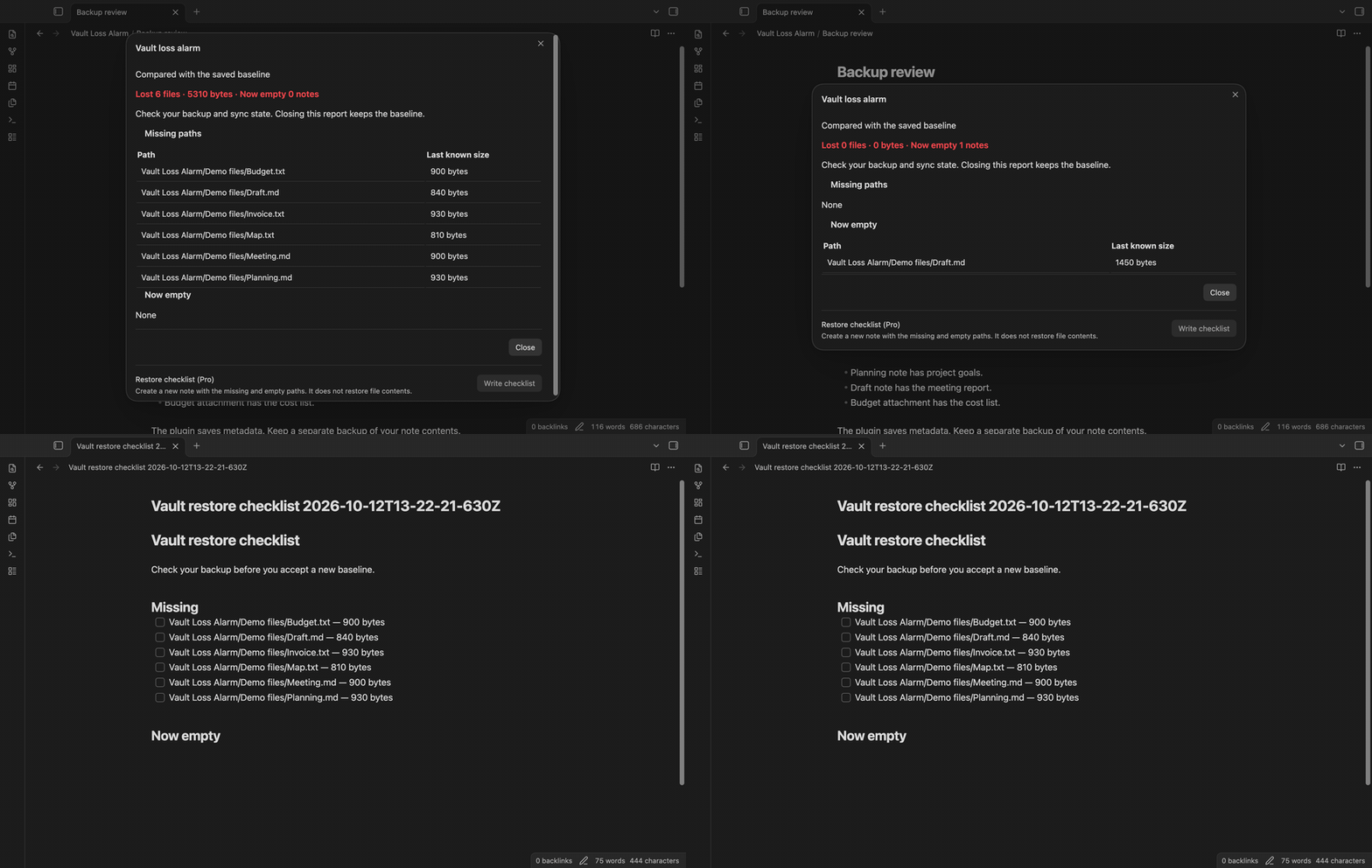
Missing paths and last sizes
At startup, the plugin waits 60 seconds after the workspace layout is ready. It then compares the file list with the saved baseline. The default alarm opens when five files are missing, or when their last sizes total 1 MB. Here, 1 MB means 1000000 bytes. These are two separate triggers: one large attachment can reach the byte threshold.
The report shows each missing path and its size in bytes. It keeps the old baseline if a file is missing, including losses below the alarm threshold. Closing the report leaves that evidence in place. A later check can show the loss again.
Delete events while the vault is open
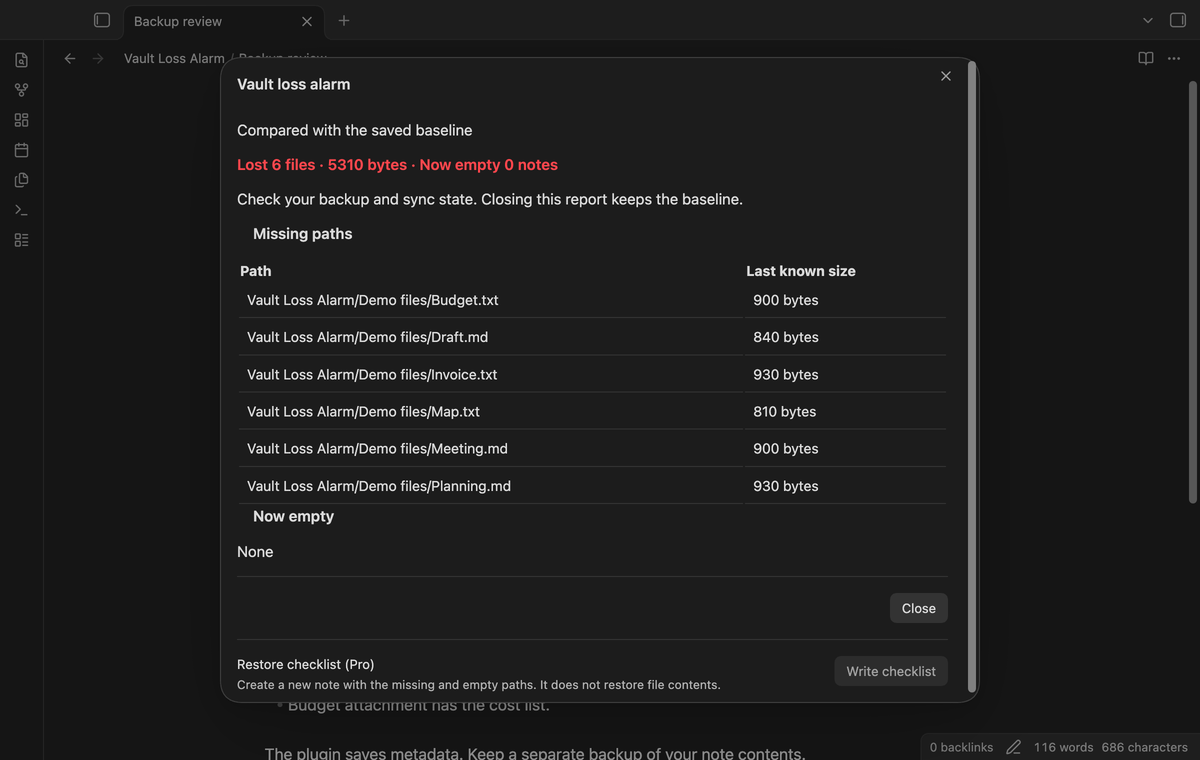
The plugin counts Vault delete events in a rolling ten-minute window. The default threshold is 20 events. Deletions from within Obsidian count because the same event can also come from sync. A folder deletion event counts too. If a path occurs more than once, the report displays one row for that path while the event counter includes those events. During a large deletion, the report refreshes at most once a second.
The event list uses the size from the deleted file object when it is a file. A folder event has zero bytes unless the baseline contains that path. Treat the event alarm as a prompt to inspect the deletion, including a planned cleanup.
Notes that became empty
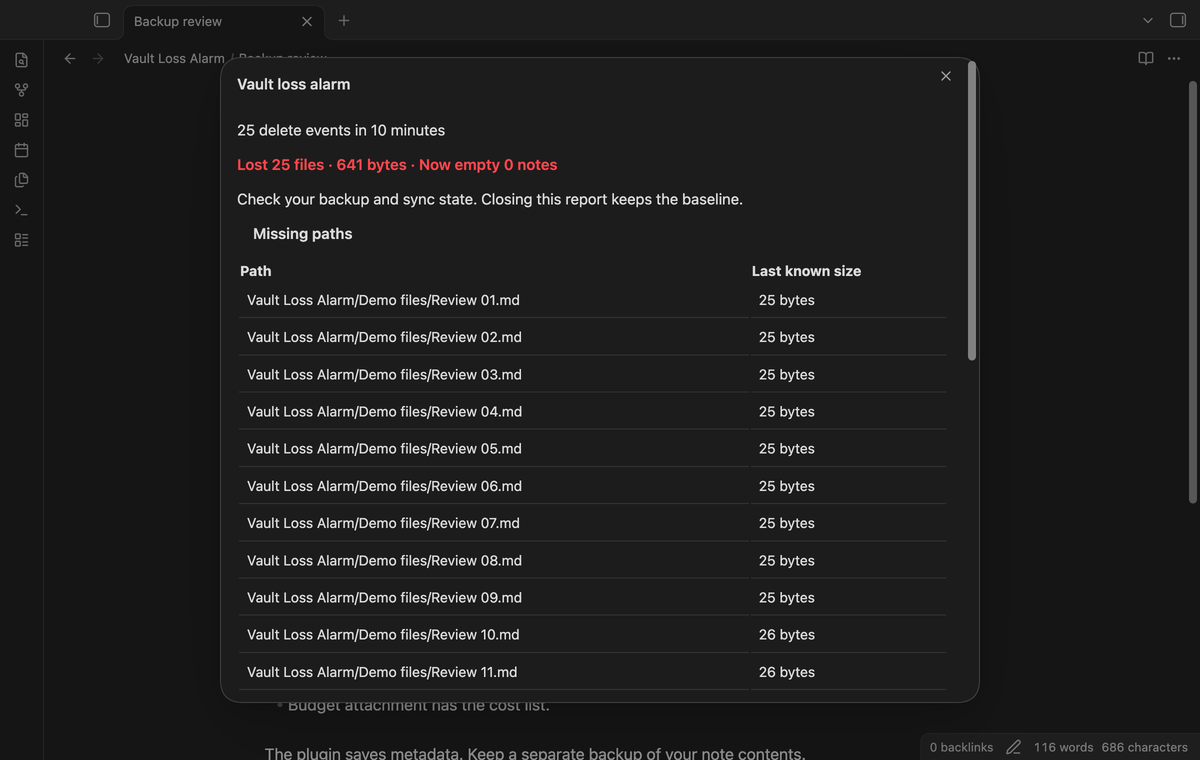
A Markdown note with a positive size in the baseline and a current size of zero appears under "Now empty". This finding opens an alarm without waiting for the missing-file threshold. A note that was already empty does not trigger this check. Empty attachments do not trigger the empty-note alarm.
Manifests and manual checks
The plugin writes a current manifest in its plugin folder at checks and at 30-minute intervals. It also starts a save when it unloads. Each entry has a path, size and modification time. Until a loss is found, a healthy save updates the baseline. After a loss, saves keep the old entries until you accept another baseline. New files join the held baseline, so a later loss of a new file also shows. An in-app note or folder rename moves the corresponding baseline paths.
"Check vault now" shows a Notice with the missing count. "Show loss report" opens the path list even below the threshold. "Accept current vault as baseline" replaces the baseline with the current file list and clears the rolling event list. Check your backup before you use this command.
Thirty-day history and date comparisons (Pro)
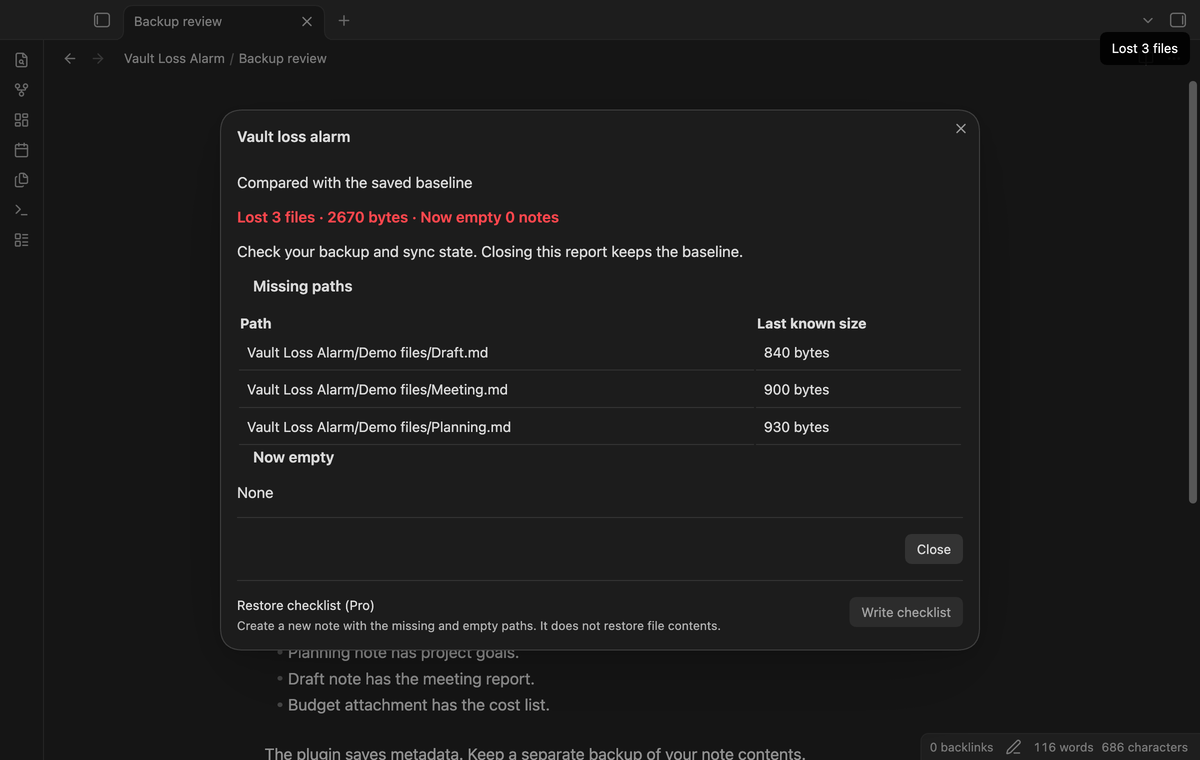
With Pro on, saves also write dated manifests in the plugin folder. The next save removes dated manifests older than 30 days. It keeps each manifest from the last 24 hours and the last manifest of each older day. Run "Compare manifest dates" and select two saved times. The report lists paths missing from the second manifest, newly empty notes, added paths, and paths whose size or modification time changed. It compares metadata rather than text revisions.
Folder thresholds (Pro)
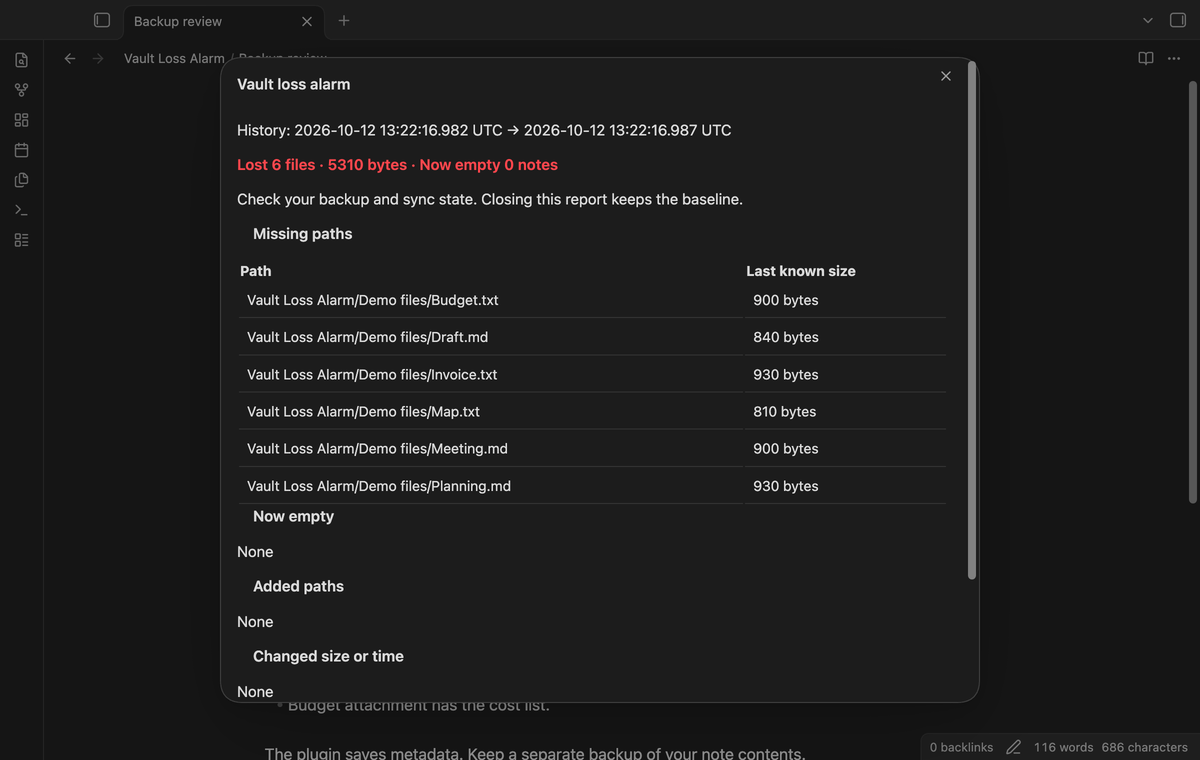
Add a line such as Projects | 2 | 500000 in the folder threshold field. The first value is the folder, the second is the missing-file count, and the third is the missing-byte total. Positive whole numbers are required. A rule applies to that folder and its child folders. Folder rules add an alarm below the vault threshold; they do not raise or disable the vault threshold.
Restore checklist notes (Pro)
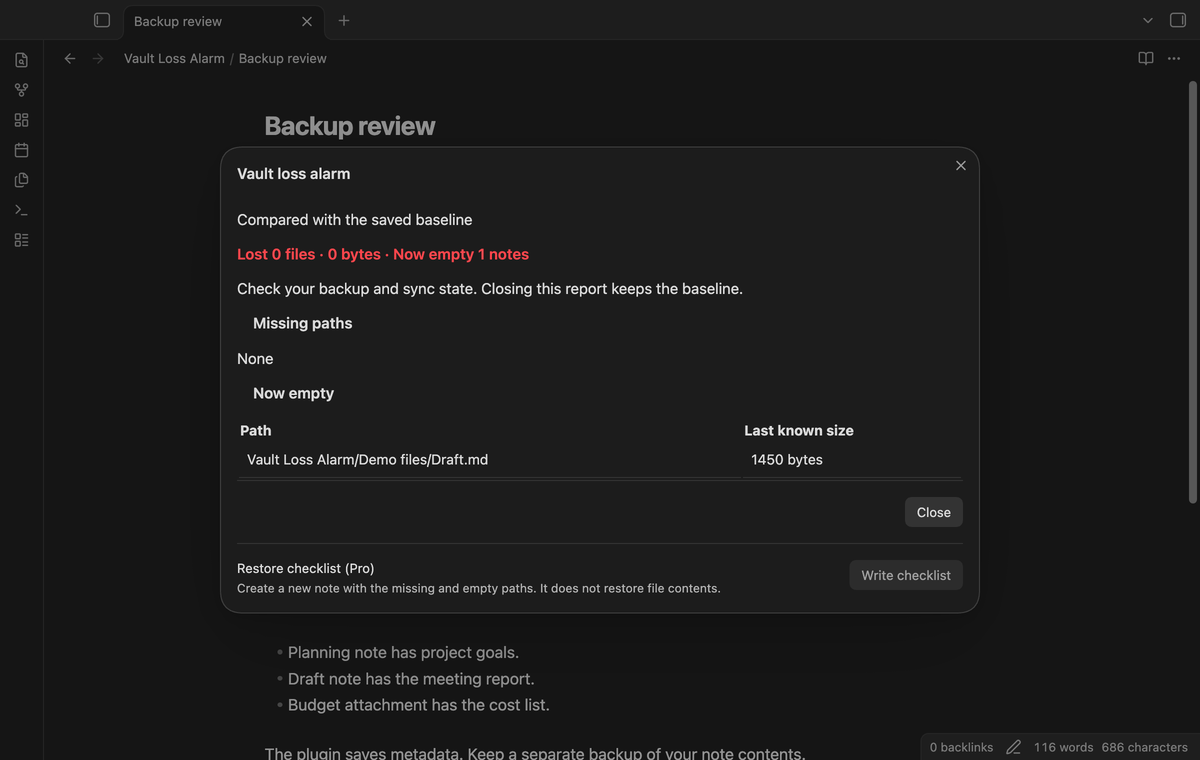
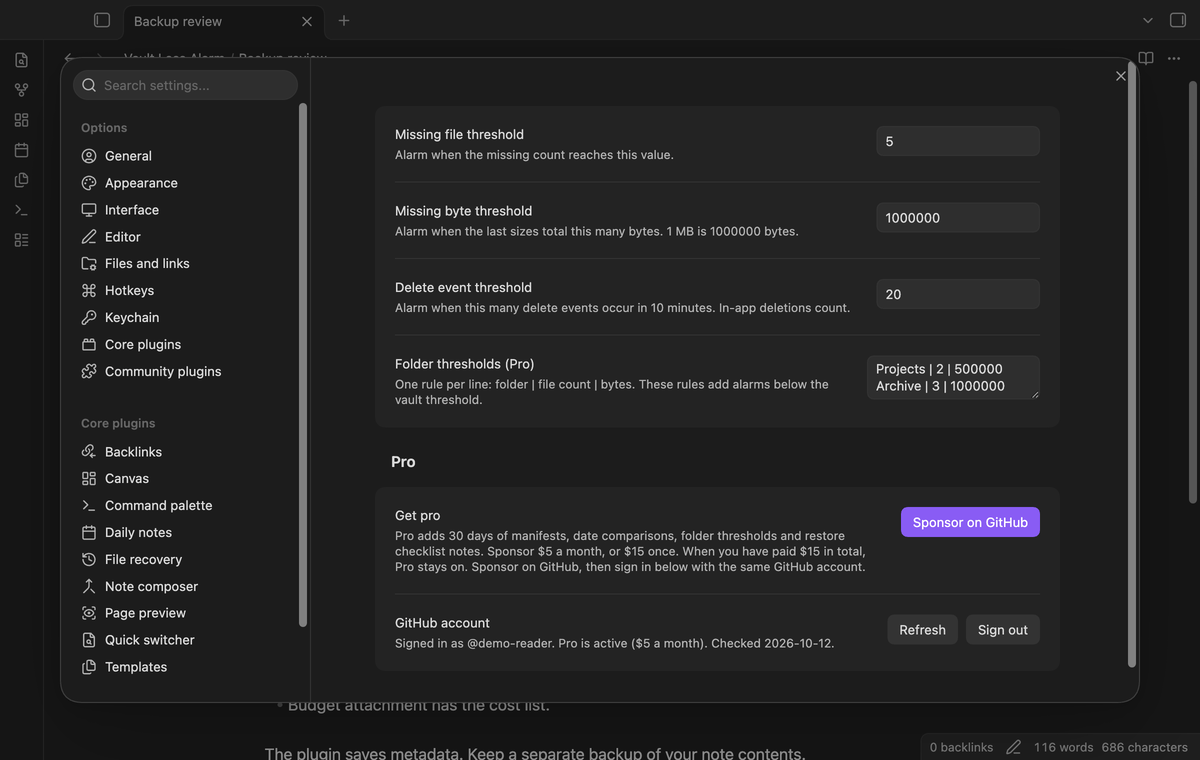
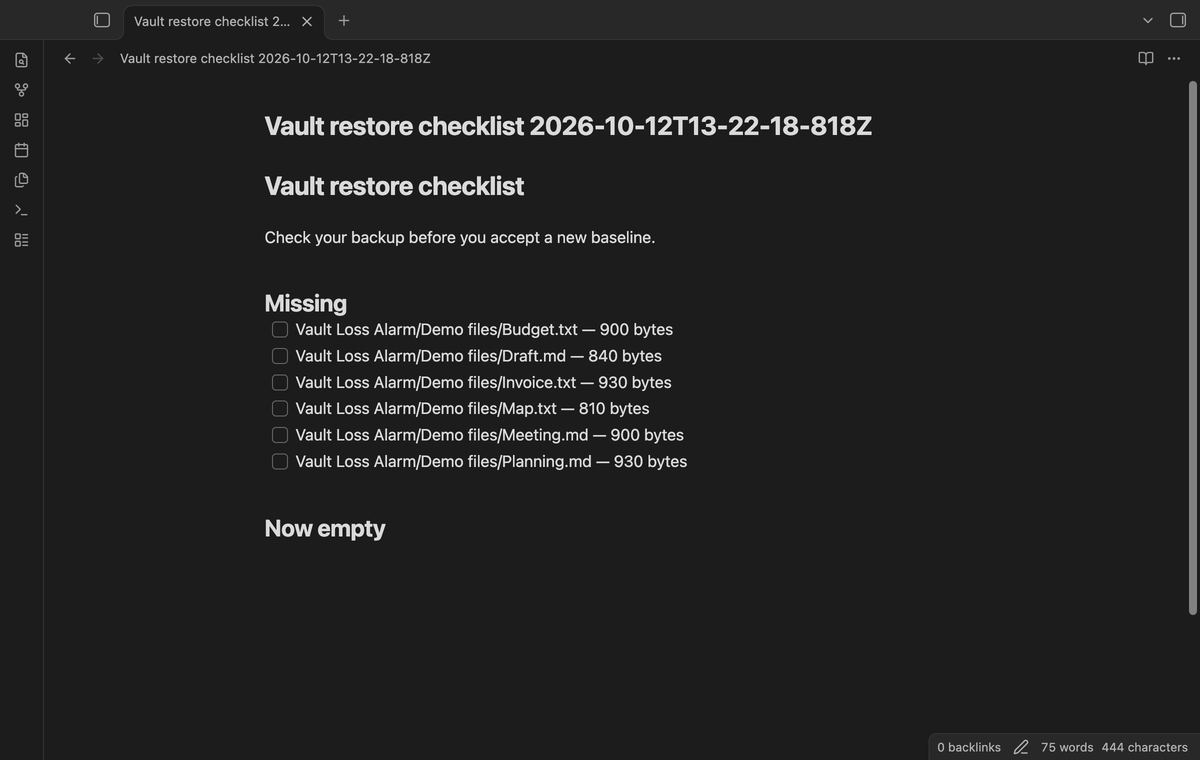
Select "Write checklist" in a report to create a new note at the vault root. It has unchecked tasks for missing paths and newly empty notes, with the last known sizes. The command "Write restore checklist" uses the last report. The checklist records work for you to do; it does not copy data from a backup or mark a file as recovered.
Install
For manual installation, copy main.js, manifest.json and styles.css into <vault>/.obsidian/plugins/vault-loss-alarm/. Then enable Vault Loss Alarm under Community plugins. This version requires Obsidian 1.13.4 or later. Make a separate backup before you test a deletion.
Usage
On first use, the settled startup check creates a baseline without an alarm. You can run "Check vault now" to create it sooner when your vault is ready. After a loss, inspect the report and compare it with your backup. Restore the files with your normal backup tool, or accept the current vault if the deletion was intended. A fresh baseline starts the next comparison.
Settings
Set the missing-file, missing-byte and delete-event thresholds in the plugin settings. Values must be positive whole numbers. The startup delay, save interval and event window are fixed. Folder rules and their saved values remain local when Pro is off; the free check ignores them. The GitHub account controls show the sponsorship status and let you refresh or sign out.
FAQ
Can sync or a cloud drive cause a false alarm?
Yes. The delay helps give startup changes time to finish, but it does not confirm that sync is complete. Cloud offload can make a path appear missing. A rename while the app is closed can also look like a loss. Check the drive and sync state before accepting a baseline.
What happens if the manifest is damaged or lost?
Invalid baseline JSON produces "Manifest unreadable, new baseline saved" and starts a new baseline. Losing the plugin folder removes the baseline and its history. Back up the configuration folder with the vault. The scan covers files that the public Vault file list exposes, which excludes configuration files.
What was not tested?
Mobile devices, Linux, Windows, the light theme, live cloud offload, concurrent sync providers, power loss during a write, paid GitHub sign-in, a vault with 15000 physical files, a full thirty-day history on disk, and a full app restart after a loss were not tested. The unload save is best effort because app shutdown can end it before completion. The large-vault unit check uses an in-memory adapter; disk and device performance can differ.
Payment, account and network
The core features are free. Pro features need a GitHub Sponsors sponsorship of theluckystrike: $5 a month or more, or $15 once. A total payment of $15 meets the payment requirement for Pro without further payment. Sign-in and the checks below still apply. Your notes stay readable and editable with or without Pro.
GitHub handles the payment. Sponsor at https://github.com/sponsors/theluckystrike. You need no account for the free features. Pro needs the GitHub account that sponsors.
Until you select "Sign in with GitHub" in the settings, Vault Loss Alarm makes no network requests. Sign in uses the GitHub device flow. Vault Loss Alarm sends its public client ID and the scope read:user to https://github.com/login/device/code and shows you a code. While you enter the code at https://github.com/login/device, it asks https://github.com/login/oauth/access_token every few seconds to check the sign-in status. The scope permits profile reads only. GitHub needs this access to show the sponsorship tier. It grants no repository scope and no write access.
After sign in, Vault Loss Alarm sends one query to https://api.github.com/graphql. It checks if the signed-in account sponsors theluckystrike. It asks for the tier and the total payment to theluckystrike. The plugin reuses a successful check for 7 days. Failed checks can retry after 6 hours. Select Refresh to request an earlier check. It sends no note content, file names or other vault data, and it has no telemetry.
After a successful check, Pro can work offline for up to 14 days. Sign out or a negative sponsorship answer turns Pro off. The plugin stores the GitHub token through the secret storage API of Obsidian. It does not put the token in its saved settings or its local sponsorship data. The local storage of this device keeps your GitHub login, the tier and the time of the last check. Sign out clears the token. You can also revoke the access in your GitHub settings, under Applications.
Support
Use the repository issue tracker for bug reports. Include your Obsidian version, the command you ran and a small sample with private paths removed. Do not attach your GitHub token or a private manifest. This project uses the MIT license.