Vault Hub
 maws7140889 downloads
Publish CSS snippets, notes, and templates to the Vault Hub community platform.
- Overview
- Scorecard
- Updates6
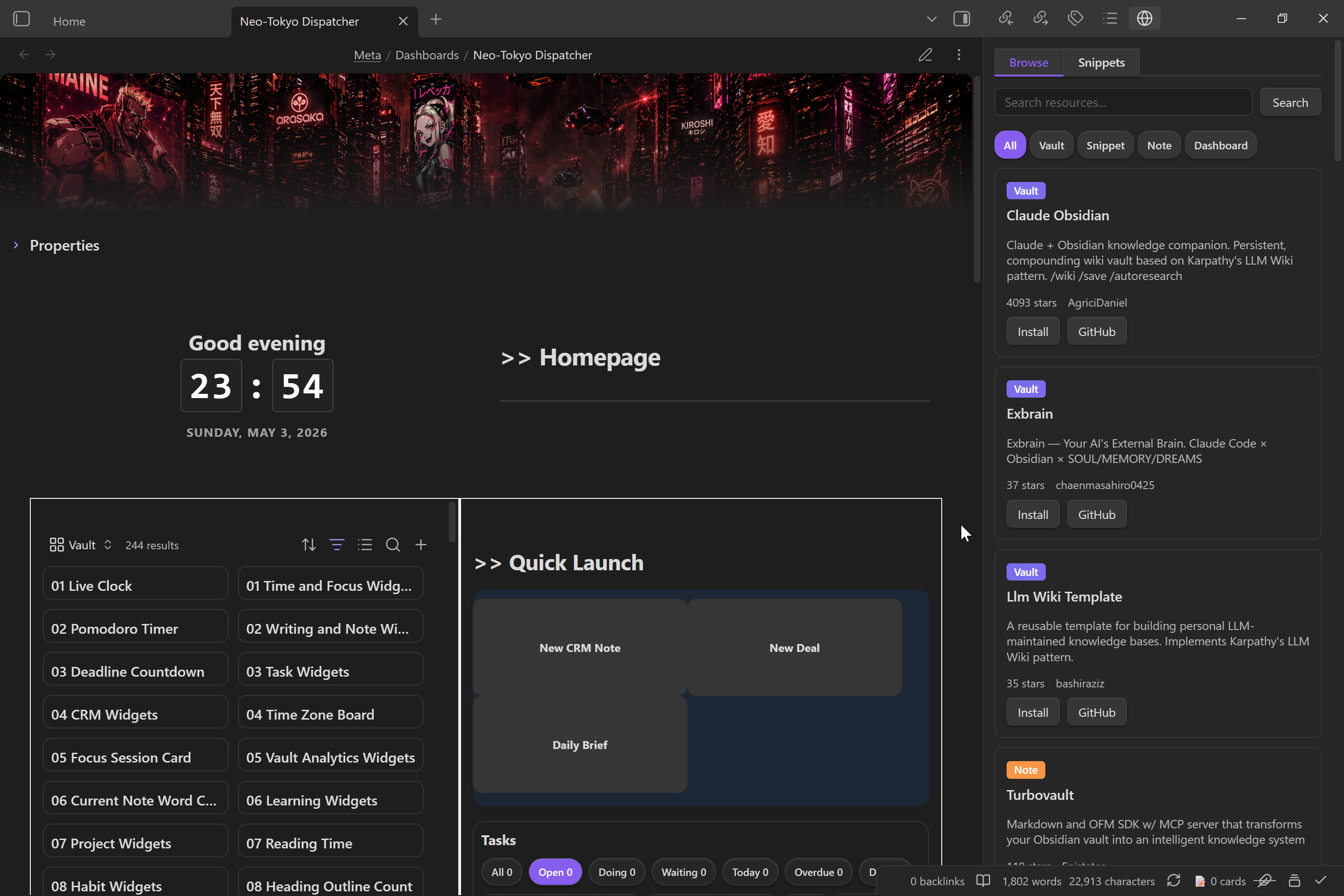 Vault Hub is an Obsidian plugin for publishing and installing Vault Hub resources.
It covers three workflows:
- publish notes, snippets, and full vaults to GitHub
- browse the Vault Hub catalog from inside Obsidian
- install note packs and CSS snippets directly into your vault
What it does
- Publish a CSS snippet, a note, or a full vault as a GitHub repo
- Generate
hub.mdmetadata for Vault Hub listings - Generate and update a
README.mdfor the published resource - Detect required community plugins from selected files
- Attach CSS snippets to note and vault publishes
- Upload local screenshots or reference external screenshot URLs
- Browse the live Vault Hub catalog and install resources from it
- Manage installed CSS snippets from the plugin sidebar
Install
Manual install
- Download the latest release assets:
main.jsmanifest.jsonstyles.css
- Create a folder named
vault-hubinside your vault's plugins directory:<your-vault>/<configDir>/plugins/vault-hub
- Place the release files in that folder.
- Reload Obsidian and enable Vault Hub in Community plugins.
Setup
- Open Settings → Community plugins → Vault Hub.
- Paste a GitHub personal access token with repo access.
- Confirm the Vault Hub site URL if you are using a custom deployment.
- Optionally set default categories for new publishes.
Publish flow
Use one of the plugin commands:
Vault Hub: Publish resourceVault Hub: Update resourceVault Hub: Browse resources
Publishing creates or updates a GitHub repository under your account and writes the files needed for Vault Hub indexing.
Notes
- This plugin is desktop-only.
- Vault Hub install flows write files into your vault and into your vault configuration directory for CSS snippets.
- Publishing and updating require a GitHub account and a personal access token.
Disclosures
- Account requirement: GitHub account and personal access token required for publish and update flows.
- Network use: Calls GitHub APIs, raw GitHub content URLs, and the configured Vault Hub website.
- Access: Reads and writes files inside the current vault and its configuration directory.
License
MIT
HealthExcellent
ReviewSatisfactory
About
Publish notes, CSS snippets, or entire vaults to GitHub with autogenerated hub.md and README.md for Vault Hub indexing. Browse the live Vault Hub catalog inside Obsidian, install note packs and CSS snippets directly into your vault, and manage installed snippets from the plugin sidebar.Details
Current version
1.0.5
Last updated
6 days ago
Created
5 months ago
Updates
6 releases
Downloads
889
Compatible with
Obsidian 1.7.2+
Platforms
Desktop only
License
MIT
Sponsor