Vault Garden
 Declan Holmes-Carr205 downloads
A visual garden of your vault — each note is a plant whose health reflects how recently you've edited it and how well it's linked.
- Overview
- Scorecard
- Updates5
Your vault as a living garden. Every note is a plant whose health reflects how recently you've touched it and how well it's connected — so at a glance you can see what's thriving and what needs tending.
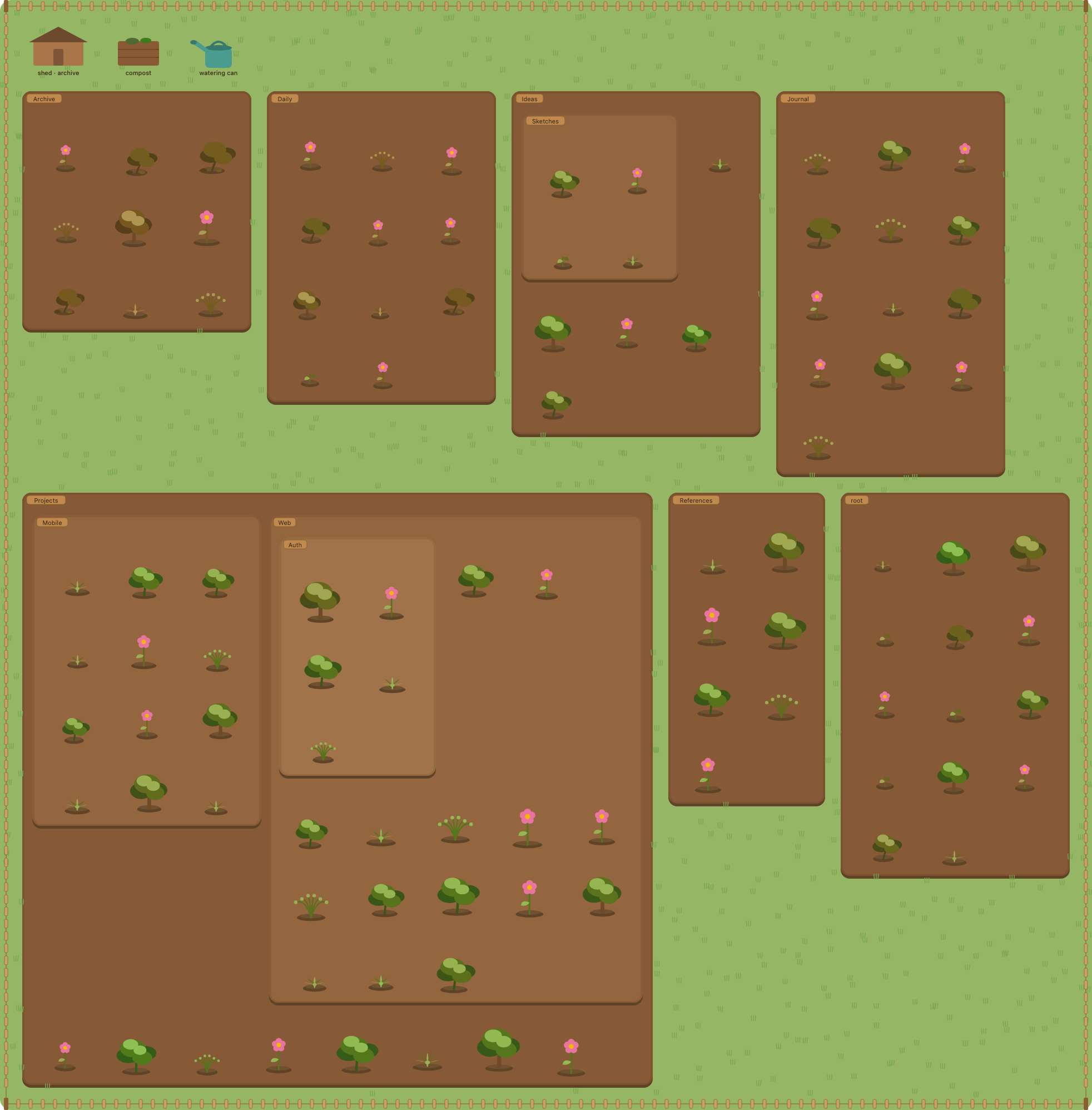
Graph View tells you what links to what. Vault Garden tells you what needs tending. A flourishing, flowering plant is a note you edit often and link well. A big, browning tree is an important note you've neglected. A wilted sprout with moss creeping in is a stale orphan you can prune.
Nothing here is a separate game state you have to maintain — the garden is always a true reflection of your vault's real metadata. Edit a note and it perks back up; ignore one and it slowly, gently wilts (logarithmically — a note untouched for a year gets weedy, it never "dies"). Everything is local; no backend, no telemetry.
Features
The living garden — a beautiful, at-a-glance read on vault health.
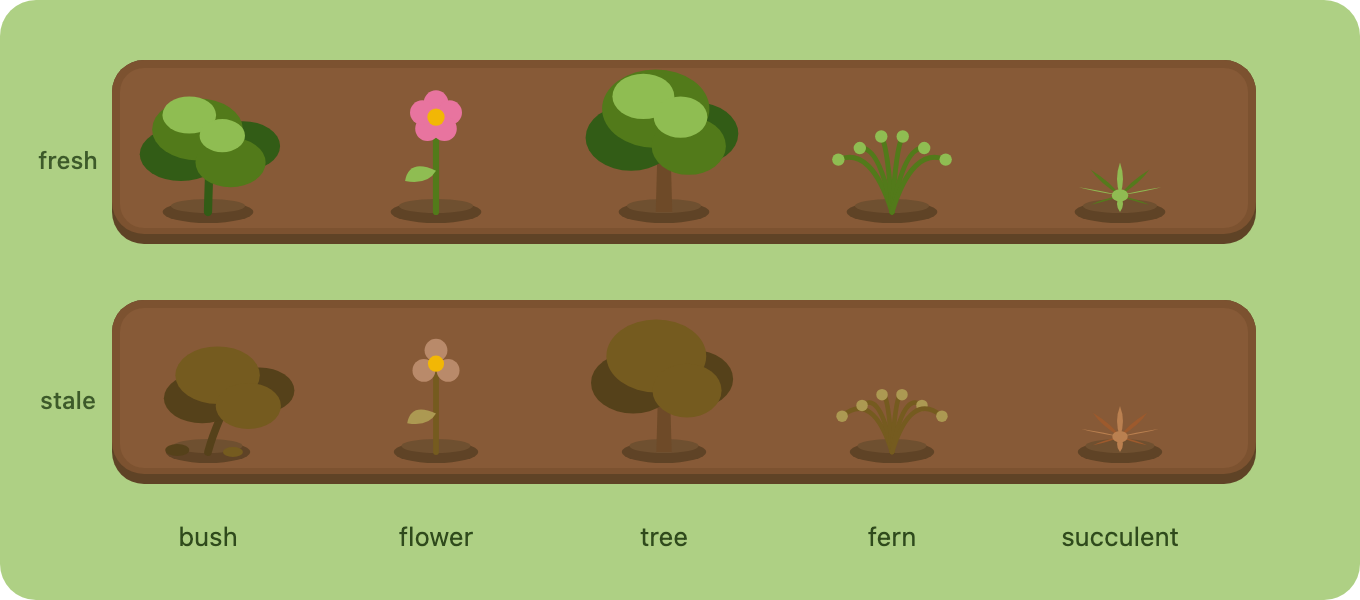
- Painterly, procedurally drawn plants in five species (bush, flower, tree, fern, succulent), each assigned per note.
- Freshness ramps a plant's palette green → brown and droops it; connectivity drives its size and stature. A big, brown, drooping plant = important but neglected.
- Notes clump by folder into nested soil beds (subfolders nest inside their parent), on a grassy world with a picket fence and folder signposts.
- Hover any plant for a card: title (click to open), a plain-English state, and stats (last edited, link count).
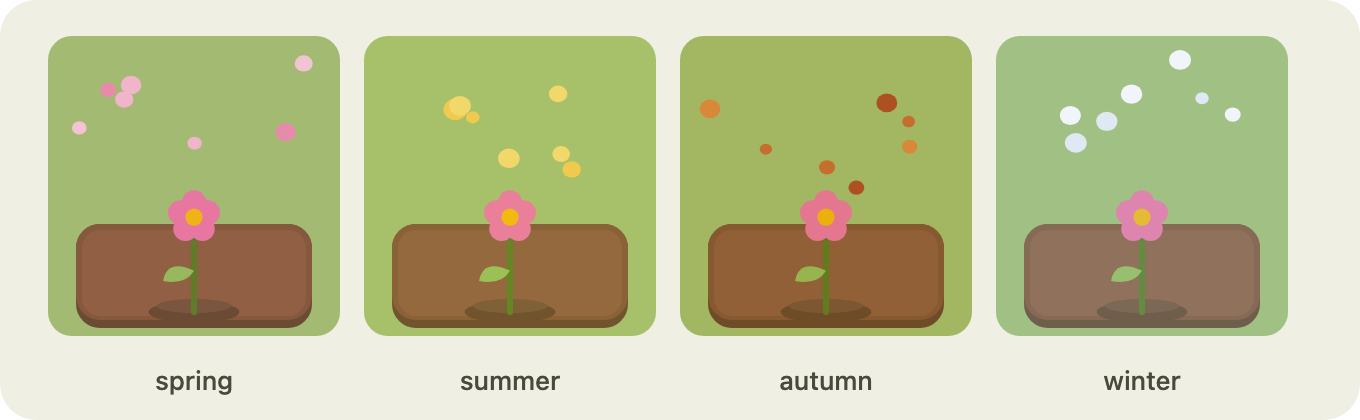
- Ambient sway and seasonal weather — drifting leaves, snow, petals or pollen, by the real date or your choice.
- Pan and zoom the garden (drag / scroll / buttons); it fills the pane instead of shrinking as your vault grows.
Tend it — gardening gestures that map to real vault operations.
- Drag a plant to another bed to move the note to that folder (subfolders included).
- Shed → archive the note. Compost → send it to trash (with a confirm).
- Watering can → refresh a note's freshness without opening it — drop a plant on the can, or pick the can up as a tool and click plants.
- Arrange your garden: free-place plants and drag whole beds by their signpost; your layout is saved. A reset button restores the auto-layout.
Make it yours — theme packs.
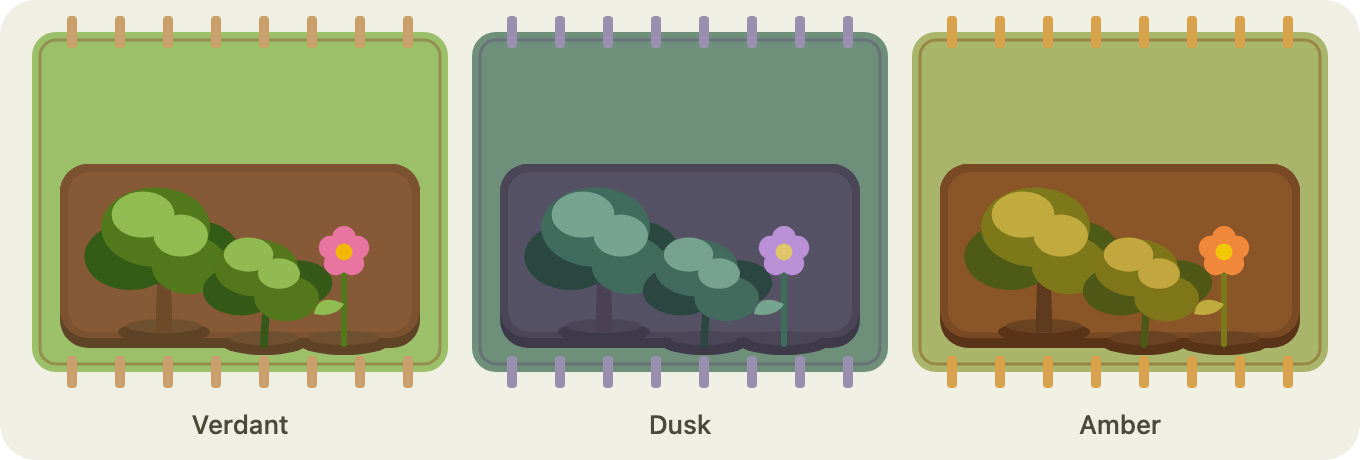
- Built-in themes: Verdant, Dusk, Amber. Switch live in settings.
- Drop your own palette packs (a JSON of colours) or sprite packs
(bring-your-own plant/structure art) into the plugin's
themes/folder. See docs/THEME-PACKS.md.
Keep it focused — decide what's in the garden and when it opens.
- Ignore files & folders — search your vault and exclude specific folders or files; excluding a folder hides everything nested inside it.
- Ignore tag — hide any note carrying a tag (default
#garden-hide, in frontmatter or inline). Case-insensitive, and the tag word is configurable. - Open garden on startup — open the garden automatically when Obsidian starts.
Gallery
Five plant species, each shown fresh and wilting — the same note greens and stands upright when you edit it, then browns and droops as it goes stale:
Seasonal atmosphere — a subtle tint plus drifting particles (spring petals, summer pollen, autumn leaves, winter snow), by the real date or your choice:
Theme packs re-skin the whole garden — the three built-in themes below, plus
palette or sprite packs you drop into the themes/ folder:
Install
Manual install (until it's on the community list):
- Download
main.js,manifest.json, andstyles.cssfrom the latest release. - Copy them into
<your-vault>/.obsidian/plugins/vault-garden/. - Enable Vault Garden in Settings → Community plugins.
Open the garden from the ribbon (the sprout icon) or the command palette
(Vault Garden: Open garden).
Usage
| Gesture | What it does |
|---|---|
| Click a plant | Open the note |
| Hover a plant | Info card (title, state, last edited, links) |
| Drag a plant → another bed | Move the note to that folder |
| Drag a plant → shed | Archive the note |
| Drag a plant → compost | Delete to trash (confirm) |
| Drag a plant → watering can | Refresh the note's freshness |
| Click the watering can | Pick it up; click plants to water; Esc to drop |
| Drag a plant on the lawn / its bed | Place it there (remembered) |
| Drag a bed by its signpost | Move the whole plot |
| Drag empty ground / scroll | Pan / zoom |
Settings let you tune the scoring (freshness half-life, connectivity saturation), the archive folder, the season, the theme, and update debounce.
Keep notes out of the garden, and choose when it opens:
- Ignore files & folders — search your vault and exclude specific folders or files. Excluding a folder hides everything nested inside it.
- Ignore tag — hide any note carrying a tag (default
#garden-hide, set in frontmatter or inline). Change the tag word or leave it blank to disable; matching is case-insensitive. - Open garden on startup — open the garden automatically when Obsidian starts.
How health is computed
Two independent axes, each normalised to 0..1:
- Freshness —
0.5 ^ (daysSinceModified / halfLifeDays). Drops fast then flattens; never reaches zero. - Connectivity —
min(1, links / saturation). Saturating, so a hub isn't ten times an averagely-linked note.
Freshness drives vitality (colour, droop, wilt); connectivity drives stature (size); together they pick a stage (seed → sprout → growing → flowering → wilting). See docs/ARCHITECTURE.md.
Development
npm install
npm run dev      # esbuild watch — rebuilds main.js on change
npm test         # unit tests (pure model + layout)
npm run build    # type-check + production bundle
Symlink the repo into a test vault to try it live:
ln -s "$(pwd)" /path/to/YourVault/.obsidian/plugins/vault-garden
The codebase is built to be forked — pure domain logic, a single Obsidian
adapter, and Renderer / Layout seams. Start with
docs/ARCHITECTURE.md, then
docs/CONTRIBUTING.md for the dev loop and extension
recipes.
Roadmap
Phases 1–3 are complete. On the backlog (unscheduled — contributions welcome):
- Deeper visual customization — a pack manager, themeable structures and backgrounds, and mapping plant species by tag/folder.
- Custom weather — tunable particles and density, and weather that responds to vault activity.
- Performance at scale — viewport culling and a Canvas renderer for very large vaults.
Full list in docs/ROADMAP.md.
Documentation
- Architecture — data flow, seams, scoring.
- Roadmap — what's built, phase by phase.
- Contributing — dev setup + how to extend.
- Theme packs — palette and sprite pack formats.
- Concept brief — the original pitch.
License
MIT © Declan Holmes-Carr