Typed Graph
 Volodymyr Pavlyshyn2 downloads
Typed, signed, labeled property graph over your notes with openCypher queries, edge properties and graph views.
- Overview
- Scorecard
- Updates4

Typed Graph
Your Obsidian notes as a real graph: typed, signed, labeled edges with properties, openCypher queries, a graph view that shows what it means, and RAG-ready storage for agents.
Live demo · Docs · Website · Download
Why
Obsidian links say that two notes are related, not how. Typed Graph lets one line say how:
---
type: Person
---
knows:: [[Bob]] {since: 2020, label: "met at NeurIPS"}
works_at:: [[Acme]]
-distrusts:: [[Mallory]]
Then you can ask the vault questions in openCypher, inside any note:
```graph-query
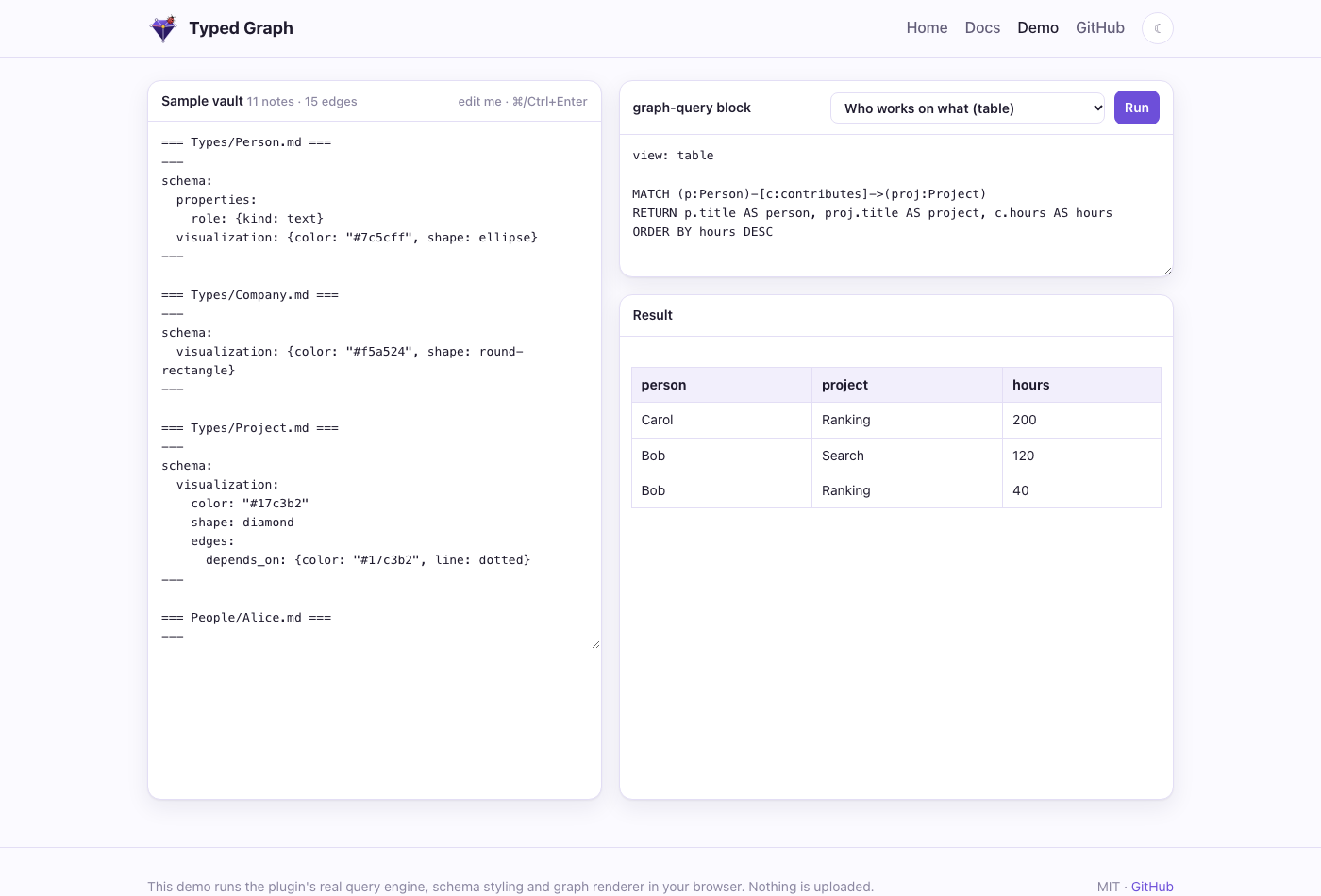
MATCH (p:Person)-[c:contributes]->(proj:Project)
RETURN p.title AS person, proj.title AS project, c.hours AS hours
ORDER BY hours DESC
```
Features
- Typed, signed edges with properties.
type:: [[Target]] {props}works like Graph Link Types, so your existing lines keep working. A-prefix makes an edge negative, and edges can have stable or pinned ids. - Typed nodes and schema notes. Frontmatter
typegives a note its labels. A note inTypes/declares a type's properties, allowed edges, template and look. - openCypher queries.
MATCH,OPTIONAL MATCH,WITH, aggregates, variable-length paths and path variables. Queries are read-only and errors are clear. - Graph or table, live. Results render as a labeled, styled graph or a table, and refresh as you edit.
- Graph view. A full-pane explorer that follows the active note, expands neighbors and explains where each style comes from.
- Edge embeds.
{{edge: Alice -knows-> Bob . since}}shows an edge's property inside your prose. - Optional sidecar. A LadybugDB mirror for full Cypher, local vector search (Ollama), GraphRAG with citations, and an MCP server for agents.
 |
 |
 |
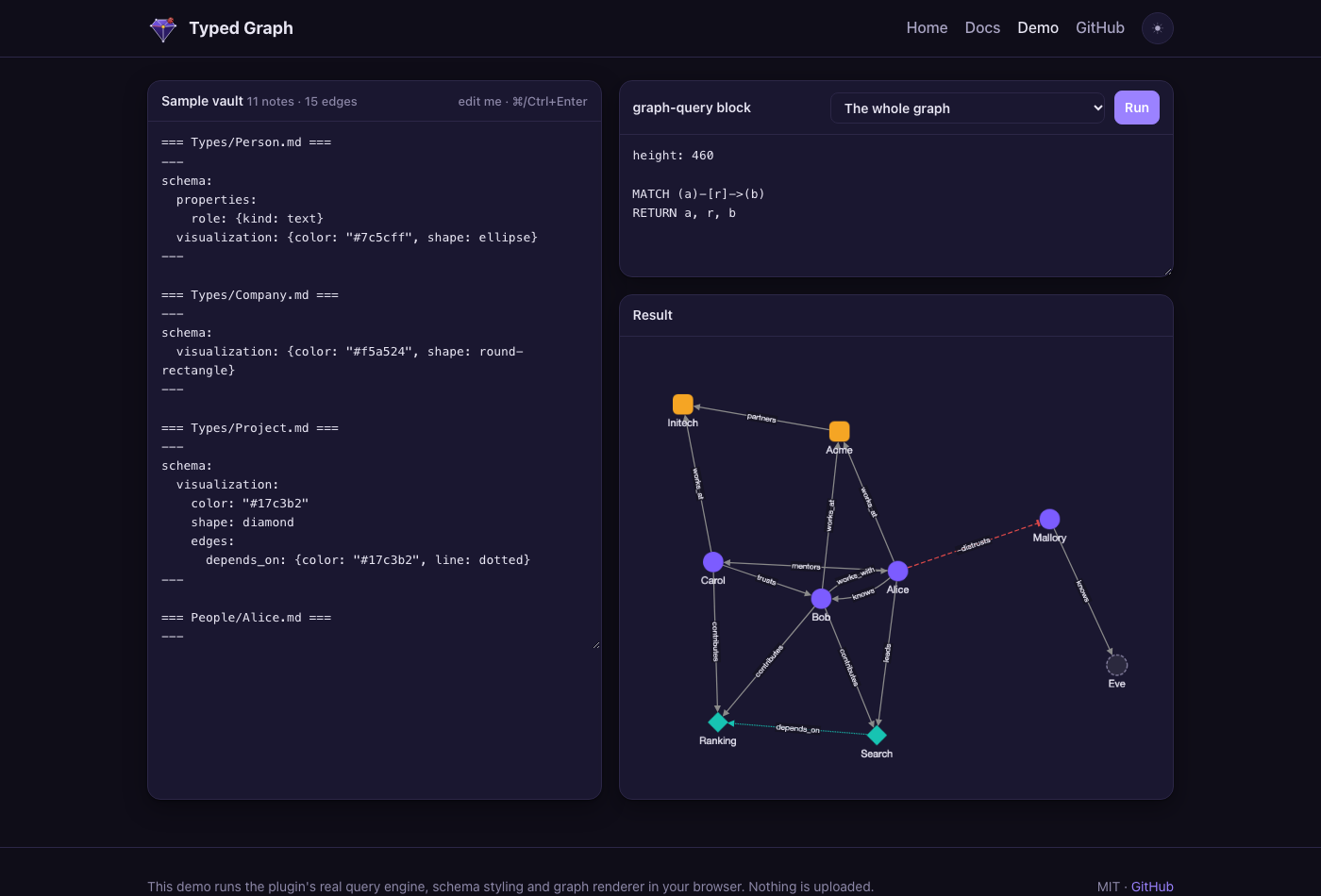 |
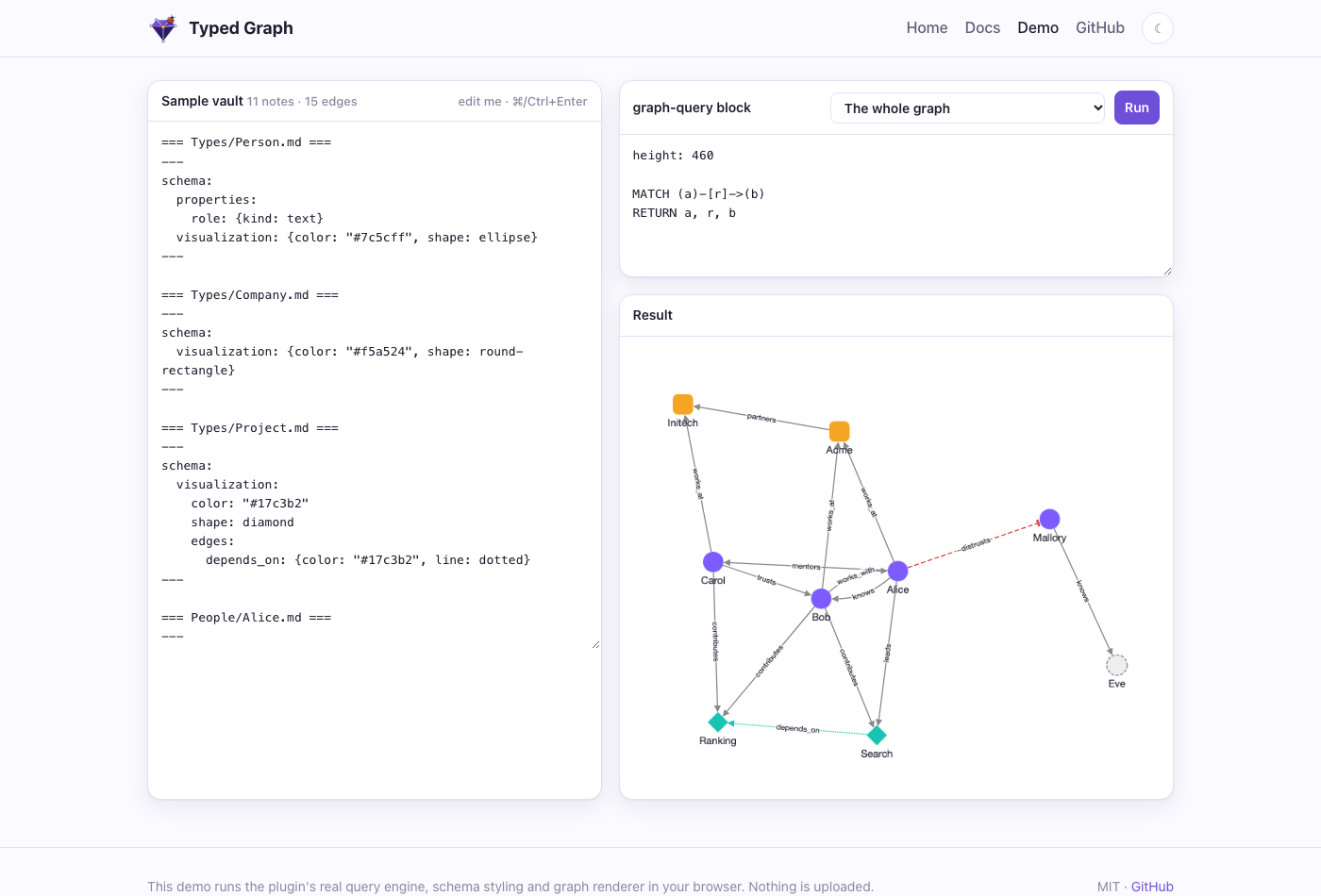
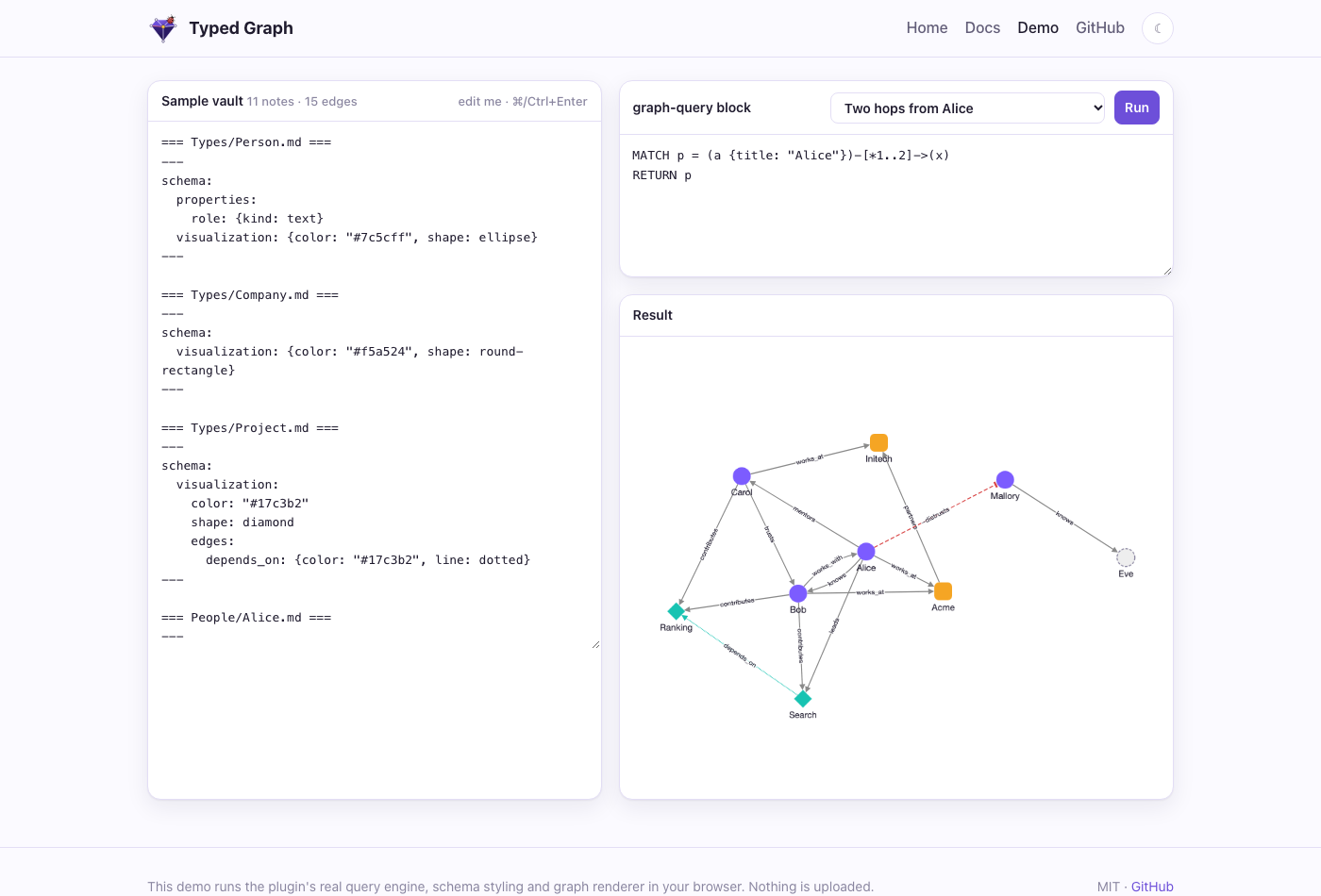
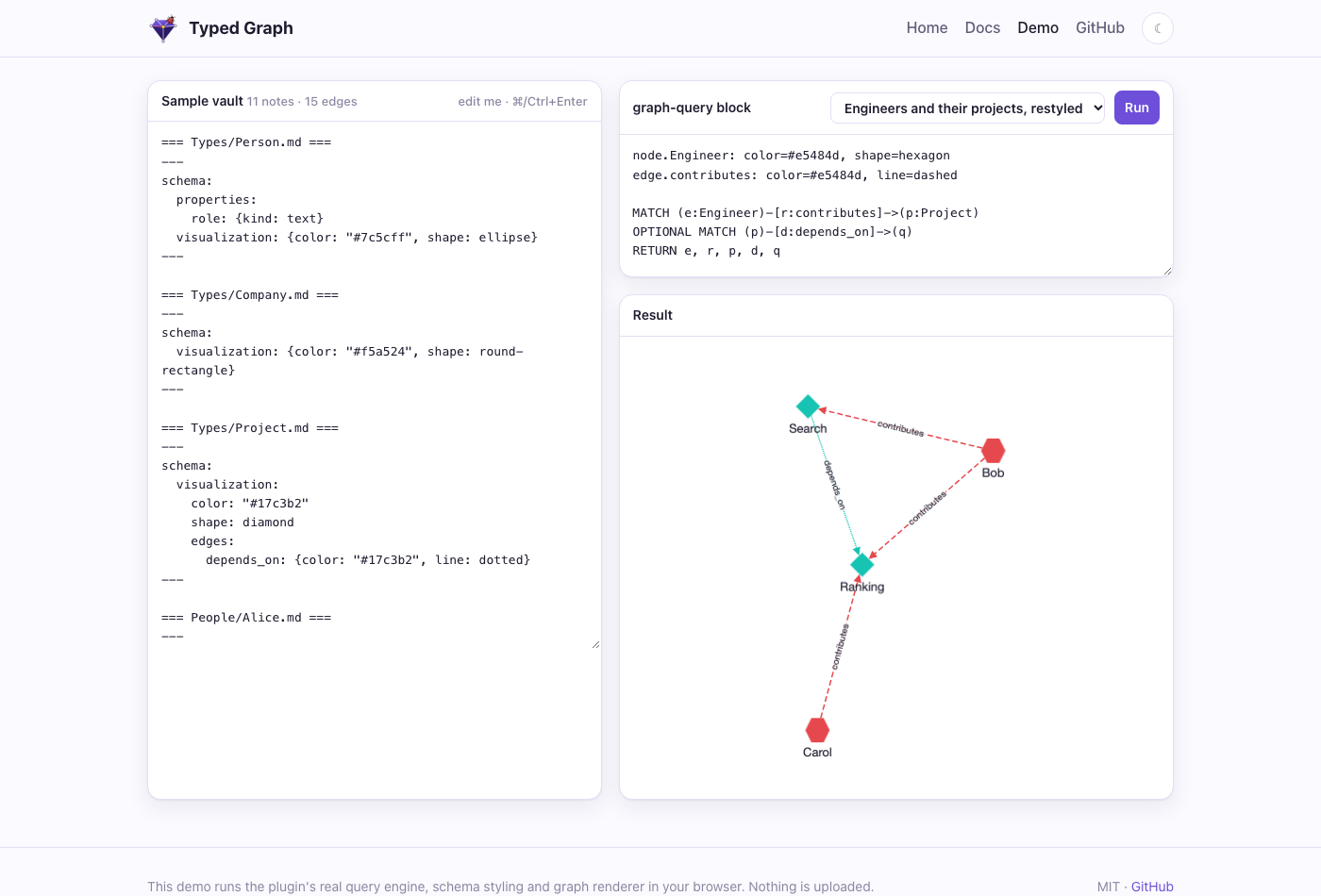
The screenshots come from the live demo, which runs the plugin's own query engine, schema styling and renderer in your browser.
Install
- Community plugins (once listed): open Settings → Community plugins → Browse, search for Typed Graph, then install and enable it.
- BRAT (before it's listed): install Obsidian42 - BRAT, run Add a beta plugin, and enter
Volland/obsigraph. - Manually: download
main.js,manifest.jsonandstyles.cssfrom the latest release into<vault>/.obsidian/plugins/typed-graph/, reload Obsidian, and enable the plugin.
The plugin works on desktop and mobile, and it never modifies your notes.
Quick start
- Add
type: Personto a note's frontmatter. - Write an edge line such as
knows:: [[Bob]] {since: 2020}. - Add a
graph-queryblock withMATCH (a:Person)-[r:knows]->(b) RETURN a, r, b. - Run Typed Graph: Open graph view to explore.
The full guide covers edge syntax, schema notes, styling precedence, the Cypher subset, embeds and settings: volland.github.io/obsigraph/docs.html.
For agents: the sidecar
packages/sidecar is a headless service over a read-only copy of your vault. It needs no Obsidian. It offers REST, an MCP server, a LadybugDB mirror, local vector search and GraphRAG.
npm install && npm run build:sidecar
claude mcp add typed-graph \
  -e OBSIGRAPH_VAULT=/path/to/vault -e OBSIGRAPH_DATA=/path/to/data \
  -- node packages/sidecar/dist/server.mjs --stdio
The MCP tools are cypher_query, vector_search and graphrag_retrieve, all read-only. For REST endpoints, Docker and environment variables, see the sidecar docs.
Development
packages/core     edge parser, graph model, schemas, styles, openCypher engine, embeddings (no Obsidian APIs)
packages/plugin   the Obsidian plugin
packages/sidecar  headless REST + MCP service, LadybugDB mirror, vector index, conformance suite
site/             the website and live demo (GitHub Pages)
lat.md/           architecture and test specs (lat.md)
openspec/         specs and archived changes (OpenSpec)
npm install
npm run verify                      # typecheck + tests + lat check
OBSIGRAPH_OUT="<vault>/.obsidian/plugins/typed-graph" npm run build   # build the plugin into a vault
npm run site:build && npx serve site                                 # preview the website
Releasing
- Run
npm run version:bump -- 0.5.0. This updatesmanifest.json,versions.jsonand every package version. - Commit, then run
git tag 0.5.0 && git push origin 0.5.0. The tag has novprefix. - The Release plugin workflow typechecks, tests, builds, and attaches
main.js,manifest.jsonandstyles.cssto the GitHub release.
Submitting to the Obsidian community directory
Obsidian takes submissions through its web directory, not through pull requests. community-plugins.json in obsidianmd/obsidian-releases is only a mirror of it.
- Sign in at community.obsidian.md with your Obsidian account, and link your GitHub account to prove you own the repo.
- Add the plugin from the
Volland/obsigraphrepository. The directory readsREADME.md,LICENSEand the rootmanifest.json, and installs from the GitHub release tagged with the manifest version. - An automated review runs. To fix anything it reports, update the repo and publish a new release with a higher version (
npm run version:bump, then push the tag).
License
MIT © Volodymyr Pavlyshyn. Not affiliated with Obsidian or LadybugDB.