
- Overview
- Scorecard
- Updates2
Tutu Emoji Toolbar is an Obsidian plugin that lets you quickly search for and insert emojis in editors, titles, file rename fields, context menus, and mobile usage scenarios.
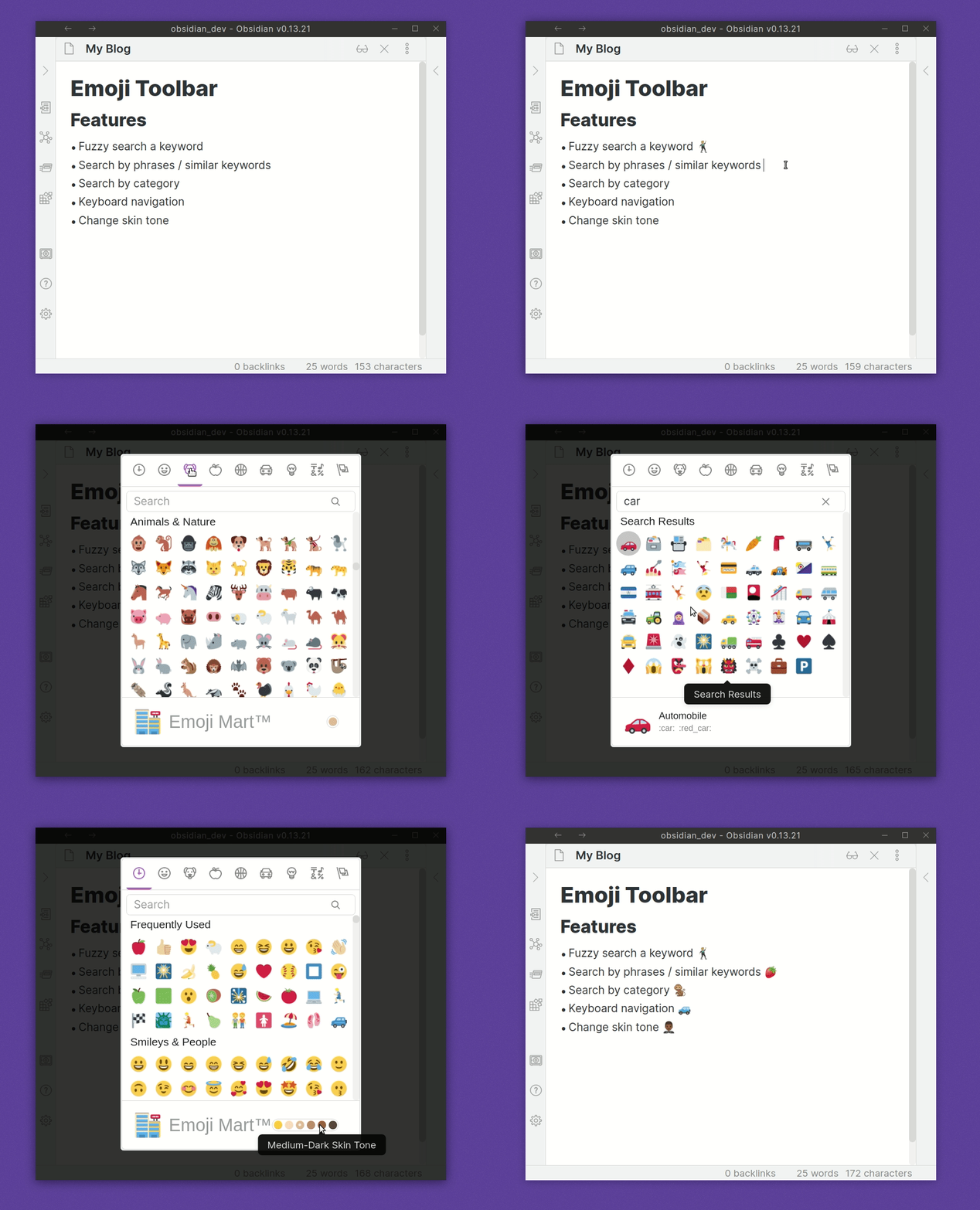
Usage
After enabling the plugin, you'll find a command/hotkey entry called Tutu Emoji Toolbar: 打开 Emoji 选择器. Set this to whatever you like. Once triggered, it lets you search through a list of emojis.
Start typing a word to filter through the list. You can insert the emoji into the editor by either clicking on it, or use the arrow keys and then press enter to insert the emoji.
Features
- Skin Tone Support
- Fuzzy / Semantic Search Matches
- Select Recently Used Emoji
- Twitter emoji formatting for preview and insert modal for improved emoji support. This can be toggled on/off in the Tutu Emoji Toolbar settings tab.
Install
Within Obsidian
- Click Settings | Third Party Plugins
- Ensure that Safe mode is turned off
- Click on Community plugins "Browse"
- Look for Tutu Emoji Toolbar
Manual install
Download or build the plugin from tinswangtao-web/tutu-emoji-toolbar, then copy main.js, manifest.json, and styles.css into:
<your-vault>/.obsidian/plugins/tutu-emoji-toolbar/
Thanks
- A big thanks to liamcain for producing the obsidian-react-starter which the basis of v0.3.0+ is made from
- Also to Emoji Mart
HealthGood
ReviewSatisfactory
About
Search and insert emojis into your editor with a quick, searchable picker that uses fuzzy and semantic matching. Choose skin tones, access recently used emoji, and preview or insert with optional Twitter-style formatting.Details
Current version
1.0.3
Last updated
3 months ago
Created
3 months ago
Updates
2 releases
Downloads
134
Compatible with
Obsidian 1.10.0+
Platforms
Desktop, Mobile
License
BSD-3-Clause