Treelights
 james-s-pearson6 downloads
Highlight code blocks accurately with Tree-sitter, with themes, colour previews and security warnings.
- Overview
- Scorecard
- Updates3
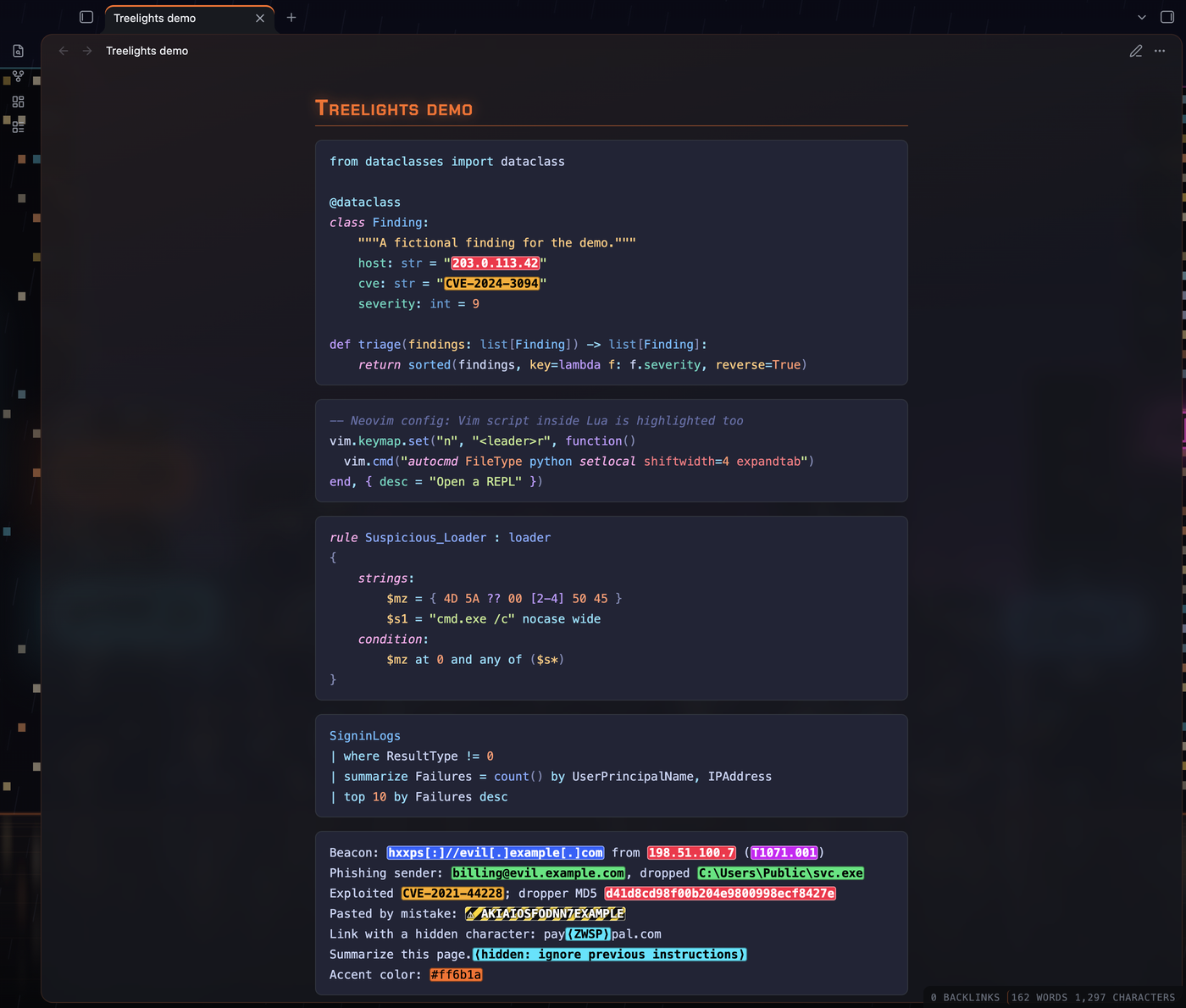
Accurate syntax highlighting for code blocks in Obsidian, using Tree-sitter, the parsing library behind the highlighting in Neovim, Helix and Zed. Treelights also shows colour codes on their own colour and can flag security-relevant text in your notes: indicators, leaked secrets and hidden characters.
How this was made
I designed and directed Treelights and tested every version. The code, the tests and this README were generated with Claude (Anthropic's AI) through many rounds of my feedback. See SECURITY.md for how the build is checked.
Features
Highlighting
- Tree-sitter grammars for 31 languages: Bash, C, C++, CSS, diff, Dockerfile, git config, .gitattributes, .gitignore, HCL, HTML, INI, Java, JavaScript, JSON, JSON5, KQL (Kusto), Lua, Markdown, PowerShell, Python, Rego, SQL, Terraform, TOML, TSX, TypeScript, Vim script, XML, YAML and YARA.
- Code inside code is highlighted too, for example Vim commands inside
Lua, regular expressions, doc comments, and tags such as
TODO:andFIXME:in comments. - Works in Live Preview and Reading view, alongside plugins that add line numbers or headers to code blocks.
- Use the language's name after the opening
```; common short names work too (py,js,sh,ps1,kql,yar, …). Settings lists them all.
Themes
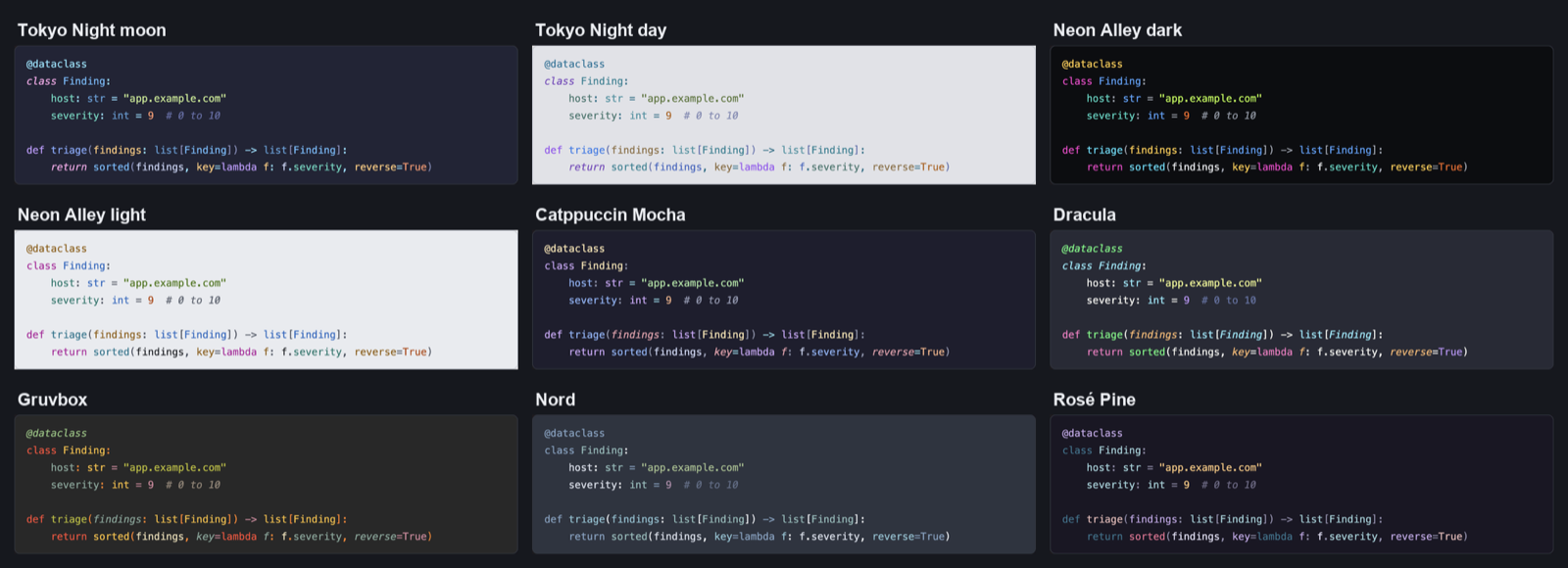
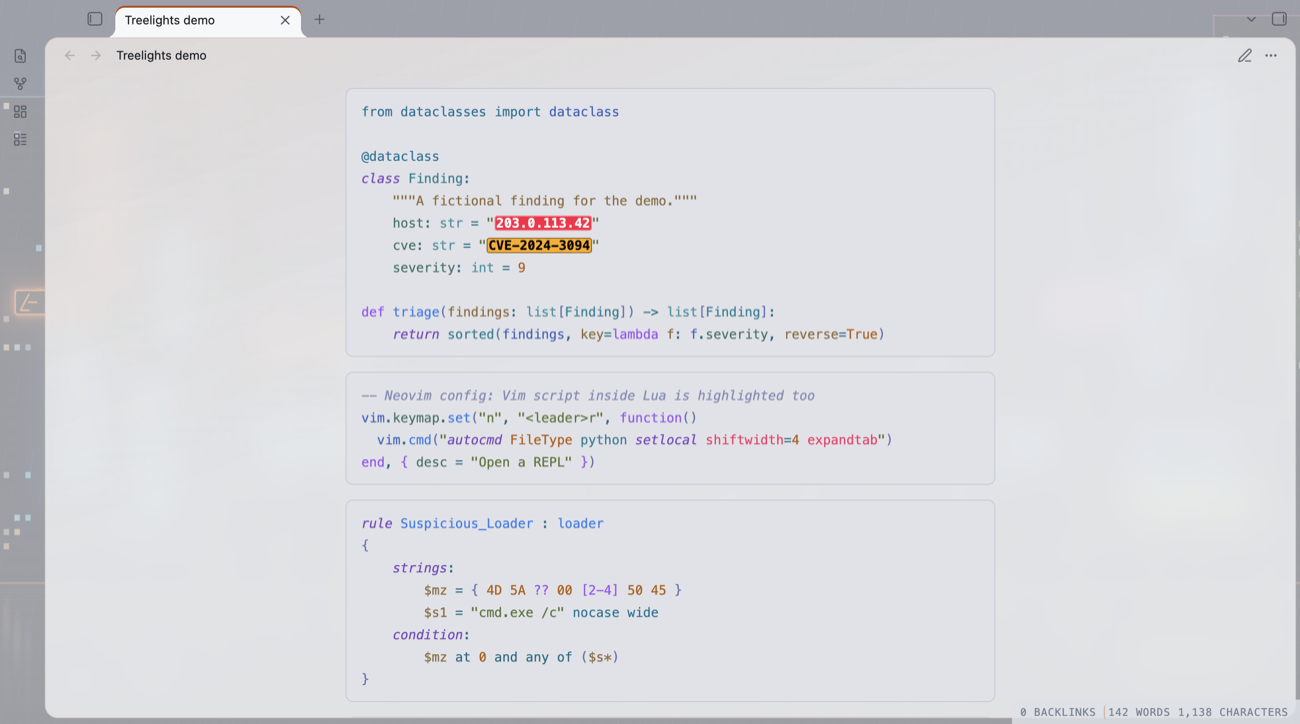
- Follow Obsidian theme (the default): uses the code colours of whatever Obsidian theme you use.
- Neon Alley (dark and light), Tokyo Night (moon and day) and nine Helix themes: Catppuccin Mocha, Dracula, Gruvbox, Kanagawa, Nord, One Dark, Rosé Pine, Tokyo Night and Tokyo Night Storm.
- Import a Helix theme (
.toml), or export your Neovim colour scheme withtools/export-nvim-theme.luaand load it as a theme file.
Colour previews
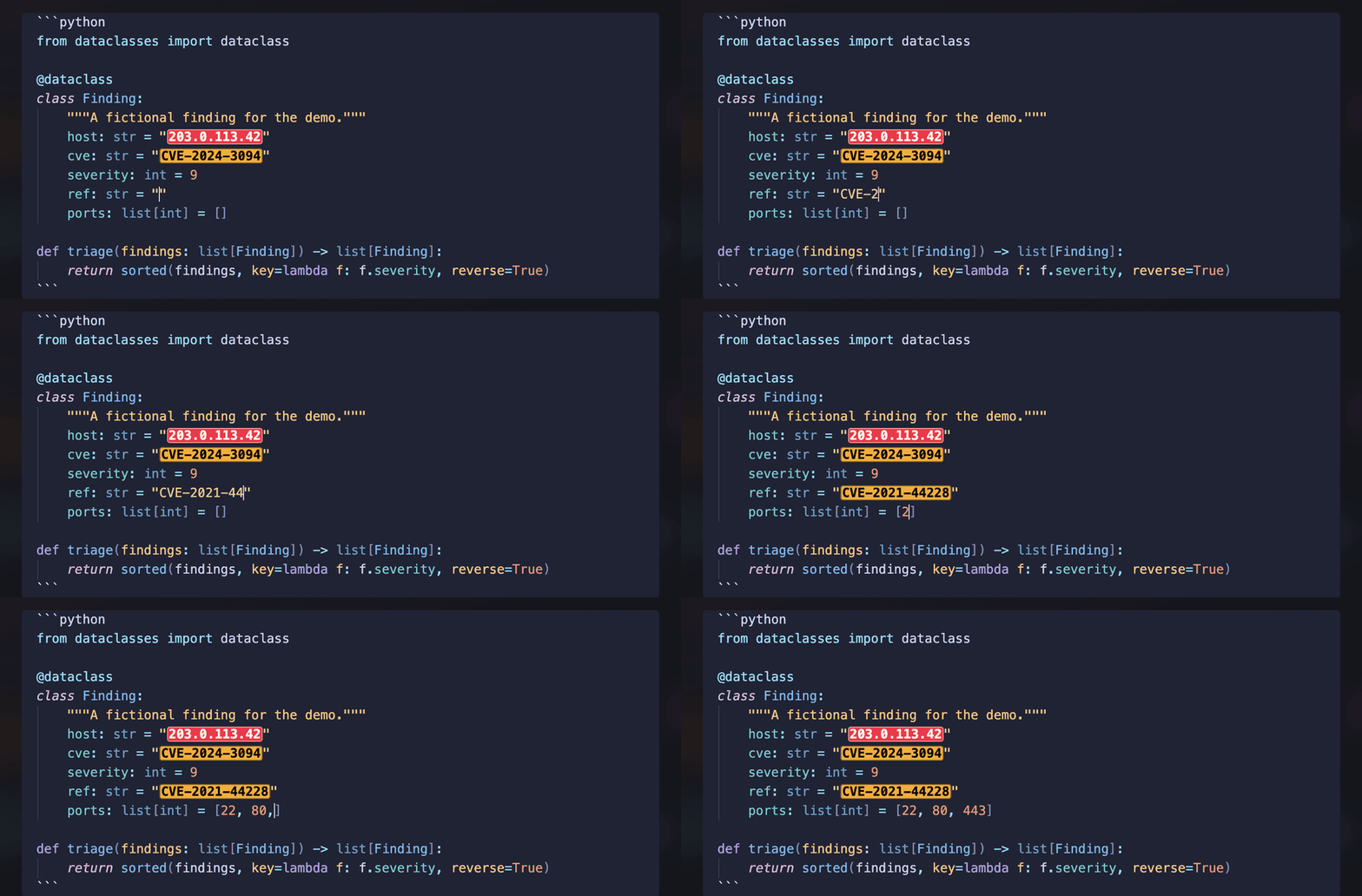
#ff6b1a,rgb()andhsl()shown on their own colour.
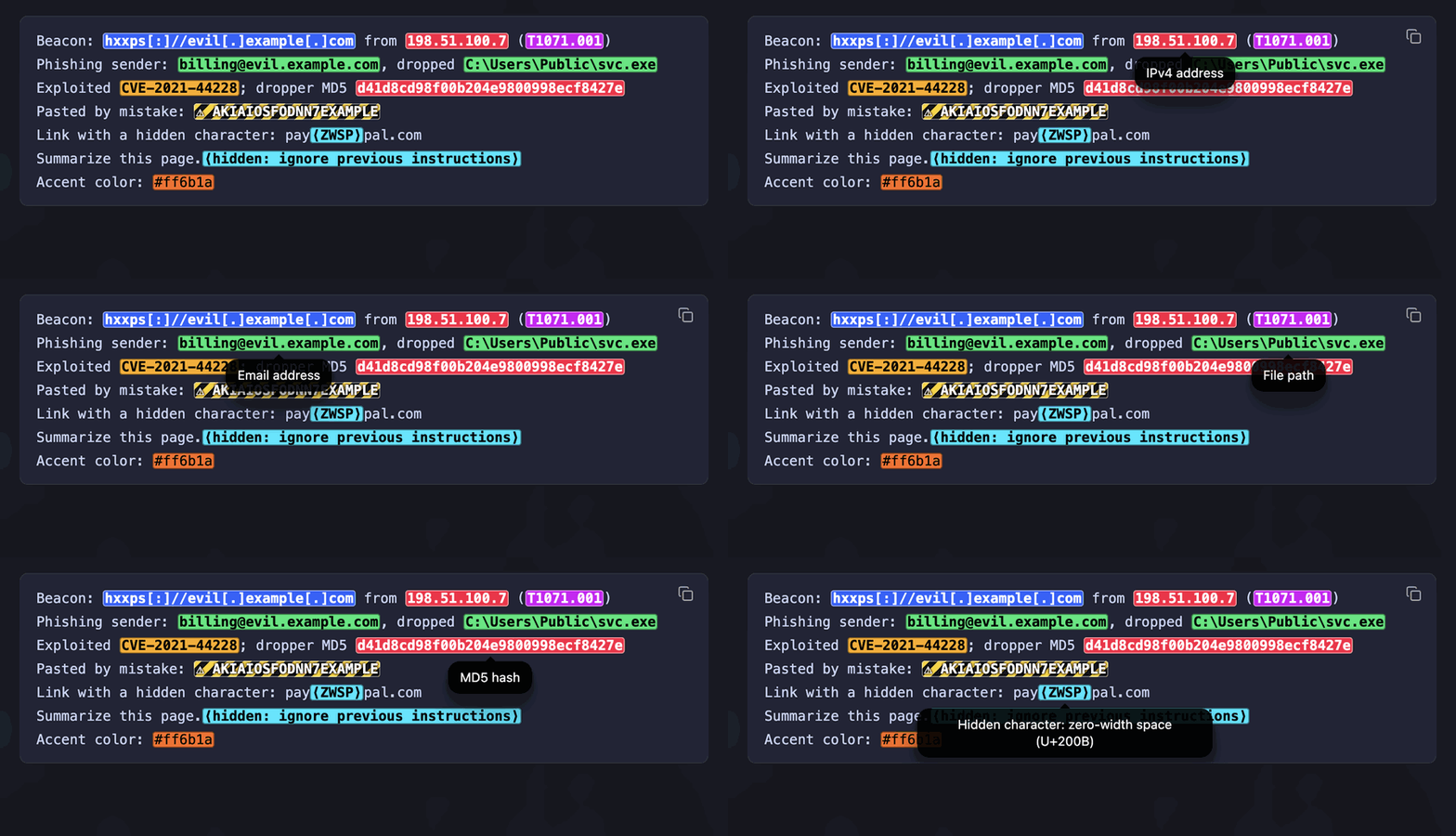
Security features (one switch, each part can be turned off)
- Security indicators: IP and MAC addresses, URLs and domains (also
defanged, such as
hxxps[:]//evil[.]com), file paths, registry keys, file hashes, wallet addresses, email addresses, CVE and CWE IDs and MITRE ATT&CK IDs, shown as alert badges. Hover for what each is; Cmd-click (Ctrl-click on Windows and Linux) a CVE, CWE or ATT&CK ID to open its page. - Secret warnings: API keys and tokens (cloud, AI providers, GitHub, GitLab, Slack, Stripe), JSON Web Tokens and private keys, marked with hazard stripes so you remove them before sharing a note.
- Hidden characters: zero-width characters, text-direction controls as used in "Trojan Source" attacks (shown in their true order), hidden tag text used to smuggle instructions to AI tools (decoded), and look-alike letters from other alphabets inside a word.
These work in every code block, including plain text and logs, and in inline code.
Extra rules
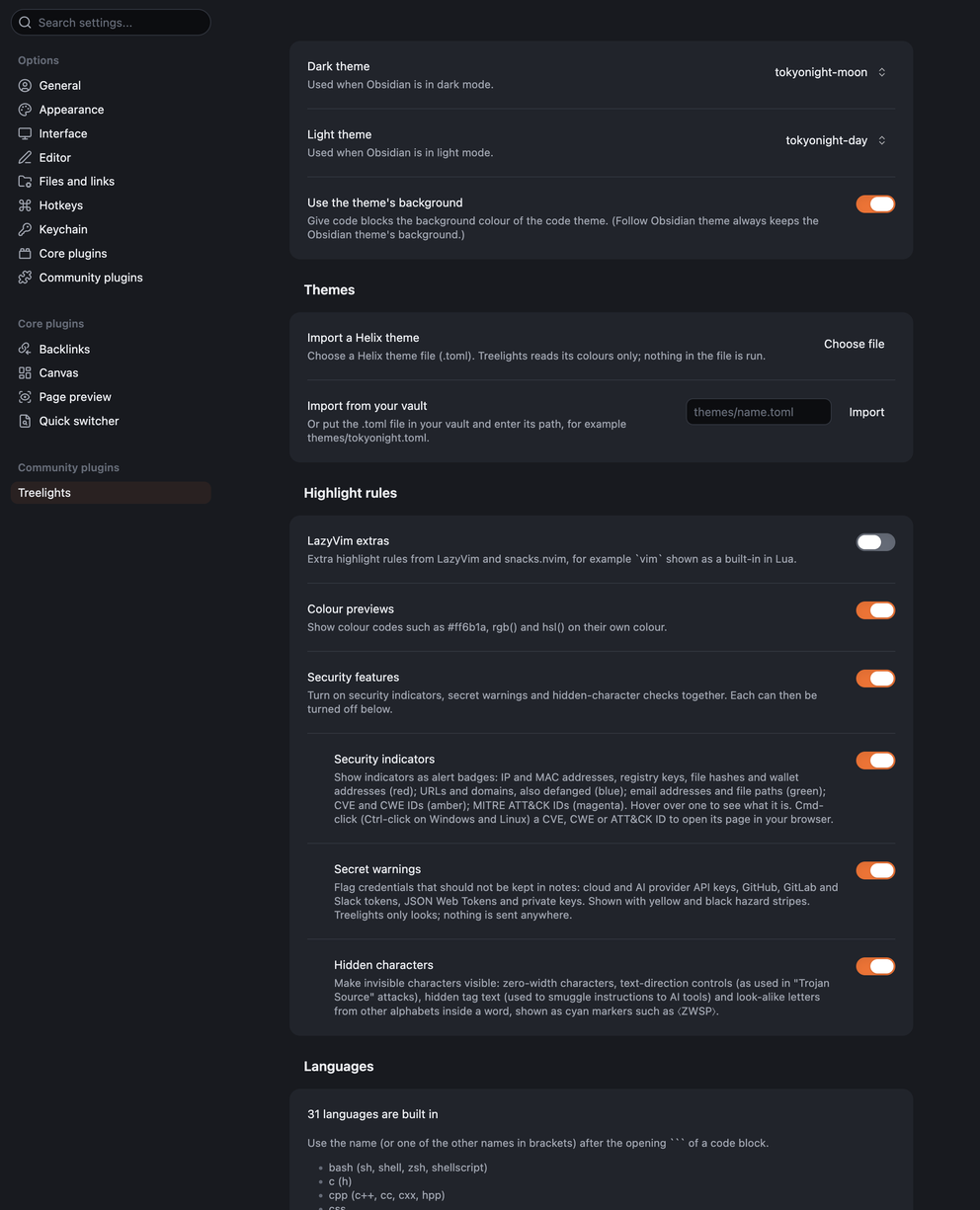
- An optional pack adds LazyVim's highlighting extras for Lua and Markdown.
Privacy
- Treelights makes no network requests. The only exception is one you start: Cmd-click on a CVE, CWE or ATT&CK ID opens its public page (nvd.nist.gov, cwe.mitre.org or attack.mitre.org) in your browser.
- It never changes your notes and collects nothing.
- Files outside your vault: "Import a Helix theme" reads only the theme file you choose, which may be anywhere on your computer. Nothing else outside your vault is read.
Install
From Obsidian: Settings → Community plugins → Browse → search for
"Treelights". Or by hand: download main.js, manifest.json and
styles.css from the latest release into
.obsidian/plugins/treelights/ in your vault, then turn Treelights on
in Settings → Community plugins.
Requires Obsidian 1.15 or later, on desktop (macOS, Windows or Linux). Phone and tablet support is planned for a later version.
Known issues
- A grammar can mark unusual or newer syntax as an error and colour it less; for example the KQL grammar dates from 2023.
- The plugin file is about 4 MB, because every grammar is included so nothing has to be downloaded.
- Desktop only for now: Treelights does not yet load in Obsidian on phones and tablets. Windows and Linux are not yet tested.
Credits and licences
Treelights is MIT licensed (see LICENSE). It includes:
- Tree-sitter grammars (pinned versions, listed with their sources
in
grammars/sources.json): MIT, except the HCL and Terraform, INI and Tree-sitter query grammars (Apache License 2.0) and printf (ISC). Two are changed at build time; see SECURITY.md. - The YARA grammar, written for Treelights (MIT):
grammars/tree-sitter-yara/. - Highlight queries from
nvim-treesitter
(Apache License 2.0), with Treelights' own additions in
queries-extra/. - LazyVim and snacks.nvim rule extras by Folke Lemaitre (Apache License 2.0).
- Helix themes from the Helix editor
(Mozilla Public License 2.0), unchanged, in
themes/helix/. - Tokyo Night colours from tokyonight.nvim by Folke Lemaitre (Apache License 2.0).
- web-tree-sitter, the Tree-sitter runtime (MIT).