Search...Search plugins and themes...
⌘K
Sign in
  • Get started
  • Download
  • Pricing
  • Enterprise
  • Account
  • Obsidian
  • Overview
  • Sync
  • Publish
  • Canvas
  • Mobile
  • Web Clipper
  • CLI
  • Learn
  • Help
  • Developers
  • Changelog
  • About
  • Roadmap
  • Blog
  • Resources
  • System status
  • License overview
  • Terms of service
  • Privacy policy
  • Security
  • Community
  • Plugins
  • Themes
  • Discord
  • Forum / 中文论坛
  • Merch store
  • Brand guidelines
Follow us
DiscordTwitterBlueskyThreadsMastodonYouTubeGitHub
© 2026 Obsidian

Transfer LaTeX from GPT Fix

kevin23-designkevin23-design1k downloads

Translate LaTeX formulas generated by OpenAI GPT into MathJax format. Fixes the bug where 'Transfer LaTeX from GPT' wasn't working.

Add to Obsidian
  • Overview
  • Scorecard
  • Updates11

English | 简体中文 | 繁体中文 | 日本語 | 한국어


1. Introduction

This project is a fix for this project, patching the bugs that prevented it from working. Since the original author has not maintained it for a long time, I am releasing this plugin first. If the original author resumes maintenance, I will stop maintaining this one. The goal of this project is to convert LaTeX formulas from ChatGPT's responses into Markdown formats that Obsidian can recognize and render correctly. This tool helps users easily use mathematical formulas in Obsidian notes, improving learning efficiency and research quality.

2. Installation

  1. Install the Transfer Latex from GPT plugin directly through the Community Plugins market.
  2. Or download the plugin package from the GitHub repository and install it manually.

3. Usage Instructions

Note: Before using, please ensure the "Auto Convert HTML" option is turned off in Obsidian editor settings. Otherwise, when pasting ChatGPT's answers, use plain text format.
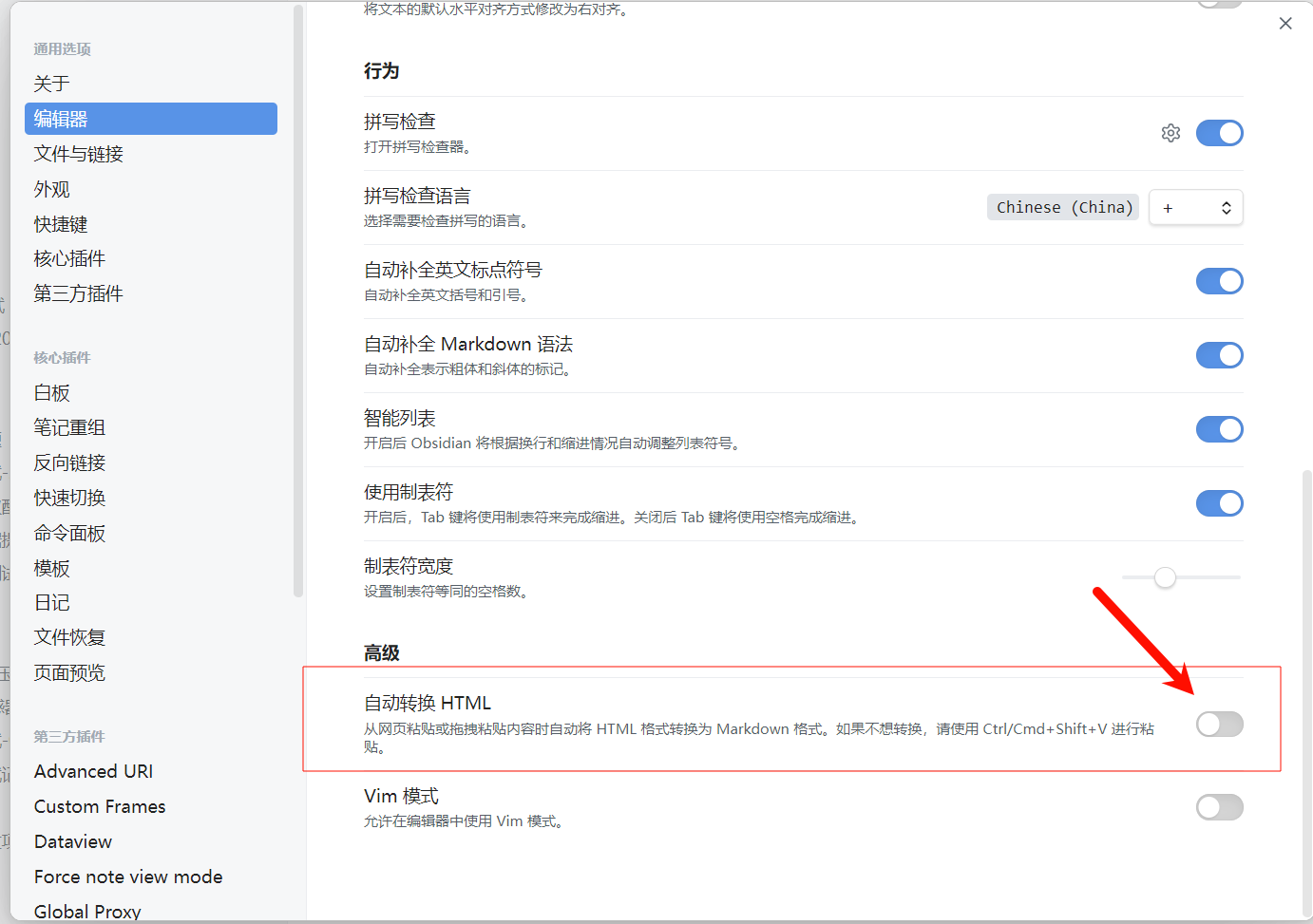
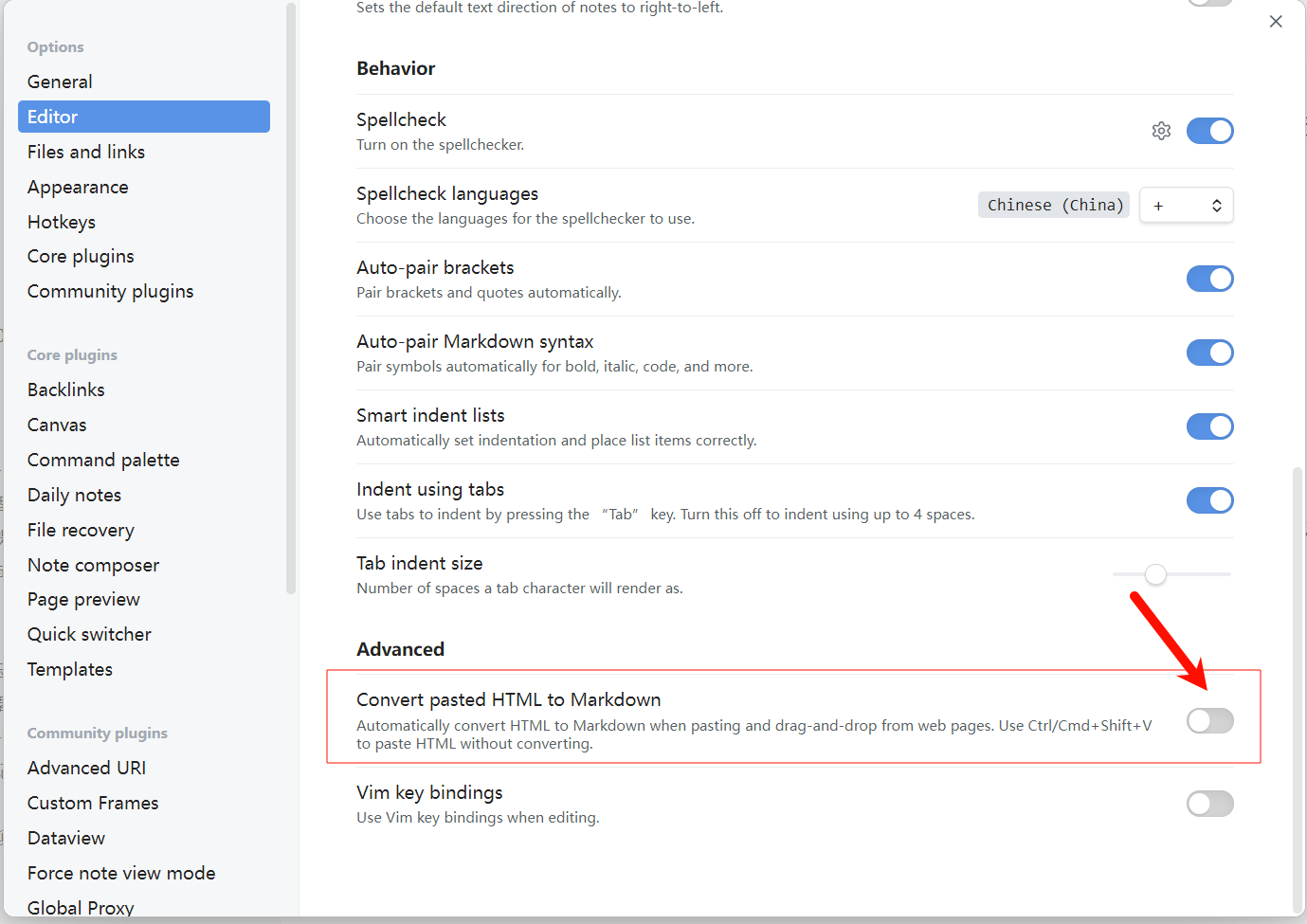
Obsidian Settings
Disable HTML Conversion

How to Use

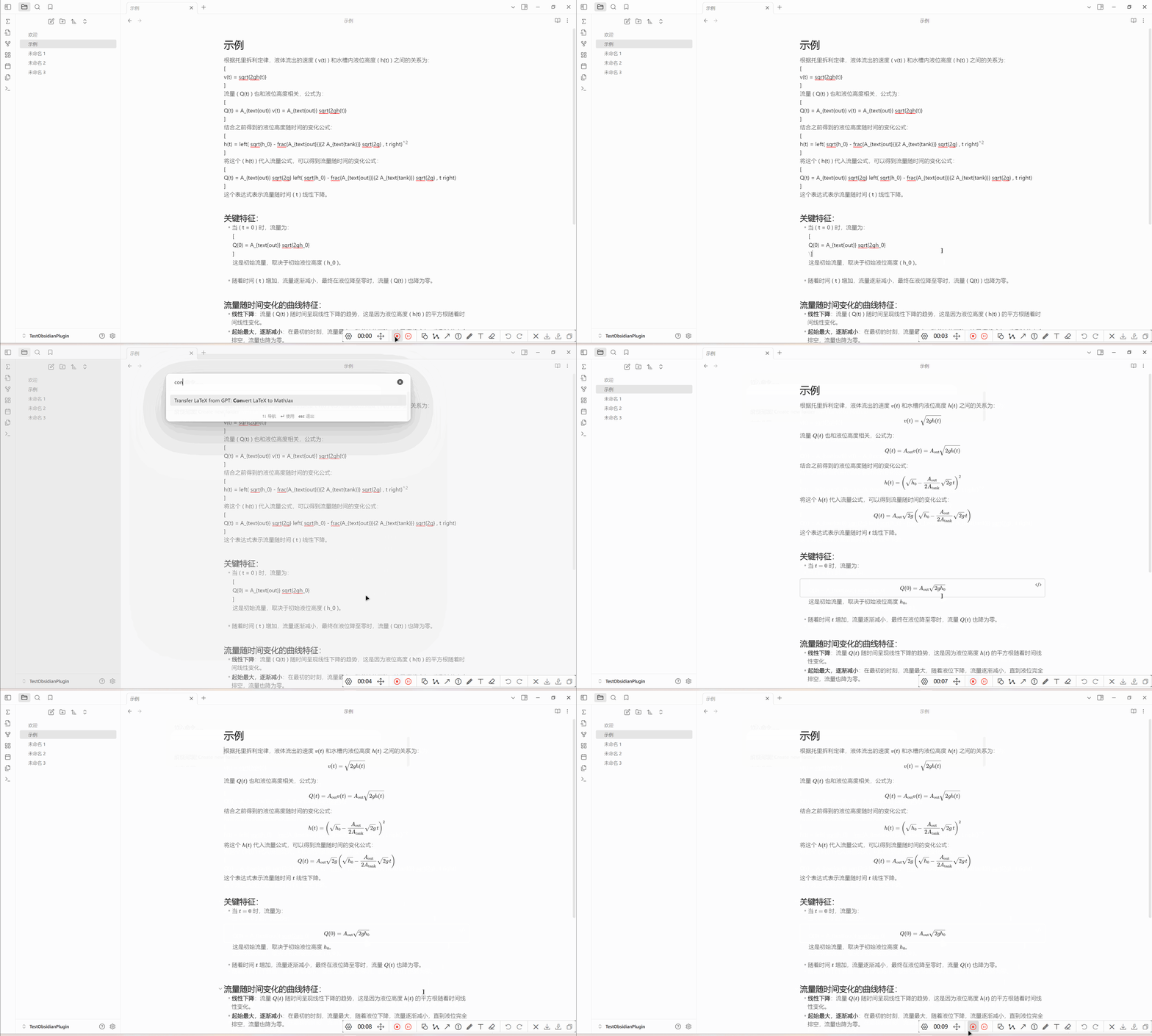
  1. Via Command
    Command Usage Example

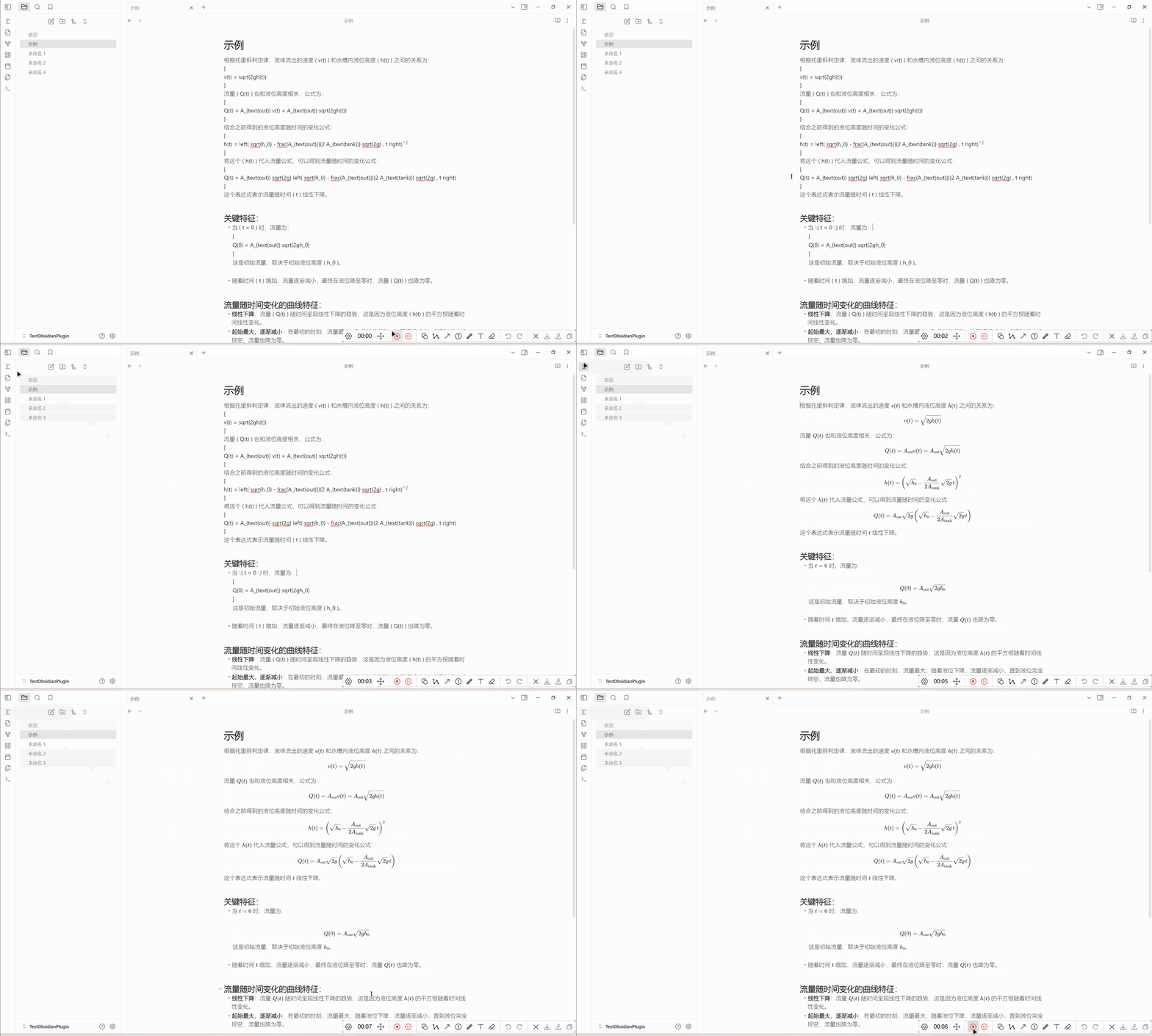
  2. Via Left Ribbon Button
    Button Usage Example

Supported GPT copy formats

Both \(...\) / \[...\] and the newer double-escaped \\(...\\) / \\[...\\] are supported. Inline formulas stay inline; generated display formulas use $$ on separate lines so later headings remain visible in the outline.

For the newer double-escaped format, the plugin also removes Markdown escaping inside formulas: for example, \\(g\_{\mu\nu},\\,\phi^\*\\) becomes $g_{\mu\nu},\,\phi^*$. Matrix row breaks and literal underscores in \text{...} or \operatorname{...} are preserved. Existing dollar-delimited math, code, and links are preserved.

HealthExcellent
ReviewSatisfactory
About
Convert LaTeX formulas from ChatGPT responses into Obsidian-ready Markdown that renders correctly. Process pasted ChatGPT answers to produce properly formatted inline and display math for your notes.
LaTeXMathEditing
Details
Current version
1.0.12
Last updated
3 weeks ago
Created
8 months ago
Updates
11 releases
Downloads
1k
Compatible with
Obsidian 0.15.0+
Platforms
Desktop, Mobile
License
MIT
Report bugRequest featureReport plugin
Author
kevin23-designkevin23-design
github.com/Kevin23-design
GitHubkevin23-design
  1. Community
  2. Plugins
  3. LaTeX
  4. Transfer LaTeX from GPT Fix

Related plugins

Quick Latex

Simplify and speed up LaTeX math typing.

Latex Suite

Make typesetting LaTeX math as fast as handwriting through snippets, text expansion, and editor enhancements.

Fix Math

Convert LaTeX equations from ChatGPT and AI assistants to the correct Markdown format: block equations to display math, inline to inline math.

MathLive

Visual LaTeX math editor with formula OCR. Scan screenshots, PDFs and handwriting into editable equations.

LanguageTool Integration

Advanced grammar and spell checking, powered by LanguageTool.

Text Format

Format selected text upper/lower/capitalize.

Meta Bind

Make your notes interactive with inline input fields, metadata displays, and buttons.

Thino

Quickly capture memos and display them in the sidebar with a heatmap. (Closed source)

Advanced Tables

Improved table navigation, formatting, and manipulation.

Simplified Chinese Word Splitting

Adds Simplified Chinese word splitting support for the editor and Vim mode.