Track Changes
 philphilphil3k downloads
Review CriticMarkup suggestions in a side panel. Accept, reject, or reply.
- Overview
- Scorecard
- Updates17
Review CriticMarkup suggestions in an Obsidian side panel. Accept, reject, or reply — straight back into the markdown, no sidecar state.
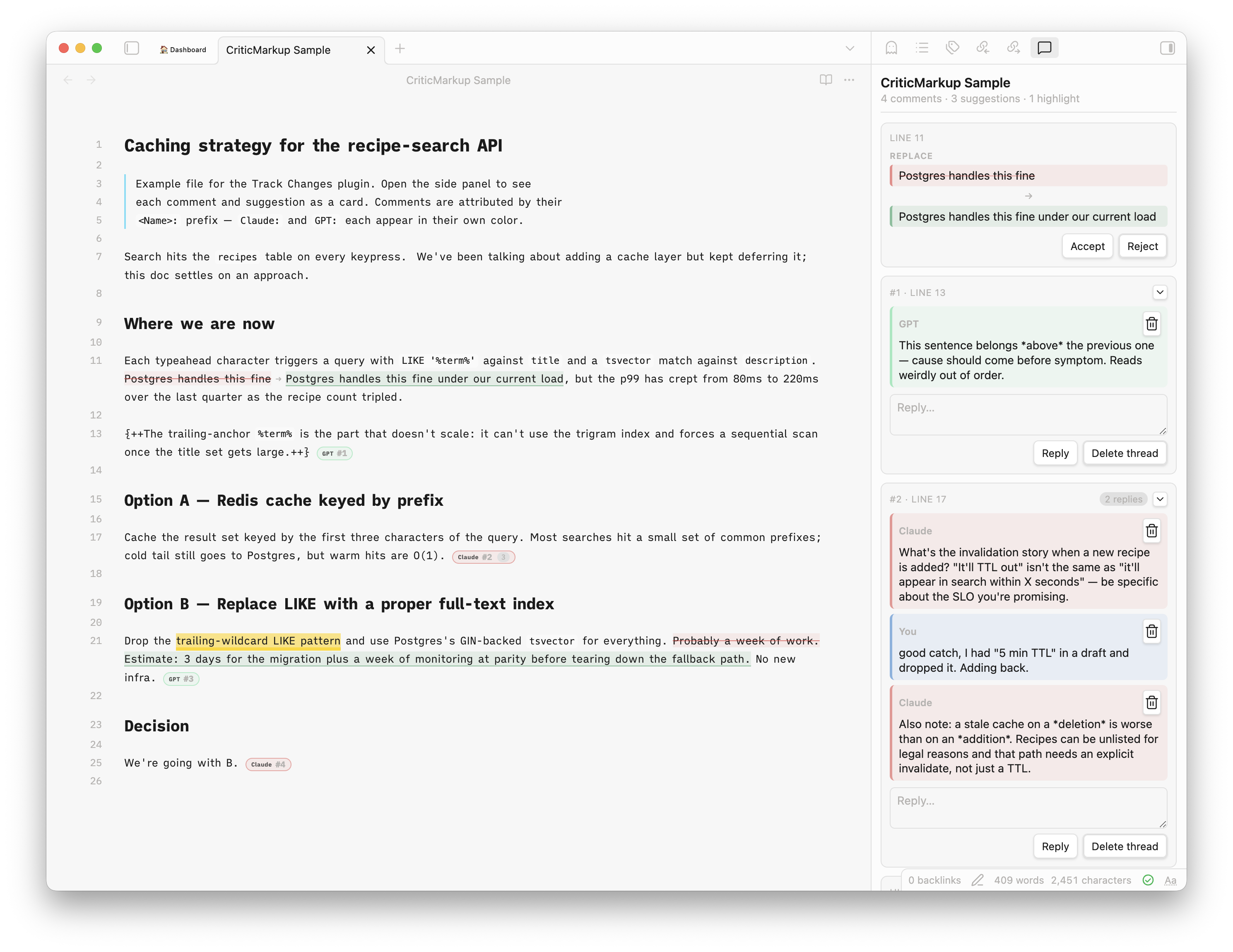
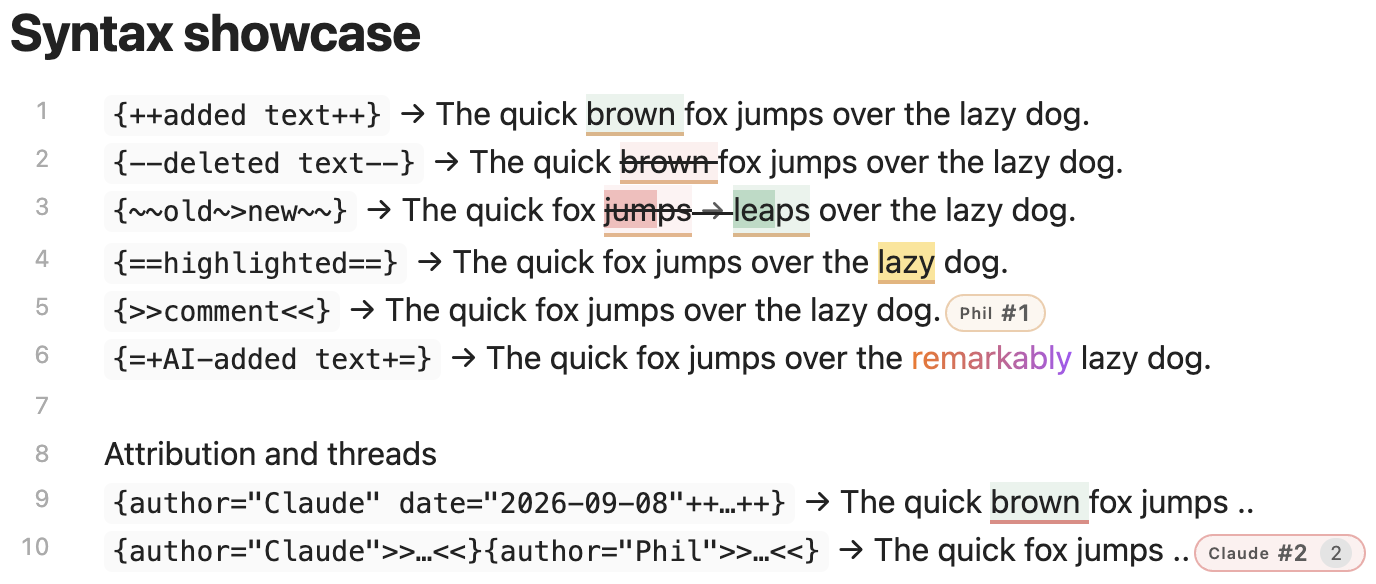
Intended for AI-assisted review: the agent leaves {++…++}, {--…--}, {~~old~>new~~}, {>>comment<<}, {==highlight==} in your notes, you review them here. A sixth mark, {=+…+=}, flags AI-inserted text with a subtle rainbow highlight — visual only, no review card. You can leave the same marks yourself, via commands or the Track changes right-click submenu, so human edits sit alongside the AI's in one review.
Agent setup
Your agent needs to know the mark format. Two starting points:
docs/SKILL.md— a minimal reviewer skill you can hand to any agent.- claude-plugin-obsidian-track-changes-agent — a Claude Code plugin by @johntrandall. It signs every mark, attaches rationale comments, holds off while you're typing, and can watch a note to answer your comments live. Third-party; not maintained here.
Features
- All five CriticMarkup forms with inline styling and a side-panel card per mark, plus
{=+…+=}AI-added-text marks (rainbow, visual-only) - Threaded comments (adjacent
{>>…<<}blocks), multi-author colors - Per-mark metadata —
author="…" date="…"prefixes on any mark drive the author colors and dates - Accept / reject per mark, reply inline, delete per message or thread
- Comment on a suggestion — the comment shows inside the suggestion's card and goes away when the suggestion is accepted or rejected
- Human authoring — insert or mark selections as any of the five CriticMarkup forms yourself, from the command palette or the Track changes right-click submenu, stamped with your name and date like a reply
- Finalize for publish — resolves all remaining markup in one pass
- Reading mode: accepted preview or raw side-by-side
- Custom colors and tint intensity for additions, deletions, highlights, comments and AI-added text
- Code blocks left alone
Interaction
- Click a mark in Live Preview to edit in place — the raw markup is exposed, the color stays.
- ⌘/Ctrl-click a mark (or set Click highlighted text to open in panel) opens the side panel instead.
- Click a panel card to jump the editor to its chip.
- Source Mode shows raw markup verbatim.
Commands
- Open review panel
- Finalize for publish — accept additions, drop deletions and comments, etc.
- Insert addition, Mark selection as deletion, Mark selection for substitution, Highlight selection, Insert comment — also under Track changes in the editor's right-click menu
- Accept change at cursor, Reject change at cursor, Remove highlight at cursor, Delete comment at cursor — act on the mark the cursor is in; bind hotkeys for fast review. Also under Track changes in the right-click menu when the cursor is on a matching mark
Install
Community Plugins → search "Track Changes" (community.obsidian.md).
Manual: drop main.js, manifest.json, styles.css into <vault>/.obsidian/plugins/track-changes/.
Build
npm install && npm run build
License
MIT.