Search...Search plugins and themes...
⌘K
Sign in
  • Get started
  • Download
  • Pricing
  • Enterprise
  • Account
  • Obsidian
  • Overview
  • Sync
  • Publish
  • Canvas
  • Mobile
  • Web Clipper
  • CLI
  • Learn
  • Help
  • Developers
  • Changelog
  • About
  • Roadmap
  • Blog
  • Resources
  • System status
  • License overview
  • Terms of service
  • Privacy policy
  • Security
  • Community
  • Plugins
  • Themes
  • Discord
  • Forum / 中文论坛
  • Merch store
  • Brand guidelines
Follow us
DiscordTwitterBlueskyThreadsMastodonYouTubeGitHub
© 2026 Obsidian

Tiny Habits

nazoadiegonazoadiego1k downloads

Habit tracking in a calendar table

Add to Obsidian
  • Overview
  • Scorecard
  • Updates18

Logo

Tiny-Habits

An Obsidian plugin for keeping track of your habits
Explore the docs »

View Demo · Report Bug · Request Feature

Table of Contents

  • About The Project
  • Usage
  • Options
  • How to run it locally
  • Support
  • Credits

Tiny Habits

An Obsidian Plugin built with Svelte to track different habits.

All the entries are stored inside your notes frontmatter. Everything stays local and within your markdown notes.

Features:

  • Mark habits as completed, failed, skipped, or not started.
  • A table of your habit entries, in the beloved format of a heatmap we see in Github or Anki.
  • Keyboard navigation support
  • Navigation both to future and past entries.

Preview:
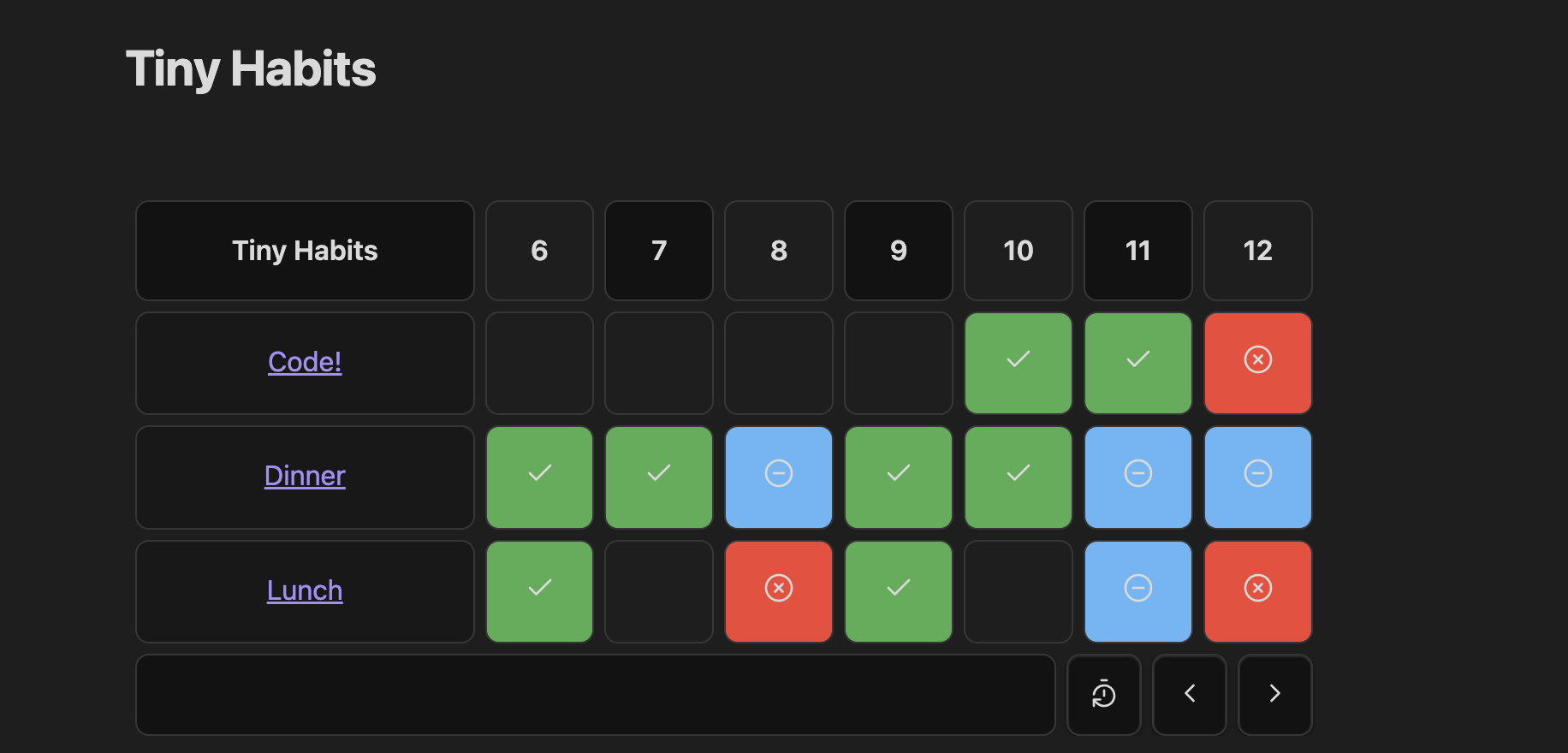
A preview of this plugin

Usage

  • Make a code block with habits in the first line

  • Open brackets and indicate the folder path. Make sure you write the full folder path, otherwise it won't work.

  • Create a note in that folder to see the new habit in your habits table.

  • Voila!

    ```habits
    {
      "folderPath": "Areas/Habits/Tiny - Morning"
    }
    ```
    

You can use as many markdown blocks as you like in the same file. And if they get too big, you can collapse them by clicking the table header.

Keyboard support

You can navigate both with arrows and the hjkl keys. To mark a habit entry, you can do so by focusing on the entry and pressing enter.

To mark an entry with an specific status these are the shortcuts:

  • Completed - 1
  • Failed - 2
  • Skip - 3
  • Not started - 4

Options

```habits
{
  "folderPath": "Areas/Habits/Tiny - Morning", // the absolute path to the folder containing your habits
  "displayName": "Morning" // (optional) To customize the name that appears in the table
}
```

How to run it locally

If you are a developer and you wish to run it locally, follow these steps:

  • Clone this repo.
  • Make sure your NodeJS is at least v16 (node --version).
  • pnpm i to install dependencies.
  • pnpm run dev to start compilation in watch mode.

Manually installing the plugin

  • Copy over main.js, styles.css, manifest.json to your vault VaultFolder/.obsidian/plugins/your-plugin-id/.

Tests

Run with pnpm run test

Linting

Run with pnpm run lint

Making a release

pnpm run version:new

Support

If you like the extension feel free to buy me a coffee! https://buymeacoffee.com/nzoadiego

Hope this extension makes your life a little easier.

Credits

Special thanks to zincplusplus https://github.com/zincplusplus/habit-tracker for the original idea, and an extension that I found so useful it motivated me to build my own.

API Documentation

See https://github.com/obsidianmd/obsidian-api

77%
HealthExcellent
ReviewCaution
About
Track habits directly in your Markdown notes and store all entries in each note's frontmatter. Mark entries as completed, failed, skipped, or not started and view a heatmap-style table with keyboard navigation and past/future entry browsing.
PropertiesTablesVisualization
Details
Current version
1.1.10
Last updated
3 months ago
Created
Last year
Updates
18 releases
Downloads
1k
Compatible with
Obsidian 0.15.0+
Platforms
Desktop, Mobile
License
0BSD
Report bugRequest featureReport plugin
Sponsor
Buy Me a Coffee
Author
nazoadiegonazoadiego
github.com/nazoadiego
GitHubnazoadiego
  1. Community
  2. Plugins
  3. Properties
  4. Tiny Habits

Related plugins

Advanced Canvas

Supercharge your canvas experience. Create presentations, flowcharts and more.

April's Automatic Timelines

Simple timeline generator for story tellers.

Advanced Tables

Improved table navigation, formatting, and manipulation.

Excalidraw

Visual PKM powerhouse. Create and edit Excalidraw drawings.

Meta Bind

Make your notes interactive with inline input fields, metadata displays, and buttons.

Mermaid Tools

Improved Mermaid.js experience: visual toolbar with common elements and more.

Maps

Adds a map layout to bases so you can display notes as an interactive map view.

Life Tracker

Capture and visualize the data that matters in your life.

Datacore

An even faster reactive query engine for the data obsessed.

Super Simple Time Tracker

Multi-purpose time trackers for your notes.