3D Concept Map
 Jaeger Zhang 28 downloads
Turn your vault into an interactive 3D concept network: render cmap blocks and build concept pages from your notes.
- Overview
- Scorecard
- Updates7
中文简介:把 Obsidian 笔记变成立体概念网络的插件。在任意笔记里写 cmap 代码块,就能得到一张可旋转、可缩放、可点开的 3D 知识图谱;再点一下「构建概念网络」,插件会扫描全库、自动生成概念页与概念索引。
- 安装:设置 → 第三方插件 → 浏览 → 搜索 3D Concept Map(或用 BRAT 填
jaegerzhang001-max/3d-concept-map) - 用法:写
cmap代码块 → 点节点聚焦 → 拖动旋转 → 右键平移 - 构建:设置里填分类规则(
文件夹=概念),点左侧「构建概念网络」
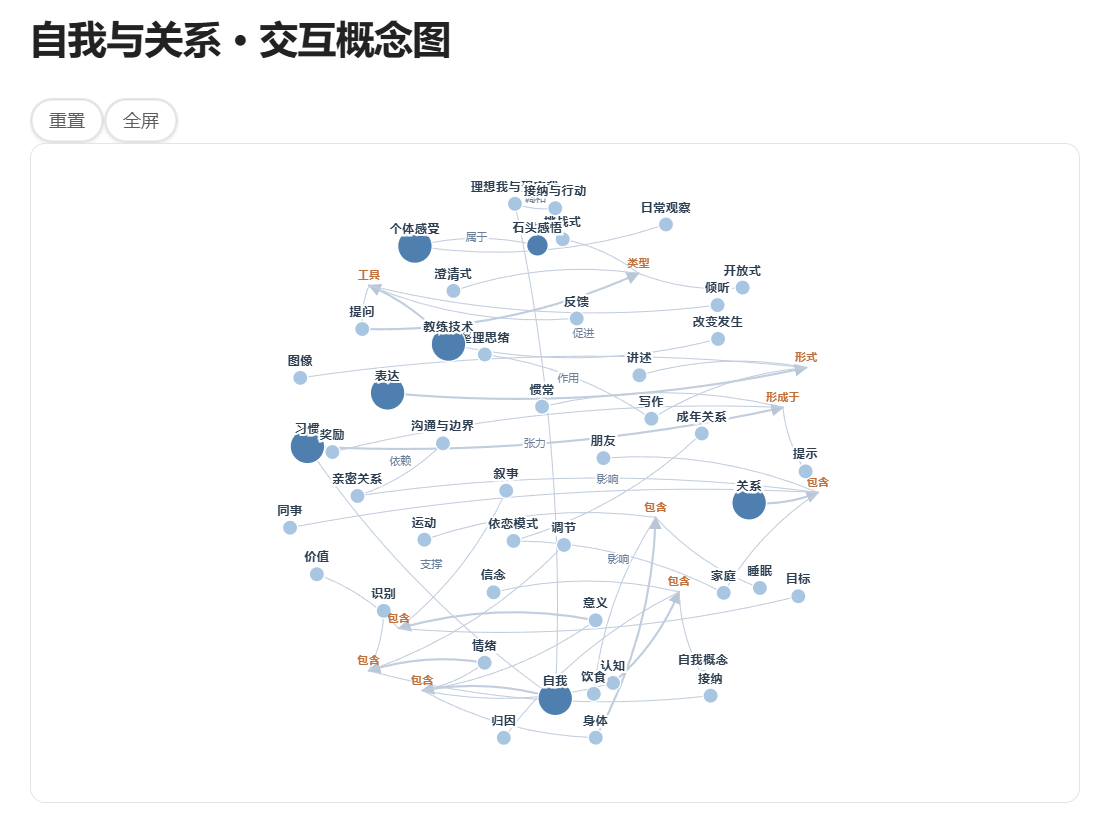
Turn your vault into an interactive 3D concept network. Write cmap blocks to get a rotatable, zoomable concept graph, and use the built-in builder to turn your notes into concept pages.
Installation
From the community directory
- Open Settings → Community plugins and turn off Restricted mode.
- Click Browse and search for 3D Concept Map.
- Click Install, then Enable.
Manual
- Download
main.js,manifest.json, andstyles.cssfrom the latest release. - Put them in
.obsidian/plugins/three-d-concept-map/. - Reload Obsidian and enable the plugin in Community plugins.
BRAT (beta)
- Install the BRAT plugin.
- Run
BRAT: Add a beta pluginand enterjaegerzhang001-max/3d-concept-map.
Usage
Write a cmap code block in any note:
[L1]Language --split into--> Japanese, German, Korean
[L2]Speaking --needs--> phonetics, chunks
[L3]Chunks --support--> [L2]Speaking
Syntax:
| Syntax | Meaning |
|---|---|
[L1] [L2] [L3] |
Level, controls node size and color |
A --relation--> B, C |
One-to-many, rendered as a fan-out with a labeled station |
A --relation--> B |
Direct relation |
Interactions:
| Action | Result |
|---|---|
| Click a node | Focus it and its two-hop neighbors |
| Click empty space | Restore the full graph |
| Drag (left) | Rotate the sphere |
| Drag (right / Shift) | Pan |
| Wheel | Zoom |
| Reset / Fullscreen | Reset the view / fill the window |
Building a concept network
- Go to Settings → 3D Concept Map and set Classification rules (
folder=concept, one per line). - Click the Build concept network ribbon icon, or run the command with the same name.
- The plugin creates
Concept/<name>.mdpages and aConcept index.md.
Settings
- Concept folder
- Node size
- Show relation labels
- Auto-rotate
- Auto-link notes that are not in the network yet
- Classification rules
中文说明
把 cmap 代码块渲染成可交互的 3D 概念网络;内置构建器可扫描全库生成概念页与概念索引。
安装:设置 → 第三方插件 → 浏览 → 搜索 3D Concept Map → 安装 → 启用。
用法:在笔记中写 cmap 代码块(见上表语法),即可得到 3D 图;点节点聚焦、拖动旋转、右键平移、滚轮缩放。
构建概念网络:设置里填 文件夹=概念 的分类规则,点左侧「构建概念网络」图标。
License
MIT © Jäger Zhang
HealthExcellent
ReviewPassed
About
Create interactive 3D concept maps from cmap code blocks, rendered as a spherical force-directed graph that auto-rotates and supports zoom, pan and node focus. Click nodes to isolate two-hop neighborhoods, drill down into notes or run vault-wide searches, and scan the vault to auto-generate concept pages and an index while linking orphan notes by title or folder rules.Details
Current version
0.3.0
Last updated
3 days ago
Created
3 days ago
Updates
7 releases
Downloads
28
Compatible with
Obsidian 1.5.0+
Platforms
Desktop, Mobile
License
MIT