Terminal Workbench Pet
 Real-Fruit-Snacks311 downloads
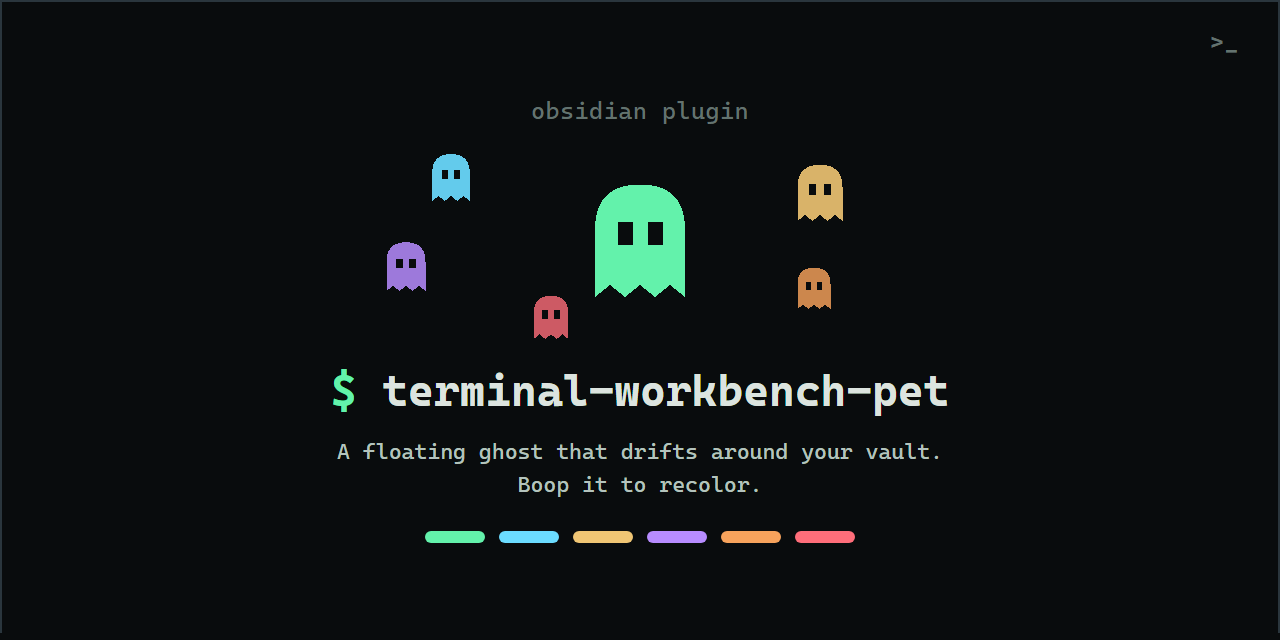
A small floating ghost that drifts around your vault, follows your cursor, and recolors when you boop it. Matches the Terminal Workbench theme palette.
- Overview
- Scorecard
- Updates5
Part of the Terminal Workbench family — one repo with the design spec, CSS tokens, every port, and the official monospace font.
A small floating ghost that lives in your Obsidian vault. It drifts around the workspace on its own, peeks over headings, reads along the paragraph you're on, spooks away from your cursor, naps in the corner when you're idle, pipes up with the occasional terminal quip, cheers you on while you write, and recolors itself when you boop it. Pick it up and fling it wherever you like.
It's the companion to the Terminal Workbench theme — the ghost matches that theme's palette out of the box — but it works with any theme.
Try the live ghost on the showcase page — it's the actual pet, running in your browser.
Modes
- Float freely (default) — the ghost roams the workspace like a jellyfish: slow drifts, peeking at headings and code blocks, reading along your text, the occasional bored barrel-roll, and a nap in the corner when you step away.
- Follow cursor — it trails a short distance behind your pointer and dozes in place when you stop moving.
- Off — hidden.
Set the mode in Settings → Terminal Workbench Pet, or bind the commands:
Terminal Workbench Pet: Toggle pet on or offTerminal Workbench Pet: Cycle pet mode (off, cursor, float)Terminal Workbench Pet: Recolor the pet
Boop it, drag it
Click the ghost to pet it — it does a happy squish, tosses a heart, and cycles its body color through the theme palette (green → cyan → amber → violet → orange → red). Your color choice is remembered.
Or grab it and drag it anywhere. In float mode, give it a flick and let go — it sails across the workspace with momentum, bounces gently off the edges, and settles back into drifting.
Settings
Everything lives under Settings → Terminal Workbench Pet and applies instantly:
- Size and Opacity — how big and how solid the ghost is.
- Color — its starting color from the theme palette, plus a reset.
- Motion — how much the ghost animates. Auto follows your system's reduced-motion preference, Full always animates, Calm halves the frame rate and drops the idle bob (great for laptops or slower machines), and Minimal holds the ghost still.
- Speech bubbles — the occasional terminal quip (
zzz,reading...,boop me?). - React to writing — a cheer when you finish a line or hit a typing streak.
- Nap when idle, Flee from cursor, Read along, and Do tricks — toggle each quirk on or off to tune how busy the ghost feels.
Installation
Community plugins (recommended)
- Open
Settings → Community pluginsand select Browse. - Search for
Terminal Workbench Petand select Install. - Enable it.
Manual
- Download
main.js,manifest.json, andstyles.cssfrom the latest release. - Copy them into
<your vault>/.obsidian/plugins/terminal-workbench-pet/. - In Obsidian, open
Settings → Community plugins, refresh, and enable Terminal Workbench Pet.
BRAT
Add Real-Fruit-Snacks/terminal-workbench-pet as a beta plugin in BRAT.
Requires Obsidian 1.5.0 or newer.
Notes
- Reduced motion: with Motion on Auto (the default), the ghost holds still whenever your system requests reduced motion — and it reacts live if that preference changes. Pick Calm or Minimal to tone the ghost down on machines that struggle with animation regardless of the system setting, or Full to always animate.
- Idle cost: the animation loop sleeps whenever there is nothing to animate — while the ghost naps, while it's off-screen, and in cursor mode once it has settled — instead of running every frame.
- Colors: with the Terminal Workbench theme active, the ghost uses its
--ta-*palette. Without it, it falls back to Obsidian's accent color and sensible defaults. - Privacy / footprint: no network requests. Your settings (including color) are stored in the plugin's own data file; nothing else is persisted. All listeners and the animation frame are torn down when the plugin is disabled.
- Peek and read-along target the active note's reading view; in editing view the ghost simply drifts.
Development
Plain JavaScript, no build step — Obsidian loads main.js directly.
| Path | Purpose |
|---|---|
main.js |
The plugin (settings, lifecycle) and the ghost's behavior engine |
styles.css |
The ghost's appearance and animations |
manifest.json |
Plugin metadata |
versions.json |
Release compatibility map |
docs/index.html |
Showcase page with a live ghost (GitHub Pages) |
.github/workflows/ci.yml |
On every push: syntax-checks main.js, validates manifest.json against versions.json, and loads the plugin under a stubbed Obsidian API |
.github/workflows/release.yml |
Attaches main.js, manifest.json, styles.css to a release when a version tag is pushed |
To cut a release: bump version in manifest.json, add the entry to versions.json, then push a tag with the same version.