TBX Term Import
 theluckystrike1 downloads
Import local term records with language labels into a glossary table.
- Overview
- Scorecard
- Updates1
Import a local term base into a glossary note with two language columns. Select the exact language labels from the file, check the preview, then create a Markdown table. The single-file workflow is free and does not require an account.
This release supports the listed TBX v2 record structures. It is intended for a small term base that you can inspect before use. It is not a general TBX converter. Files with TBX v3 conceptEntry records, DTD declarations or ENTITY declarations are refused before a note is created.
Features
Load a local UTF-8 file
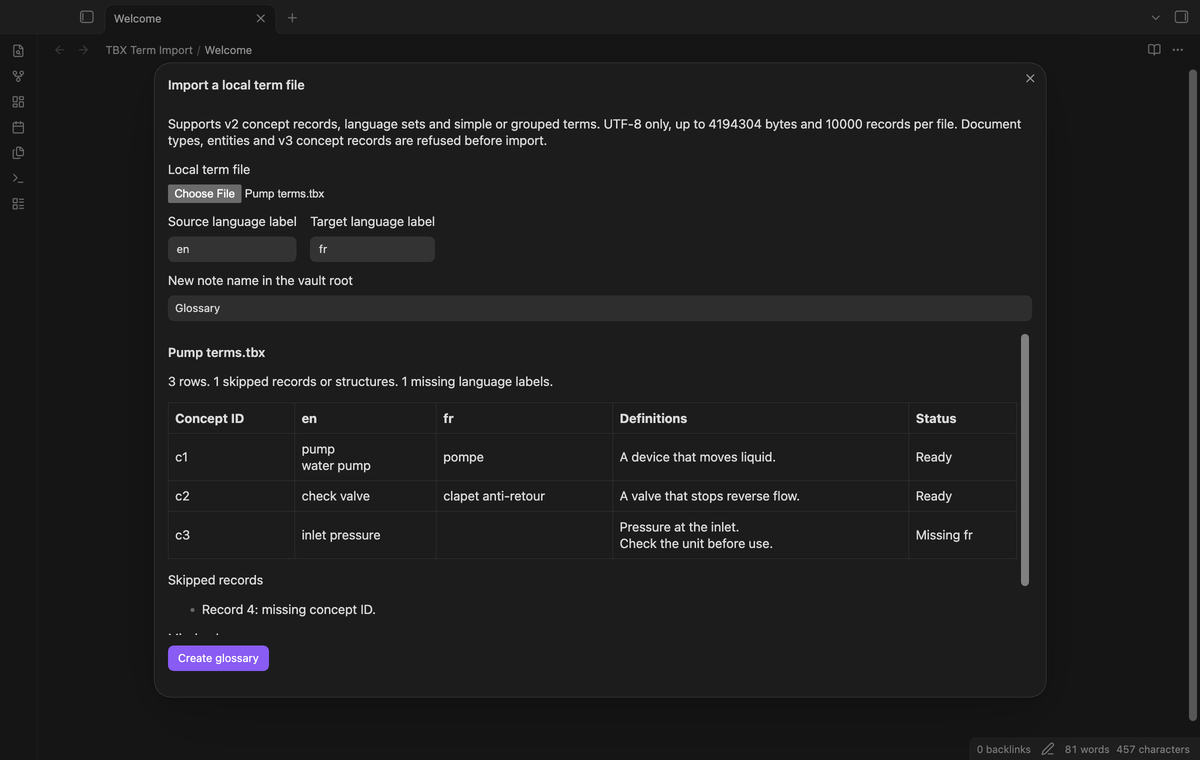
The file input lets you select a file from your device, including a file outside the vault. The plugin reads that selected file in memory. The source stays unchanged. Files are limited to 4 MiB and 10000 termEntry records. The file must contain valid UTF-8 bytes and valid XML.
Read supported term records
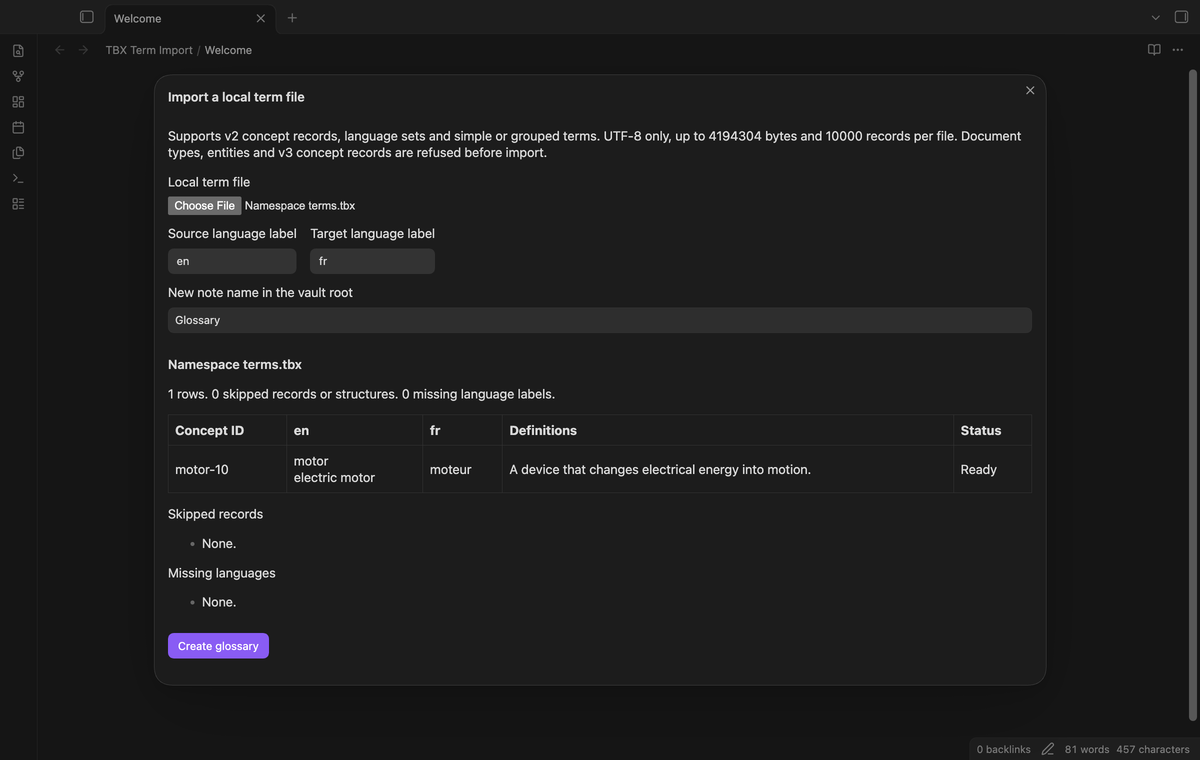
The reader accepts termEntry, langSet, tig and ntig with termGrp. It uses element local names, so a namespace prefix does not change a supported element into an unknown name. Terms from repeated groups keep their source order. Blank terms are omitted. Records with missing or duplicate concept IDs appear in the skipped list.
Select exact language labels
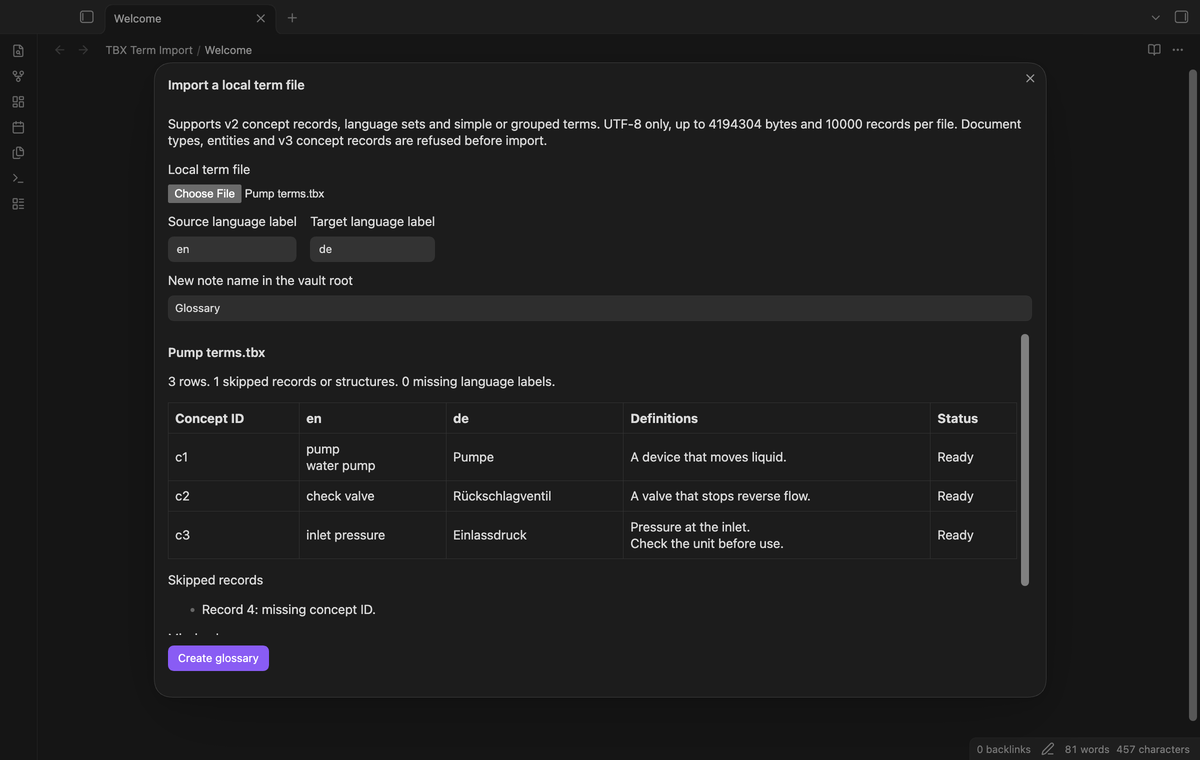
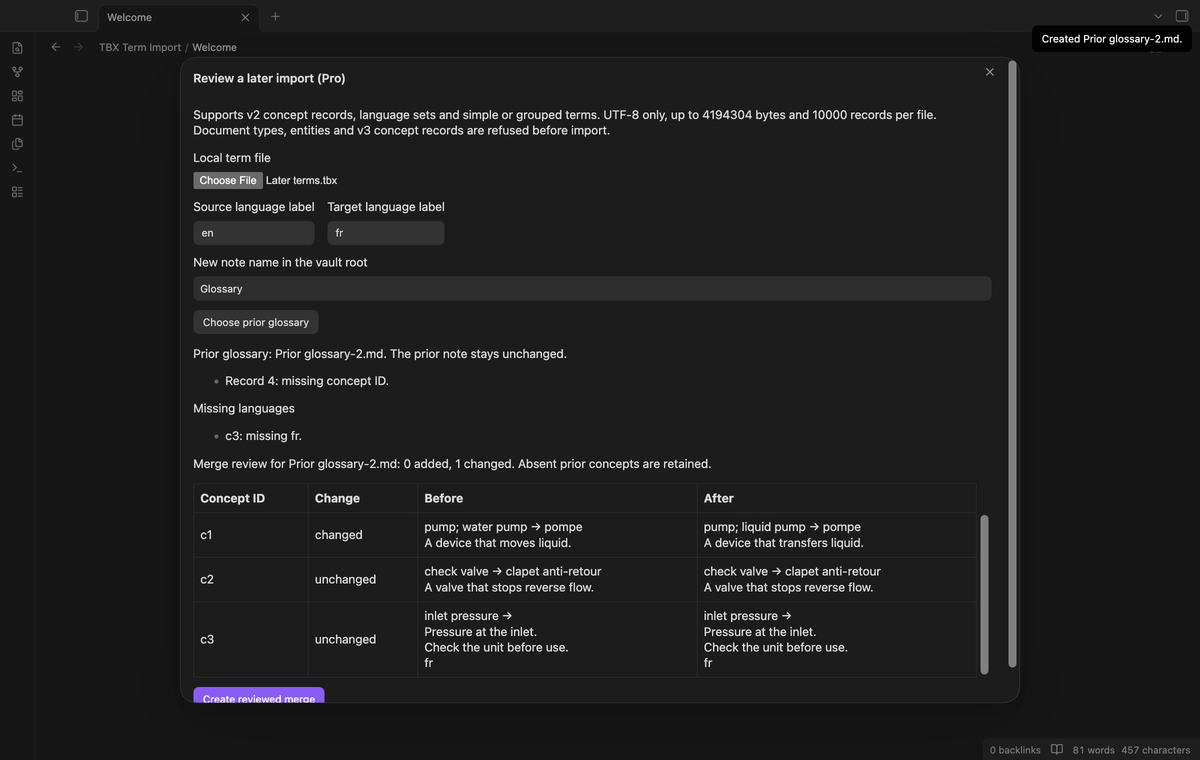
The source and target selectors contain xml:lang values found in the file. Labels are compared as written. For example, en, en-US and en-GB are distinct selections. Select two different labels. A third language does not fill the target column. Column headings show the selected labels so you can check the direction.
Preview terms and definitions
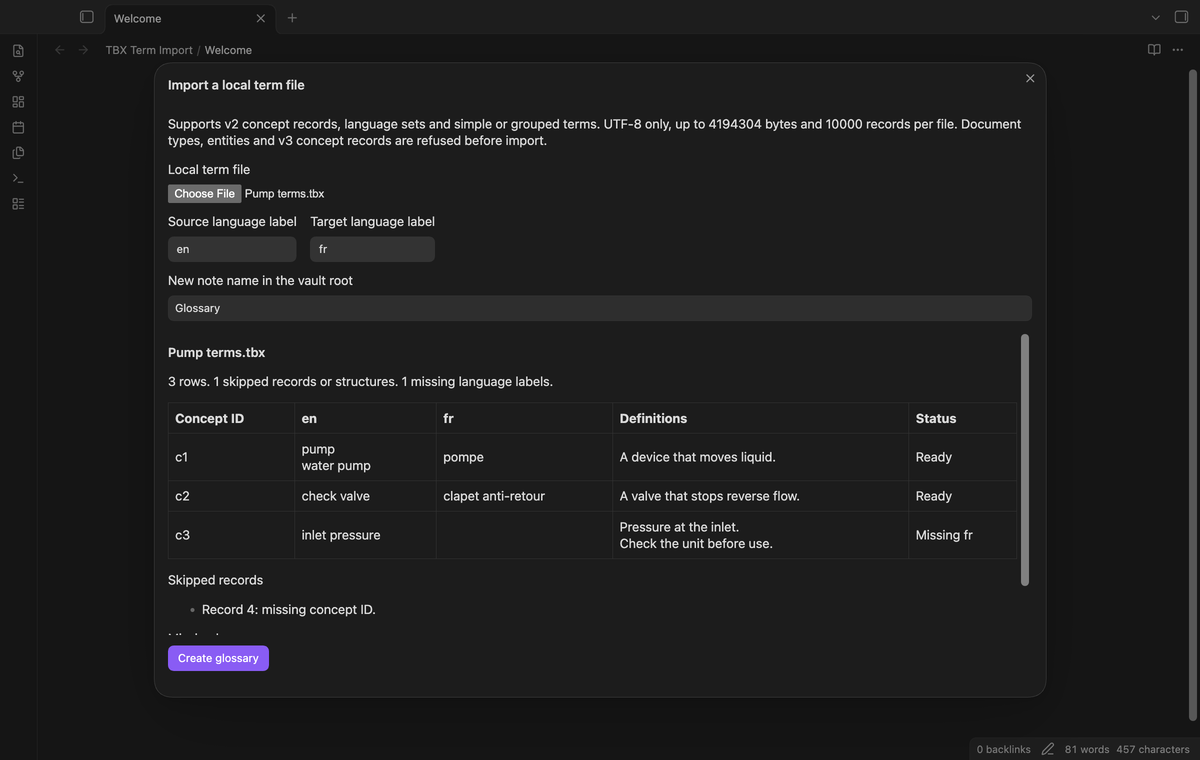
The preview shows concept IDs, terms, alternate forms, definitions and missing language status. It reads direct descrip elements with type definition at concept, language and supported term group levels. Definitions from the concept and the two selected languages enter the output. A concept with one missing language stays visible. The first 100 rows appear in the preview.
Create a glossary and report
Create glossary writes a new note in the vault root. The note contains a table and lists skipped records and missing labels. A pipe in a term is escaped. Line breaks use inert breaks inside cells. Imported HTML and Markdown punctuation are encoded as text. If Glossary.md exists, the writer tries Glossary-1.md and continues with a higher number when needed.
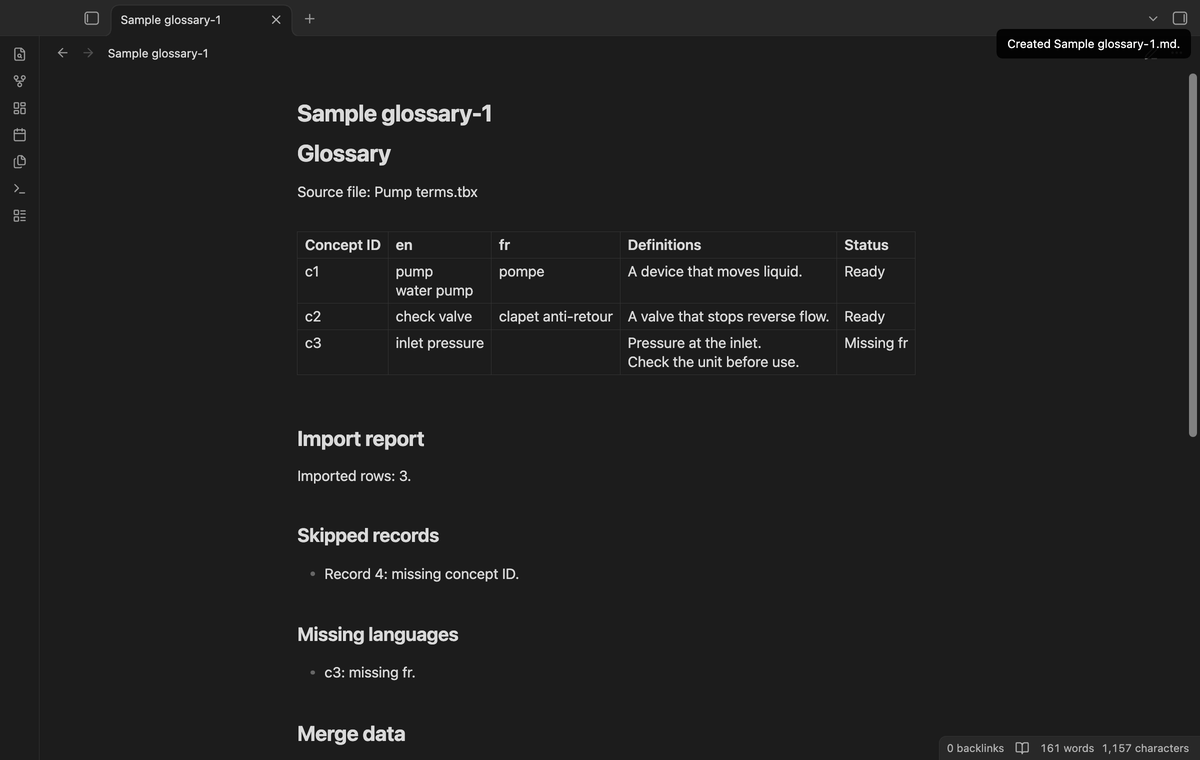
Import several term files (Pro)
The batch command accepts up to 20 local files. It shows a separate preview or refusal message for each file. The selected labels apply to the batch. A file that lacks a selected label is refused for that selection. Supported files create separate notes with separate source names and reports. A failed file does not create an empty success note.
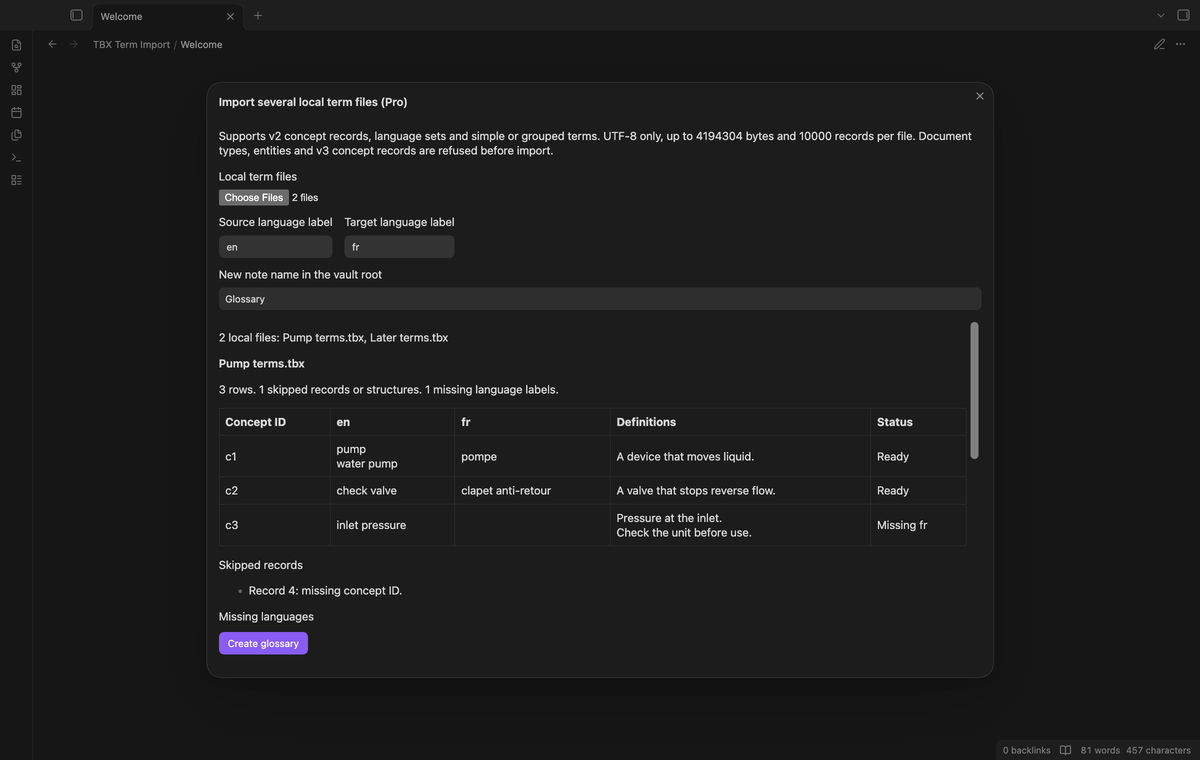
Review a concept ID merge (Pro)
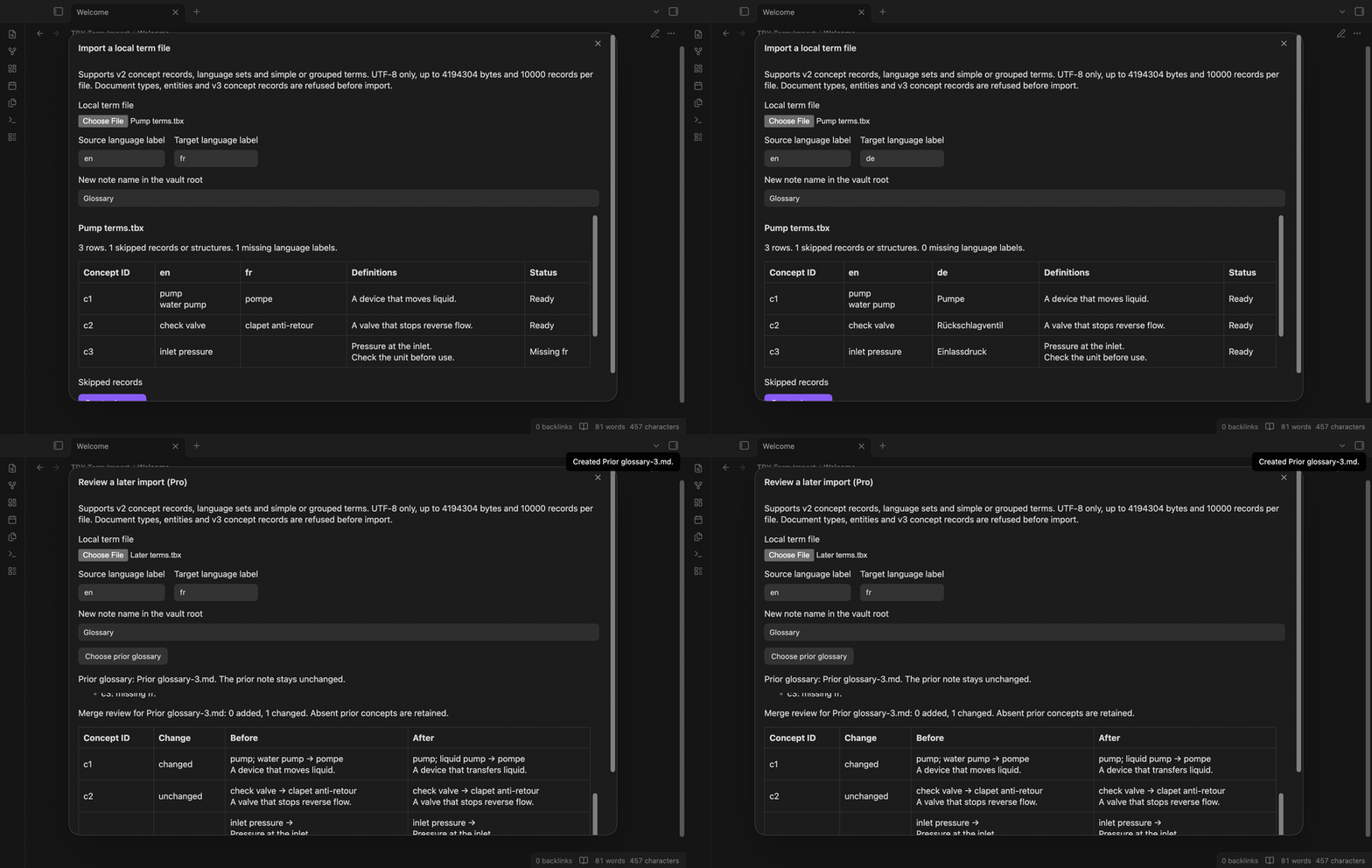
Choose a prior glossary note and load a later local term file. The review marks added, changed, unchanged and retained concept IDs. It shows the old and new terms and definitions. The language labels must match the prior glossary. Concepts absent from the later import are retained. Create reviewed merge writes a new note and keeps the prior note unchanged. A merge review is limited to 100 result rows.
Install
Use an Obsidian version at or above the minimum in manifest.json. For a manual installation, copy main.js, manifest.json and styles.css from the plugin release into a tbx-term-import folder under your vault's .obsidian/plugins directory. Enable the plugin in Community plugins. Keep the three release files together when you update it.
Usage
Run Import a local term file from the command palette. Select your local .tbx or .xml file. Read the dialect and size limits shown above the input. Select the source and target labels, then inspect the concept rows and report lists. Enter a new note name and select Create glossary. The result line gives the created path. Use Reading view to read the table and report. Source view keeps the Markdown escape sequences.
If a selected language is missing from one concept, inspect that row before use. A concept with neither selected language is skipped. The output includes the supported selected rows beyond the preview limit. The report includes entries beyond the first 100 shown in the modal. Close the modal to cancel before creation.
For a merge, use Merge a later term import (pro). Select Choose prior glossary and search for a note created by this plugin. The merge uses its fenced local merge data. Manual table edits do not update that data. Keep the data block if you want to use the note as a later merge source. Inspect changes before creating the next glossary.
Settings
New glossary name sets the proposed output name. The default is Glossary. The modal lets you change the name for the current import. Use a plain note name without a folder path or reserved filename characters. The plugin adds a suffix when an existing file or folder occupies the proposed path.
The Pro section contains the sponsor link, GitHub sign in, status, refresh and sign out controls. These controls follow the shared GitHub Sponsors check described below. The importer does not save a selected source file path in its settings.
FAQ
Which TBX dialects are supported? The listed v2 structures are supported. The reader does not validate a TBX schema or preserve administrative fields, term status, cross references or rich formatting. TBX v3 conversion and export back to TBX are outside this release. Use another converter if your term base needs those structures.
What happens on an error? Invalid XML, forbidden declarations, missing language selections and unsupported dialects show a refusal message. No note is created for a refused file. A failed vault write shows its error in the result line. You can correct the note name and try the failed plan again.
What was not tested? Physical mobile devices, other operating systems, a live paid sponsorship, schema validation and term bases from commercial terminology tools were not tested. The runtime uses browser and public Obsidian APIs. That design does not establish mobile device compatibility.
Payment, account and network
The core features are free. Pro features need a GitHub Sponsors sponsorship of theluckystrike: $5 a month or more, or $15 once. A total payment of $15 meets the payment requirement for Pro without further payment. Sign-in and the checks below still apply. Your notes stay readable and editable with or without Pro.
GitHub handles the payment. Sponsor at https://github.com/sponsors/theluckystrike. You need no account for the free features. Pro needs the GitHub account that sponsors.
Until you select "Sign in with GitHub" in the settings, TBX Term Import makes no network requests. Sign in uses the GitHub device flow. TBX Term Import sends its public client ID and the scope read:user to https://github.com/login/device/code and shows you a code. While you enter the code at https://github.com/login/device, it asks https://github.com/login/oauth/access_token every few seconds to check the sign-in status. The scope permits profile reads only. GitHub needs this access to show the sponsorship tier. It grants no repository scope and no write access.
After sign in, TBX Term Import sends one query to https://api.github.com/graphql. It checks if the signed-in account sponsors theluckystrike. It asks for the tier and the total payment to theluckystrike. The plugin reuses a successful check for 7 days. Failed checks can retry after 6 hours. Select Refresh to request an earlier check. It sends no note content, file names or other vault data, and it has no telemetry.
After a successful check, Pro can work offline for up to 14 days. Sign out or a negative sponsorship answer turns Pro off. The plugin stores the GitHub token through the secret storage API of Obsidian. It does not put the token in its saved settings or its local sponsorship data. The local storage of this device keeps your GitHub login, the tier and the time of the last check. Sign out clears the token. You can also revoke the access in your GitHub settings, under Applications.
Support
Report a reproducible problem through the repository issue tracker. Include the plugin version, Obsidian version, selected language labels and a small invented XML example. Remove confidential terms before you share a file. The import report can help identify a missing ID or language label. This plugin is published by theluckystrike at notemods.com and uses the MIT license in LICENSE.