Search...Search plugins and themes...
⌘K
Sign in
  • Get started
  • Download
  • Pricing
  • Enterprise
  • Account
  • Obsidian
  • Overview
  • Sync
  • Publish
  • Canvas
  • Mobile
  • Web Clipper
  • CLI
  • Learn
  • Help
  • Developers
  • Changelog
  • About
  • Roadmap
  • Blog
  • Resources
  • System status
  • License overview
  • Terms of service
  • Privacy policy
  • Security
  • Community
  • Plugins
  • Join the community
  • Discord
  • Forum / 中文论坛
  • Merch store
  • Brand guidelines
Follow us
DiscordTwitterBlueskyThreadsMastodonYouTubeGitHub
© 2026 Obsidian

Tasks Map

nicoknlnicoknl10k downloads

A visual graph view of your tasks.

Add to Obsidian
Tasks Map screenshot
  • Overview
  • Scorecard
  • Updates150

Tasks Map Logo

[!NOTE] Pre-v1.0: Tasks Map is under active development and has not yet reached v1.0. Interfaces — including the embed format, filter field names, and settings — may change between releases.


Tasks Map is a minimal Obsidian plugin that visualizes your tasks as an interactive graph. It supports both inline checkbox tasks (- [ ] task text) via Dataview and file-based tasks (NoteTask) where an entire note becomes a task through frontmatter metadata. Each task is represented as a node, with edges showing relationships based on special emoji/link syntax.

Highlights

  • 📊 Graph Visualization — See all your tasks as draggable nodes in a React Flow graph
  • 📝 Dual Task Sources — Supports inline - [ ] checkbox tasks and file-based NoteTask notes (frontmatter with tags: [task])
  • 🔗 Task Relationships — Edges based on 🆔 / ⛔ emoji/link syntax (inline) or blockedBy / dependsOn frontmatter (NoteTask)
  • 🏷️ Tag Filtering — Focus your view with multi-select tag filtering
  • ✅ Task Completion — Mark tasks done/undone directly from the graph
  • 🌍 Internationalization — English, Dutch, Simplified Chinese
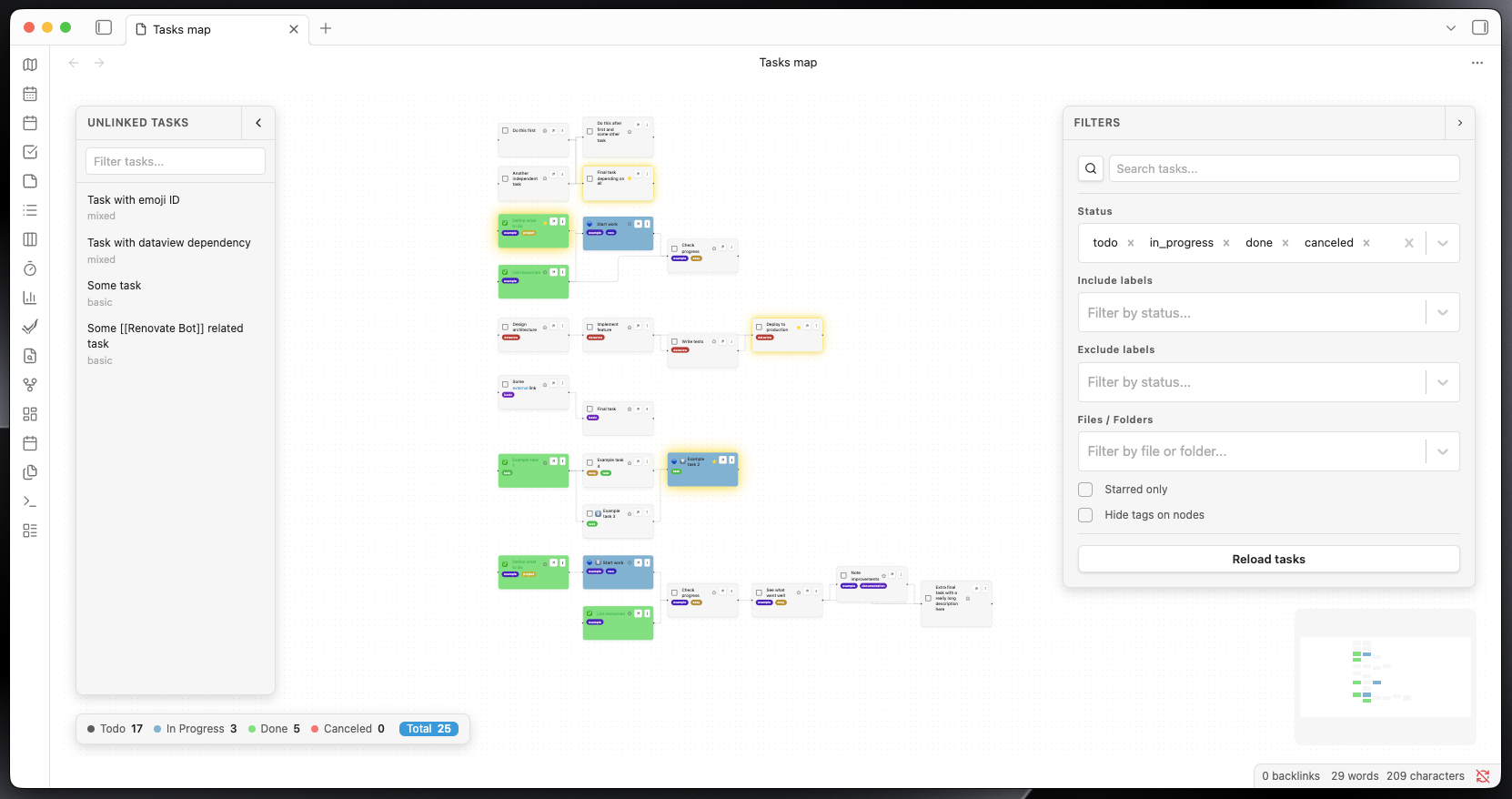
Tasks Map Example

Quick Start

Required: Dataview and Tasks plugins must be installed and enabled.

Install through the Obsidian plugin manager: https://obsidian.md/plugins?id=tasks-map

📖 Documentation

Full documentation is available at nicoknl.github.io/tasks-map.

94%
HealthExcellent
ReviewPassed
About
Visualize your tasks as an interactive, draggable graph with nodes for tasks and edges showing dependencies. Use inline checkbox tasks via Dataview or file-based NoteTask notes, filter by tags, define relationships via emoji/link syntax or frontmatter, and mark tasks done or undone directly from the graph.
VisualizationTasksProject management
Details
Current version
0.32.6
Last updated
Yesterday
Created
10 months ago
Updates
150 releases
Downloads
10k
Compatible with
Obsidian 1.8.0+
Platforms
Desktop, Mobile
License
MIT
Report bugRequest featureReport plugin
Author
nicoknlnicoknl
github.com/NicoKNL
GitHubnicoknl
  1. Community
  2. Plugins
  3. Visualization
  4. Tasks Map

Related plugins

Tasks

Track tasks across your vault. Supports due dates, recurring tasks, done dates, sub-set of checklist items, and filtering.

Base Board

Organize notes into Kanban boards using frontmatter properties. Drag and drop cards between columns powered by Bases.

Kanban

Create Markdown-backed Kanban boards.

Project Manager

Full-featured project management: stunning Gantt charts, Kanban boards, Table views, customizable fields, due date notifications.

Task List Kanban

Organizes all of the tasks within your files into a kanban view.

Advanced Canvas

Supercharge your canvas experience. Create presentations, flowcharts and more.

Day Planner

Day planning from a task list in a Markdown note with enhanced time block functionality.

Excalidraw

Create and edit Excalidraw drawings.

Maps

Adds a map layout to bases so you can display notes as an interactive map view.

TaskNotes

Note-based task management with calendar, pomodoro and time-tracking integration.