
- Overview
- Scorecard
- Updates9
A plugin to help you find (and edit) tasks inside your vault.
(on Desktop and Mobile)
Interested in contributing to the plugin?
Any help is highly appreciated! ... just open an issue and get in touch!
What do you get with the plugin?
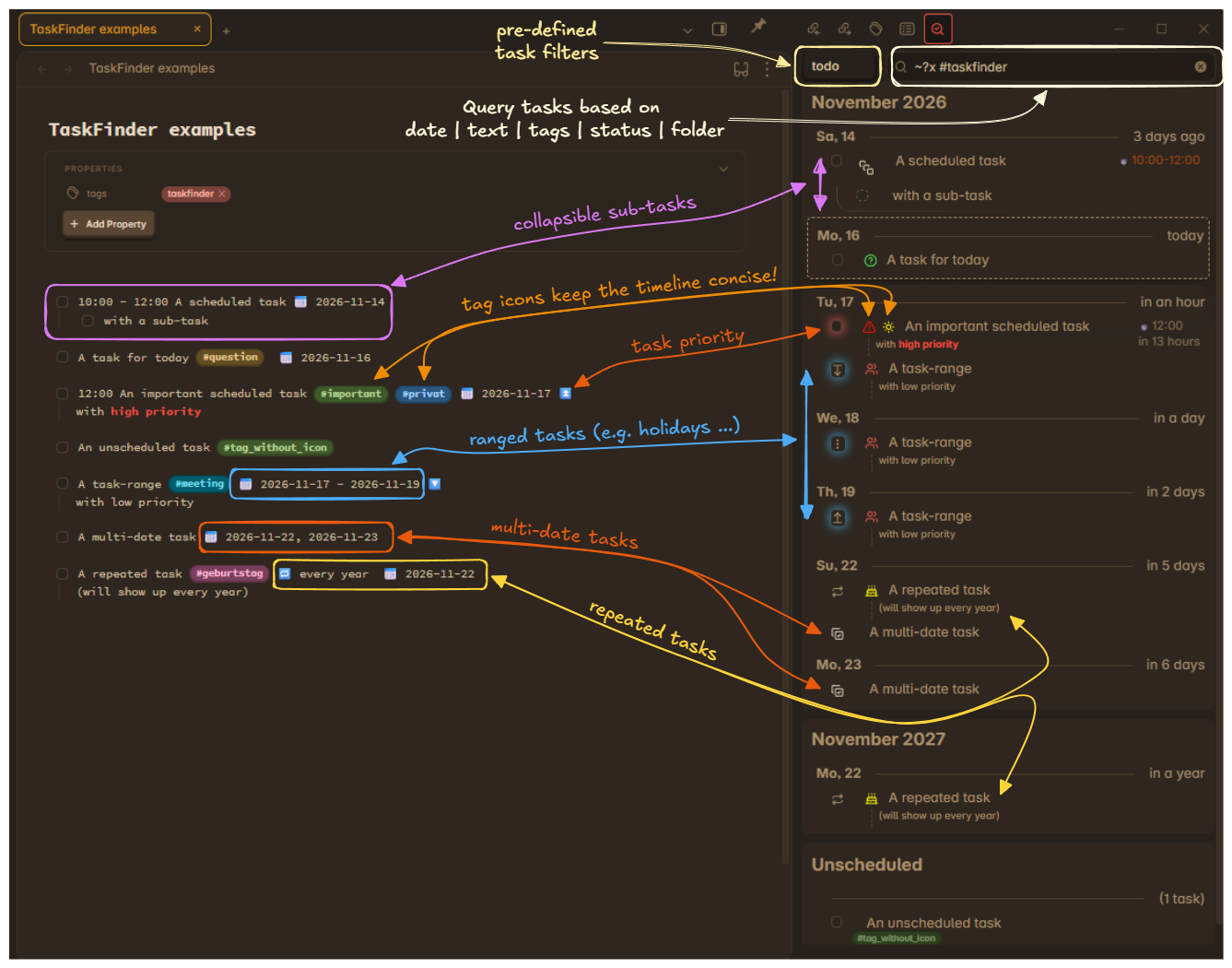
A queryable sidebar view to inspect (and edit) all tasks in your vault
How does it work?
TaskFinder parses all tasks defined via the icon-syntax introduced by the Tasks plugin.
It then provides a queryable timeline-view of all tasks in your vault.
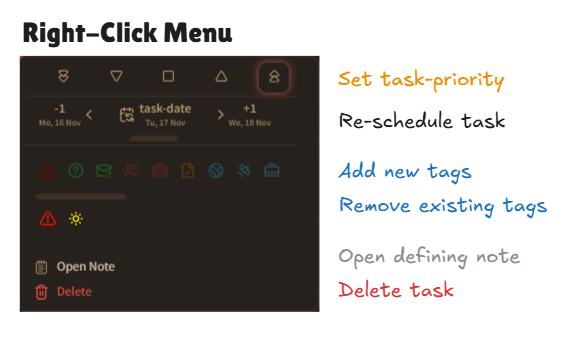
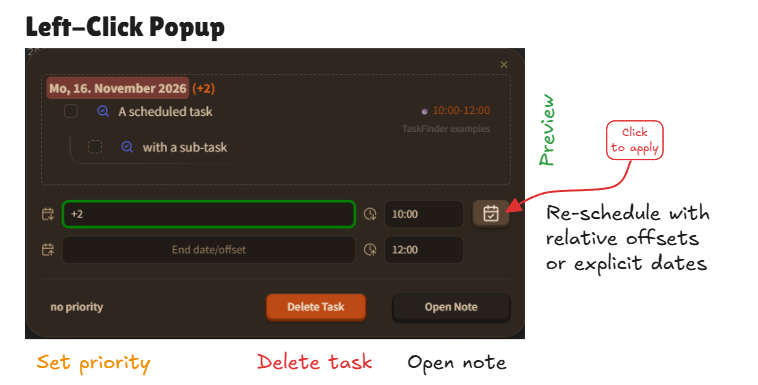
"Left-click or Right-click" on a task in the timeline to open quick-edit menus.
To open the timeline, click on the ribbon-icon or run the
Task Finder: Find Taskscommand.
Tag Icons
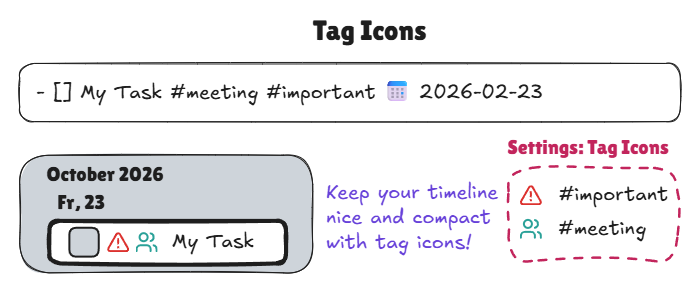
You can assign a custom tag-icon to a tag in the settings to get a nice compact view!
Every tag that has an icon defined can also be added/removed via the right-click menu!
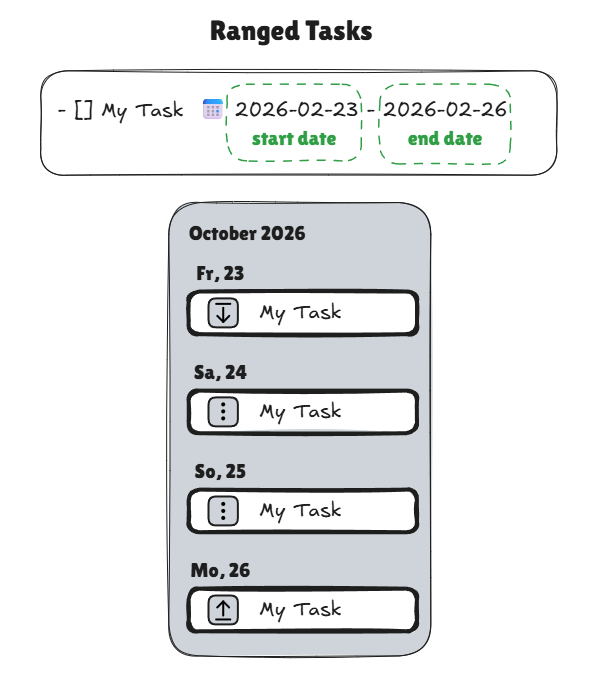
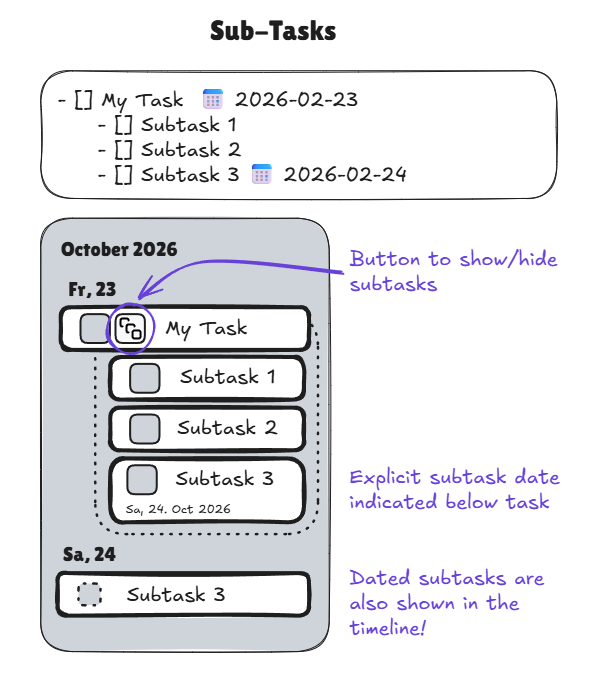
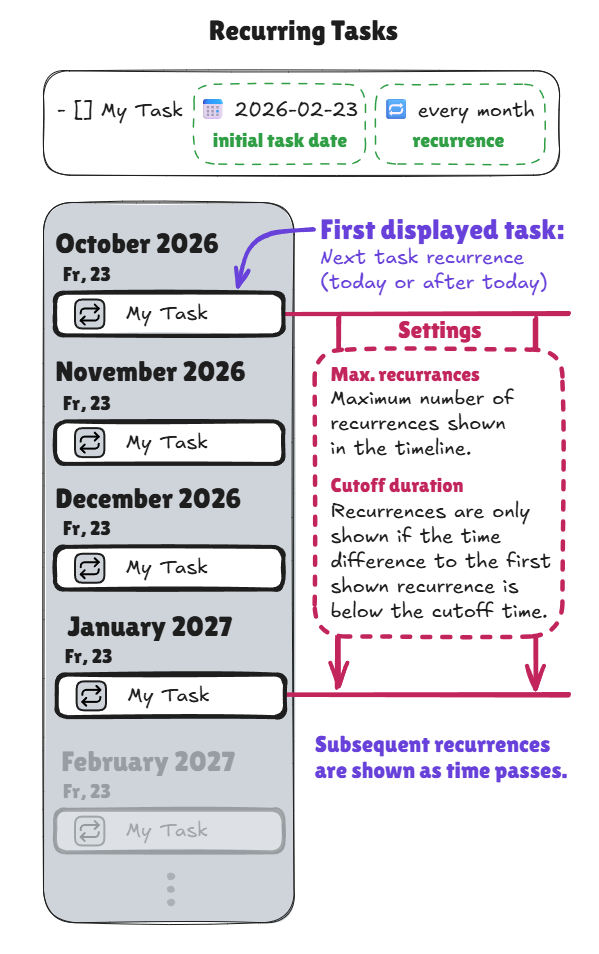
Special Task Types
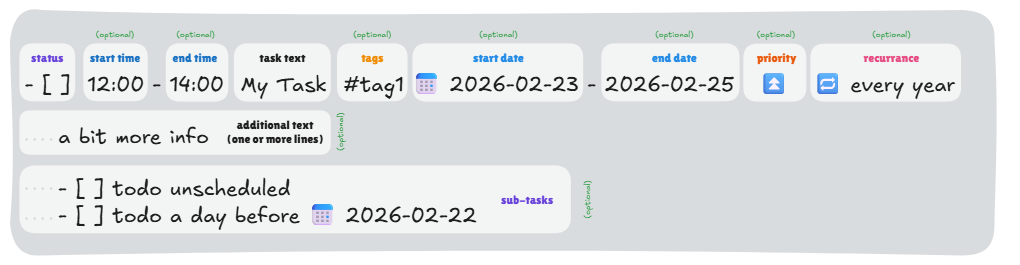
Anatomy of a task
- [ ] 10:00  A scheduled task 📅 2026-11-14
    - [ ] with a sub-task

- [ ] 10:00 - 00:00 Lets go on holiday! #privat 📅 2026-12-14 - 2026-12-17
    - [ ] pack stuff for holiday 📅 2026-12-13
        don't forget to pack suncream!
    - [ ] do nothing
    - [ ] travel to destination 📅 2026-12-14
    - [ ] travel home 📅 2026-12-20

- [ ] A task for today #question  📅 2026-11-18

- [ ] 12:00 An important scheduled task #important #privat 📅 2026-11-17 ⏫
    with **high priority**

- [ ] An unscheduled task #tag_without_icon

- [ ] A task-range #meeting 📅 2026-11-15 - 2026-11-19 🔽
    with low priority

- [ ] A multi-date task 📅 2026-11-22, 2026-11-23

- [ ] A repeated task #geburtstag 🔁 every year  📅 2026-11-22
    (will show up every year)
Installation
Simply install the plugin from the CommunityPlugin list.
HealthExcellent
ReviewPassed
About
Get a timeline that shows all tasks in your vault.
Quick-edit tasks directly from the timeline (re-schedule, prioritize, check/uncheck etc.)
Use tag icons to get a nice, compact and good looking overview of what you have to do!Details
Current version
0.1.5
Last updated
3 days ago
Created
2 months ago
Updates
9 releases
Downloads
63
Compatible with
Obsidian 0.15.0+
Platforms
Desktop, Mobile
License
BSD-2-Clause