Search...Search plugins and themes...
⌘K
Sign in
  • Get started
  • Download
  • Pricing
  • Enterprise
  • Account
  • Obsidian
  • Overview
  • Sync
  • Publish
  • Canvas
  • Mobile
  • Web Clipper
  • CLI
  • Learn
  • Help
  • Developers
  • Changelog
  • About
  • Roadmap
  • Blog
  • Resources
  • System status
  • License overview
  • Terms of service
  • Privacy policy
  • Security
  • Community
  • Plugins
  • Themes
  • Discord
  • Forum / 中文论坛
  • Merch store
  • Brand guidelines
Follow us
DiscordTwitterBlueskyThreadsMastodonYouTubeGitHub
© 2026 Obsidian

Task Cockpit Pane

Keith PieperKeith Pieper4 downloads

Manage Markdown checkbox tasks from a dashboard with editable metadata, grouping, sorting, filtering, and source-note links.

  • Overview
  • Scorecard
  • Updates1

Task Cockpit is an interactive dashboard for editing Markdown checkbox tasks from one Obsidian view. It keeps task metadata in the task line itself, so the dashboard stays linked to source notes instead of creating a separate task database.
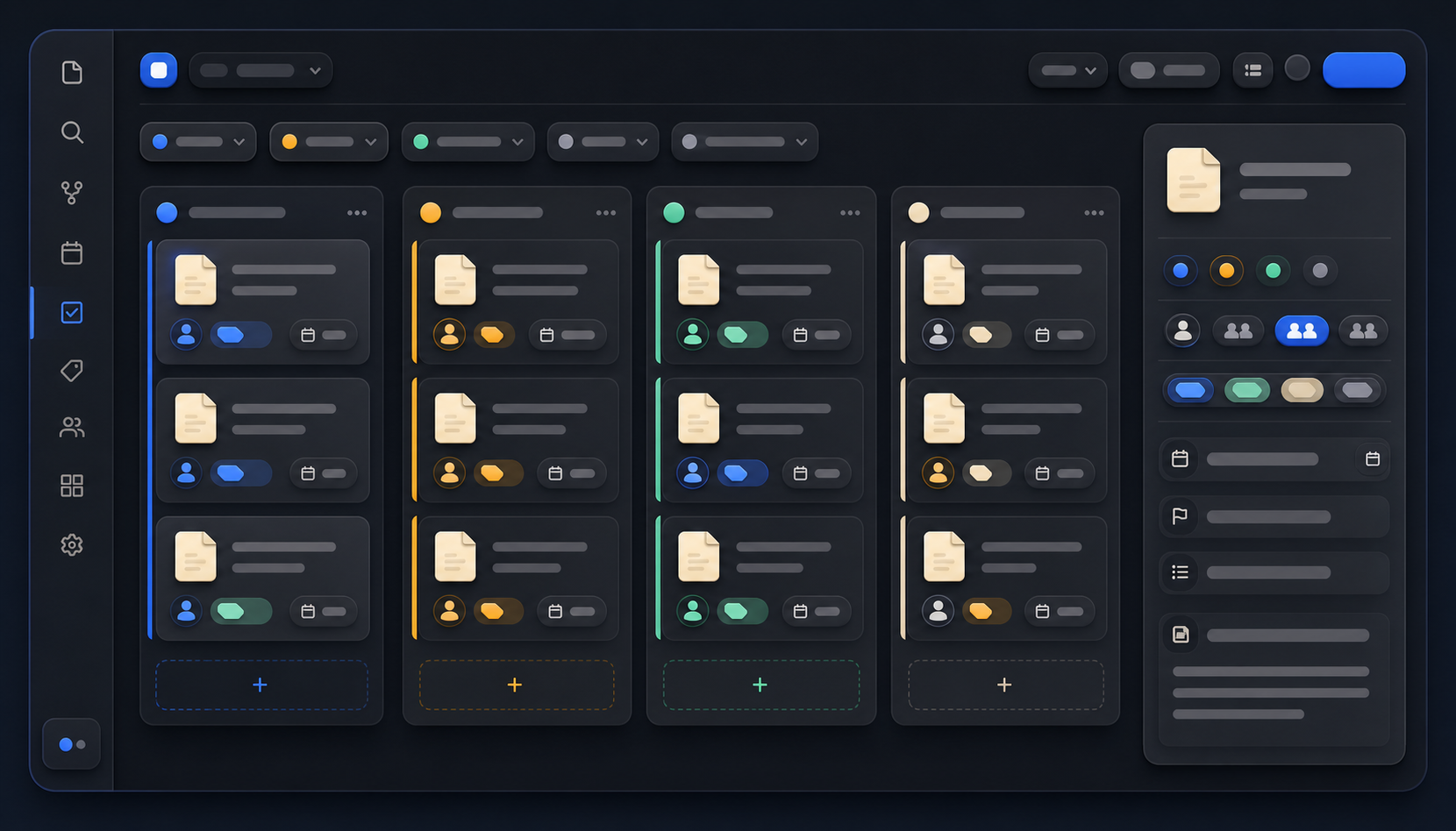
Illustrative task dashboard

The image is an illustrative example of the workflow, not a screenshot of the plugin.

Features

  • Mark tasks complete or reopen them.
  • Edit task text, priority, assignee, project, product, and due date.
  • Group by project, product, project + product, person, priority, or due date.
  • Sort by priority, due date, project, product, person, or text.
  • Filter by person, due date, search text, and file history window.
  • Show only grouped items or only ungrouped items.
  • Open the source note at the task line.
  • Expand and collapse all groups or individual groups.

Expected task format

- [ ] Follow up on measurement plan [[Example Person]] [[Example Project]] [[Example Product]] [due:: 2026-05-22]

The plugin uses configured folders to resolve people, projects, and products. It does not migrate task data into a separate database.

Install

  1. Copy this folder to /.obsidian/plugins/task-cockpit/.
  2. Ensure manifest.json, main.js, and styles.css are present.
  3. Enable Task Cockpit under Settings → Community plugins.
  4. Click the ribbon icon or run Open Task Cockpit from Command Palette.

This distribution includes a prebuilt main.js; no npm build is required.

Settings

Defaults are tuned for a vault with:

  • People folder: People
  • Projects root: Projects
  • Products root: Products
  • Cutoff days: 90
  • Me name: Your Name

You can change people folders, project/product roots, ignored folders, cutoff days, assignee behavior, and your display name in Settings → Task Cockpit.

Limitations

  • Only task lines recognized by the parser appear.
  • Editing writes directly to the source Markdown file.
  • Values depend on your folder structure and wiki-link conventions.
  • The dashboard may need updates as Obsidian's APIs evolve.

License

MIT. See LICENSE.

HealthExcellent
ReviewSatisfactory
About
Edit Markdown checkbox tasks from a single interactive dashboard while keeping task metadata inline so edits write back to the source notes. Mark tasks complete or reopen them, edit text, priority, assignee, project, product, and due date; group, sort, filter, expand/collapse groups, and open the source note at the task line.
TasksProject management
Details
Current version
1.8.1
Last updated
Last week
Created
Last week
Updates
1 release
Downloads
4
Platforms
Desktop, Mobile
License
MIT
Report bugRequest featureReport plugin
Author
Keith PieperKeith Pieperkpieper876
keithpieper.com
GitHubkpieper876
martechllc.com
  1. Community
  2. Plugins
  3. Tasks
  4. Task Cockpit Pane

Related plugins

Tasks

Track tasks across your vault. Supports due dates, recurring tasks, done dates, sub-set of checklist items, and filtering. Maintained by Clare Macrae and Ilyas Landikov, created by Martin Schenck.

Project Manager

Full-featured project management: stunning Gantt charts, Kanban boards, Table views, customizable fields, due date notifications.

Base Board

Organize notes into Kanban boards using frontmatter properties. Drag and drop cards between columns powered by Bases.

Operon

Task and project management system that unifies inline tasks and file-based tasks in the same workflows with Tables, Filters, Calendar planning, Kanban boards, pinned tasks, and time tracking.

TaskChute Plus

Execute TaskChute that slots today's tasks, tracks projects, adds comments, and keeps you focused on now.

TickTickSync

Sync TickTick tasks.

Apex Dashboard

Your personal command center — memos, todos, and projects in one stunning glassmorphism dashboard.

Task Zero

A keyboard-first GTD task management system.

Smart Gantt

Generate Gantt charts from your tasks.

Proletarian Wizard Task Manager

Track your tasks across all the notes in your workspace. Organize your day. Plan your work