Task Card
 Terry Li652 downloads
Turn tagged Markdown tasks into interactive cards with due dates, projects, labels, and recurrence, then query them as lists or an Eisenhower matrix.
- Overview
- Scorecard
- Updates18
Interactive task cards for Obsidian — stored as plain markdown.
TaskCard turns any tagged markdown task into an interactive card with priorities, due dates, projects, labels, durations, and recurrence — plus queryable task lists and an Eisenhower matrix. Everything is saved in your notes as readable text.
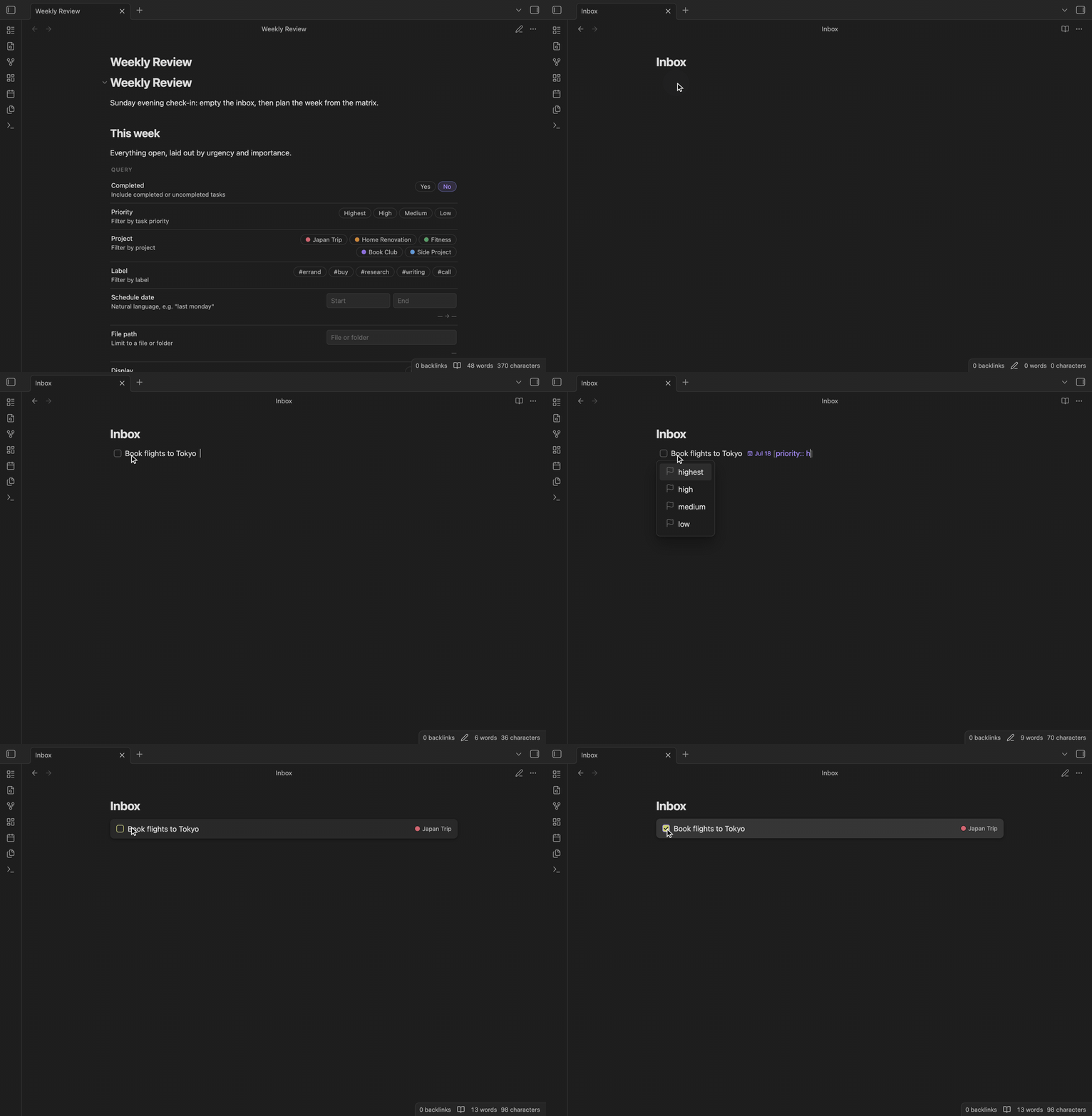
Plain text first
A TaskCard task is an ordinary markdown task with visible, human-readable fields:
- [ ] Book flights to Tokyo #travel #TaskCard [priority:: high] [due:: 2026-07-18] [project:: Japan Trip] ^tc-b3xr9d
- Readable anywhere. GitHub, VS Code, a phone's text editor — the task makes sense without the plugin.
- Nothing hidden in your notes. No invisible JSON, no proprietary blobs. Uninstall TaskCard and your files are exactly what you see.
- Built from native pieces. Fields use Dataview's inline-field syntax, labels are real
#tags, and each task's identity is a native block id (^tc-…) that you can link to and that survives moving the line around. - Plays well with others. Dataview indexes every field natively, and tasks written by the Tasks plugin (emoji or dataview flavor) are recognized as-is — they keep their original dialect until you edit them through a card.
Capture tasks fast
Write a markdown task, add the indicator tag (default #TaskCard), and it becomes a card in reading view:
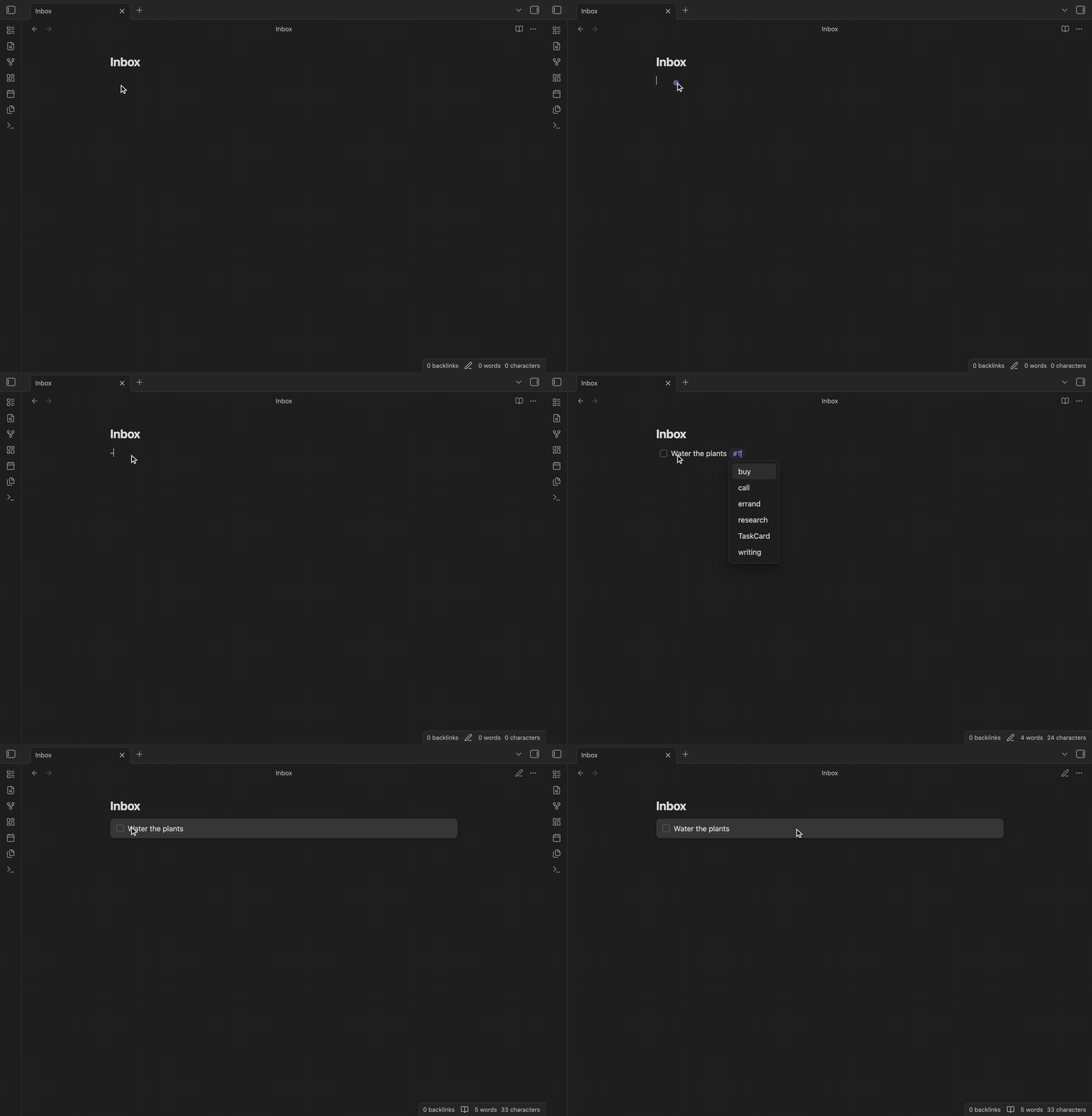
- Autosuggest while you type. Typing
[after a task offers the available fields; each field then suggests values — including natural-language dates liketomorrowornext fri 2pm, which are resolved and written as real dates. - Quick add. The Quick add task command opens a one-line capture box that understands shorthand:
Review PR tomorrow 3pm for 1h !high #code @Work every week. - Live Preview stays tidy. In editing mode, field syntax is styled into compact chips instead of raw brackets, so metadata doesn't drown the task text.
Edit everything in place
Cards have two display modes: a one-line preview that sits at normal task height, and a detailed mode for working with all attributes. Click a preview card to expand it, then click any attribute to edit it in place — content, description, due, scheduled time, duration, recurrence, labels, project, priority:
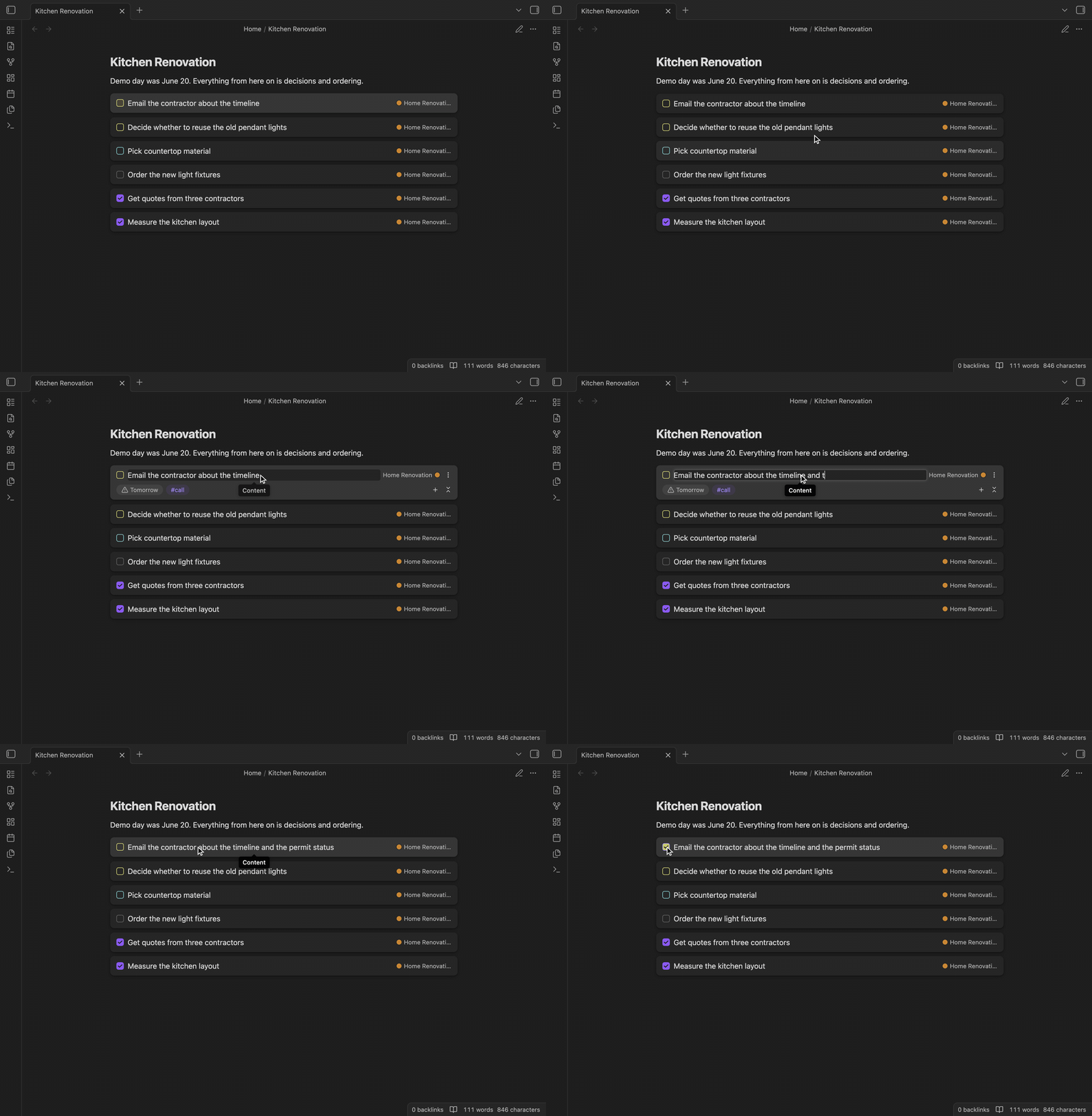
- Indented lines under a task become its description; child checkboxes become subtasks, and the card tracks their progress.
- Edits patch only the task's own lines in the file — TaskCard never rewrites your whole note.
- Completing a recurring task (
[repeat:: every week], using Tasks' recurrence grammar) completes it in place and inserts the next occurrence on the line below.
Query your tasks anywhere
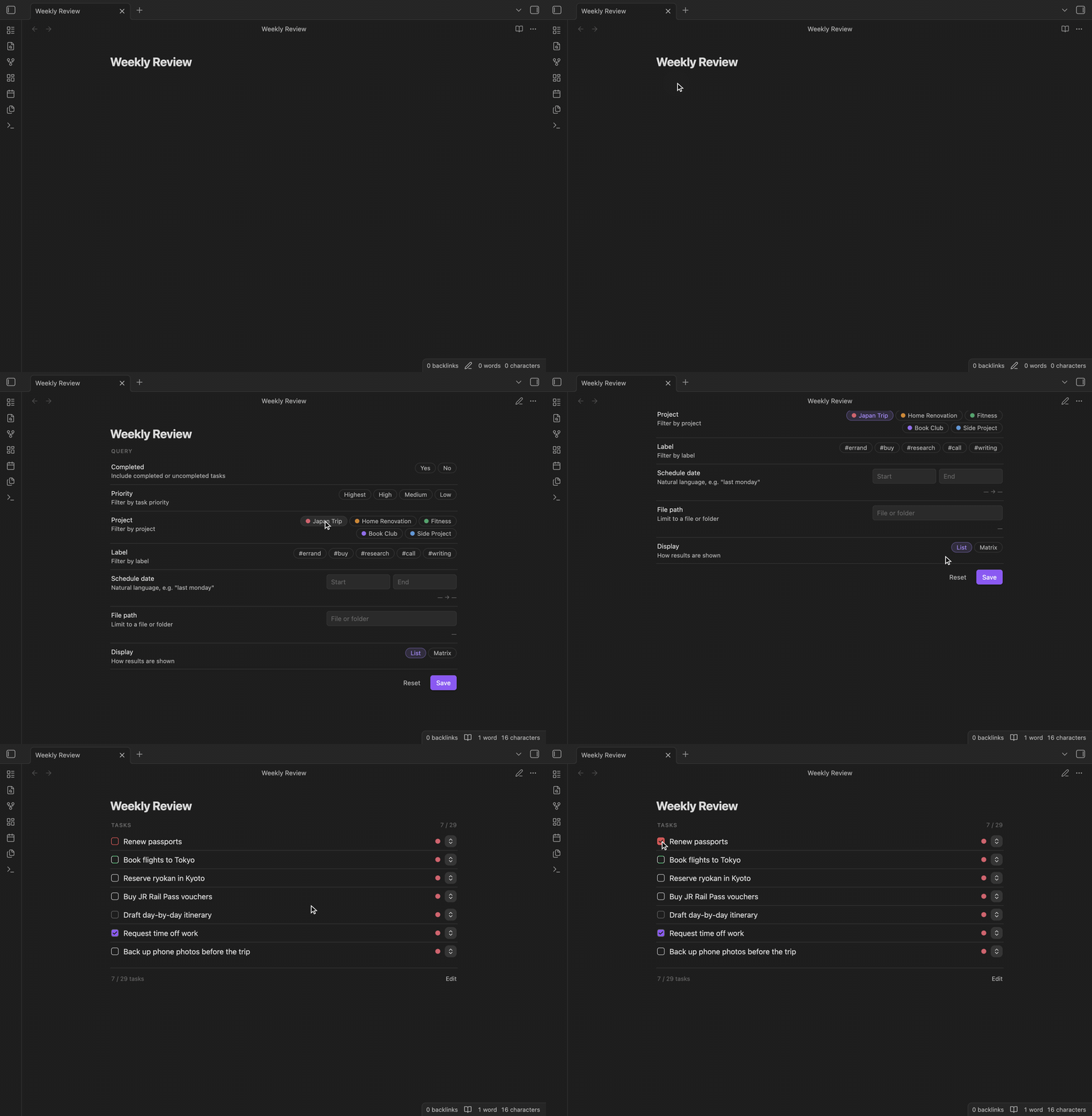
Drop a taskcard code block into any note to get a live task list. A visual editor lets you filter by project, label, priority, completion, schedule window, or file path — no query language to learn:
```taskcard
project: ["Japan Trip"]
completed: [false]
editMode: false
```
Tasks can be completed right from the results, and clicking a result jumps to its source line. Queries need the Dataview plugin enabled — it powers the task index.
Plan your week with the matrix
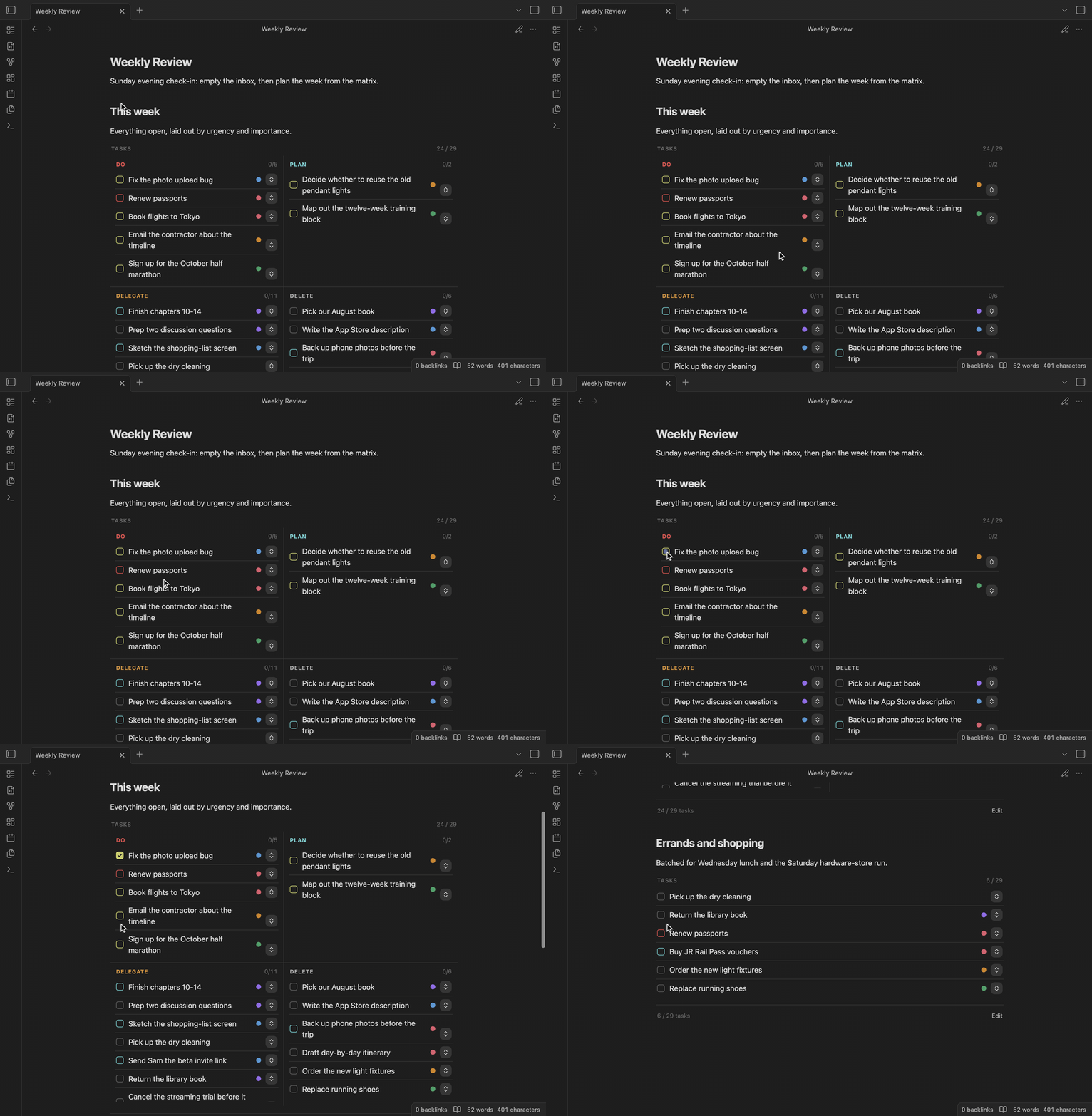
Add display: "matrix" to a query block to lay the results out as an Eisenhower matrix — importance from priority, urgency from due dates:
Installation
TaskCard is not yet in the community plugin market.
With BRAT (recommended): add terryli710/Obsidian-TaskCard as a beta plugin.
Manual: download plugin-release.zip from the latest release, unzip it, and place the folder in your vault's .obsidian/plugins/ directory.
FAQ
Do I need Dataview? Only for query blocks and the matrix — the task index is built on it. Cards themselves render without it.
Does it work on mobile? Yes — cards and queries both work on mobile.
What about my existing tasks? Tasks in the Tasks plugin's emoji or dataview format just need the indicator tag to render as cards. Tasks from TaskCard versions before the plain-text format can be converted vault-wide with the Migrate legacy tasks to the new format command.
A card looks wrong in my theme. Card styling aims to follow your theme's variables, but not every theme has been tested. Please open an issue with the theme name.