Table Column Resizer
 bubblez291 downloads
Drag to resize table columns in reading view.
- Overview
- Scorecard
- Updates4
An Obsidian plugin that lets you resize Markdown table columns by dragging their edges — no code blocks, no migration. Your notes stay plain Markdown.
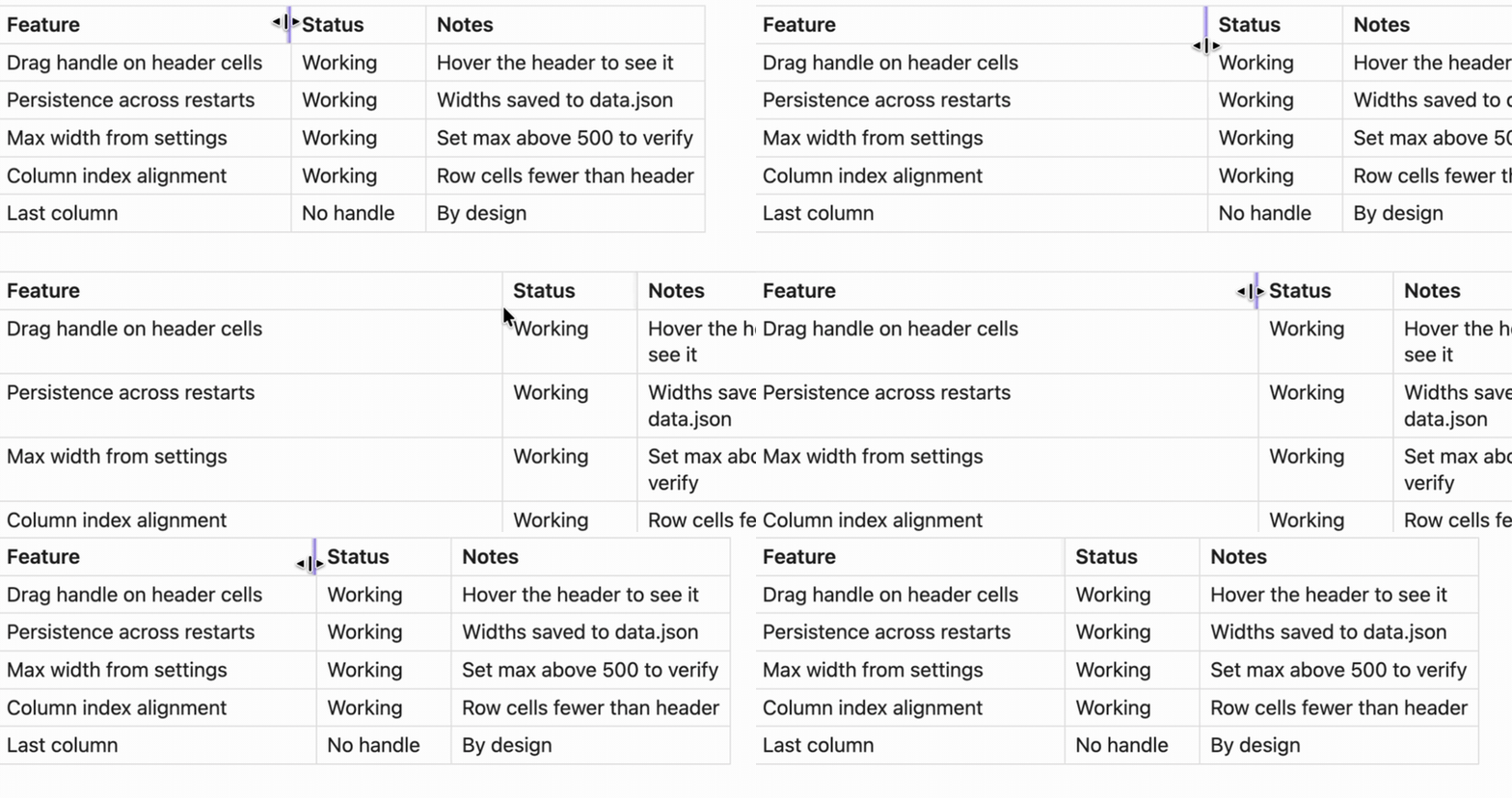
Author: bubble
Why this plugin
Your notes stay standard Markdown pipe tables. Nothing is embedded in your notes — no table code blocks, no hidden markup in the file, no lock-in. Disable the plugin any time and your tables are still perfectly valid Markdown, everywhere.
| Table Column Resizer | Better Tables | Advanced Tables | |
|---|---|---|---|
| Works on standard Markdown tables | ✅ | ❌ requires a table code block |
✅ |
| Drag to resize columns | ✅ | ✅ | ❌ |
| Widths persist across restarts | ✅ | ✅ | — |
| Notes stay portable plain Markdown | ✅ | widths stored in a hidden comment inside a code block | ✅ |
Advanced Tables is a great complement: it focuses on table editing and navigation, while this plugin handles visual column widths.
Features
- Drag to resize: grab a column edge in the header row and drag
- Mouse & touch: pointer-event based, works with mouse, touch and stylus
- Persistent: widths are saved per table and restored across restarts
- Reading view: works in reading view (Live Preview support is planned)
- Customizable limits: set any minimum and maximum column width
- Theme friendly: styles are scoped to the resize handle and don't fight your theme
Installation
Install from the official directory (recommended, gets automatic updates): open https://obsidian.md/plugins?id=table-column-resizer and click Open in Obsidian, or in Obsidian go to Settings → Community plugins → Browse and search for "Table Column Resizer".
Or manually:
- Download
main.js,manifest.json, andstyles.cssfrom the latest release - Copy them into your vault:
.obsidian/plugins/table-column-resizer/ - Enable the plugin in Settings → Community plugins
Development
git clone https://github.com/bubble-wu/obsidian-table-column-resizer.git
cd obsidian-table-column-resizer
npm install
npm run build   # outputs main.js
Usage
- Add a Markdown table to a note:
| Name | Age | City | Description | |------|-----|------|-------------| | John | 25 | NYC | Software developer | | Jane | 30 | LA | Product manager | - Switch to reading view (
Cmd/Ctrl + E) - Hover a header cell — a vertical handle appears on its right edge. Drag it to resize the column.
- Widths are saved when you release the mouse, and restored the next time the table is rendered.
Settings
| Setting | Default | Description |
|---|---|---|
| Enable column resizing | on | Toggle resizing without disabling the plugin |
| Minimum column width | 50px | Smallest allowed column width |
| Maximum column width | 500px | Largest allowed column width |
Widths are keyed by note path + table content: they survive restarts and edits elsewhere in the note, and reset if the table's content changes.
Known limitations
- Reading view only — Live Preview is not supported yet (planned)
- Mouse-driven; touch dragging is not supported
- Two byte-identical tables in the same note share their saved widths
License
MIT — see LICENSE.