Search...Search plugins and themes...
⌘K
Sign in
  • Get started
  • Download
  • Pricing
  • Enterprise
  • Account
  • Obsidian
  • Overview
  • Sync
  • Publish
  • Canvas
  • Mobile
  • Web Clipper
  • CLI
  • Learn
  • Help
  • Developers
  • Changelog
  • About
  • Roadmap
  • Blog
  • Resources
  • System status
  • License overview
  • Terms of service
  • Privacy policy
  • Security
  • Community
  • Plugins
  • Themes
  • Discord
  • Forum / 中文论坛
  • Merch store
  • Brand guidelines
Follow us
DiscordTwitterBlueskyThreadsMastodonYouTubeGitHub
© 2026 Obsidian

Tab Swap

masaki39masaki39132 downloads

Swap the active tab left or right.

Add to Obsidian
  • Overview
  • Scorecard
  • Updates4

Obsidian micro plugin that swaps the active tab left/right.
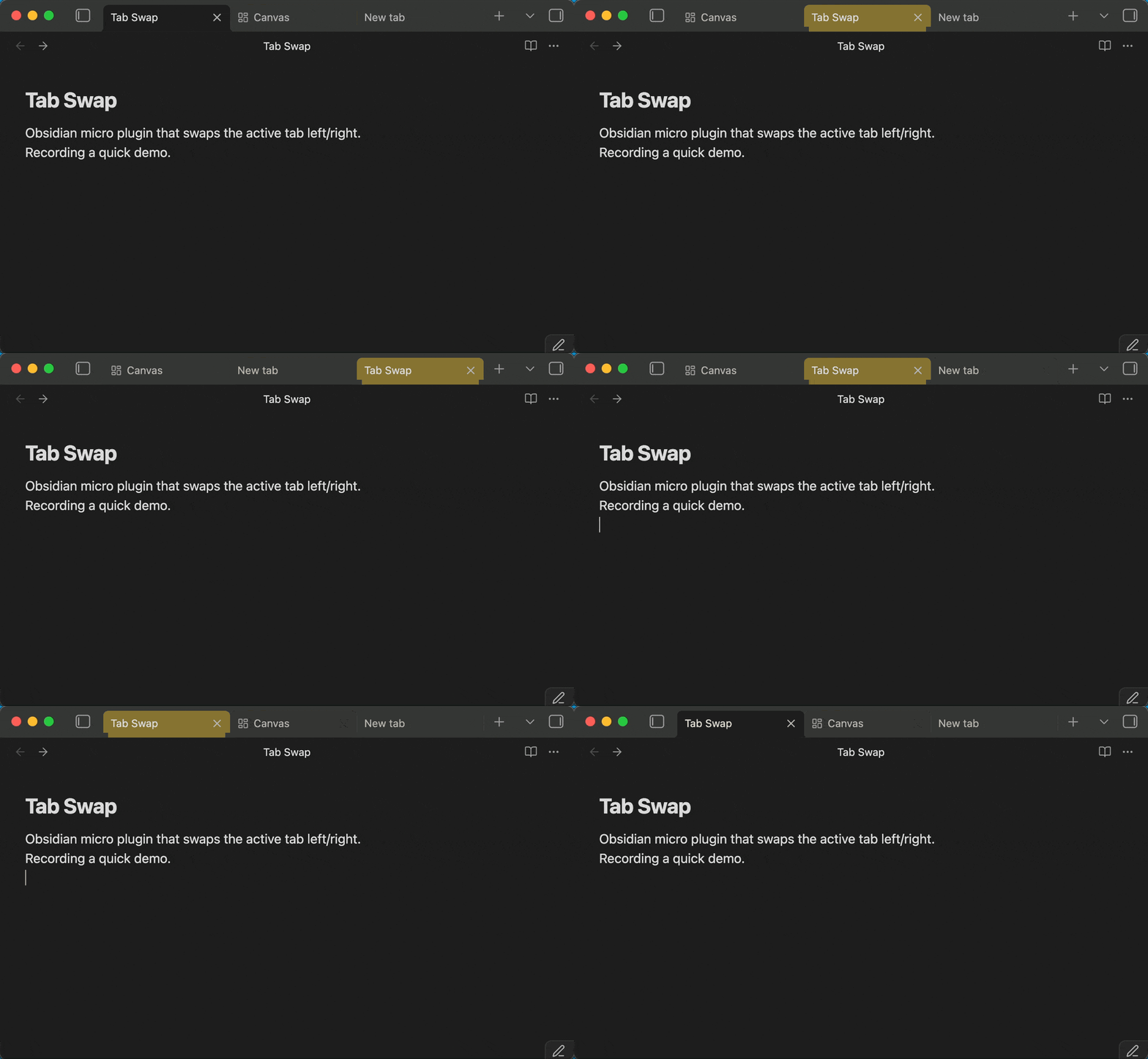
Tab swap demo

Assign whatever hotkeys you like.

Action Command ID My setup (macOS)
Go to previous tab go-to-previous-tab (built-in) ⌘⌥←
Go to next tab go-to-next-tab (built-in) ⌘⌥→
Swap Tab Left swap-tab-left ⌘⌥⇧←
Swap Tab Right swap-tab-right ⌘⌥⇧→
99%
HealthExcellent
ReviewPassed
About
Swap active editor tabs left or right with a single command. Assign custom hotkeys to swap tabs or jump to previous/next tabs for faster tab management.
NavigationHotkeysCommands
Details
Current version
1.0.4
Last updated
2 days ago
Created
5 months ago
Updates
4 releases
Downloads
132
Compatible with
Obsidian 1.7.2+
Platforms
Desktop only
License
MIT
Report bugRequest featureReport plugin
Sponsor
Ko-fi
Author
masaki39masaki39
github.com/masaki39
GitHubmasaki39
  1. Community
  2. Plugins
  3. Navigation
  4. Tab Swap

Related plugins

Leader Hotkeys

Add leader hotkey support to any command (like tmux or vim).

Tray

Run Obsidian from the system tray for customisable window management and global quick notes.

Code Editor Shortcuts

Add keyboard shortcuts (hotkeys) commonly found in code editors such as Visual Studio Code (VS Code) or Sublime Text.

Doubleshift

Open the command palette by pressing Shift (or any other key) twice like in IntelliJ and create your own shortcuts.

Insert Heading Link

Add a command to create a link to a heading.

Notebook Navigator

A better file browser and calendar inspired by Apple Notes, Bear, Evernote and Day One.

Homepage

Open a note, base, or workspace on startup, or set it for quick access later.

Recent Files

Display a list of recently opened files.

Breadcrumbs

Visualise the hierarchy of your vault using a breadcrumb trail or matrix view.

Vertical Tabs

Offer an alternative view that displays open tabs vertically, allowing users to group and organize tabs for a better navigation experience.