Ta Da
 Leon Obrenov46 downloads
Manage tasks, projects and areas as markdown files, with an Agenda, task and tag navigator. Compatible with Ta Da for macOS and iOS (beta).
- Overview
- Scorecard
- Updates4
Ta Da for Obsidian is a standalone plugin that replicates most of the capabilities of the Ta Da app for macOS and iOS. It can be run standalone or concurrently, and works on desktop and mobile.
Ta Da is a "one task, one file" based to-do list concept, with tasks, projects, and areas, tag organisation, repeating tasks, in-task checkboxes for subtasks, and periodical notes.
AI Disclaimer: Ta Da and its Obsidian plugin version are 100% vibe-coded. I've no intention of claiming that "I made" Ta Da or could quickly or easily re-create it myself. It almost definitely has many AI-isms in its visual design and codebase.

How it works
- Tasks, Projects, Areas: one file per task, project or area. Properties, e.g. status, due dates, deadlines, repeats, are defined in YAML frontmatter. Ta Da uses
type: task, project, areato identify Ta Da files. - Custom properties header: Ta Da files have a custom-rendered properties row for status, project, area, dates and tags.
- Dates and repetitions: due dates, deadlines and repetition rules are parsed using natural language.
- Agenda view: a week or month strip and a day's or a week's tasks, with the daily or weekly note.
- Tasks and Tags views: areas with their projects, Loose tasks, the Logbook and Trash, and the tag tree, each in a sidebar tab with grouping and a tag filter.
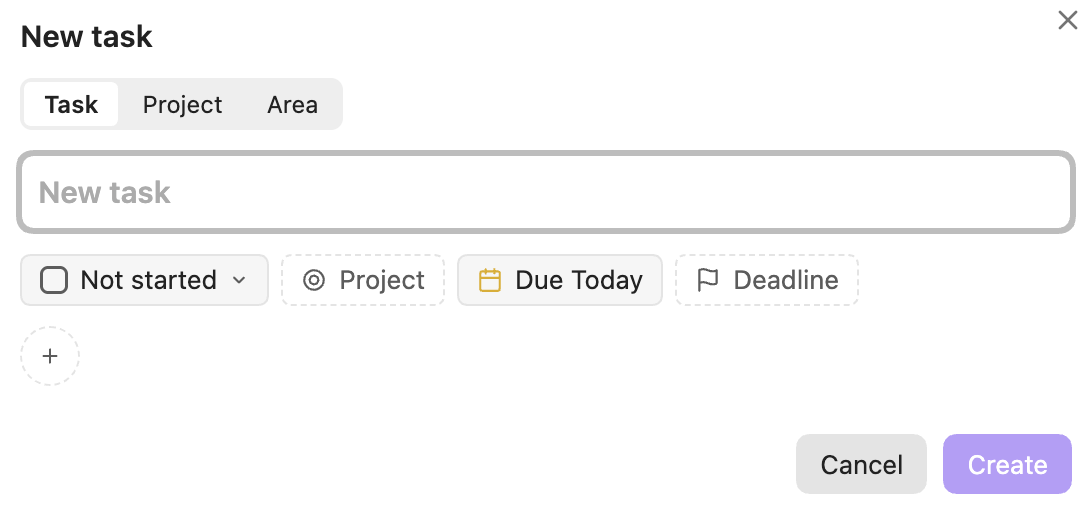
- New task menu: a new task command for a task, project or area. I recommend binding to e.g.
CTRL / ⌘ + Shift + N. - File menu: Move, Schedule, Set deadline, Tags and Status on one file, or on several picked rows.
- Logging: once a day, completed tasks and projects move to the Logbook and completed repeating tasks move forward.



Install
- via the Community plugins store.
- With BRAT: add
lobrenov/ta-da-obsidian. - By hand: download
main.js,manifest.jsonandstyles.cssfrom the latest release into<vault>/.obsidian/plugins/ta-da/, then turn on Ta Da in Settings ▸ Community plugins.
Files
The plugin creates files where the apps do, in Ta Da/ at the vault's top level, and edits them by changing only the lines it needs. Calendar events and reminders stay with the apps. The format is in Ta Da's docs/file-format.md.
Settings
- Hide properties on Ta Da files.
- Open Agenda, Tasks and Tags on startup, one setting each.
- Collapse the list pane.
- Daily notes: the folder and template for daily notes, and for week notes, which can be turned off. These are shared with Ta Da through
Ta Da/settings.jsonin the vault.
Development
The Ta Da repo must be cloned beside this one (../Ta Da), with swift-markdown-engine-extended beside both; the tests read their fixtures. CLAUDE.md has the layout and rules.
npm test: Vitest, including conformance with TaDaCore.npm run build: typecheck and bundlemain.js.OBSIDIAN_VAULT=<vault> npm run dev: watch build, copied into<vault>/.obsidian/plugins/ta-da/.
Licence
MIT (LICENSE). Third-party notices: ACKNOWLEDGEMENTS.txt.