Kanban Studio
 Adrian40 downloads
一个干净、现代的 Markdown 看板:优先级、日期、负责人、标签、拖拽,数据就是普通的 Markdown 文件。
- Overview
- Scorecard
- Updates2
English | 中文
A clean, modern kanban board for Obsidian. Your board is a plain Markdown file: each ## heading is a column and each - [ ] task is a card. Uninstalling the plugin never loses anything — it's still just Markdown. The interface is available in English and Chinese and follows Obsidian's language by default.
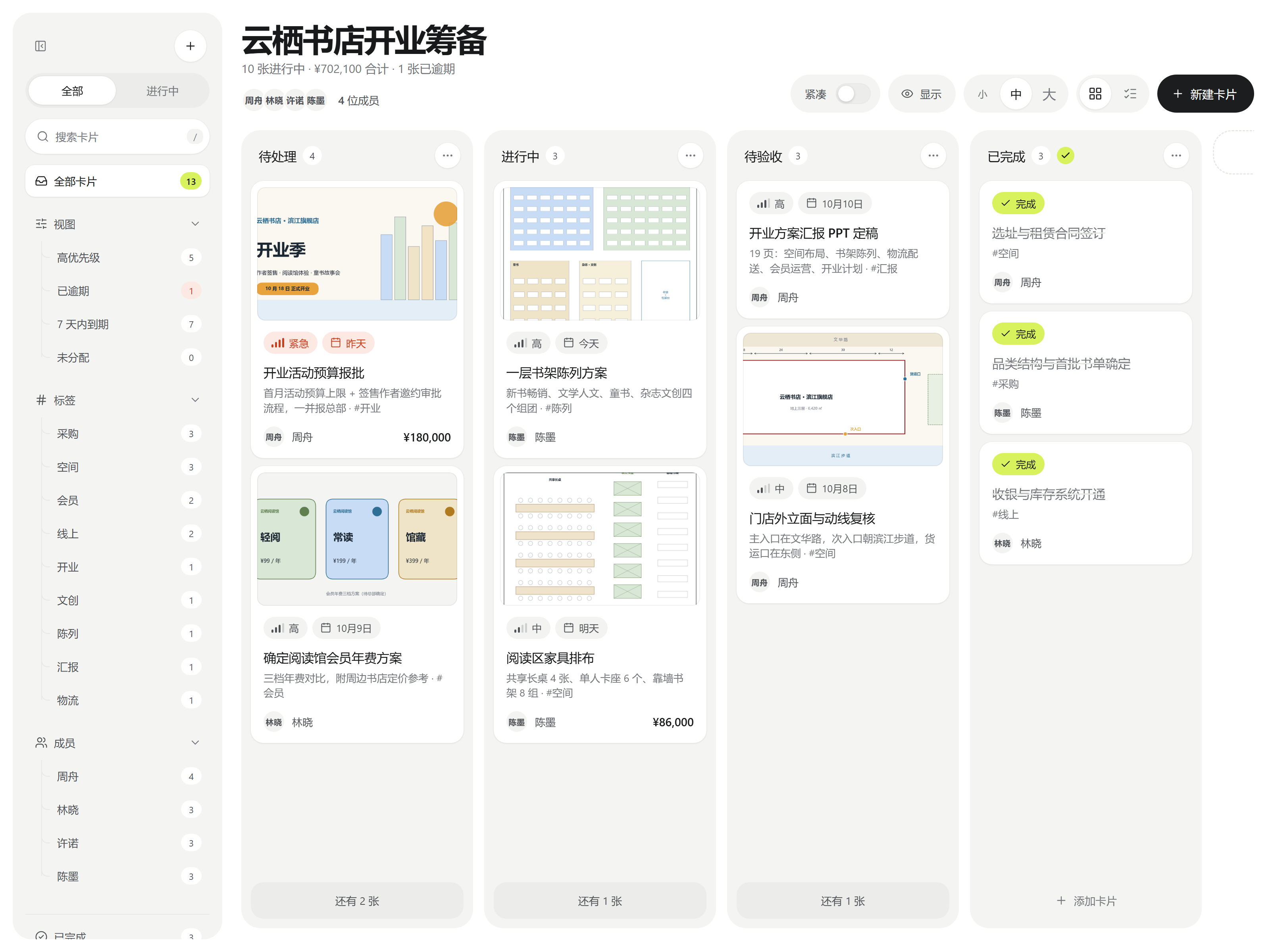
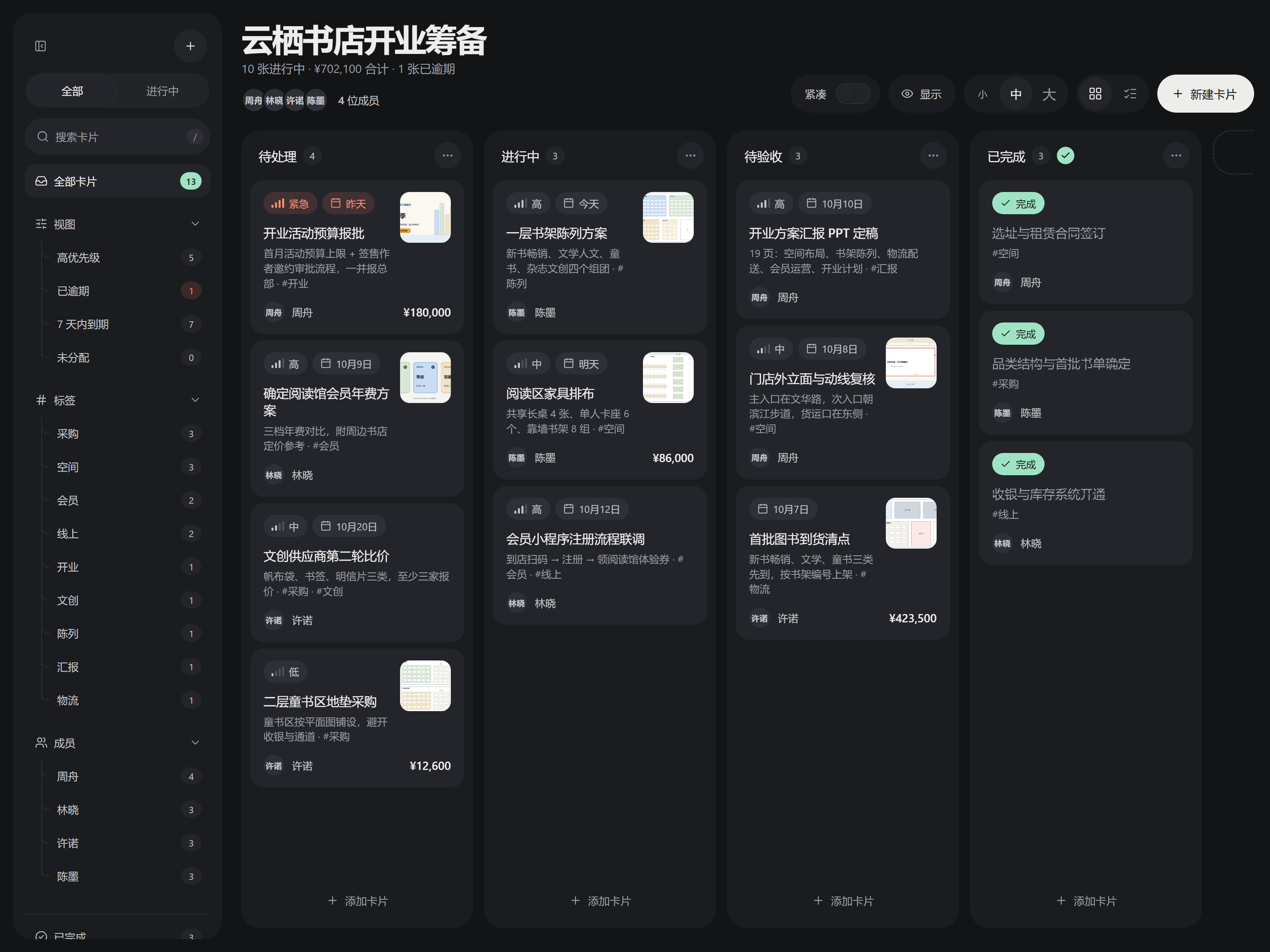
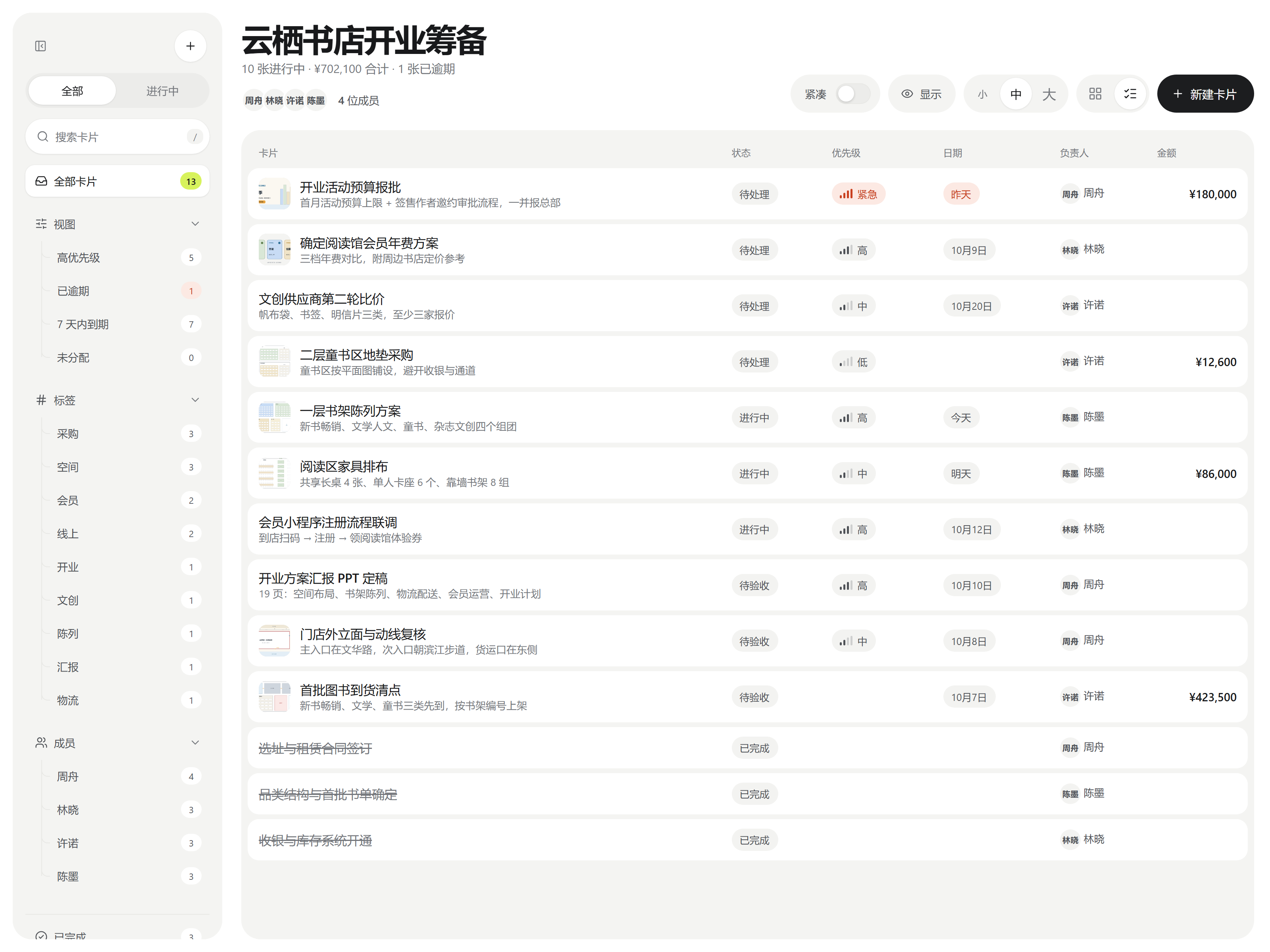
| Dark mode · thumbnails on the right | List view | English UI |
|---|---|---|
 |
 |
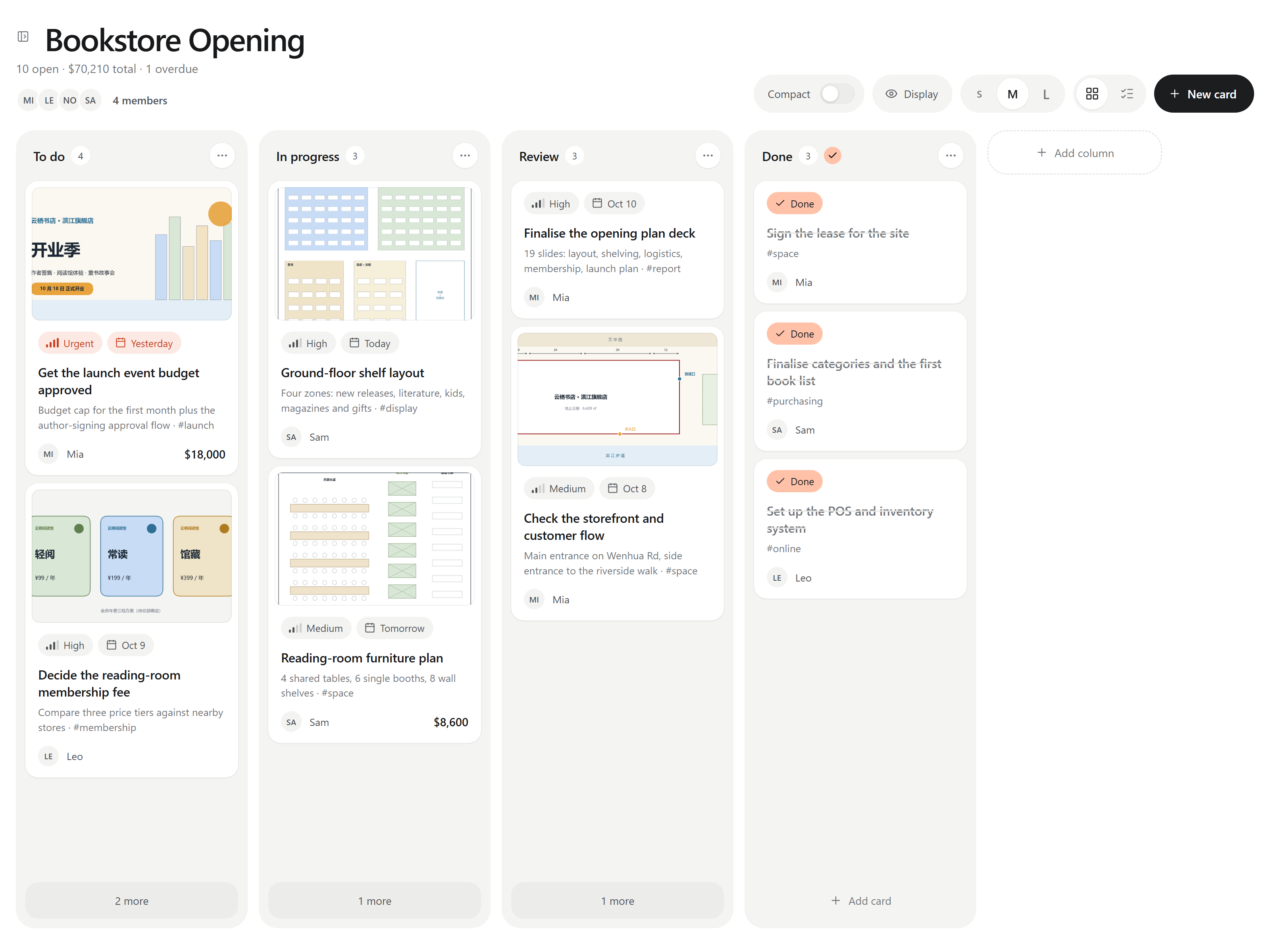 |
The board in the screenshots is examples/云栖书店-旗舰店开业筹备.md (a fictional bookstore opening). Copy it into your vault together with examples/云栖书店-附件/ to open it.
Installation
From Community plugins (once listed): Settings → Community plugins → Browse, search for Kanban Studio, install and enable it.
Manually: download main.js, manifest.json and styles.css from the latest release, put them in <vault>/.obsidian/plugins/studio-kanban/, then enable Kanban Studio under Settings → Community plugins.
Usage
- Create a board from the ribbon icon, the command palette (New board) or a folder's context menu.
- Notes with the
studio-kanban: boardproperty open as a board automatically. - Switch to the Markdown source with the document icon at the top right, Markdown source in the sidebar, or the command Toggle between board and Markdown.
- Click the board title to rename it. Enter or clicking elsewhere saves, Esc cancels. If the frontmatter has a
title:, that is changed; otherwise the file is renamed. - Drag cards to reorder them or move them between columns. Click a card to edit it; right-click for quick move / done / delete. Deleted cards can be restored with Undo for a few seconds.
- Each column's … menu: add card, rename, sort by date (oldest or newest first), set as done column, move left / right, delete. Sorting only changes what you see — the order in the file stays the same. Dragging a card into a sorted column switches it back to manual order.
- Long columns collapse into N more only when the cards don't fit on screen (you can change this in settings).
- The sidebar filters by view (high priority / overdue / due in 7 days / unassigned), tag and member. Hide it with the button at its top; when hidden, an expand button appears next to the board title. The Show / hide board sidebar command (hotkey assignable) and a setting do the same.
- Compact switch, and board / list views.
- Display button and plugin settings: choose what cards show (priority, date, assignee, amount, description, tags, images), plus the stats line, member avatars and sidebar groups. Hidden fields are only hidden — the data stays in the file.
- Images: drop, paste or pick from the vault while editing a card, or drop image files straight onto a card on the board. The first image is the cover; click an image to open a full-size preview (← → to browse).
- Image layout: cover on top or thumbnail on the right; cover height short / medium / tall; crop to fill or fit the whole image (better for drawings and screenshots).
- Text size S / M / L, from the top-right of the board or in settings.
- Segmented buttons (All / Open, S / M / L, board / list) can be clicked or dragged.
- Interface language: Settings → Language: follow Obsidian / 中文 / English.
Horizontal scrolling with a mouse
- Mice with a thumb wheel or tilt wheel scroll the board sideways; Shift + wheel works too.
- Logitech MX Master + Logi Options+: if sideways scrolling only works some of the time, add an app-specific setting for Obsidian in Options+ and turn off smooth scrolling for the thumb wheel. In smooth mode, the horizontal scrolling that Options+ simulates sometimes reaches Obsidian without a direction.
- Still stuck? Run the command Start / stop logging mouse scrolling (for troubleshooting); the log is written to
wheel-log.txtin the plugin folder.
Markdown format
---
studio-kanban: board
title: Board title (optional, defaults to the file name)
---

## Column name

- [ ] Card title !high @2026-10-05 ~Alex $1280 #site
    This line is the description; its first line is shown as the subtitle
| Marker | Meaning |
|---|---|
!critical !high !medium !low (or !紧急 !高 !中 !低) |
Priority |
@2026-10-05 or 📅 2026-10-05 |
Date (turns red when overdue) |
~Alex / ~"Nate Coleman" |
Assignee |
¥1280 $310 €90 |
Amount (summed at the top) |
#tag |
Tag |
- [x] |
Done |
A description line that is only ![[photo.jpg]] or  |
Card image (the first one is the cover) |
If you type these markers into a card's title in the editor, they are moved into the matching fields when you save. New images are saved according to Obsidian's Default location for new attachments setting.
Colors
The light-mode variables are in .sk-root { … } at the top of styles.css, the dark-mode ones in .theme-dark .sk-root { … }. The accent color has 10 presets in settings plus a custom picker; text on the accent switches between black and white automatically. The three text-size multipliers are in .sk-size-s / -m / -l (0.9 / 1 / 1.14).
Development
npm install
npm run dev      # rebuild on changes in src/
npm run build    # type-check and build main.js
npm test         # vitest unit tests
npm run lint     # Obsidian community plugin review rules (eslint-plugin-obsidianmd)
studio-kanban/
├── src/          TypeScript source (see docs/IMPLEMENTATION.md §1)
├── styles.css
├── manifest.json
├── tests/        vitest tests
├── docs/         design spec and implementation notes (Chinese)
├── examples/     example board (fictional bookstore) and images
└── CHANGELOG.md