stardew-valley-pals
 miaowuduck261 downloads
Bring Stardew Valley characters and pets into your Obsidian vault.
- Overview
- Scorecard
- Updates6
Bring the charming world of Stardew Valley into your Obsidian vault. Adopt adorable pets, befriend iconic NPCs, and let them keep you company while you work on your notes — they'll even chat with you using AI-powered speech bubbles.
📸 Demo
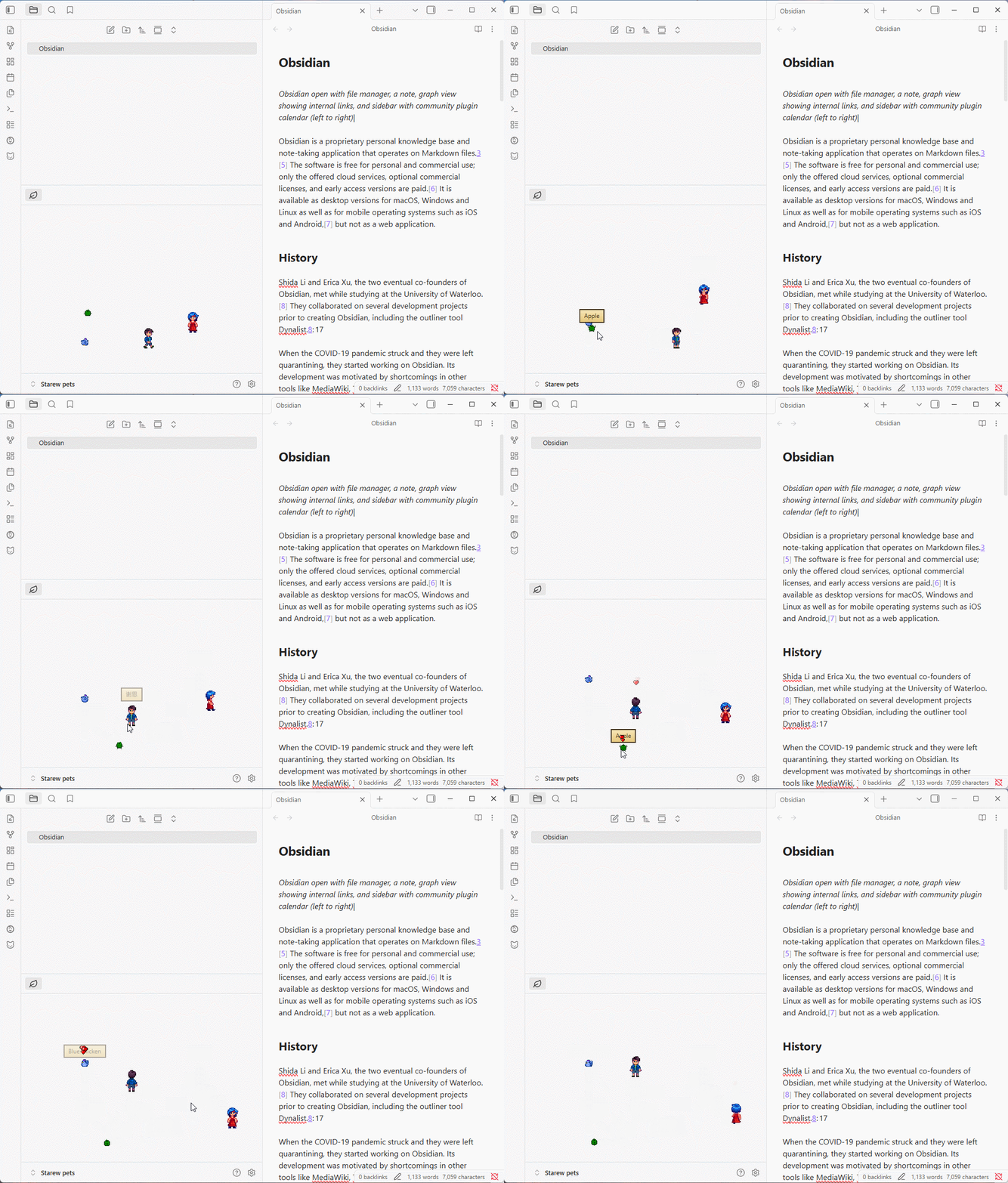
Pets and in Action
① Pets wandering around, idling, and sleeping in your vault.
② Stardew Valley NPCs walking and interacting with your notes.
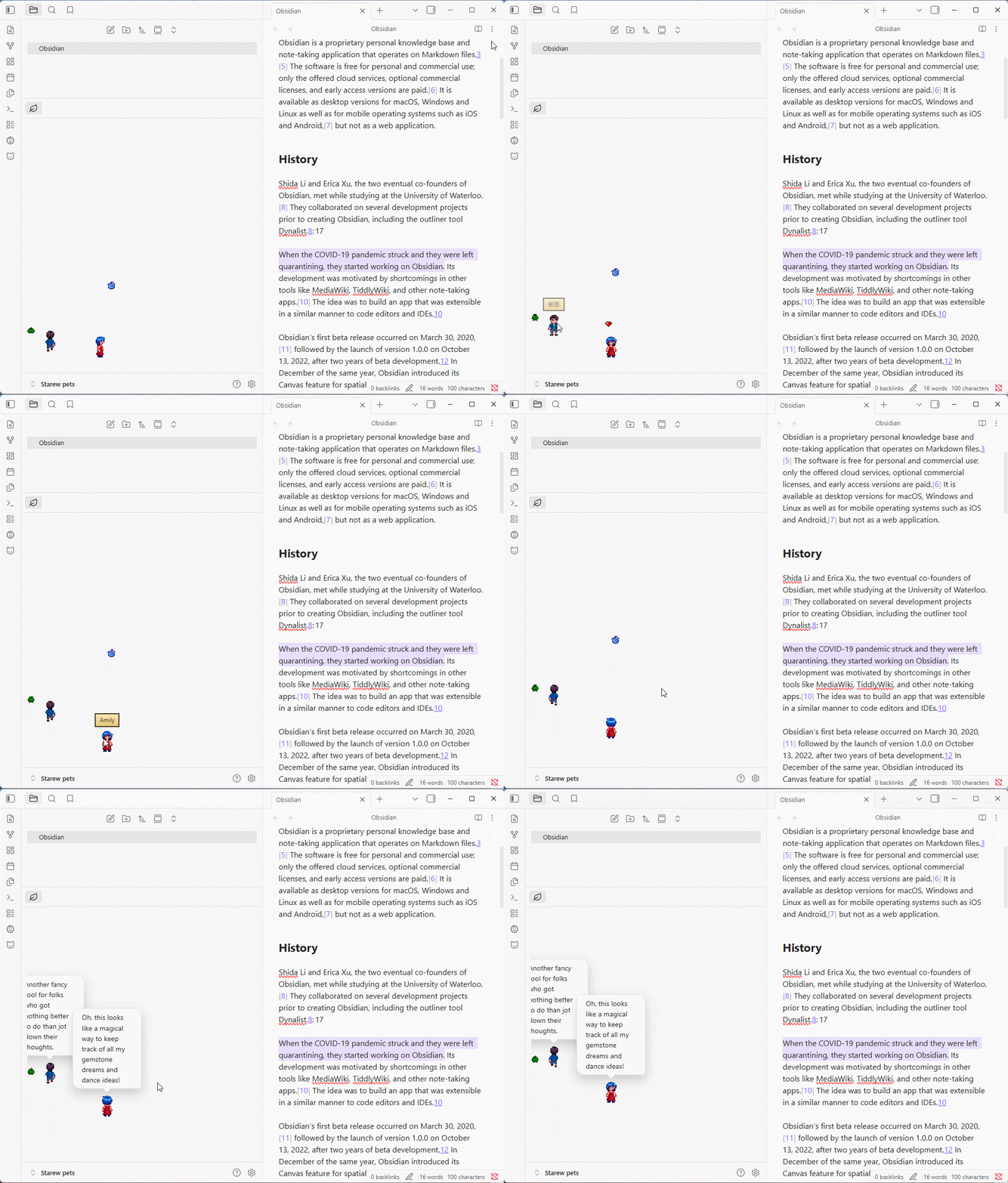
AI Speech Bubbles
③ Right-click a character to get a contextual comment about your current note.
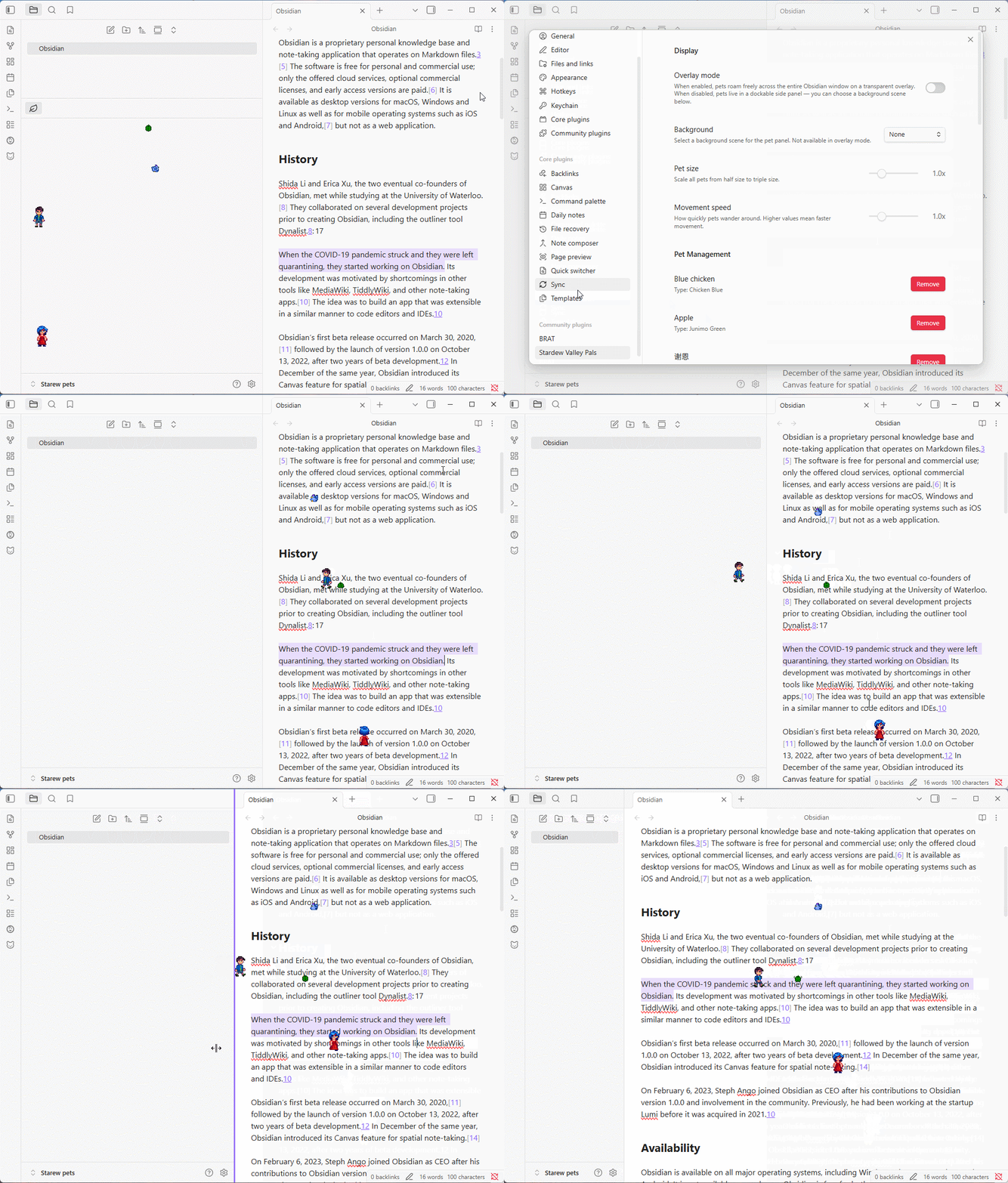
Overlay Mode
④ Pets roaming freely across your entire Obsidian window.
✨ Features
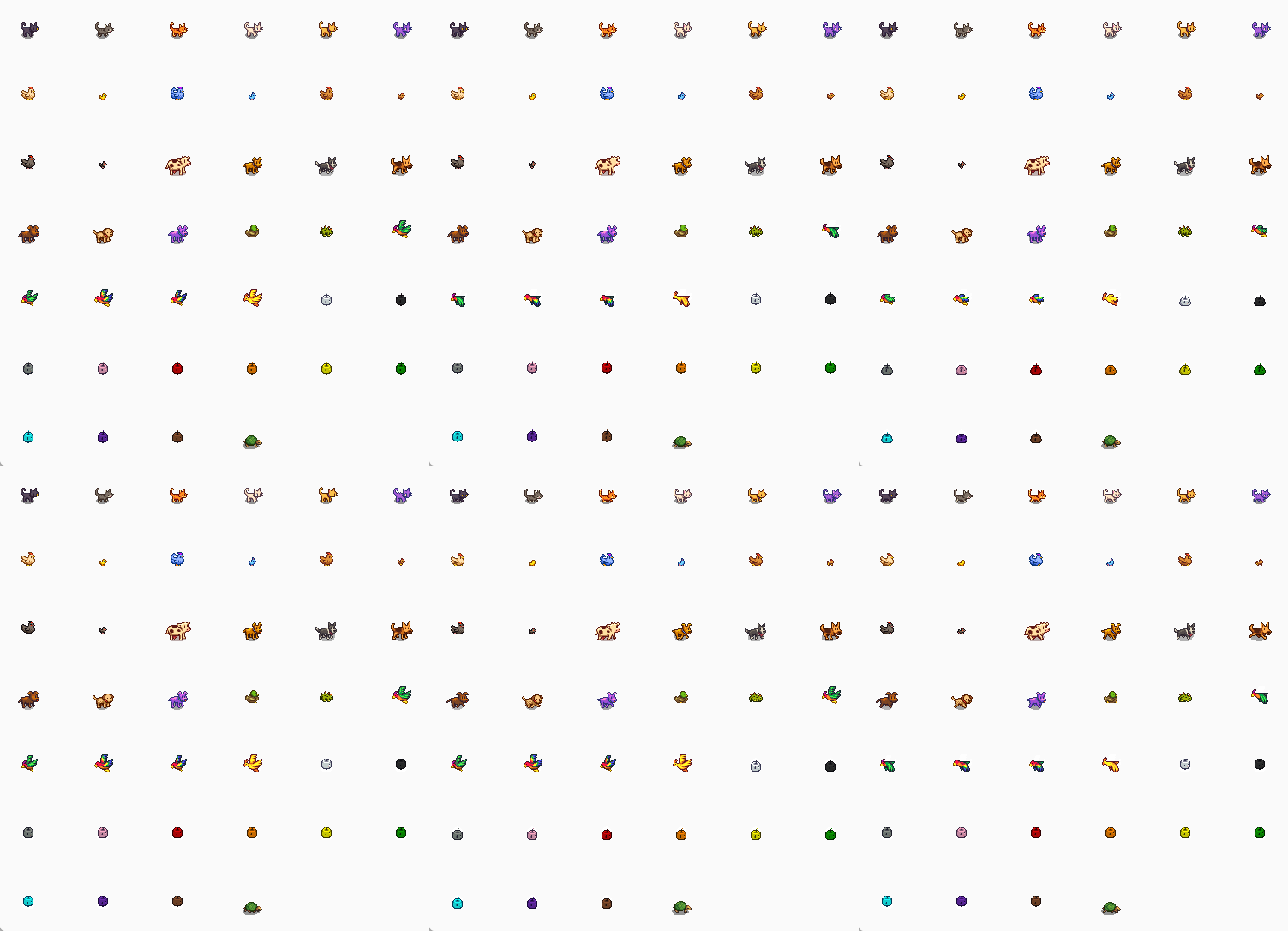
🐱 Pets & 👥 NPCs
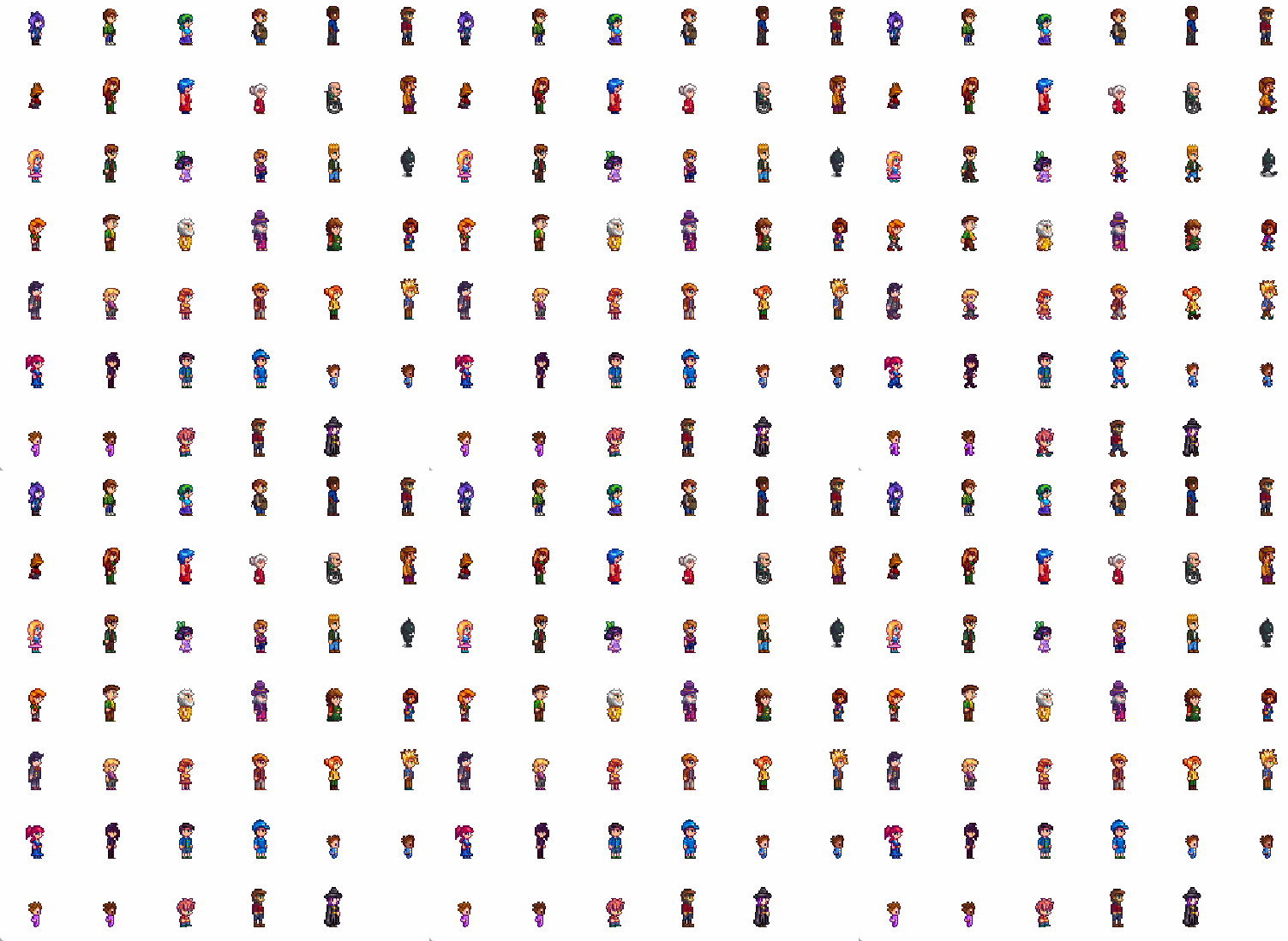
| Category | Details |
|---|---|
| Pets | 15 pet species with 55+ color variants — cats, dogs, chickens, cows, ducks, rabbits, dinosaurs, parrots, junimos, turtles, goats, sheep, pigs, ostriches, and raccoons |
| NPCs | 35+ Stardew Valley characters — Abigail, Sebastian, Lewis, Robin, Emily, Shane, and many more |
| Animations | Each character has idle, walk, special, and sleep animation frames |
| Art Style | All sprites use authentic Stardew Valley pixel art |
🖥️ Display Modes
- Panel mode: Pets live in a resizable side panel dockable anywhere in your workspace
- Overlay mode: Pets roam freely across your entire Obsidian window as a transparent overlay
- Interaction: Click a pet to see a heart ❤️, right-click to trigger an AI speech bubble
- Drag & Drop: Reposition pets manually or let them wander on their own
🤖 AI-Powered Speech Bubbles
Pets and NPCs can comment on your notes using AI, with configurable persona-based responses:
- Right-click a pet to get a contextual comment about your current note
- Auto-rant mode: Pets periodically speak up on their own at random intervals
- Supports any OpenAI-compatible API (OpenAI, Google Gemini, DeepSeek, and more)
- Each species and NPC has a unique personality that shapes their dialogue
- Optional Chinese-language prompt mode for all AI interactions
🌾 Backgrounds
10 themed backgrounds inspired by Stardew Valley seasons and locations:
| Background | Style |
|---|---|
| None | Clean, no background |
| Dirt | Farm soil |
| Grass | Lush green field |
| Grass (Fall) | Autumn grassland |
| Sand | Beach / desert |
| Snow | Winter landscape |
| Wood (Broken) | Weathered planks (tiled) |
| Wood (Dark) | Dark timber (tiled) |
| Wood (Light) | Light planks (tiled) |
| Wood (Orange) | Warm wood (tiled) |
📦 Installation
Method 1: Community Plugins (Recommended)
- Open Obsidian and go to Settings → Community Plugins
- Ensure Restricted Mode is turned off
- Click Browse and search for "Stardew Valley Pals"
- Click Install, then Enable
- You're all set! Use the "Add a pet" command to get started
Method 2: BRAT (Beta Reviewer's Auto-update Tester)
BRAT lets you install plugins that are not yet in the community plugin store, and automatically checks for updates.
- Install the BRAT plugin from the Community Plugins store
- Open Settings → BRAT → Beta Plugin List
- Click Add Beta Plugin
- Enter the repository URL:
https://github.com/miaowuduck/stardew-valley-pals - BRAT will install the plugin — go to Settings → Community Plugins and enable Stardew Valley Pals
- To update, run the BRAT: Update all plugins and themes command
Method 3: Manual Installation
- Download the latest release from the Releases page
- Extract the folder into your vault's
.obsidian/plugins/directory - Restart Obsidian (or go to Settings → Community Plugins and click Reload plugins)
- Enable Stardew Valley Pals
🚀 Getting Started
- Enable the plugin — a welcome notice will guide you on first launch
- Use the "Add a pet" command, the
+button in the pet panel, or the Pet Management section in settings to choose a species/NPC and give it a name - The pet panel opens automatically — your new friend will start wandering around
- Use "Choose pet view background" to set the scene
- Manage your pets anytime in Settings → Pet Management — add, view, or remove pets from one place
- (Optional) Configure AI speech in Settings to let your pets talk
Click the 🐱 ribbon icon in the left sidebar to toggle the pet view on and off.
⌨️ Commands
| Command | Description |
|---|---|
Add a pet |
Choose a species/NPC and name it |
Remove a specific pet |
Pick a pet to remove from the list |
Remove all pets |
Clear all pets at once |
Choose pet view background |
Change the background scene |
⚙️ Settings
Display
| Setting | Description | Default |
|---|---|---|
| Overlay mode | Full-window transparent overlay vs side panel | Off |
| Background | Scene behind pets (panel mode only) | None |
| Pet size | Scale pets from 0.5x to 3.0x | 1.0x |
| Movement speed | How fast pets wander (0.5x to 3.0x) | 1.0x |
Pet Management
| Setting | Description |
|---|---|
| Current pets | View all your pets with their names and species, remove any pet with one click |
| Add a new pet | Opens the pet selector to choose from 15+ species and 35+ NPCs |
AI Configuration
| Setting | Description | Default |
|---|---|---|
| API key | OpenAI-compatible API key (masked in UI) | — |
| API endpoint | Base URL for the AI provider | https://api.openai.com/v1 |
| Model | Model name (e.g. gpt-4o-mini, gemini-2.5-flash) |
gpt-5-mini |
| Chinese prompt | Use Chinese-language AI prompts | Off |
| Test connection | Verify API credentials with a minimal request | — |
Speech Bubbles
| Setting | Description | Default |
|---|---|---|
| Pet speech bubbles | Enable speech for regular pets | On |
| NPC speech bubbles | Enable speech for NPCs | On |
Random Page Rant
| Setting | Description | Default |
|---|---|---|
| Random page rants | Enable periodic auto-speech | Off |
| Only rant when focused | Suppress rants when Obsidian is in the background | On |
| Rant interval (min) | Minimum time between rants | 5 min |
| Rant interval (max) | Maximum time between rants | 20 min |
| Page context length | Characters of note content sent as AI context | 1200 chars |
A Reset to defaults button is available at the bottom of the settings tab.
🔧 AI Setup
To enable speech bubbles, configure an API provider in settings:
- Get an API key from your preferred provider:
- Set the API endpoint (e.g.
https://api.openai.com/v1for OpenAI, orhttps://generativelanguage.googleapis.com/v1beta/openai/for Gemini) - Enter the model name for your provider
- Click Test connection to verify everything works
- Enable pet/NPC speech bubbles and optionally random page rants
Pets will now comment in-character on your notes based on their species personality.
🙏 Credits
Origin Projects
- stardew-pet-farm — Original Stardew Valley pet concept and sprites
- obsidian-pets — Original Obsidian plugin implementation
Art Assets
All pet sprites, NPC character sprites, and background images are sourced from StardewValley-Assets by Huu-Yuu, which provides extracted Stardew Valley game assets.
Inspiration
- vscode-pets — The original VSCode pets extension
📄 License
MIT — see LICENSE for details.
💬 Feedback
Found a bug or have a suggestion? Open an issue on GitHub.
Made with ❤️ for Stardew Valley fans and Obsidian users alike.