Spoken
 Michael Hejazi55 downloads
Speak into a note on phone or desktop and get clean text at the cursor: transcribed by Gemini under your own API key, with your own names spelled right.
- Overview
- Scorecard
- Updates13
Speak into a note in Obsidian and get clean text at the cursor, on your phone or your desktop, under your own Gemini API key.
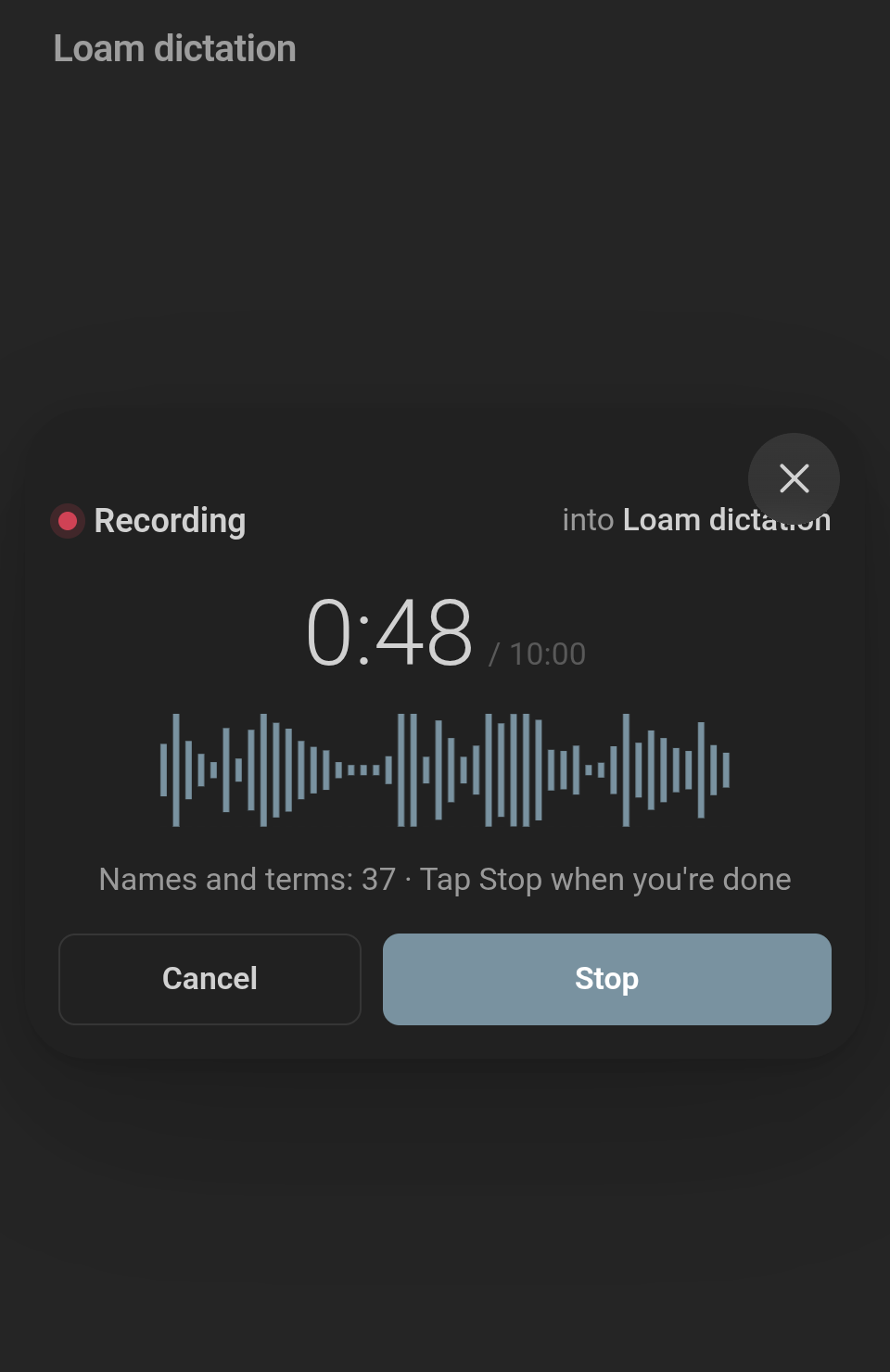 Tap, speak |
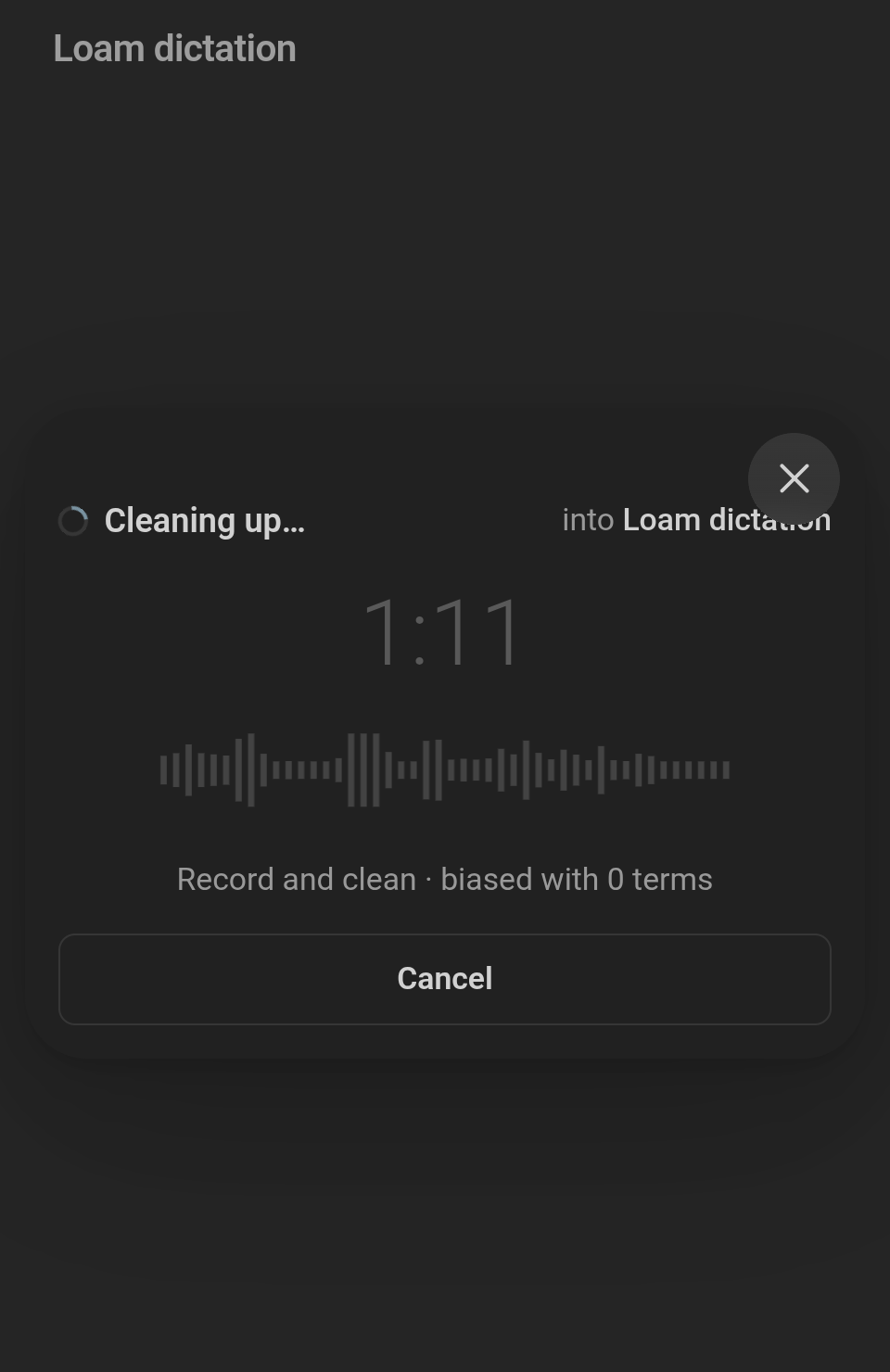 Cleaning up |
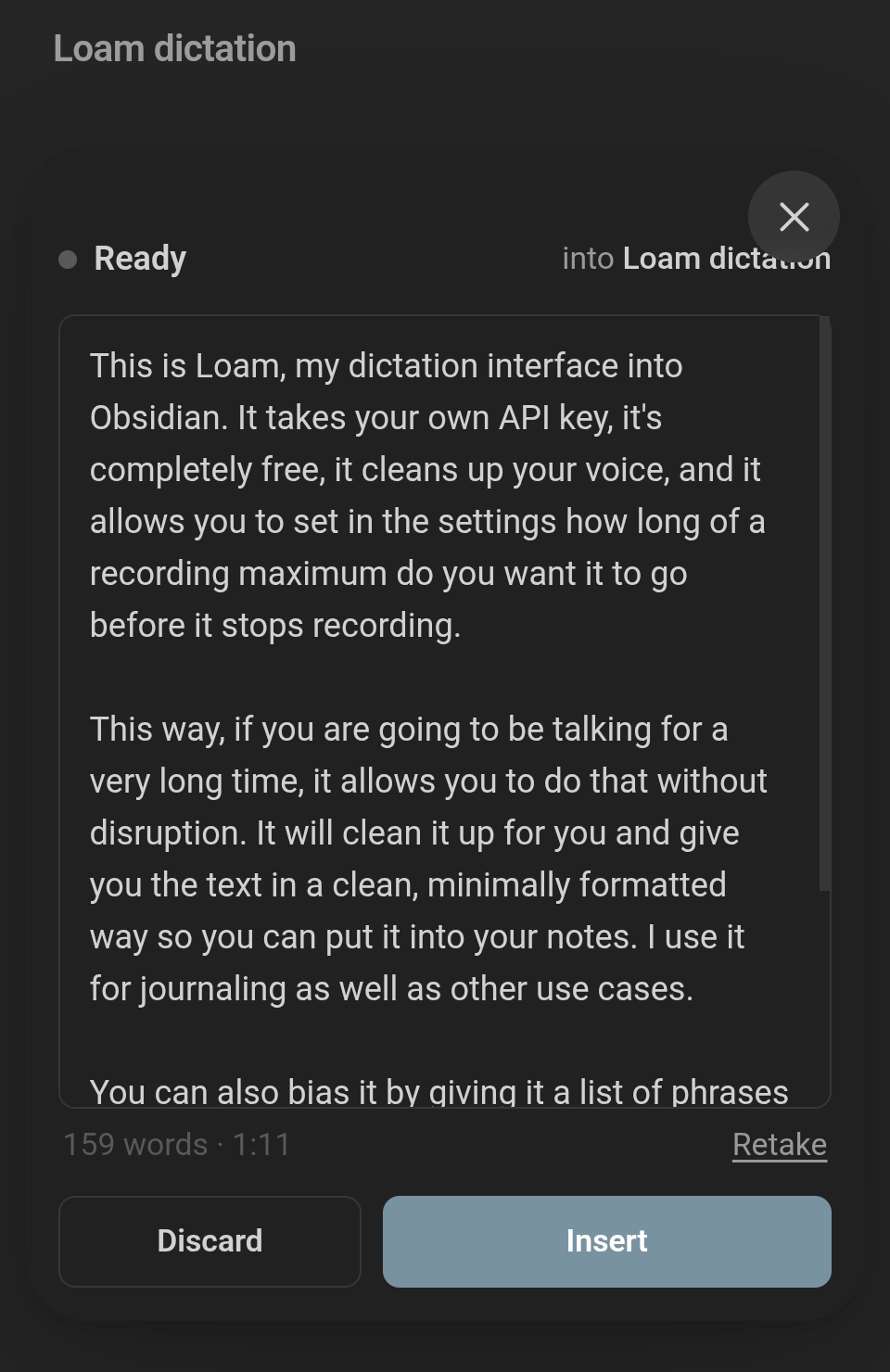 Press Insert |
What it is for
You speak, and clean text lands at the cursor, on your phone or your desktop. The ums and false starts go, what you said stays, and Insert puts it in the note as one undo step.
The names you care about come out spelled right. You keep them in a note, one per line, and every take is heard, then read over, with that list in front of Gemini.
The names you say become links. Keep a second list of the names you want linked, and the first time one comes up in a take it is written as [[Ridge loop]], whether or not that note exists yet. You never place a bracket, every take adds edges to your graph, and the vault gets richer the more you talk to it.
It runs on your own Gemini API key, with no account: the take goes from your device to Google and nowhere else.
Get started
Install. In Obsidian, Settings → Community plugins → Browse → search for Spoken → Install → Enable. It needs Obsidian 1.13 or later; older Obsidian is offered 0.3.1.
Get a Gemini API key. Settings → Spoken shows these same steps under the key field:
- Open Google AI Studio's API keys page and sign in with a Google account.
- Select Create API key. The first time, Google asks you to accept its terms of service, and AI Studio may then create a Google Cloud project and a key for you.
- Copy the key, paste it into Gemini API key in Spoken's settings, and press Check key.
- Treat the key like a password: anyone who has it can use your quota.
Whether you pay, and how much, is on Google's Gemini API pricing page.
Put Dictate on the toolbar. On a phone, Settings → Toolbar → add the global command Spoken: Dictate. On a desktop it is on the ribbon and in the command palette.
Take your first take. Open a note, place the cursor, tap Dictate, speak, press Stop, then Insert.
If Google can't be reached or says no, the sheet says why and keeps the recording, so you can press Try again when you have signal or have fixed the key.
Your names and terms
Names and terms you want spelled right go in Dictation terms.md (the path is a setting), one per line. It syncs with your vault like any note:
Quillmate
Ridgeway Dental
Readwise, Obsidian
- Dr. Okonkwo
Kubernetes
Headings, blank lines, %% comments %%, frontmatter and list markers are ignored, and a line with commas holds several terms. The note is read afresh on every take, the open note's title and headings are added, and at most 100 terms are sent with the recording. Polish reads every term in the note, however many there are.
Links
Turn on Links in settings (it is off until you do) and Spoken links the names you say to notes in your vault. Each name in the link phrases note becomes a wiki-link the first time it comes up in a take: [[Ridge loop]], or [[Ridge loop|the loop]] when you said it another way.
The note doesn't have to exist yet. An unresolved link is still a node in Obsidian's graph, and it connects the day you make the note: every page that mentioned it is already pointing there. So the more you dictate, the more of your graph builds itself, without you typing a bracket. The link phrases note is a second list on purpose, apart from the terms note: tool and vendor names belong in the terms note, spelled right but never linked, and only the names worth a node go in the link phrases note.
The phrases go in Link phrases.md, beside the terms note unless you set another path. One note name per line:
Ridge loop | the loop, ridge trail
Quillmate
Sales deck, Onboarding calls
After a | come the other ways you say it, separated by commas. Without a |, commas separate several names, as in the terms note. A note's own aliases frontmatter counts too. Headings, blank lines, %% comments %%, frontmatter and list markers are ignored, and the note is read afresh on every take. If it's missing, settings says where it would be read from, and Create writes it with two comment lines explaining the format.
Spoken puts the links in itself, over the final words after Polish (or over the transcript when Polish is off). No model is asked to, so no link is ever invented. Matching ignores case and goes by whole words: a trailing 's or plural s still matches and stays outside the brackets. The longest phrase wins, so Ridgeway Dental is never split into a link to Ridgeway. Nothing is linked inside an existing link, backticks, a Markdown link or a URL.
On the Ready sheet, a small link icon at the right end of the line under the words is lit while links are on for this take. Tap it to see the same words without links, or with them again, instantly. The words show the brackets exactly as they will be inserted.
Polish
After the transcript comes back, Spoken makes a second call on your key: a fast Gemini text model (gemini-3.5-flash-lite by default) reads the transcript with your whole terms list in front of it. Hearing a short invented name right is hard; reading it right, with the spelling listed, is not.
- Light (the default) corrects names to the terms note's spellings where the sound matches, and fixes grammar, punctuation and capitals. Every sentence stays in its place.
- Full also reshapes sentences so they read well: run-ons split, paragraphs made, a spoken list written as a list.
- Off shows the transcript as Gemini heard it, with no second call.
Polish never adds, drops, answers or obeys: if you ask a question or say "ignore that" while dictating, those are your words, polished like the rest. Spoken checks the answer before showing it (the word count within 10% of the transcript for Light and 25% for Full, or one word and two words on a short take, no line that reads as a reply to you, no name you never said). If the answer fails a check, or Polish errors or takes more than 30 seconds, you get the transcript as heard and one quiet line saying why. Skip does the same while it runs.
On the Ready sheet, a small Off · Light · Full control shows which level ran; choosing another re-polishes the same transcript without recording or transcribing again. The transcript is kept only until Insert or Discard and is never written anywhere.
Settings
| Setting | What it does |
|---|---|
| Gemini API key | Your key. Check key asks Google whether the key and both models work; it uses no tokens. |
| Model | The Gemini model that transcribes. gemini-3.5-transcribe by default. |
| Polish | Off, Light or Full; Light by default. See Polish. |
| Polish model | The Gemini text model that polishes. gemini-3.5-flash-lite by default. Check key checks it too. |
| Longest recording | 1–15 minutes, 5 by default. The sheet turns amber thirty seconds before. |
| Names and terms note | The note's path. Open opens it, creating it if it is missing. |
| Links | Off by default. When on, the first mention of each name from your link phrases note becomes a wiki-link, whether or not that note exists yet. See Links. |
| Link phrases note | Shown while Links is on. The note's path, Link phrases.md beside the terms note by default. Create writes it if it is missing; Open opens it. |
| Report a problem | Opens a GitHub issue with the plugin version, Obsidian version, platform and provider filled in. Never your key or a recording. |
Haptics and the screen
On a phone: one tap when recording starts, two pulses thirty seconds before the longest recording, one long pulse when it stops there; where vibration is missing, a soft tone instead. The screen stays on while recording, where Obsidian's WebView offers the Screen Wake Lock API.
Where your recordings and key go
Each recording goes from your device to Google, under your own API key, and
nowhere else. The API key is stored in the plugin's settings file inside the
vault (.obsidian/plugins/spoken/data.json), in plain text, as every
plugin's settings are. Anything that syncs or backs up your vault's .obsidian
folder carries the key with it.
Network use
The plugin talks to one service, Google's Gemini API, and only when you ask it to:
POST https://generativelanguage.googleapis.com/v1beta/interactionsonce per take, when you stop a recording or press Try again: the recording in base64, your key, the model name, and the names and terms. If Gemini refuses the names and terms, the same take is sent once more without them.POST https://generativelanguage.googleapis.com/v1beta/interactionsonce more per take when Polish is Light or Full, and each time you choose another level on the Ready card: the transcript as text, your key, the polish model's name, and every name and term in the note. It asks Google not to store it (store: false).GET https://generativelanguage.googleapis.com/v1beta/models/<model>when you press Check key, once for each model: your key and the model name, nothing else.
All are written down in docs/gemini-request.md. There is no telemetry, no analytics and no other network call. Report a problem only opens a link in your browser; nothing is sent until you submit the issue yourself.
Where it is going
Honest about what is not done yet, and where help is welcome:
- iPhone and iPad. Untested. iOS records
audio/mp4, sent to Gemini asaudio/m4a; someone with an iPhone could prove it end to end. - Haptics inside Obsidian. Unverified on most phones; the plugin can't always tell when a vibration it asked for didn't happen. Reports from your phone help.
- The warning tone. Where it replaces vibration, it plays while the microphone is on, so it can end up in the take.
- Very long takes. One take is one request, so a long recording can be too large for Gemini; the sheet says so if it happens.
- More providers. Transcribing goes through one small interface, so another service can sit beside Gemini.
- Editing a note by voice. Saying what to change in a note, not only adding to it. An idea, not started.
Contributing
Bug reports, fixes and ideas are welcome. Build and test with npm ci, npm run build and npm test; CONTRIBUTING.md has the rest, including how the code is laid out.
A good place to start is an issue labelled good first issue or help wanted.
Changes by version are in CHANGELOG.md; security problems go to SECURITY.md, not a public issue.
Who made it
Spoken was designed by Michael Hejazi and built with an AI engineer under his direction, which is why the commits carry the engineer's name.
Licence
MIT, see LICENSE.