Special Callouts
 ahseyg3k downloads
Advanced callout styling with grid layouts, custom colors, gradients, glow effects, and multi-column support.
- Overview
- Scorecard
- Updates16
Usage Guide · AI Agent Skill · Türkçe · Report Bug
Special Callouts for Obsidian
Transform your Obsidian notes with premium, dynamic, and fully customizable callouts. Turn generic boxes into magazine-quality layouts, code terminals, or neon-glowing alerts. Customize everything directly from your markdown — or create reusable presets in the visual settings panel.
Open source · MIT License · Contributions welcome
[!TIP] New — AI Agent Skill. Special Callouts now ships with an Agent Skill, so Claude can write these callouts for you instead of guessing at the syntax. Hand your agent the raw SKILL.md, or install it locally:
cp -r skills/special-callouts ~/.claude/skills/
Features
- Inline customization — background, text, border, gradient, neon, icon — directly in markdown
- Custom style presets — design once, reuse by name
- Multi-column lists — split any list into 2–4 columns
- Visual layout builder — drag-and-merge grid designer
- Typography control — 5 font families, 5 size scales
- Neon and gradient effects — glowing borders, smooth color transitions
- Dataview integration — column layouts work with Dataview queries
- Import/Export — share styles as JSON between vaults
Screenshots & Layout Capabilities
Explore the endless customization possibilities.
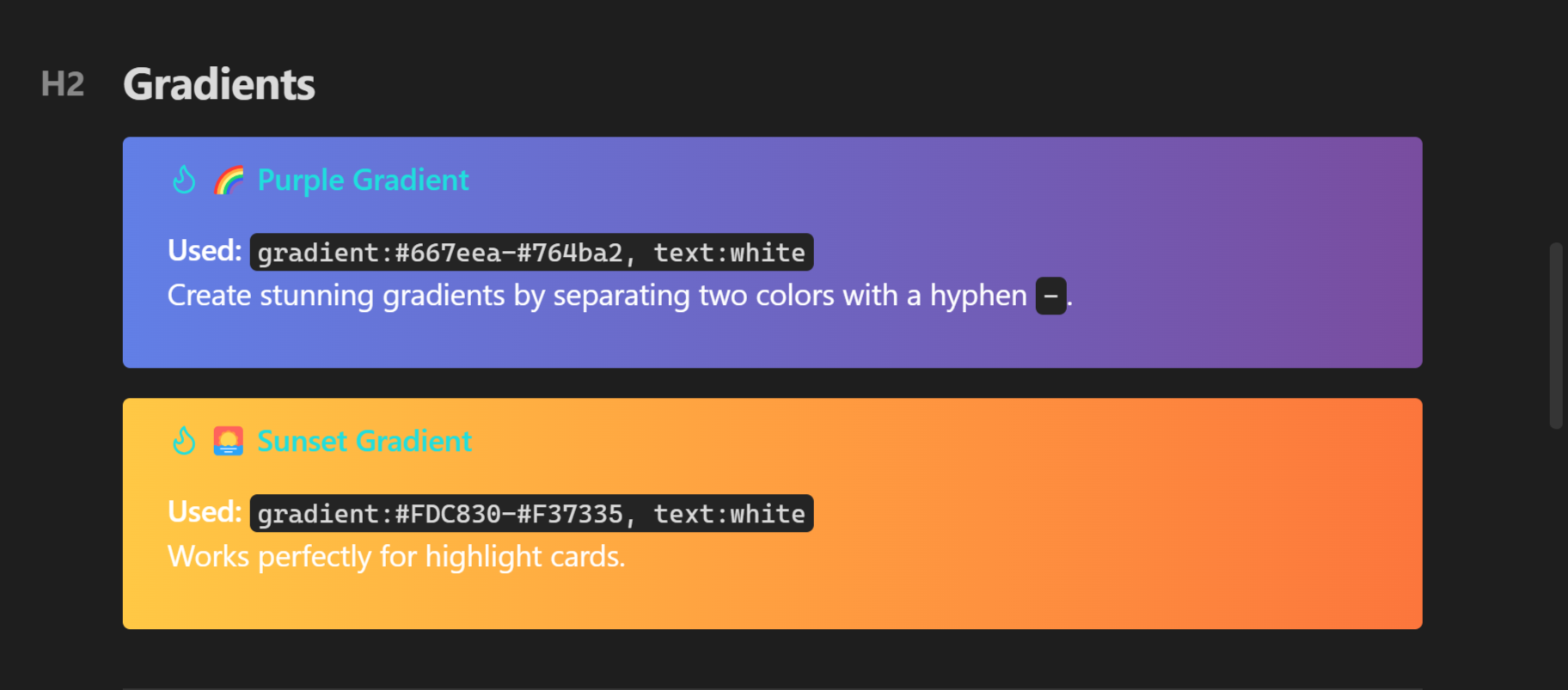
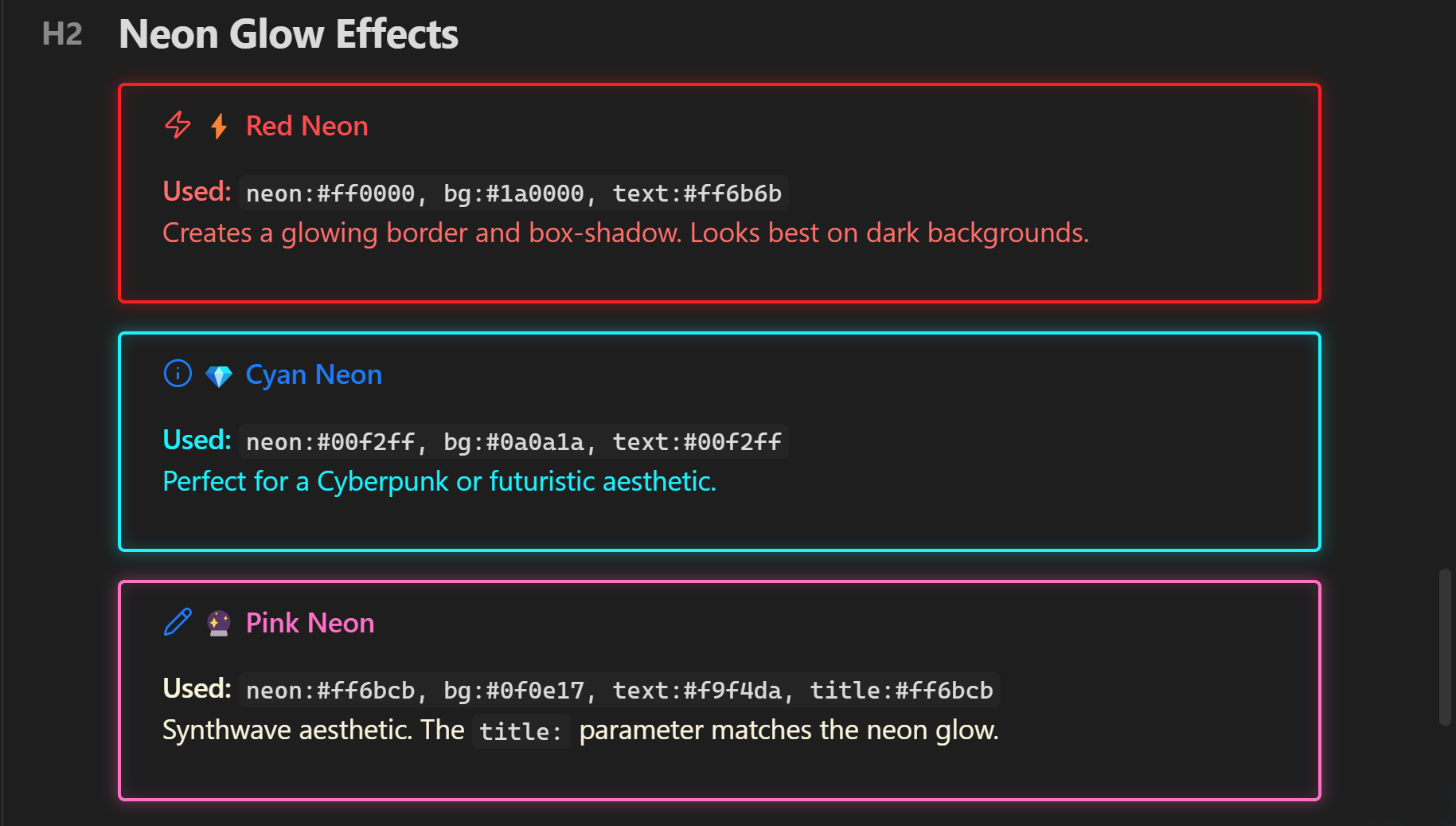
Colors, Gradients and Effects
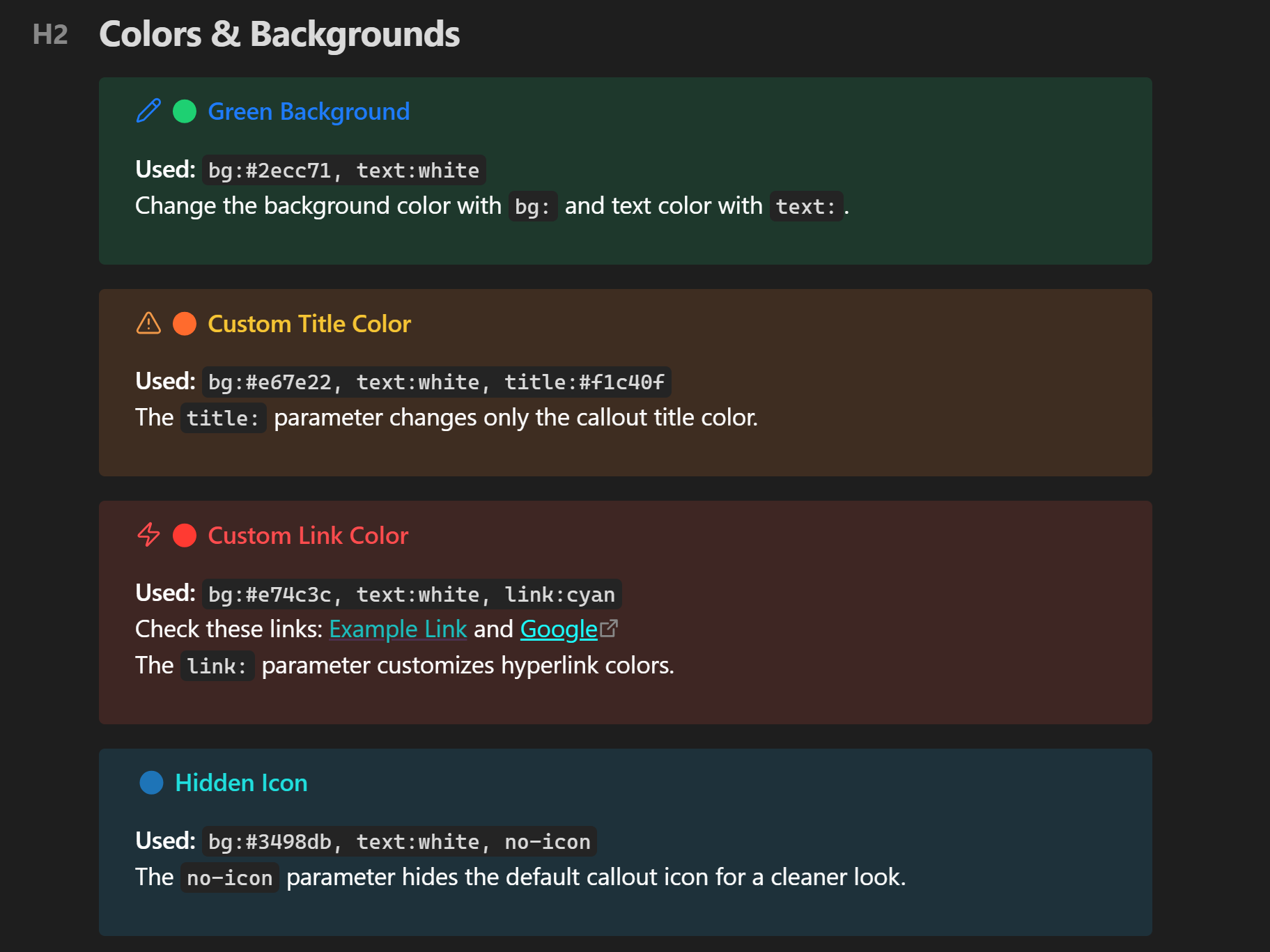
Learn how to create custom backgrounds and text colors in the Usage Guide
Visual Layout Builder
Design complex dashboard grids by dragging and merging cells — no code required. Access from Settings → Special Callouts → Visual Layout Builder.
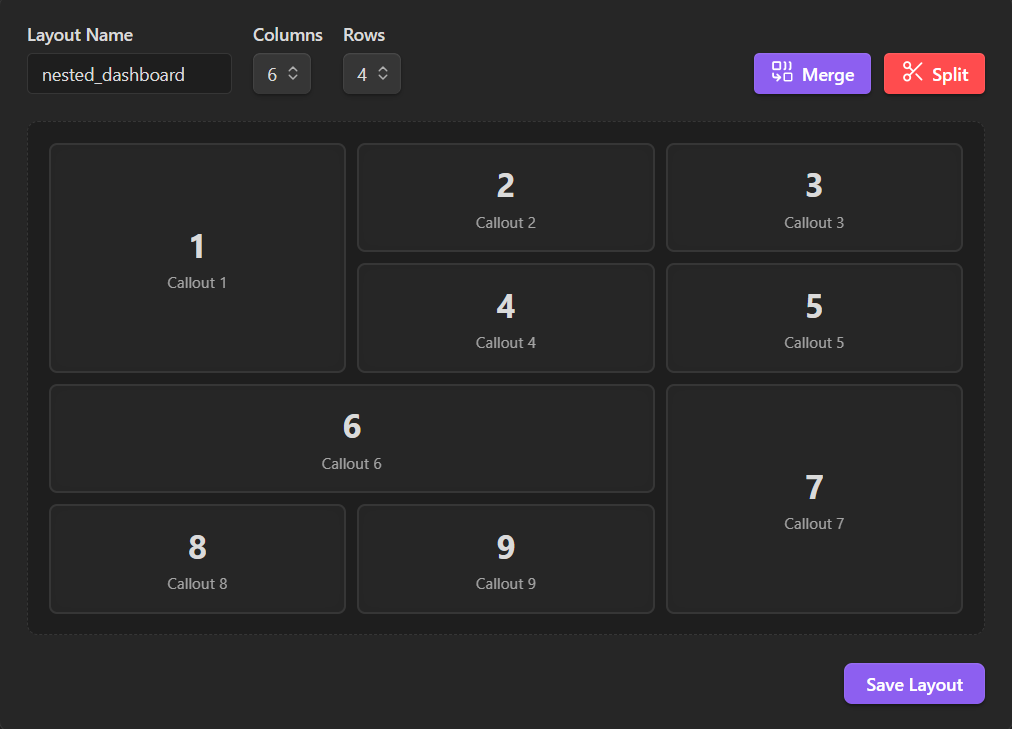
Learn how to use the Visual Layout Builder in the Usage Guide
Dashboard Grids
Use the visual builder or inline grid syntax to create multi-panel layouts. Callouts are automatically placed into the merged areas you designed.
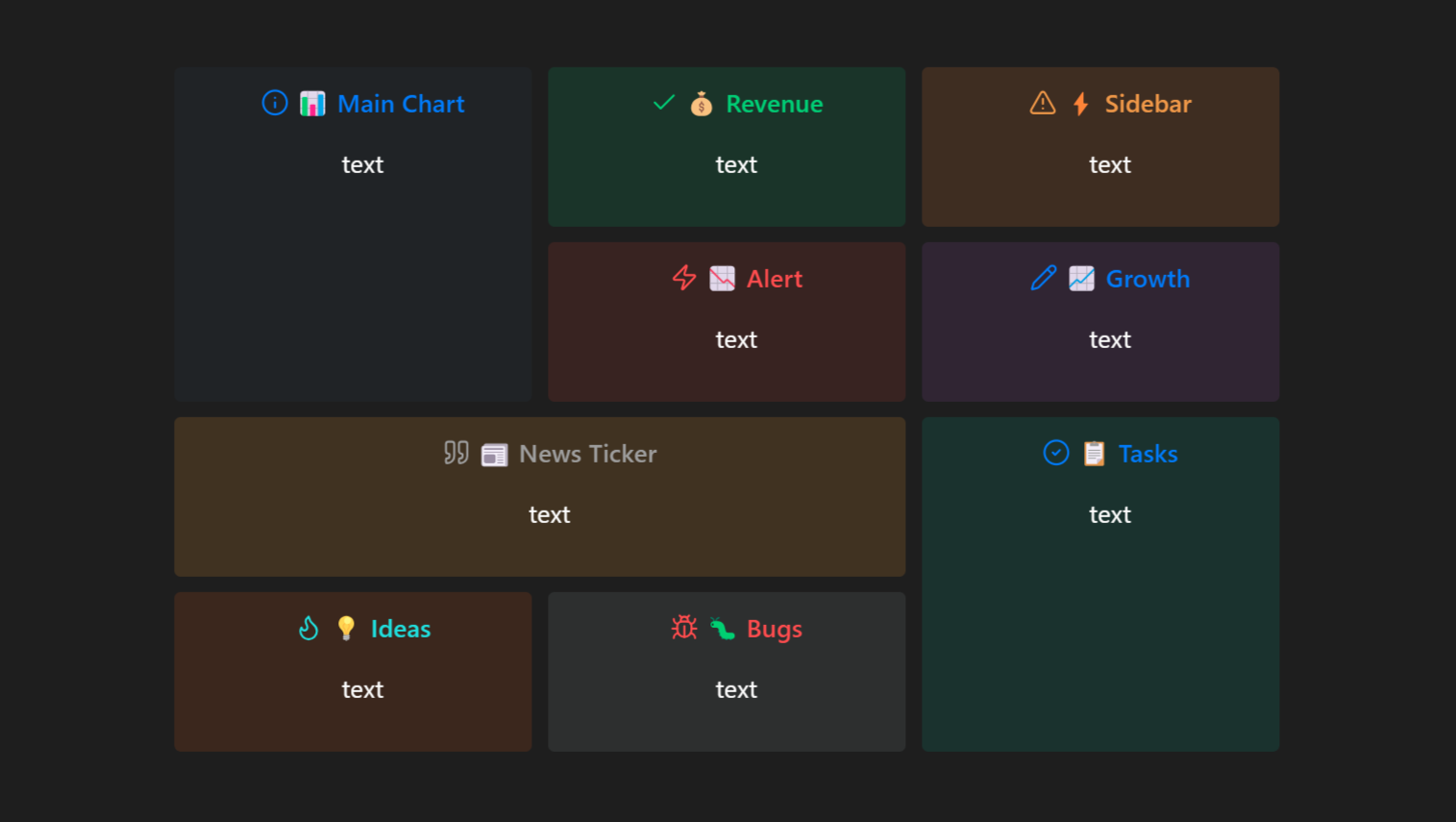
Learn how to create Multi-Callout Dashboard Grids in the Usage Guide
Typography and Borders
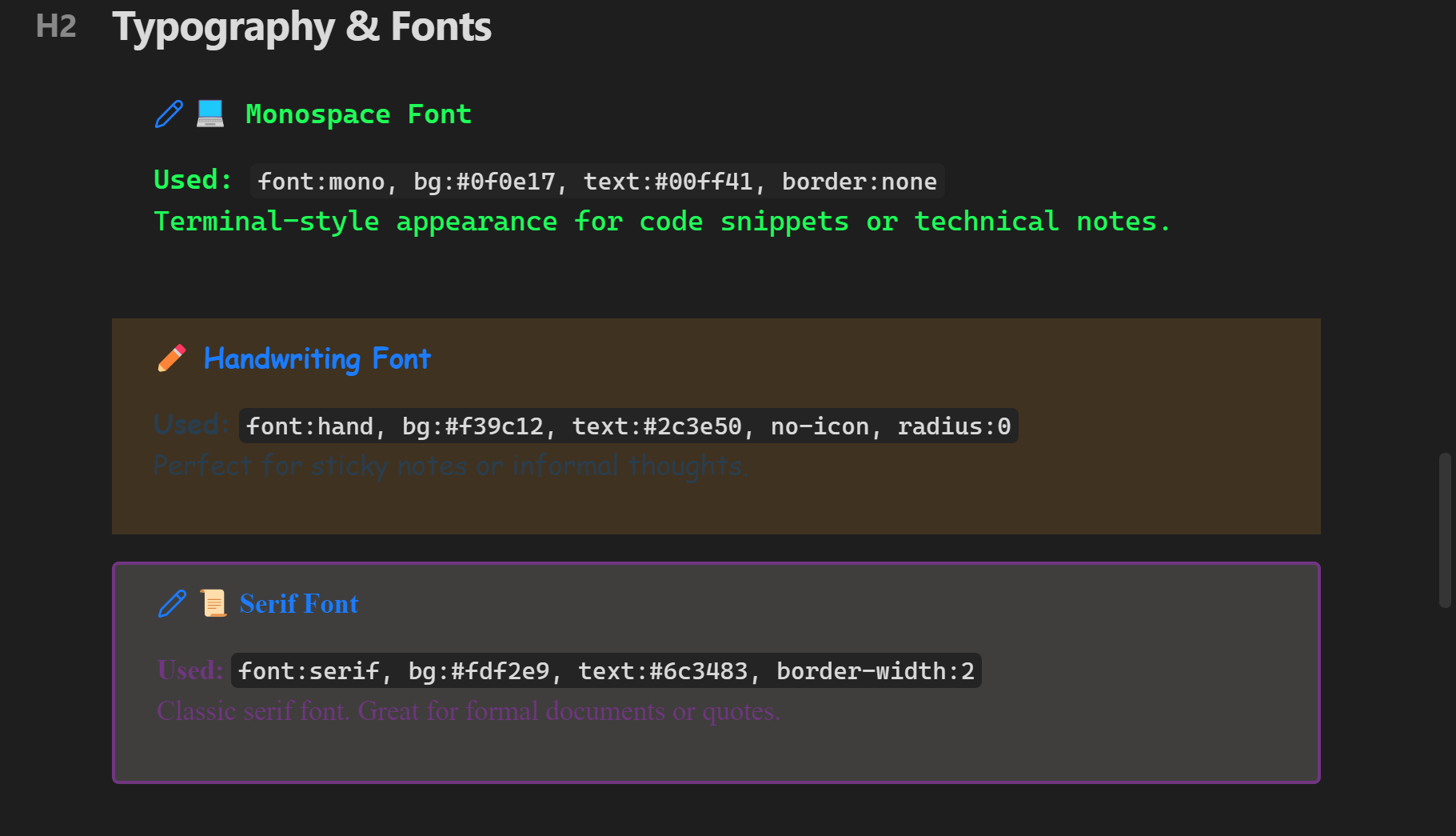
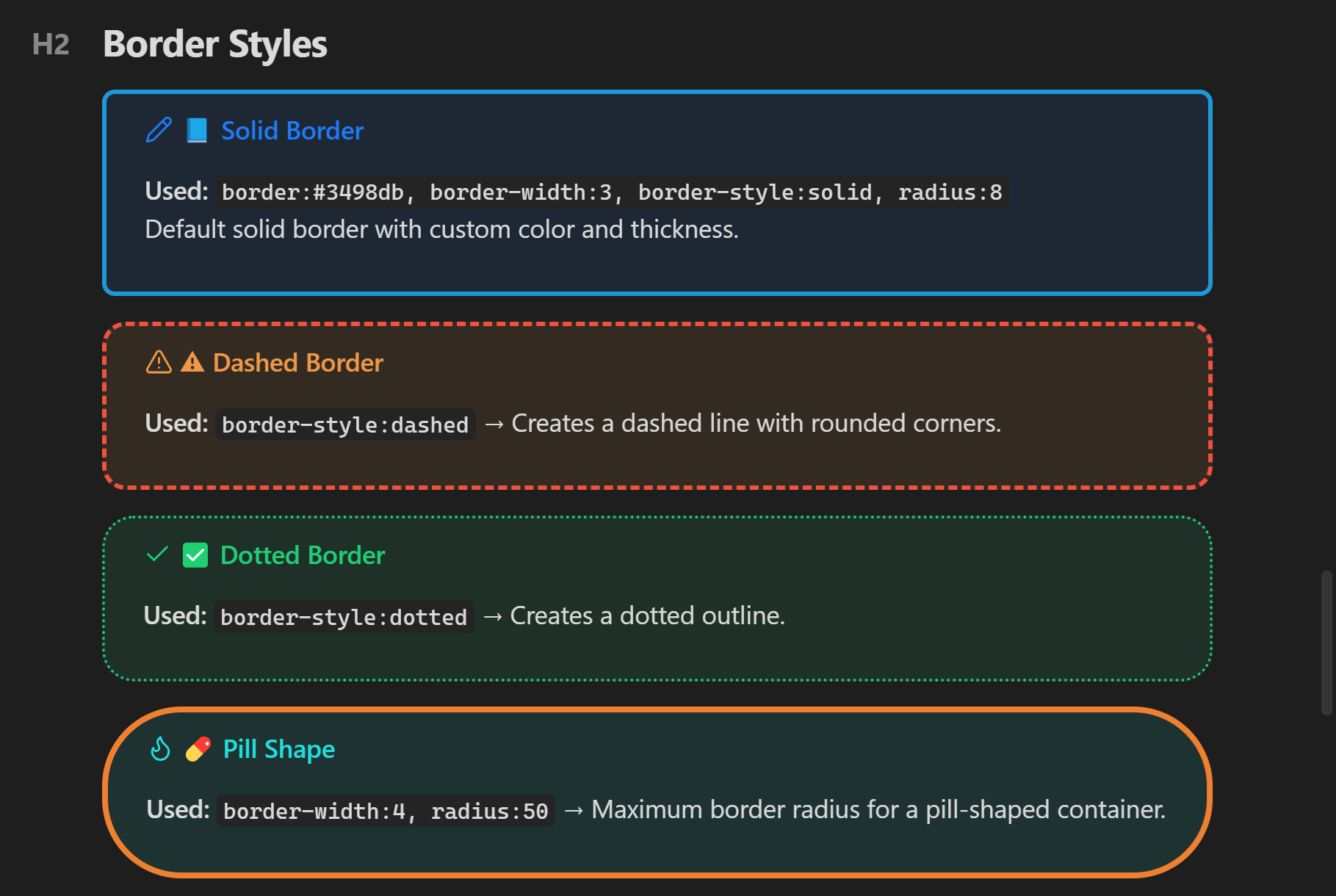
Learn how to customize borders and radius in the Usage Guide
Multi-Column Lists
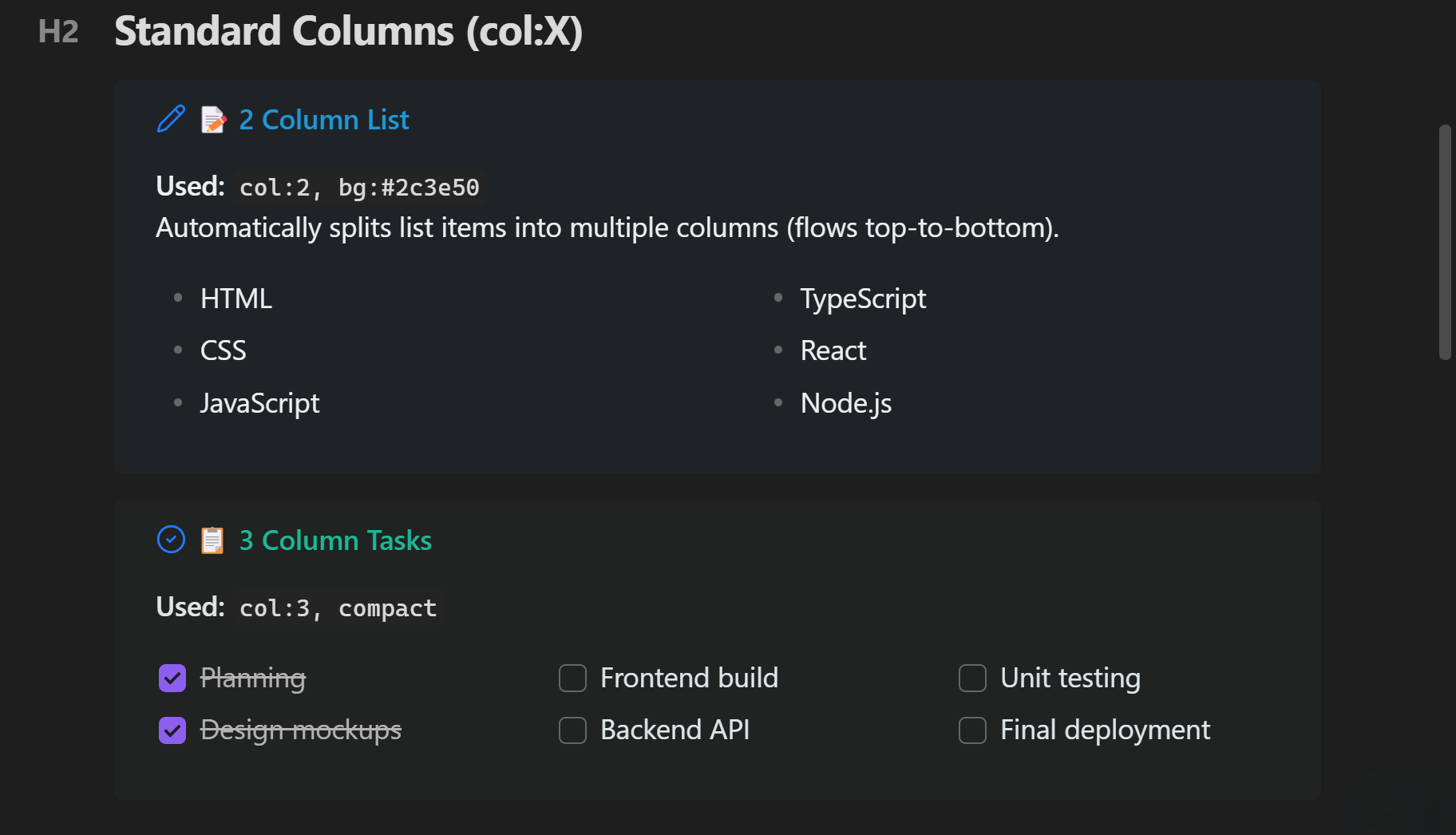
Learn how to split lists into multiple columns in the Usage Guide
Metadata Reference
> [!type] (param:value, param2:value2) Title
Colors
| Parameter | Example | Description |
|---|---|---|
bg |
bg:#ff0000 |
Background color |
text |
text:white |
Content text color |
title |
title:cyan |
Title and icon color |
link |
link:orange |
Link color |
gradient |
gradient:blue-purple |
Two-color gradient |
neon |
neon:#00f2ff |
Neon border + glow |
icon |
icon:sun |
Lucide icon name |
icon-color |
icon-color:cyan |
Icon color (defaults to the title color) |
no-icon |
(no-icon) |
Hide icon |
Borders
| Parameter | Example | Description |
|---|---|---|
border |
border:red |
Border color |
border-width |
border-width:4 |
Thickness (px) — bw: for short |
border-style |
border-style:dashed |
solid, dashed, dotted, double — bs: for short |
radius |
radius:20 |
Corner roundness (px) |
Typography
| Parameter | Example | Description |
|---|---|---|
font |
font:mono |
mono, serif, sans, hand, marker |
font-size |
font-size:4 |
1 (tiny) → 5 (huge) |
Layout
| Parameter | Example | Description |
|---|---|---|
col |
(col:3) |
Multi-column lists |
center |
(center) |
Center content |
compact |
(compact) |
Reduce padding |
dense |
(dense) |
Compact plus tighter line-height |
| Grid | (1:2) |
Position in grid |
Full reference in the Usage Guide.
AI Agent Skill
Let Claude write these callouts for you. skills/special-callouts/ is an Agent Skill covering the plugin's complete syntax and real rendering behaviour — derived from the v1.0.9 source rather than from the docs.
Install it by copying the folder into your skills directory:
cp -r skills/special-callouts ~/.claude/skills/
Then just describe what you want — "build a dashboard at the top of my daily note with my open tasks", "split this list into three columns", "why is my callout background so faint?" — and it produces correct markdown instead of plausible-looking guesses.
| File | Contents |
|---|---|
SKILL.md |
Syntax rules, the traps that make valid syntax look broken, debugging checklist |
references/parameters.md |
Every parameter: accepted values, aliases, colour resolution, edge cases |
references/layouts.md |
Multi-column lists, grids, custom visual layouts, Dataview |
references/recipes.md |
Ready-made patterns and tested colour pairs |
references/internals.md |
Render pipeline, DOM/CSS contract, settings schema, known bugs |
Works with Claude Code, Claude Desktop and Claude.ai. SKILL.md is plain markdown, so any agent
framework that accepts a system prompt can use it too.
Installation
Community Plugins (Recommended)
- Settings → Community Plugins
- Turn off Restricted Mode
- Browse → search Special Callouts
- Install → Enable
Or open directly: community.obsidian.md/plugins/special-callouts
Manual
- Download
main.js,styles.css,manifest.jsonfrom the latest release - Create
VaultFolder/.obsidian/plugins/special-callouts/ - Copy the files into the folder
- Enable in Settings → Community Plugins
Contributing
- Bug reports: Open an issue — include Obsidian version, callout markdown, and a screenshot
- Feature requests: Open an issue
- Pull requests: Read CONTRIBUTING.md first, then fork → branch → code → PR
- What's planned: ROADMAP.md — including what is deliberately not planned, so nobody spends a week on something I'd turn down
If you find this plugin useful, consider giving it a star.
License
MIT — See LICENSE for details.
Developed by ahseyg