Sounders
 Razzdol474 downloads
Minimalistic audio player in the sidebar: playlists, musics, tracks, sounds, shuffle, repeat, and volume.
- Overview
- Scorecard
- Updates4
Sounders
Quick start
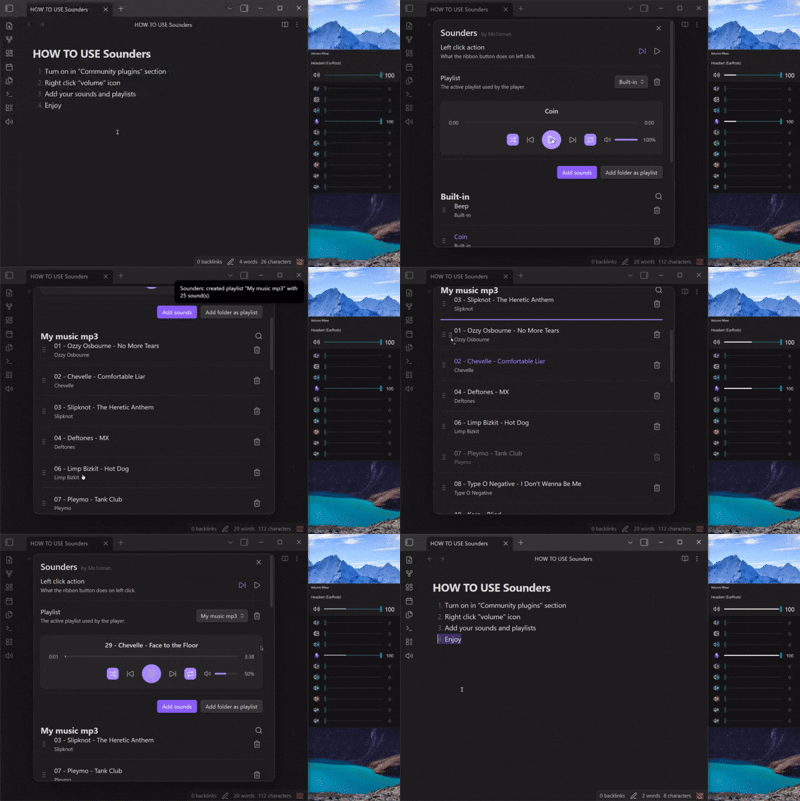
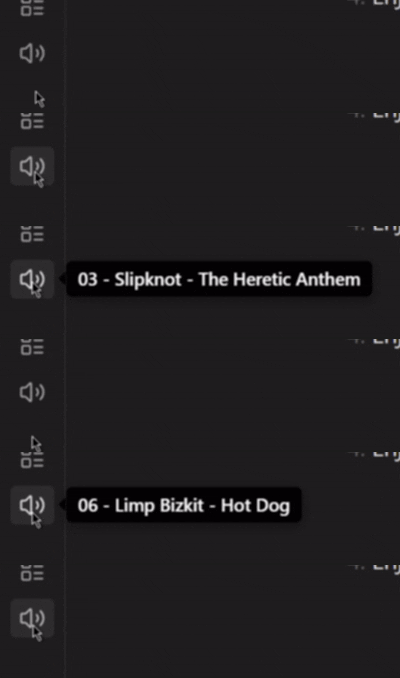
- Left-click the volume icon in the sidebar to play the next track (default).
- Right-click the sidebar icon to open the player and settings.
- Add audio files individually or import an entire folder as a playlist.
Features
- Sidebar button with configurable left-click action: play/pause or next track
- Shows what is currently playing
- Optional right-sidebar player (
Show player in sidebar) with sticky playback controls while scrolling tracks Minimalisticmode for a more compact right-sidebar player- Custom track order (drag and drop)
- Double-click a track name, artist, or playlist title to rename
- Shuffle and repeat modes (off / one / auto)
- Playback speed control (0.5x-2.0x), with double-click reset to 1.0x
- Seek bar for file tracks
- Search tracks in the active playlist
- Reuse existing audio files when importing the same folder into another playlist
- Command Palette commands: Play next sound, Play/pause, Open settings(player)
Settings
Open via right-click the Sidebar icon, or Settings → Community plugins → Sounders.
All tracks and playlists are automatically added to:
.obsidian\plugins\sounders\sounds
- Track order and playlist references are stored at
.obsidian\plugins\sounders\data.json
See CHANGELOG.md for version history.
Found a bug? Open an issue
version 1.3.0
HealthExcellent
ReviewSatisfactory
About
Play audio from a sidebar button — left-click to play the next track or right-click to open the player and settings. Add files or import folders into playlists, set custom track order, and control shuffle, repeat, seeking, and volume.Details
Current version
1.3.0
Last updated
2 months ago
Created
3 months ago
Updates
4 releases
Downloads
474
Compatible with
Obsidian 1.4.0+
Platforms
Desktop, Mobile
License
MIT
Author