
- Overview
- Scorecard
- Updates10
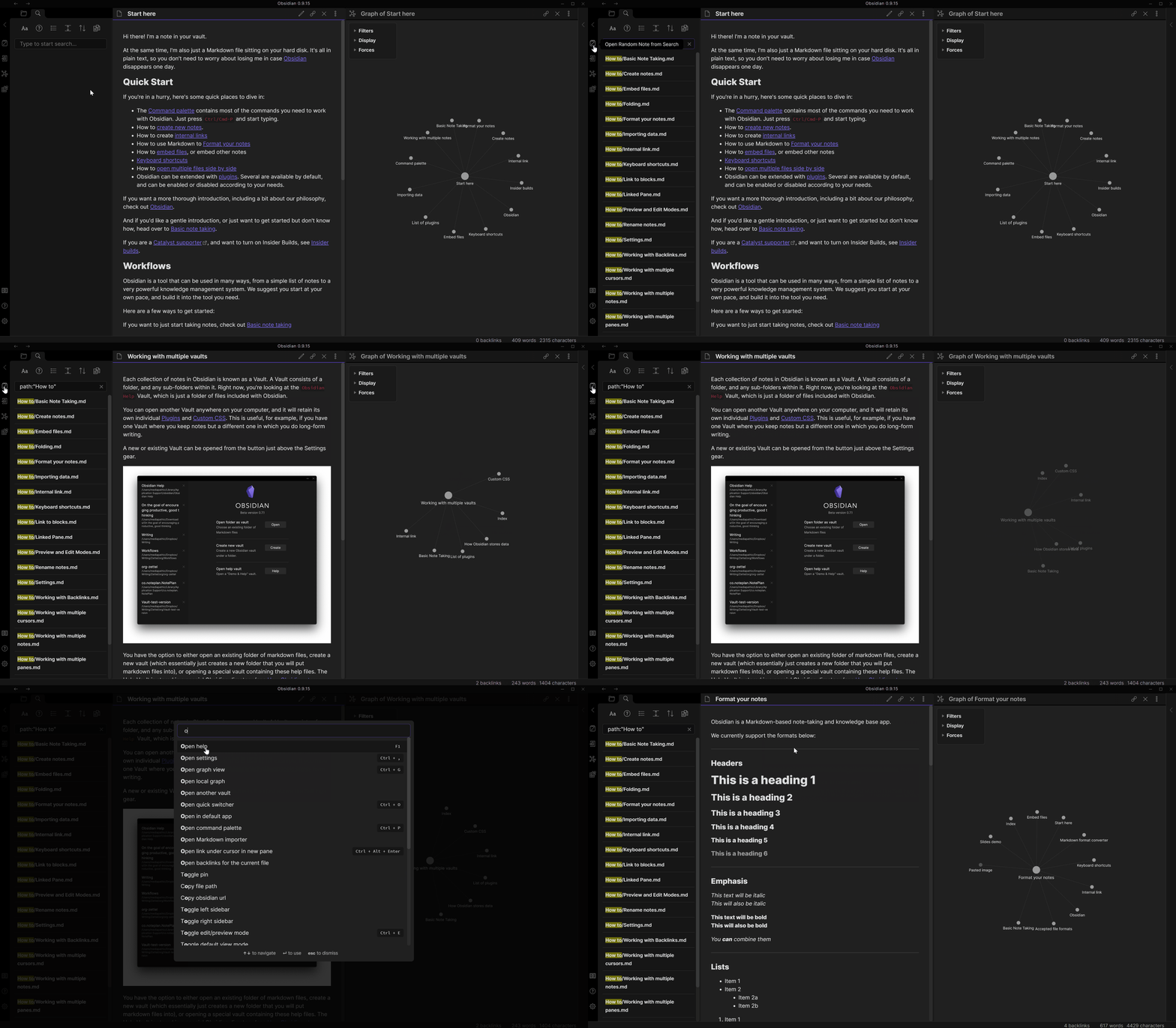
This plugin enhances opening random notes.
Three commands are available:
- Open Random Note from Search: opens a random note from the list of search results.
- Insert Link at Cursor to Random Note from Search: inserts a link where the cursor is positioned to a raondom note from the list of search results.
- Open Tagged Random Note: opens a random note that has a selected tag.
- Open Random Note: behaves similarly to the core random note plugin.
Future Plans
- Originally I had plans to implement spaced repetition capabilities, but other plugins have been developed that handle that domain well. They are:
- I'd like to stay as close as possible to the Unix adage "do one thing, and do it well" with this plugin. Therefore any features and improvements must stay close to its core function: opening random notes with greater control.
Installation
From within Obsidian
From Obsidian 0.9.8, you can activate this plugin within Obsidian by doing the following:
- Open Settings > Third-party plugin
- Make sure Safe mode is off
- Click Browse community plugins
- Search for "Smart Random Note"
- Click Install
- Once installed, close the community plugins window and activate the plugin
Compatibility
Custom plugins are officially supported in Obsidian version 0.9.7. This plugin currently targets API version 0.9.15 but should be compatible with version 0.9.7 or higher.
Version History
0.2.1
- Add command to insert a link at the cursor to a random note from search
- Fix opening a new markdown note when an image was selected to open. Opening any files except markdown is not supported.
0.1.3
- Fix broken open random note from search command in Obsidian 0.9.18
0.1.2
- Add support for frontmatter tags introduced in Obsidian 0.9.16
0.1.1
- Add command for opening a random note from the current search results
- Add setting to add a button to the ribbon for opening a random note from the current search results
- Add setting to open the random note in the active leaf or a new leaf
0.0.5
- Initial Release
- Add command for opening a random note from all notes
- Add command for opening a random note given a tag
HealthNeeds work
ReviewSatisfactory
About
Open random notes from your vault, current search results, or a selected tag to jump to unexpected content. Insert a link at the cursor to a random note from search results or run a command that mirrors Obsidian's core random-note behavior.Details
Current version
0.2.1
Last updated
5 years ago
Created
6 years ago
Updates
10 releases
Downloads
84k
Compatible with
Obsidian 0.9.18+
Platforms
Desktop, Mobile