Single Click Focusing
 thisiselijah57 downloads
Allows focusing files and folders in the file explorer with a single left click.
- Overview
- Scorecard
- Updates1
Allows focusing files and folders in the file explorer with a single left click.
Motivation: The default Obsidian file explorer requires multiple clicks to rename a file or folder. This plugin alters the behavior to match the native macOS Finder interaction model, where a single click on an item selects and focuses it, allowing you to instantly press Enter to rename it.
Features
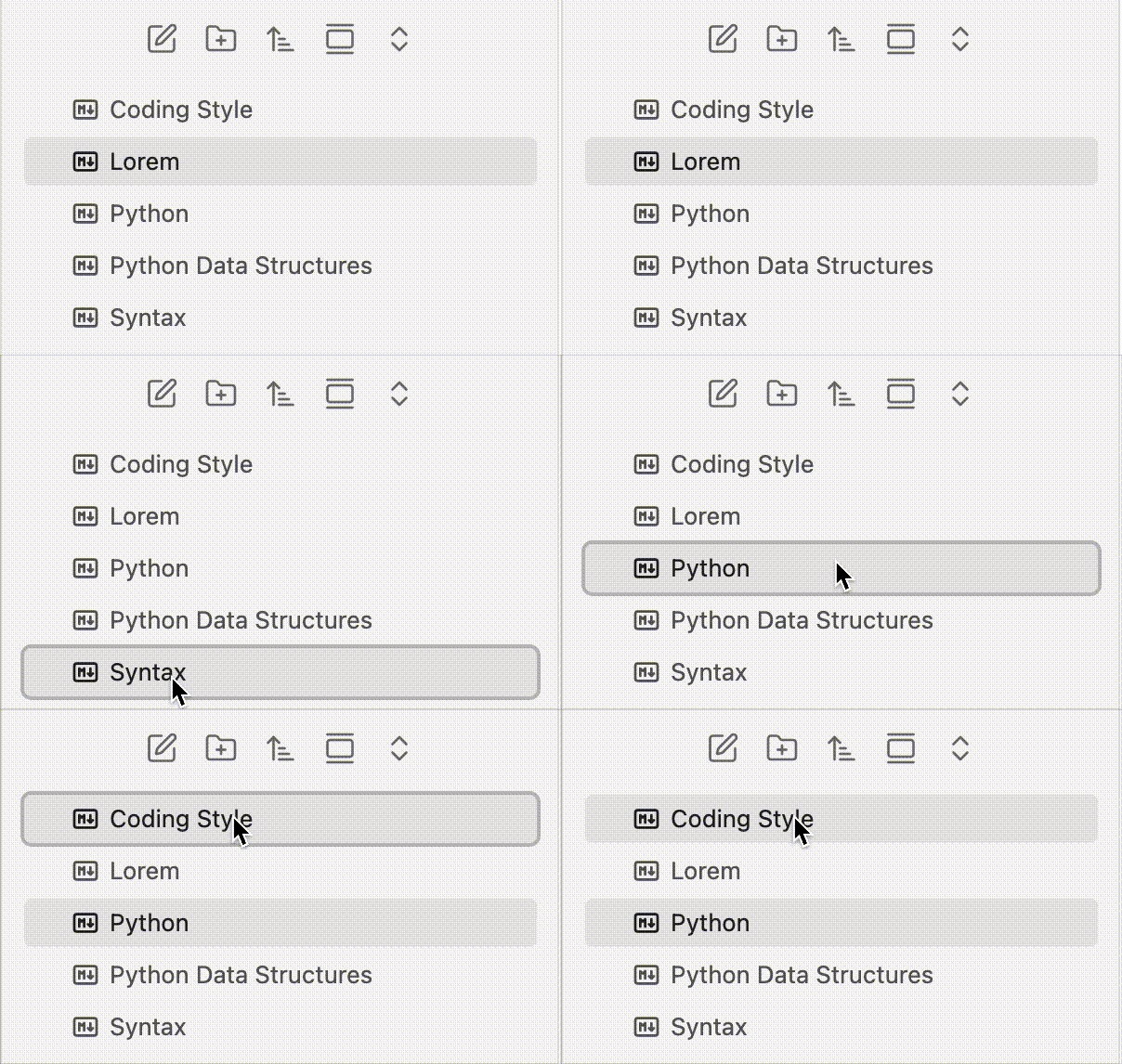
- Files: Clicking a file will open it normally, but immediately return keyboard focus (and the focus outline) back to the file explorer. This allows you to press
Enterto rename it or use arrow keys to navigate immediately without manually clicking the explorer again. - Folders: Clicking a folder's name will select and focus it, without automatically expanding or collapsing it. You can press
Enterto rename it. To expand or collapse a folder, click the arrow (>) icon on the left.
Demo
Installation
Community Plugins
- Search for Single Click Focusing in Obsidian's Community Plugins.
- Click Install and then Enable.
Manual Installation
- Download the latest
main.jsandmanifest.jsonfrom the Releases page. - Place them in your vault's
.obsidian/plugins/single-click-focusing/folder. - Reload Obsidian and enable the plugin.
Star History
License
This project is licensed under the MIT License.
HealthExcellent
ReviewPassed
About
Focus files and folders in the file explorer with a single click, returning keyboard focus so you can immediately press Enter to rename or navigate with arrow keys. Select a folder name without expanding it; use the folder arrow to expand or collapse.Details
Current version
1.0.5
Last updated
2 months ago
Created
3 months ago
Updates
1 release
Downloads
57
Compatible with
Obsidian 1.0.0+
Platforms
Desktop, Mobile
License
MIT