Simpromana
 Christian113 downloads
Project and task management: native commands, kanban board and project panel.
- Overview
- Scorecard
- Updates5
An Obsidian plugin for project and task management: a task flow graph, a
kanban board, a project side panel, and commands to keep Projects,
Tasks, and Reference notes wired together through frontmatter.
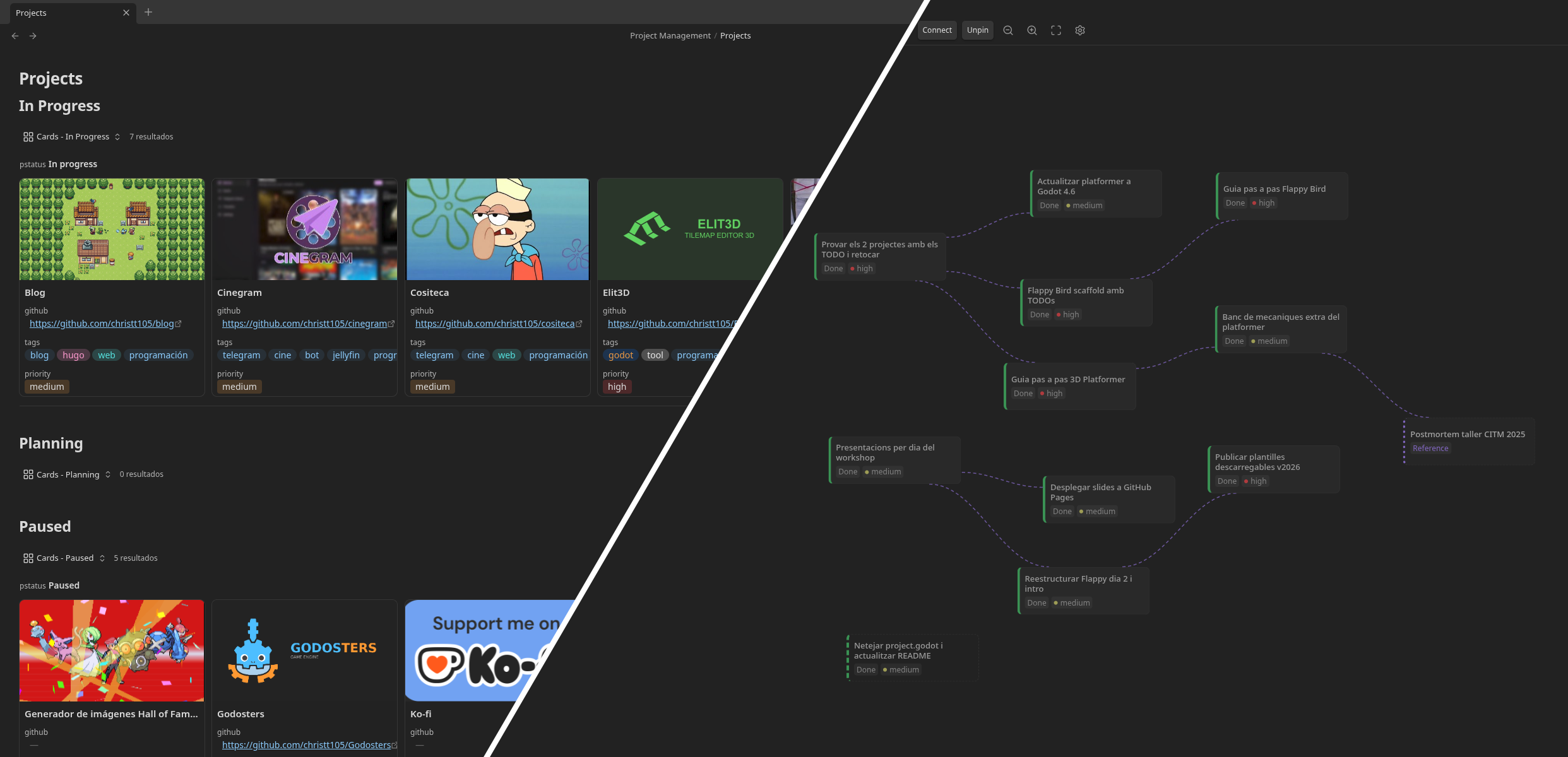
Features
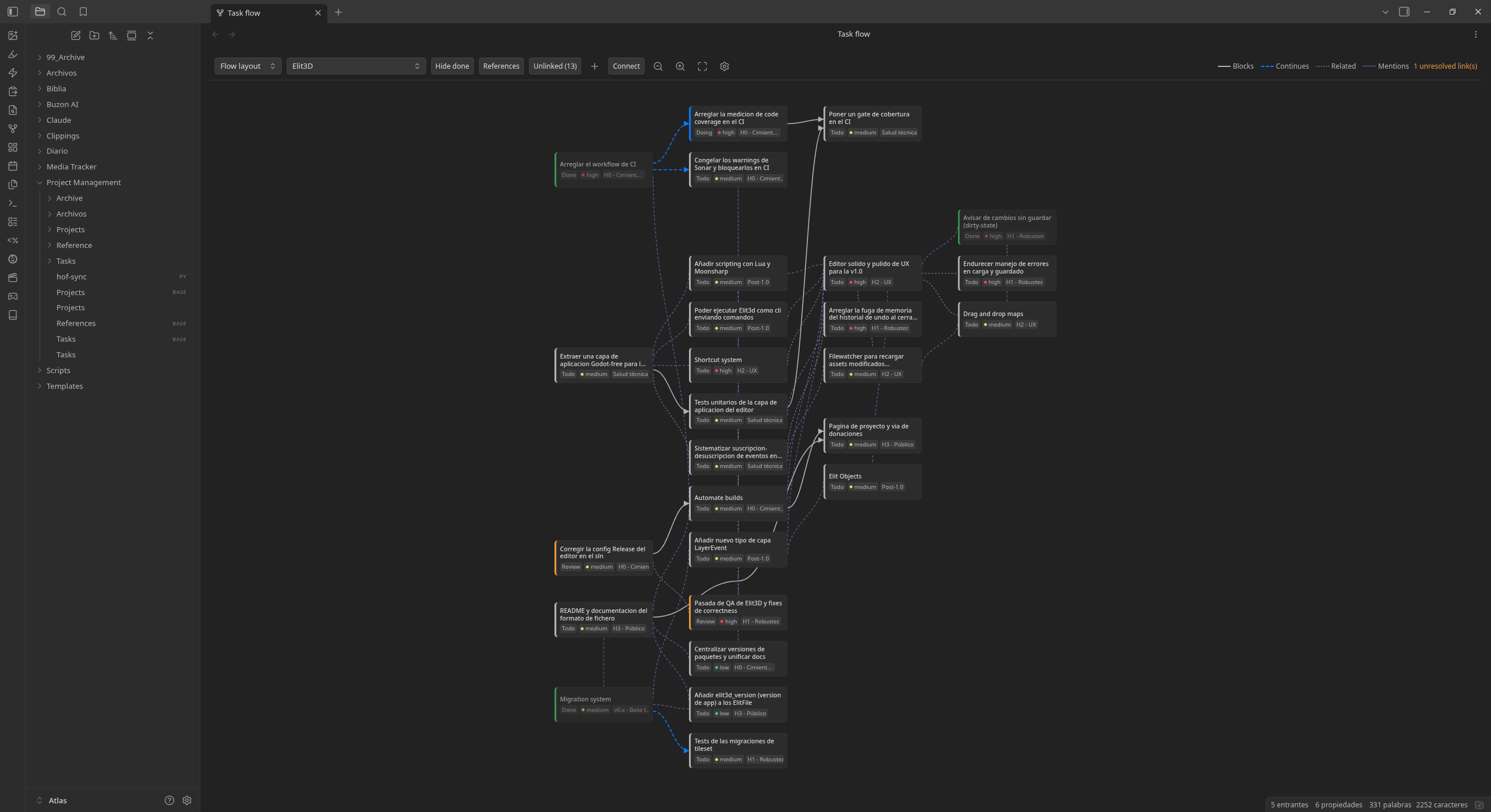
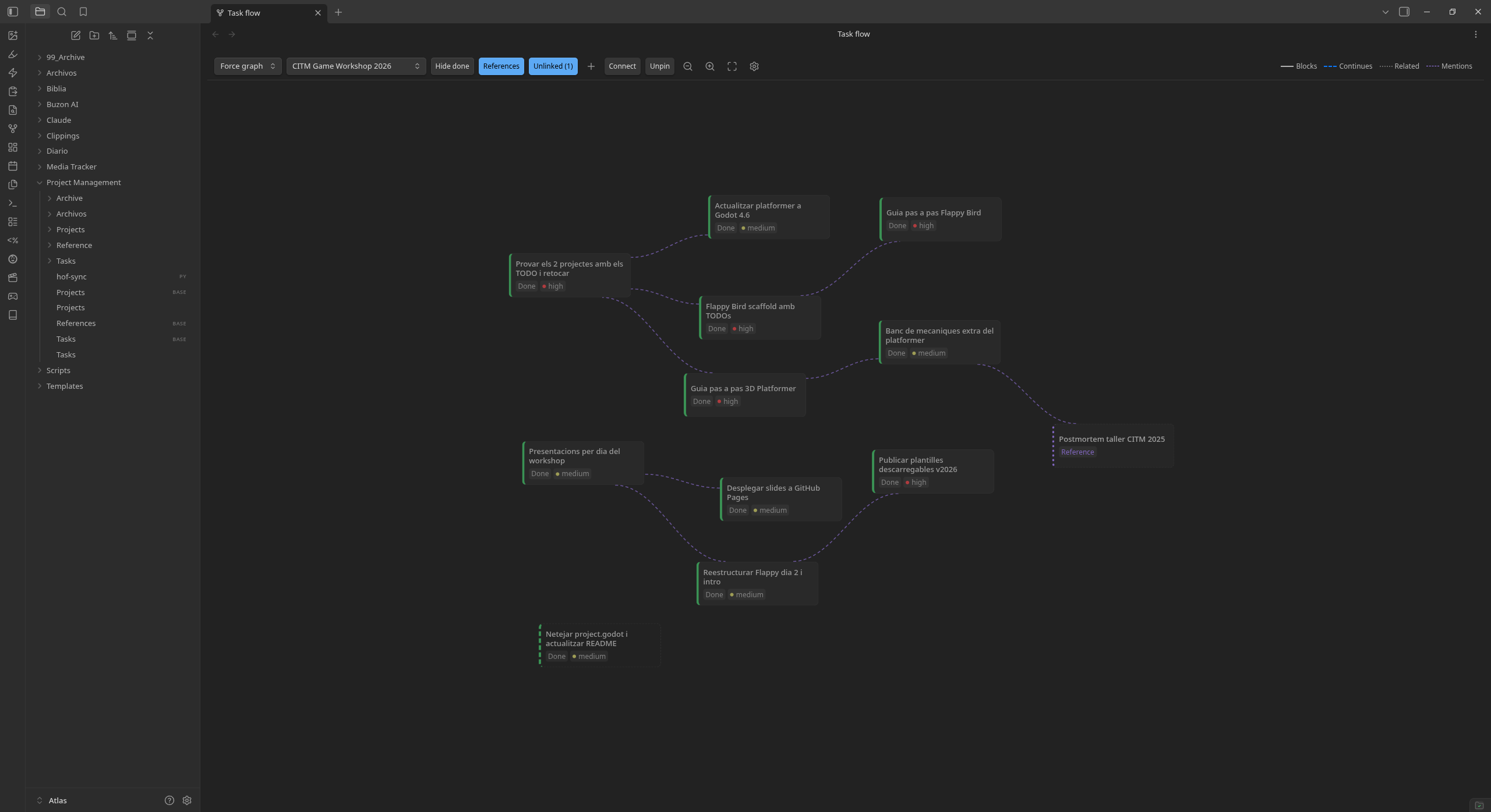
- Flow view: a graph of tasks and their relations (
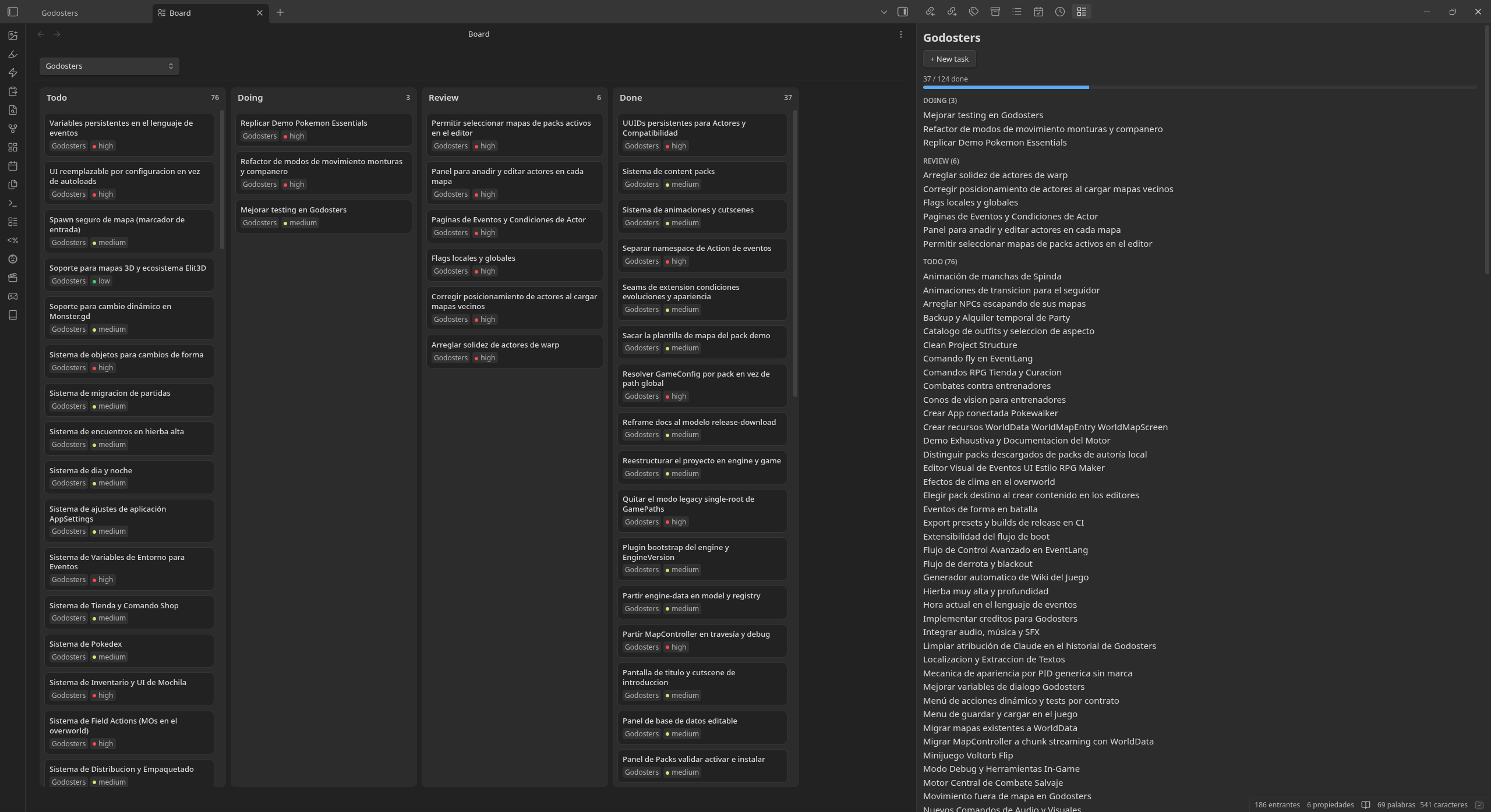
blocked_by,continues,related), grouped and laid out automatically. - Board view: a kanban board (Todo/Doing/Review/Done) with drag-and-drop status changes and an optional project filter.
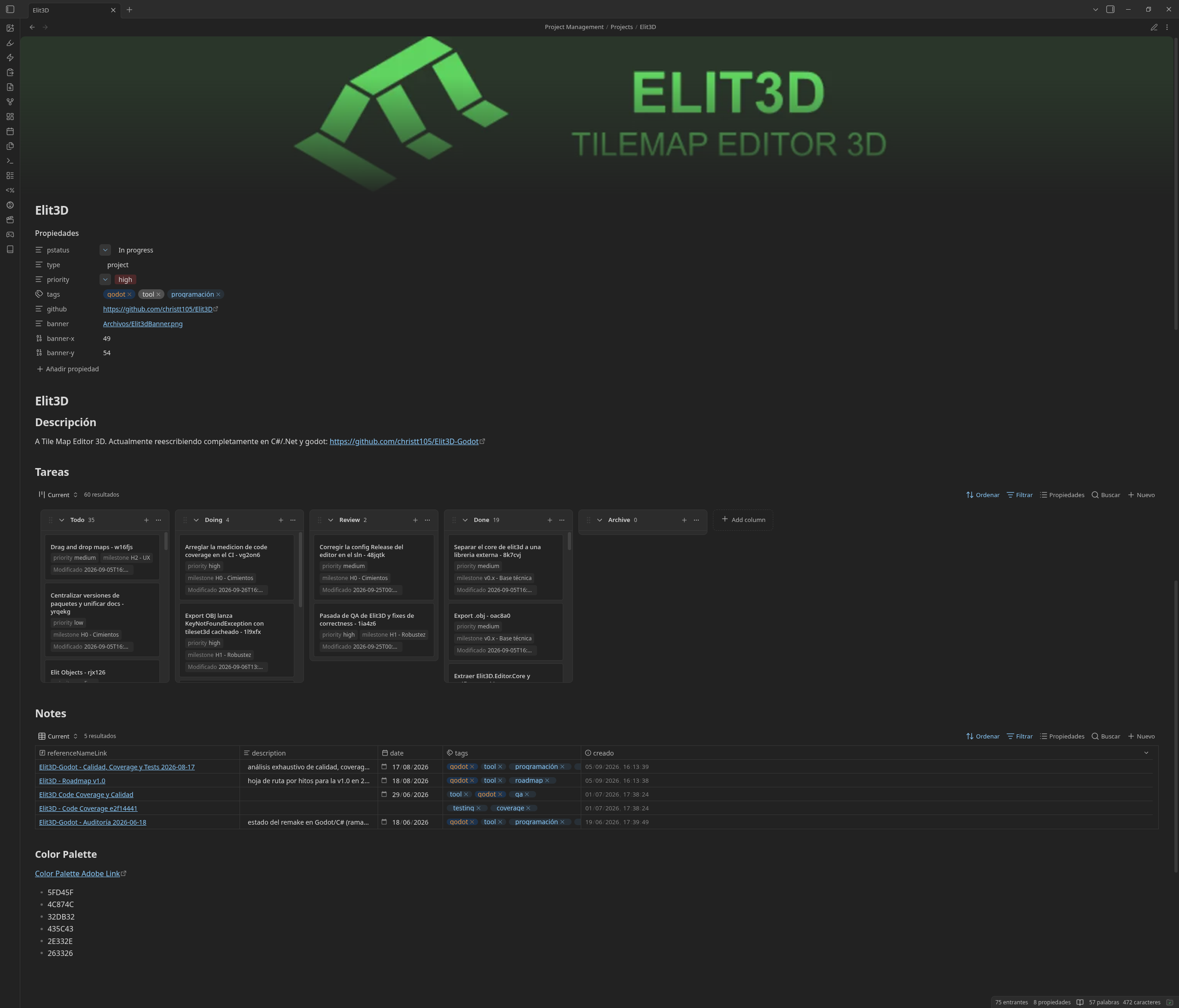
- Project panel: a side panel listing a project's tasks by status, with quick task creation.
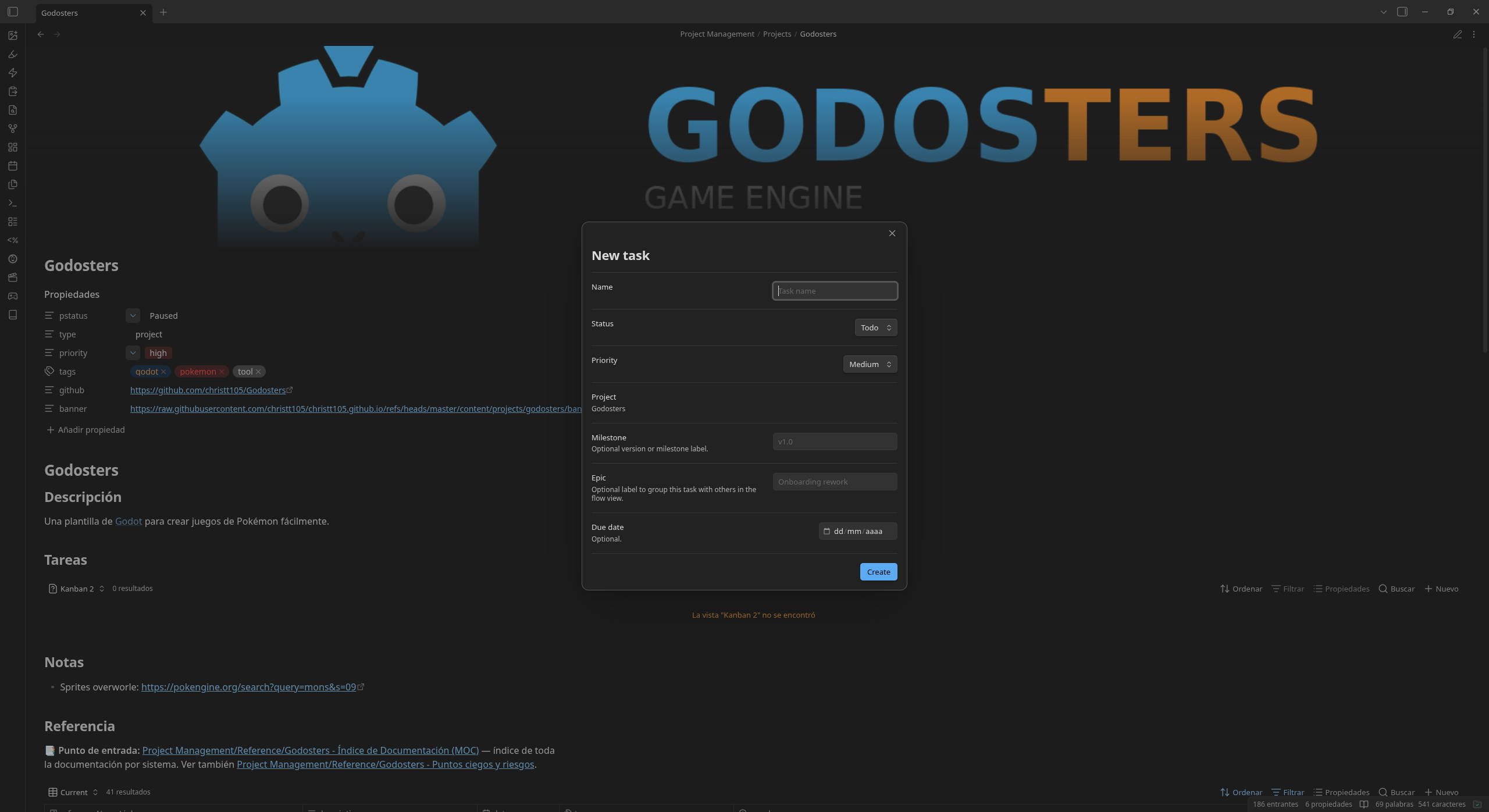
- Commands: New project, New task, New reference, and Archive current task, each scaffolding the right frontmatter.
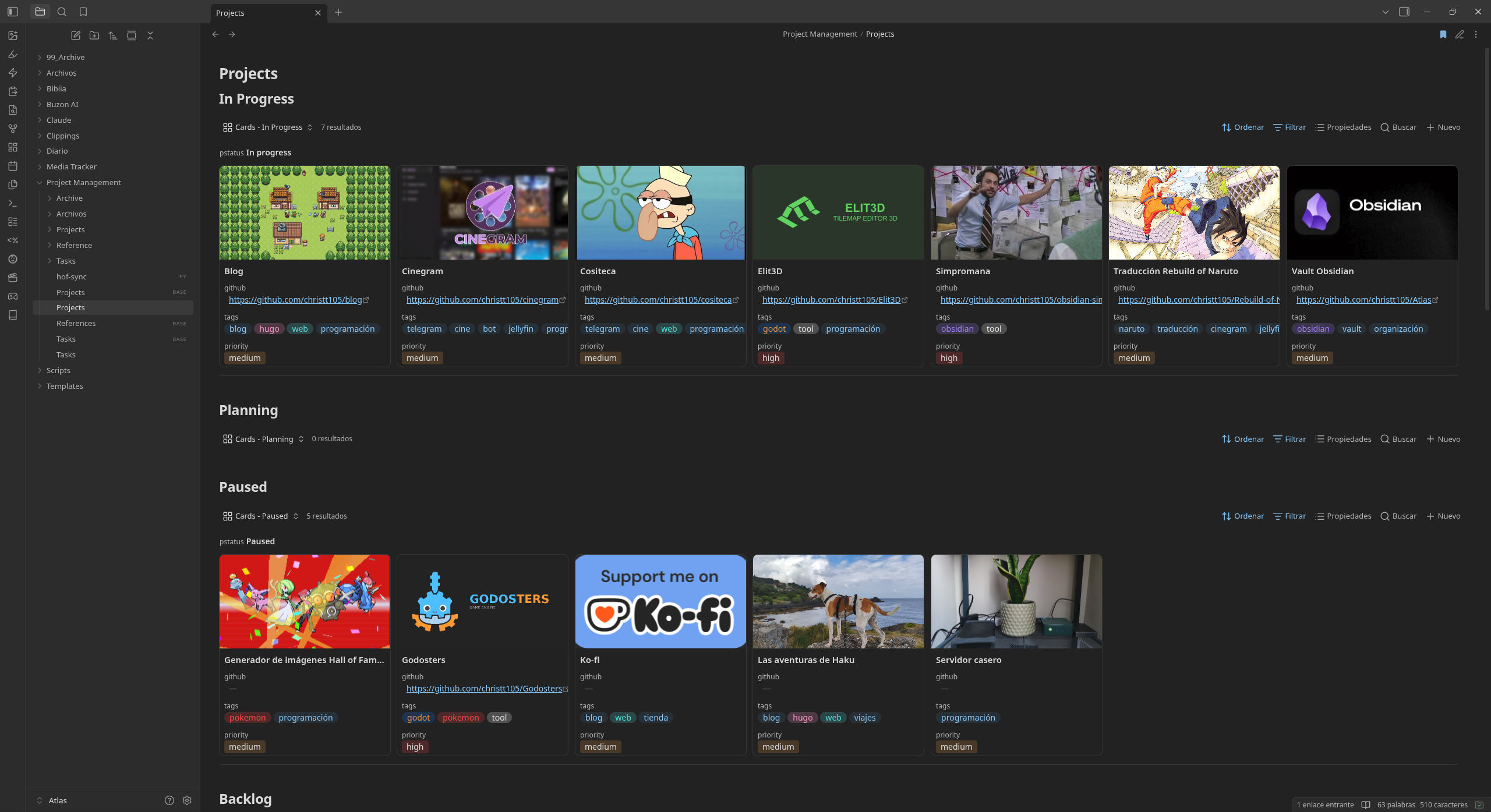
- Works alongside the core Bases plugin: project notes embed
Tasks.baseandReferences.baseviews for their own tasks and references. The Setup bases command creates whichever of the two is missing in the root folder; existing files are never overwritten.
Installation
Community plugins (recommended)
Open the Simpromana page on the Obsidian community site and install it from there, or:
- Open Settings → Community plugins → Browse.
- Search for Simpromana, install it, and enable it.
BRAT (pre-releases)
- Install the BRAT community plugin.
- In BRAT, Add beta plugin, and enter
christt105/obsidian-simpromana-plugin. - Enable Simpromana under Settings → Community plugins.
Manual
- Download
main.js,manifest.json, andstyles.cssfrom the latest release. - Copy them into
<vault>/.obsidian/plugins/simpromana/. - Enable Simpromana under Settings → Community plugins.
Release assets carry GitHub build provenance attestations, so you can
check they were built from this repository with
gh attestation verify main.js --repo christt105/obsidian-simpromana-plugin.
The frontmatter fields and folder conventions are opinionated, built around how I personally organize my own vault.
Requirements
- Obsidian 1.13.0+.
- The core Bases plugin, if you want the
Tasks.base/References.baseviews embedded in project notes. - Recommended: the community plugin Base Board,
which the generated
Tasks.baseviews use. Without it, those views fall back to a plain table.
Note types
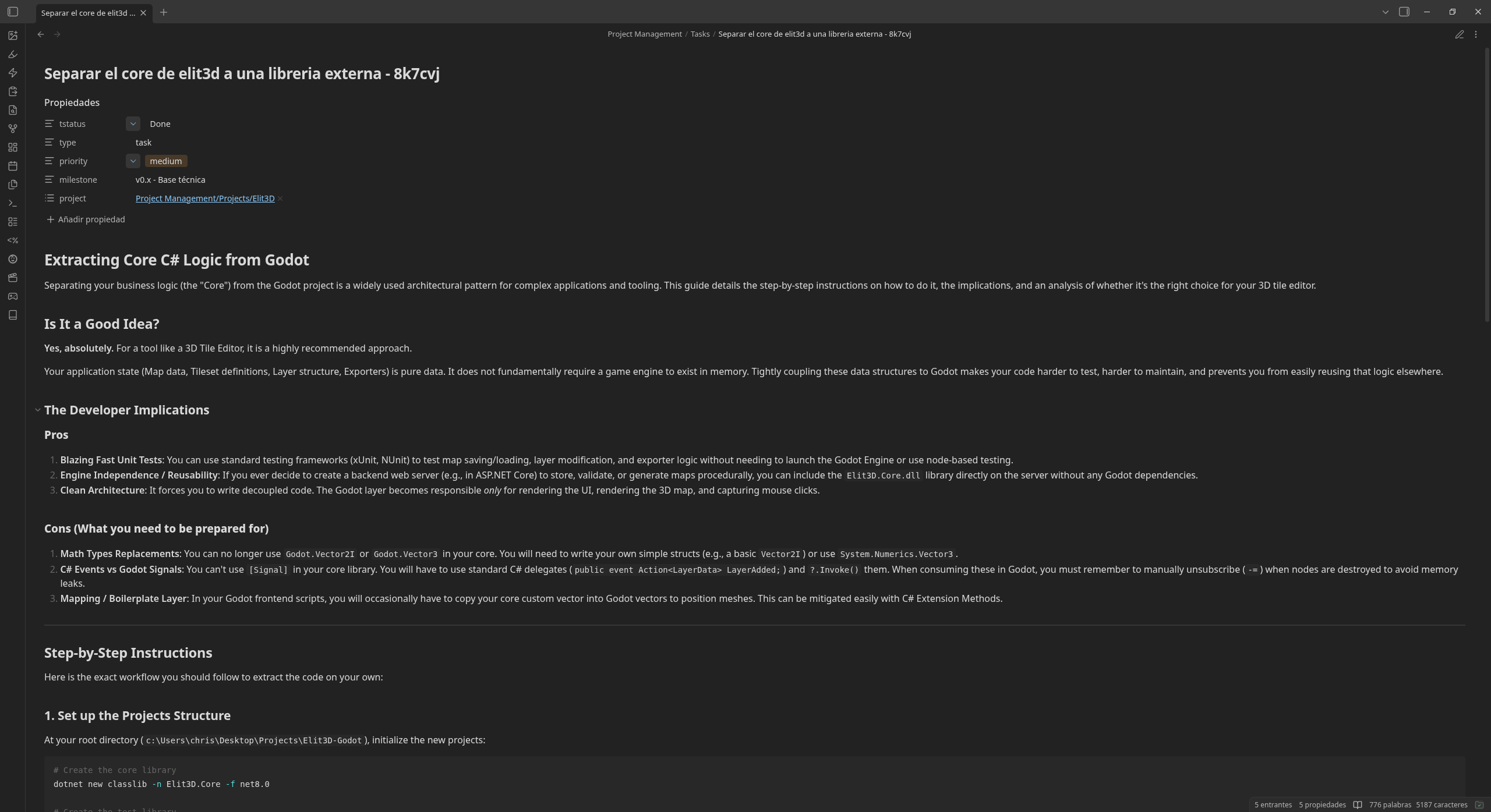
project(Projects/*.md): one per ongoing effort, created via New project.task(Tasks/Title - abc123.md): created via New task, with aprojectfrontmatter link back to its parent project.reference(Reference/Title - abc123.md): write-ups and audits, created via New reference, also linked back to aproject.
Frontmatter property names and status values are configurable (see
Settings). The type values (project/task/reference) are fixed.
Settings
Under Settings → Simpromana:
- The root folder and the
Projects/Tasks/Reference/Archivesubfolder names. - The frontmatter property names: note type (
type), project link (project), task and project status (tstatus,pstatus),priority,milestone,epic,due_date, and the keys new relations are written under (blocked_by,continues,related). The built-in relation aliases (blocks,depends_on,continued_by,follows,related_to, …) keep working. Renaming a property doesn't touch existing notes; rename it in them yourself, and re-run Setup bases after deleting the old.basefiles. - The status values: task statuses in board column order (default
Todo, Doing, Review, Done; the first is used for new tasks and the last counts as done), the status the Archive current task command sets (Archive), and the project statuses offered by New project.
Privacy
Simpromana lists the notes in your vault to find projects, tasks, and
references by their type frontmatter, and edits their frontmatter
when you change a status or a relation. It makes no network requests;
nothing leaves your vault.
Screenshots
License
Licensed under MIT License.