Simple Progress Bar
 Toby Chen632 downloads
A minimal and elegant plugin that visualizes your checkbox completion with beautiful progress bars.
- Overview
- Scorecard
- Updates2
A minimal and elegant Obsidian plugin that visualizes your checkbox completion with beautiful progress bars.
Features
Section Progress Bar
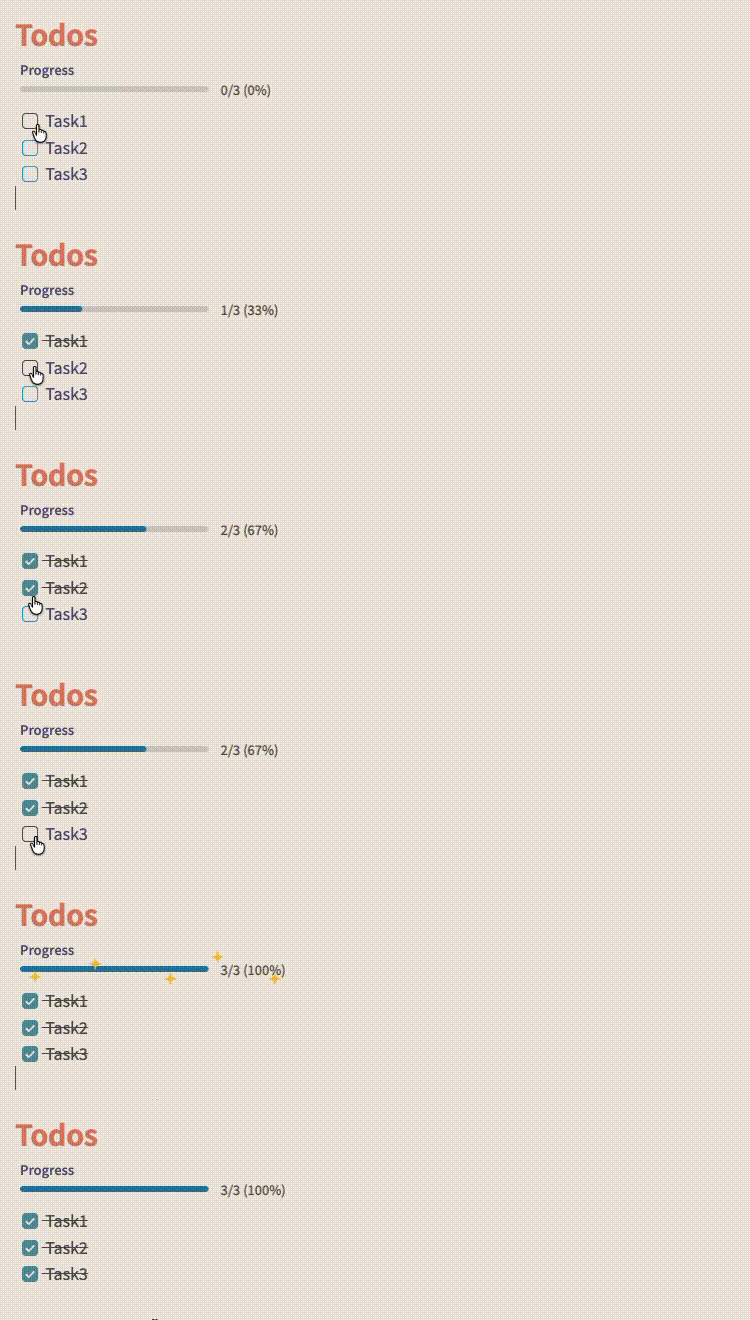 Track progress for specific sections using embedded progress bars. Simply add a code block:
```sp-bar
[YOUR TEXT]
```
The section progress bar automatically counts checkboxes within the same heading section.
Note Progress Bar
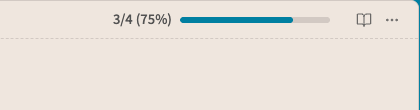
Displays a clean progress bar in the note header showing completion for all checkboxes in the current note. Updates in real-time as you check off tasks.
Usage
Automatic Note Progress
The note progress bar appears automatically in the header when your note contains checkboxes:
- [ ] Task 1
- [x] Task 2
- [x] Task 3
Embedded Section Progress
Add progress tracking to specific sections with the command palette command Simple Progress Bar: Insert inline progress bar, or type the code block manually:
## Section 1
```sp-bar
Progress
```

- [x] Task A
- [x] Task B
- [ ] Task C
The embedded bar will show: 2/3 (67%). If you select text before running the insert command, the selected text becomes the bar label.
Settings
- The settings page includes a quick-start card with exact command names.
- Show in note header - Toggle the note progress bar on/off.
Commands
Use these exact commands from Obsidian's command palette:
- Simple Progress Bar: Insert inline progress bar - Insert an
sp-barcode block at the cursor. If text is selected, it becomes the progress bar label. - Simple Progress Bar: Toggle note progress bar - Quickly show/hide the note progress bar.
- Simple Progress Bar: Show note progress bar - Show the note progress bar.
- Simple Progress Bar: Hide note progress bar - Hide the note progress bar.
The insert command is available from the command palette after the plugin is enabled. Open a markdown note before running it so the plugin knows where to insert the progress bar.
Installation
Manual Installation
- Download the latest release
- Extract files to
<vault>/.obsidian/plugins/simple-progress-bar/ - Reload Obsidian
- Enable the plugin in Settings → Community plugins
Development
See DEVELOPMENT.md for instructions on building and testing locally.
Troubleshooting
If the 100% completion animation does not play, or a local build looks stale after copying files, see TROUBLESHOOTING.md.
Features at a Glance
- Clean, minimal design that adapts to your theme
- Real-time updates as you check/uncheck tasks
- Note-wide progress tracking in the header
- Section-specific progress bars via code blocks
- Customizable label text for embedded bars
- Zero configuration required
Known Issue
- Obsidian may delay re-rendering a freshly edited
sp-barcode block until the note view refreshes. If an embedded bar does not appear immediately after editing the code block itself, switch notes or toggle reading/source mode once.
Support
Found a bug or have a feature request? Open an issue
License
MIT