Sidecalc
 aboleth32 downloads
Scientific calculator for your sidebar: SHIFT/ALPHA key layers, exact fractions and roots, ∫, d/dx, Σ and SOLVE with graphs, history and variables.
- Overview
- Scorecard
- Updates3
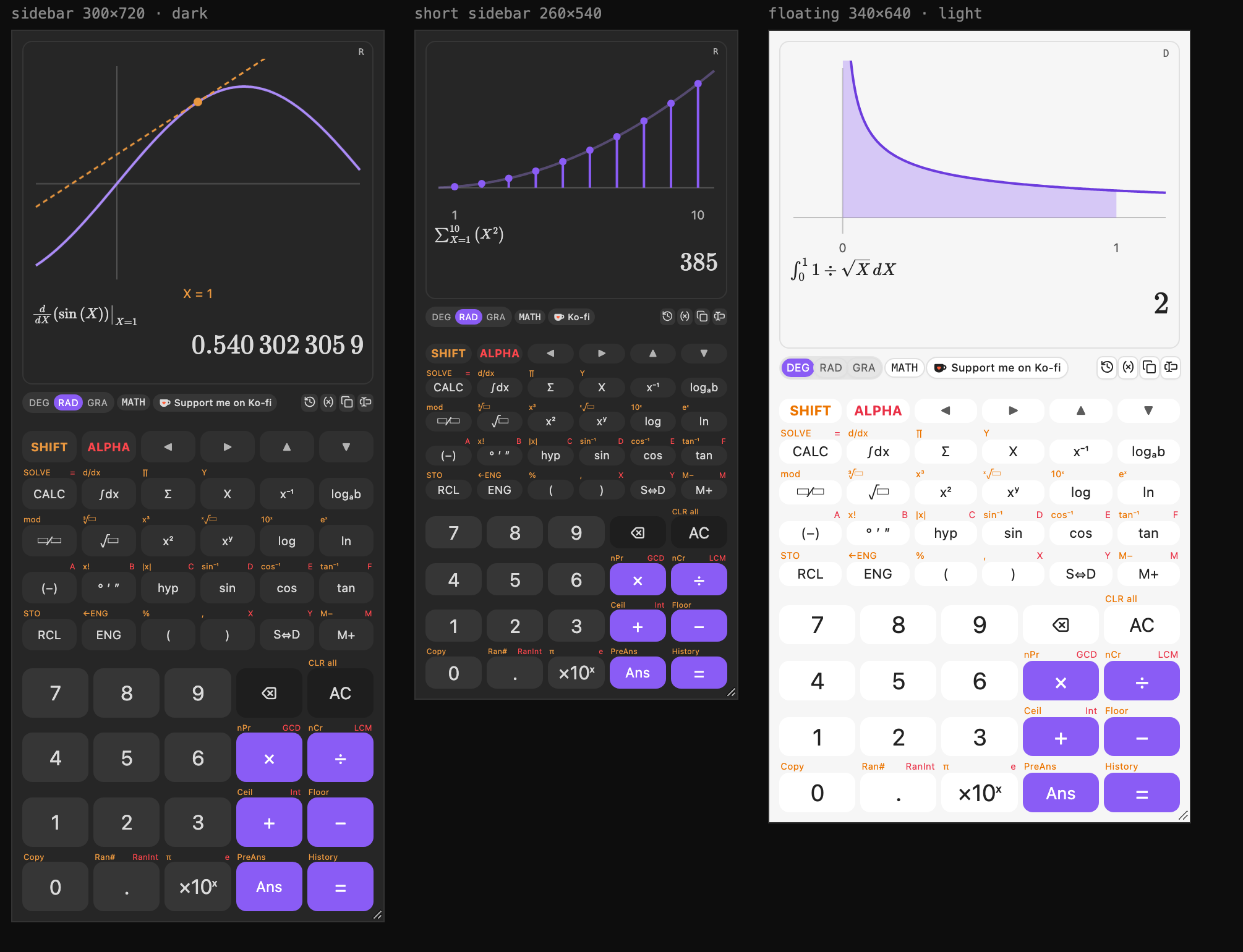
A scientific math calculator for Obsidian that lives in your sidebar, for homework, engineering and everyday sums. It works like a hardware scientific calculator: SHIFT and ALPHA key layers, natural fractions and roots, calculus, and an equation solver. It also shows a graph of what you just calculated.
Features
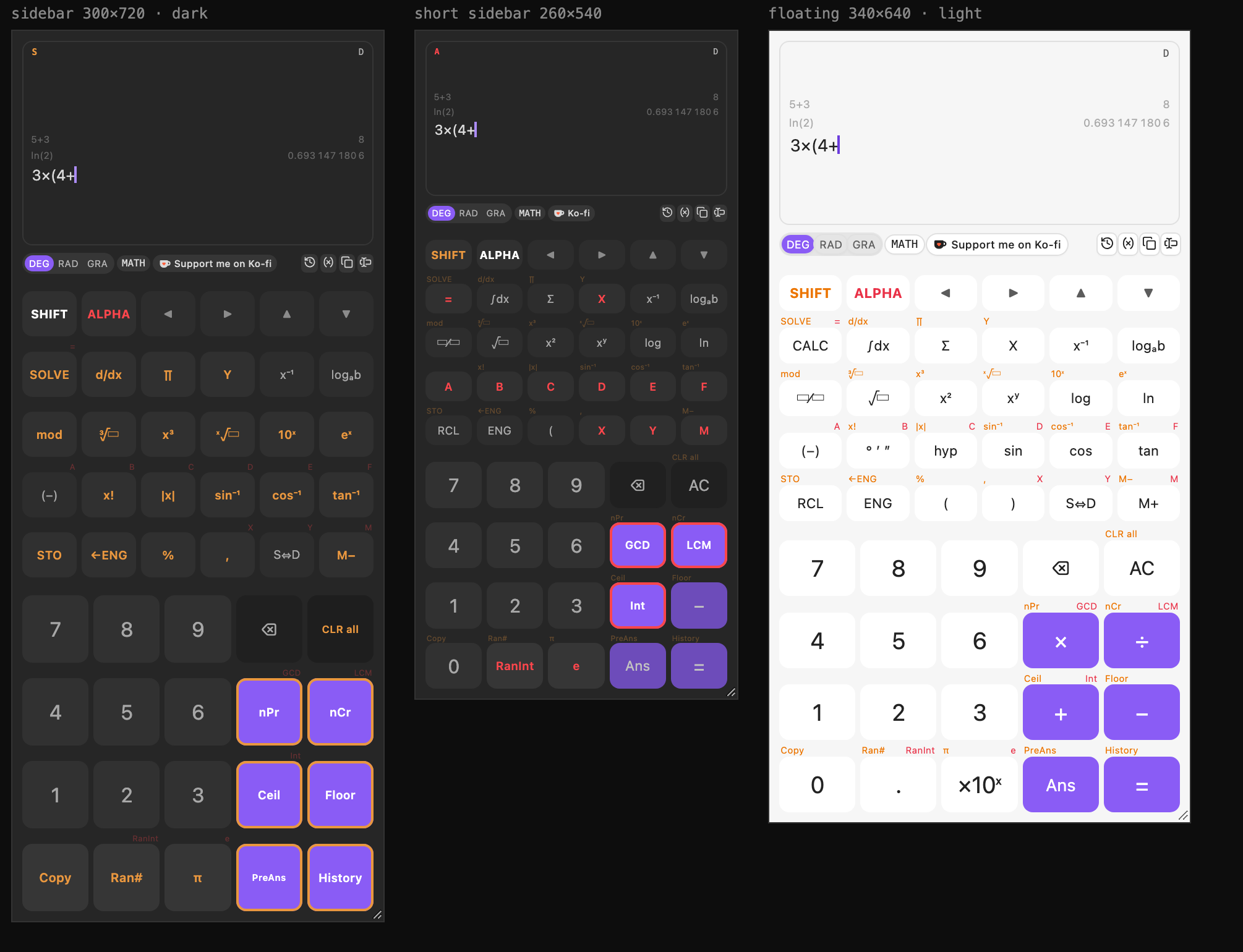
- Expression entry. Type the whole calculation, then press =. Missing closing brackets are added for you, and you can edit anywhere with ◀ ▶.
- SHIFT and ALPHA layers. Press SHIFT and every key's label changes to its second function; press ALPHA for the variables A–F, X, Y and M.
- Exact answers. Results show as fractions, roots and multiples of π (3/4, √2, 2π/3) in MATH mode. S⇔D switches to decimals, and ENG to engineering notation.
- Calculus.
- ∫dx: definite integrals, including ones with an end-point singularity like 1/√x.
- d/dx: derivatives at a point.
- Σ and ∏: sums and products.
- CALC and SOLVE. CALC evaluates an expression for values you enter. SOLVE finds a root, such as X in
X² = 2. - Graphs. After ∫, d/dx, Σ or SOLVE, the screen draws the curve with the area, tangent line, terms or root marked.
- Live answer. The result appears as you type, before you press =.
- History and memory.
- The last few calculations stay on screen; click one to reuse it.
- Ans and PreAns hold the last two answers, and A–F, X, Y and M are variables (STO to store, RCL to view).
- All of this is kept between sessions.
- Keyboard support. Type
integral(x^2,0,1),sin(30),5!ora=5straight into the calculator. Enter calculates and Esc clears. - Notes. Insert the answer, the full calculation or LaTeX at the cursor in your note.
- Floating window. On desktop, a command pops the calculator out into a small always-on-top window.
Install
In Obsidian, open Settings → Community plugins → Browse, search for Sidecalc, then select Install and Enable. You can also open the Sidecalc page in the community directory and choose Add to Obsidian.
Open the calculator from the calculator icon in the left ribbon, or with the command Sidecalc: Open scientific calculator. It needs Obsidian 1.13 or later and works on desktop and mobile.
Install by hand
- Download
main.js,manifest.jsonandstyles.cssfrom the latest release. - Put them in
<your vault>/.obsidian/plugins/sidecalc/. - Reload Obsidian and turn on Sidecalc under Settings → Community plugins.
Build from source
npm install
npm test                 # engine and calculator tests
npm run build            # type-check and bundle main.js
VAULT="/path/to/vault" npm run deploy   # build and copy into that vault
For a browser preview of the view outside Obsidian, see preview/build.mjs.
Support
If Sidecalc is useful to you, you can support me on Ko-fi.