Send to Canvas
 wenlzhang4k downloads
Send tasks, blocks, and notes to Canvas files as plain text, links, and embeds.
- Overview
- Scorecard
- Updates10
An Obsidian plugin that allows you to send tasks, blocks, and notes to Canvas files as plain text, links, and embeds.
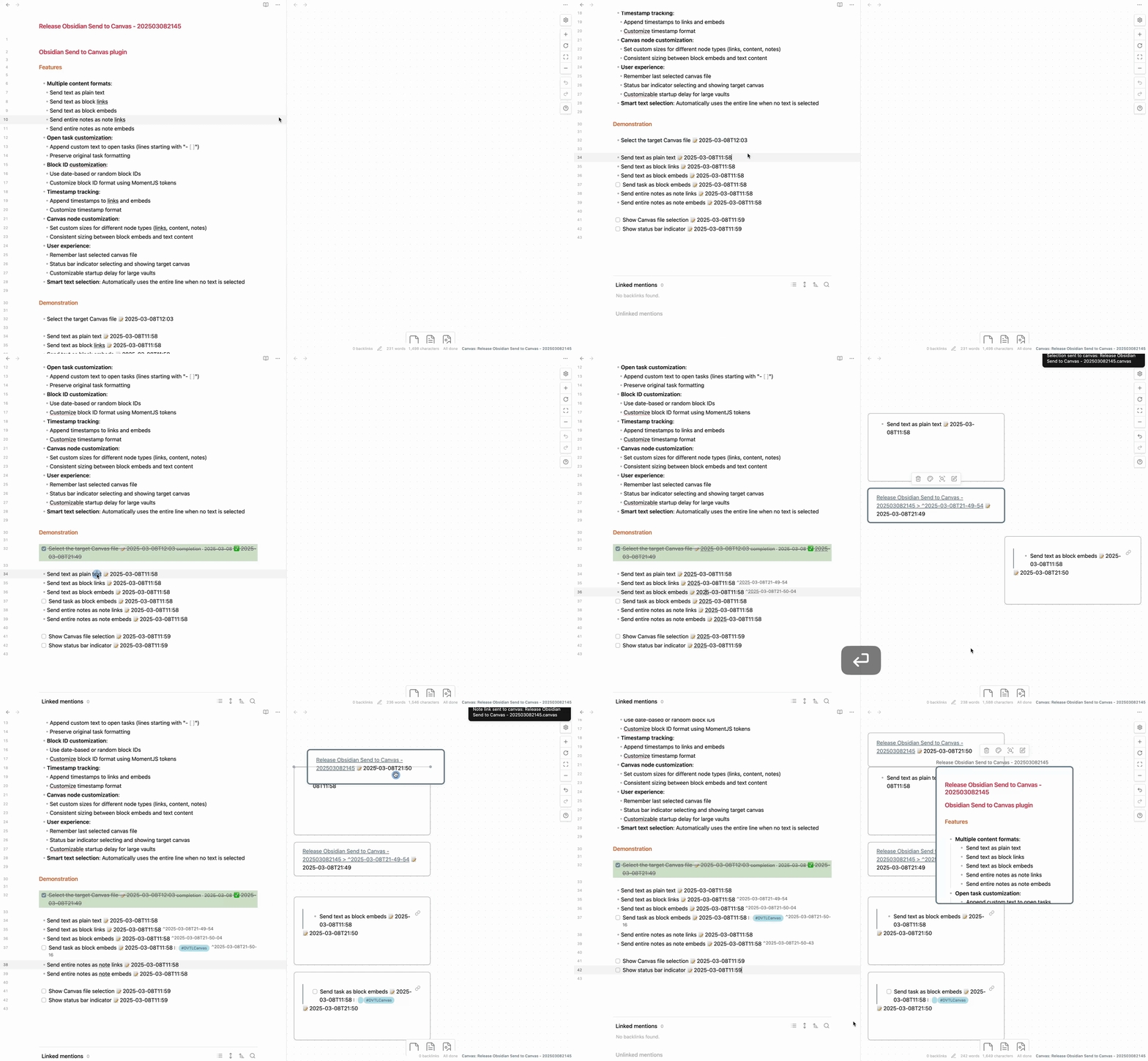
Features
- Multiple content formats:
- Send text as plain text
- Send text as block links
- Send text as block embeds
- Send entire notes as note links
- Send entire notes as note embeds
- Open task customization:
- Append custom text to open tasks (lines starting with "- [ ]")
- Preserve original task formatting
- Block ID customization:
- Use date-based or random block IDs
- Customize block ID format using MomentJS tokens
- Timestamp tracking:
- Append timestamps to links and embeds
- Customize timestamp format
- Canvas node customization:
- Set custom sizes for different node types (links, content, notes)
- Consistent sizing between block embeds and text content
- User experience:
- Remember last selected canvas file
- Status bar indicator selecting and showing target canvas
- Customizable startup delay for large vaults
- Smart text selection: Automatically uses the entire line when no text is selected
Videos and Articles
Videos
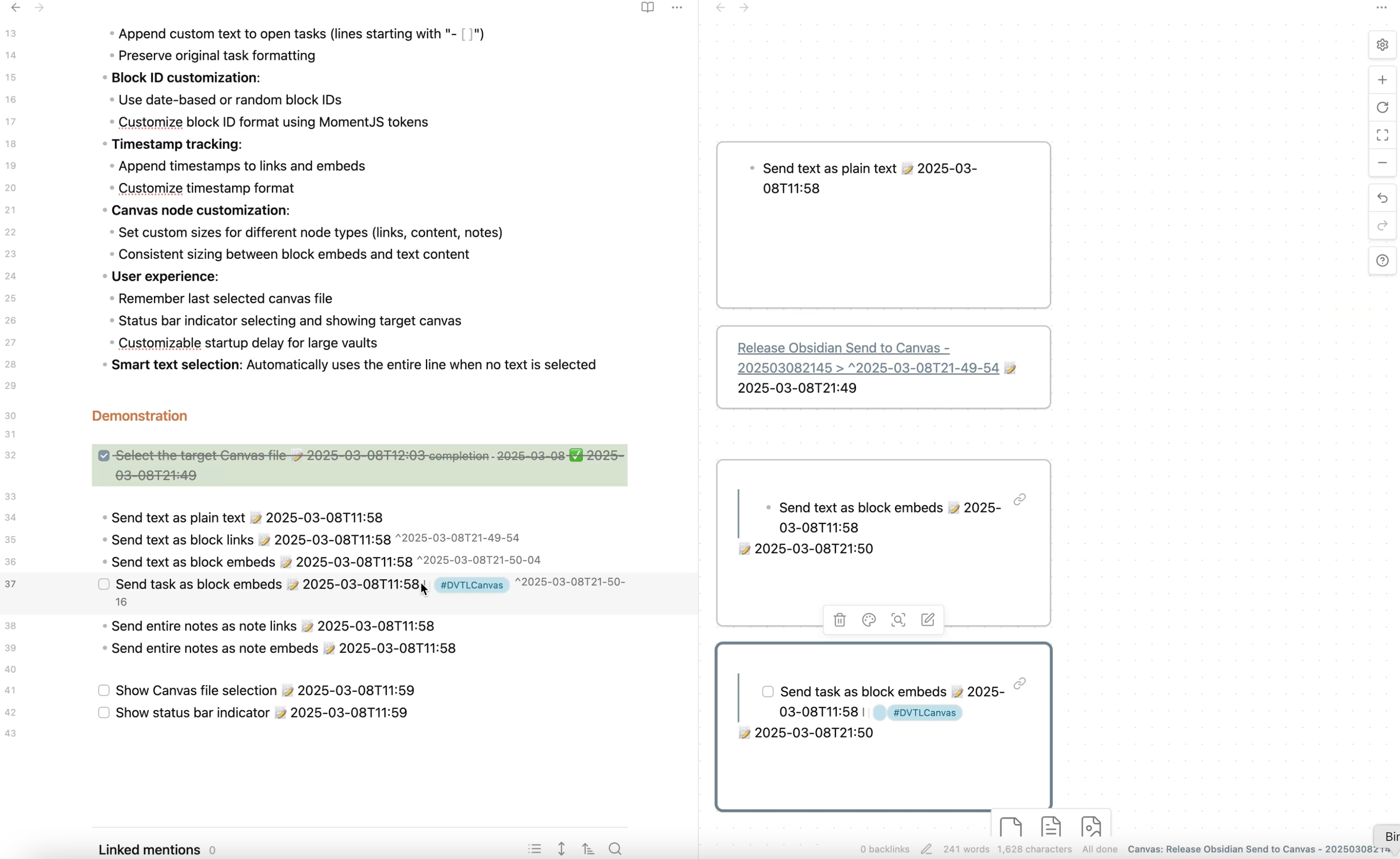
Commands
- Send block text: Send the selected text (or current line) to canvas as plain text
- Send block link: Send the selected text (or current line) to canvas as a block link
- Send block embed: Send the selected text (or current line) to canvas as a block embed
- Send note link: Send the current note to canvas as a note link
- Send note embed: Send the current note to canvas as a note embed
Documentation
Visit the documentation site to learn how to make the most of Send to Canvas in your Obsidian workflow.
Support & Community
This plugin is developed and maintained during my free time. A lot of thought, energy, and care goes into making it reliable and user-friendly.
If you find Send to Canvas valuable in your daily workflow:
- If it helps you send content to your Canvas files more effectively
- If it saves you time and mental energy navigating your Canvas files
Please consider supporting my work. Your support would help me dedicate more time and energy to:
- Developing new features
- Maintaining code quality
- Providing support and documentation
- Making the plugin even better for everyone
Ways to Support
You can support this project in several ways:
- ⭐ Star the project on GitHub
- 💝
- 💌 Share your success stories and feedback
- 📢 Spread the word about the plugin
- 🐛 Report issues to help improve the plugin
Thank you for being part of this journey! 🙏
HealthGood
ReviewCaution
About
Send tasks, blocks, and notes from Obsidian to Canvas files as plain text, block or note links, or embeds. Customize block IDs, timestamps, and node sizes; append text to open tasks and preserve formatting, with smart selection and status-bar target tracking.Details
Current version
0.3.4
Last updated
Last year
Created
2 years ago
Updates
10 releases
Downloads
4k
Compatible with
Obsidian 1.0.0+
Platforms
Desktop, Mobile
License
Apache-2.0
Sponsor