Semantic Canvas
 Aaron Gillespie8k downloads
Create semantic knowledge graphs using Canvases to modify note properties graphically.
- Overview
- Scorecard
- Updates6
[!tip] There is a Demo video!
This is a plugin for Obsidian gives canvases the power to edit file properties visually.
Set properties for all Markdown files included in your canvas based on their group membership, links to files, links to cards, and links to web embeds. Create new properties or edit existing ones on multiple markdown notes at once through the canvas. Create semantic links (aka typed links or labeled links) between notes and work with them using an intuitive graph-based approach. Use notes to create canvases. Use canvases to update notes.
New in V1.2
Now capable of more fine-grained controls:
- Pull properties into existing canvases
- Update properties for individual nodes, rather than all at once
- Option to ignore a set of customizable set of property keys
Example Screenshots
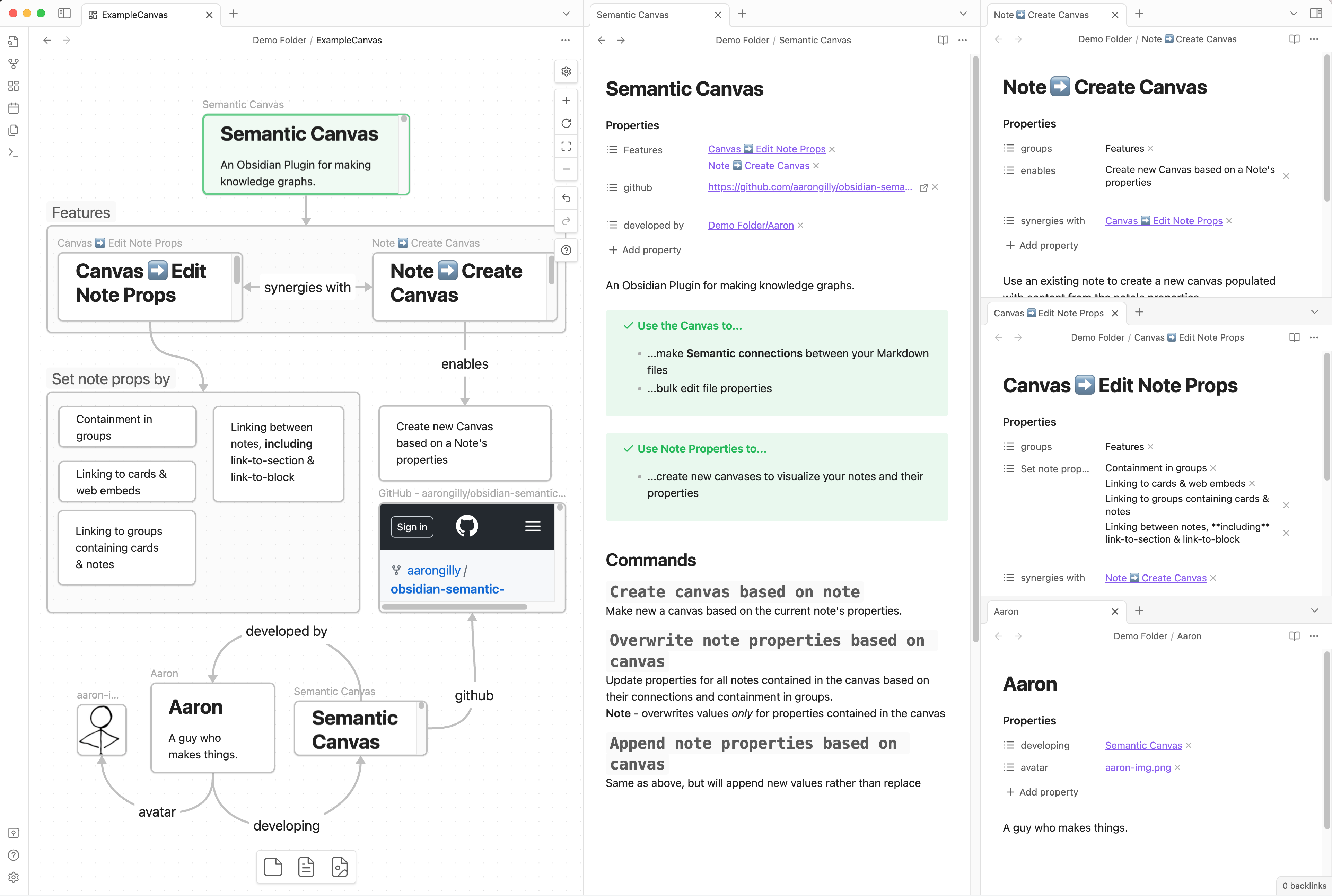
Canvas → Edit Note Props
One command to make this canvas...
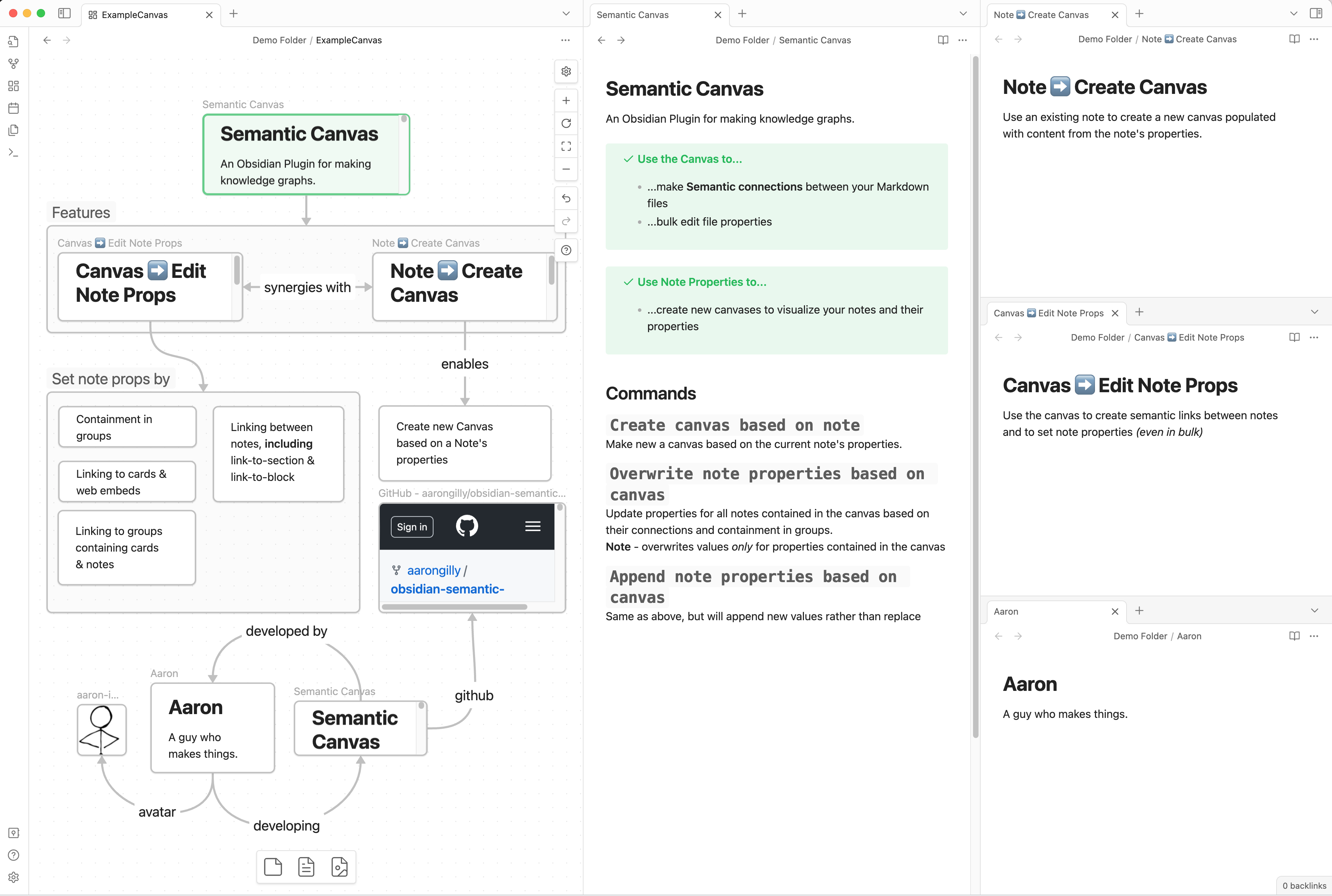
...update properties of all the notes it contains:
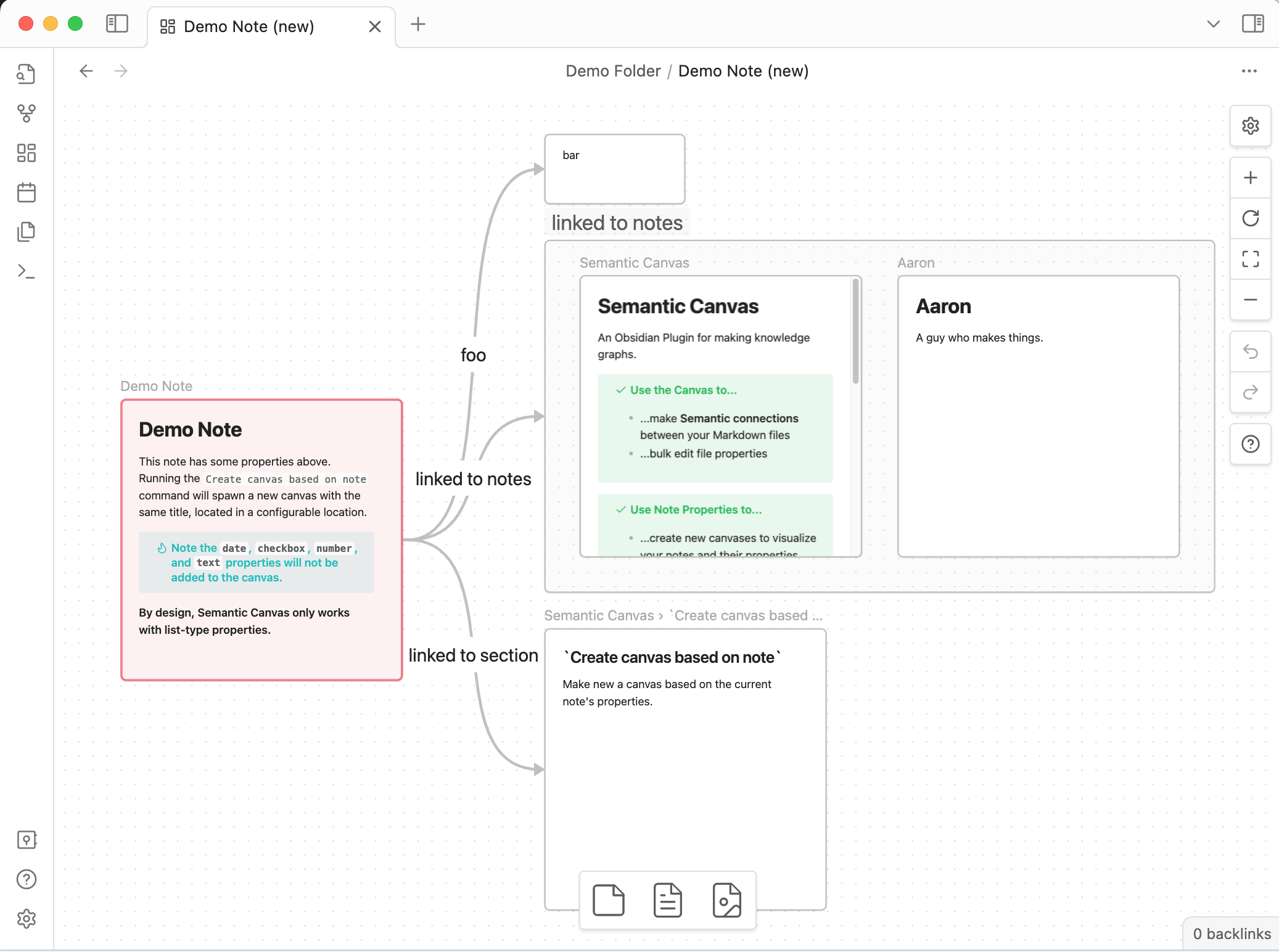
Note → Create Canvas
Another command to turn this note...
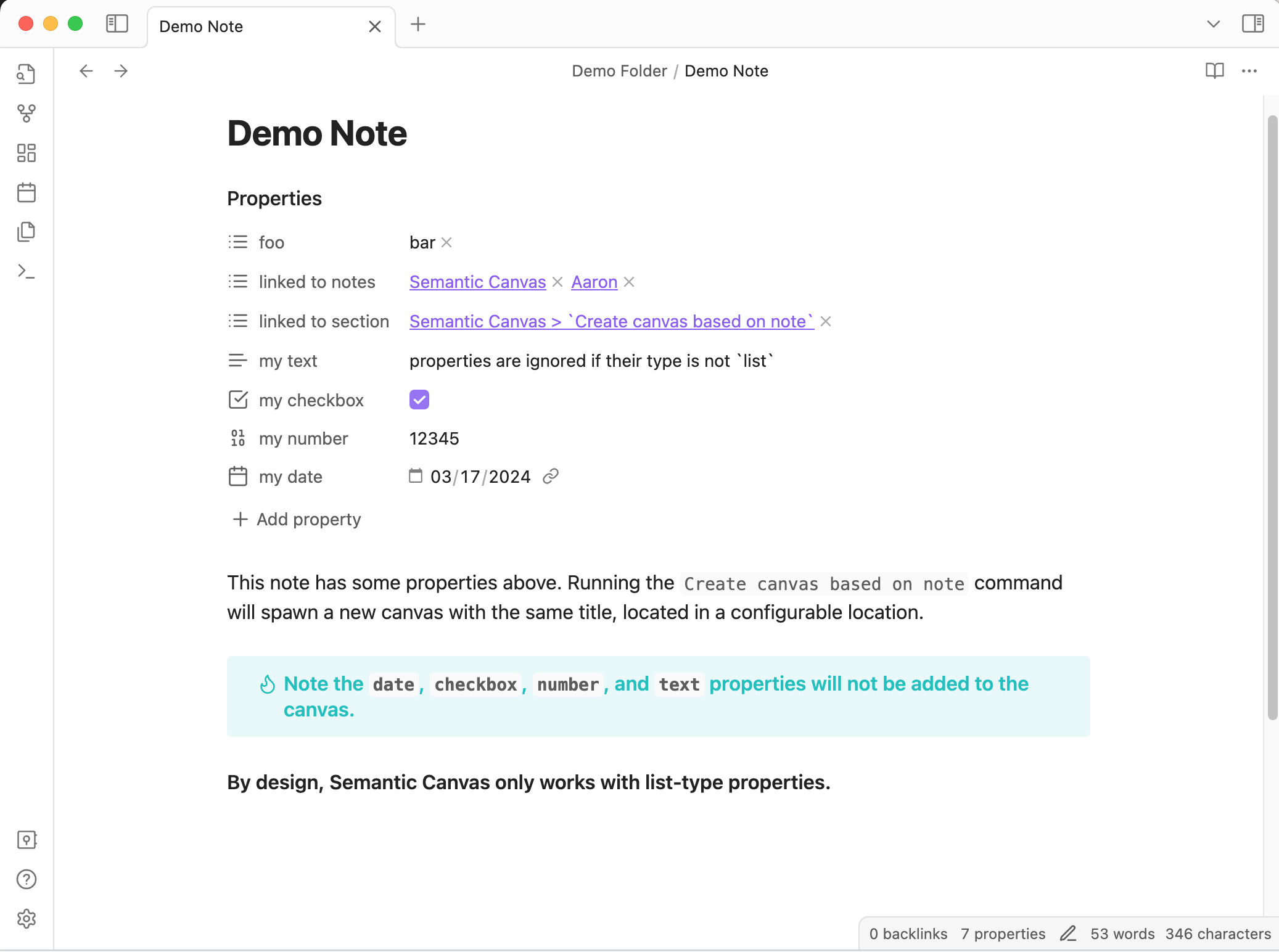
...into a new canvas containing its list-type properties:
Use Cases
- Building & representing knowledge graphs
- Mass editing properties
- Venn Diagrams & Kanbans
Usage
This plugin adds functions to the command palette and note/canvas menus.
Open a canvas then use command palette or file menu to run:
Semantic Canvas: Append Note Properties based on canvas- Will add to note properties without removing any
Semantic Canvas: Overwrite Note Properties based on canvas- Will replace note properties
Open a note then use use command palette or file menu to run:
Semantic Canvas: Create canvas based on note
Right click on nodes in a canvas to:
Pull note properties in to canvas- Will create new nodes and arrows to fully represent all the list-type properties for the selected node
Show existing connections- Will create new arrows, but not nodes
Append properties in note&Overwrite properties in note- Will update the note frontmatter according to the connections in the canvas
Behaviors
📖 Node Types
Nodes on a canvas are typed as one ofcard,url,file, orgroup.
Canvas → Edit Note Files
Semantic Canvas modifies properties of Markdown files based on how they're connected to nodes (i.e. files, groups, cards, urls) in the active Canvas. See the four example screenshots below to see how different canvas situations are turned into properties.
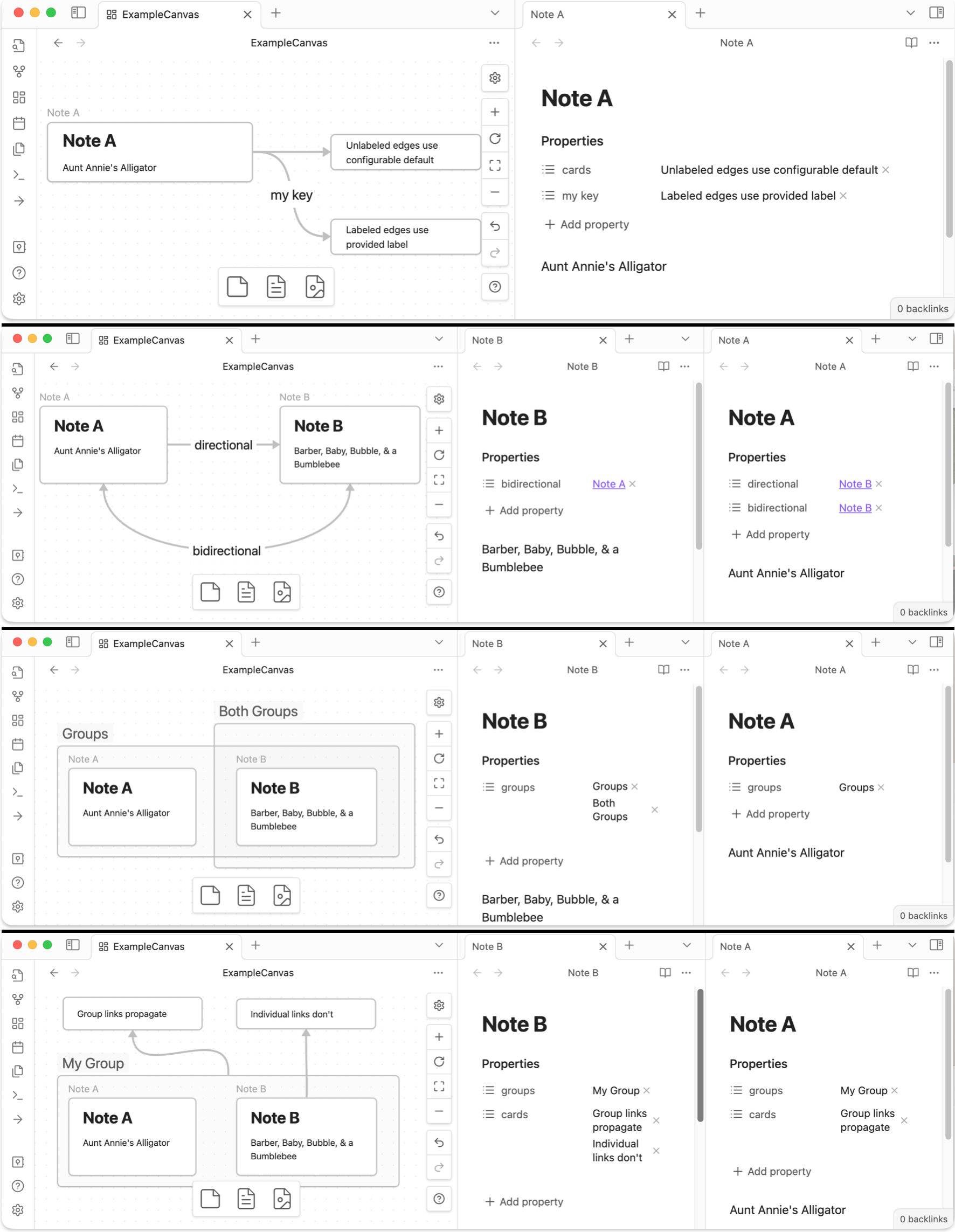
- Each Node Type behavior can be toggled off.
- If an edge is labeled, the property set on the
filewill use that label as the property key. - If an edge is unlabeled, the property set on the
filewill use the default label for that node type. - If a group contains notes, those
fileswill have theirgroups(by default) property set to the value of the title(s) of the group(s) the note is contained in. - If a note is connected to a
group, it behaves as though the note is connected to every node contained in the group
Note → Create Canvas
📋 Properties are always List-typed
It is not possible to edit Text, Number, Checkbox, Date, or Date & Time properties using this plugin.
Semantic Canvas creates a new canvas file based on the active note. It will be placed in a configurable location, and will graphically represent all list-type properties. This canvas could then be edited manually, and those changes can be pushed back to the related notes.
Attribution
Thank you to Ben Hughes, whose work on the awesome Link Exploder was enormously helpful.