Sector Tasks
 Tom Leonhardt719 downloads
A dashboard for handling tasks in an intuitive, time-based fashion, grouped by configurable tags. Requires Obsidian's Task plugin and single-file storage.
- Overview
- Scorecard
- Updates25
An Obsidian task dashboard in the style of belki, but reading and writing a single Markdown file in Tasks-plugin format (emoji syntax), requires the Obsidian Tasks Plugin. Grouping follows configurable sector tags — designed for Carl Pullein's Time Sector System, but usable with any tag scheme.
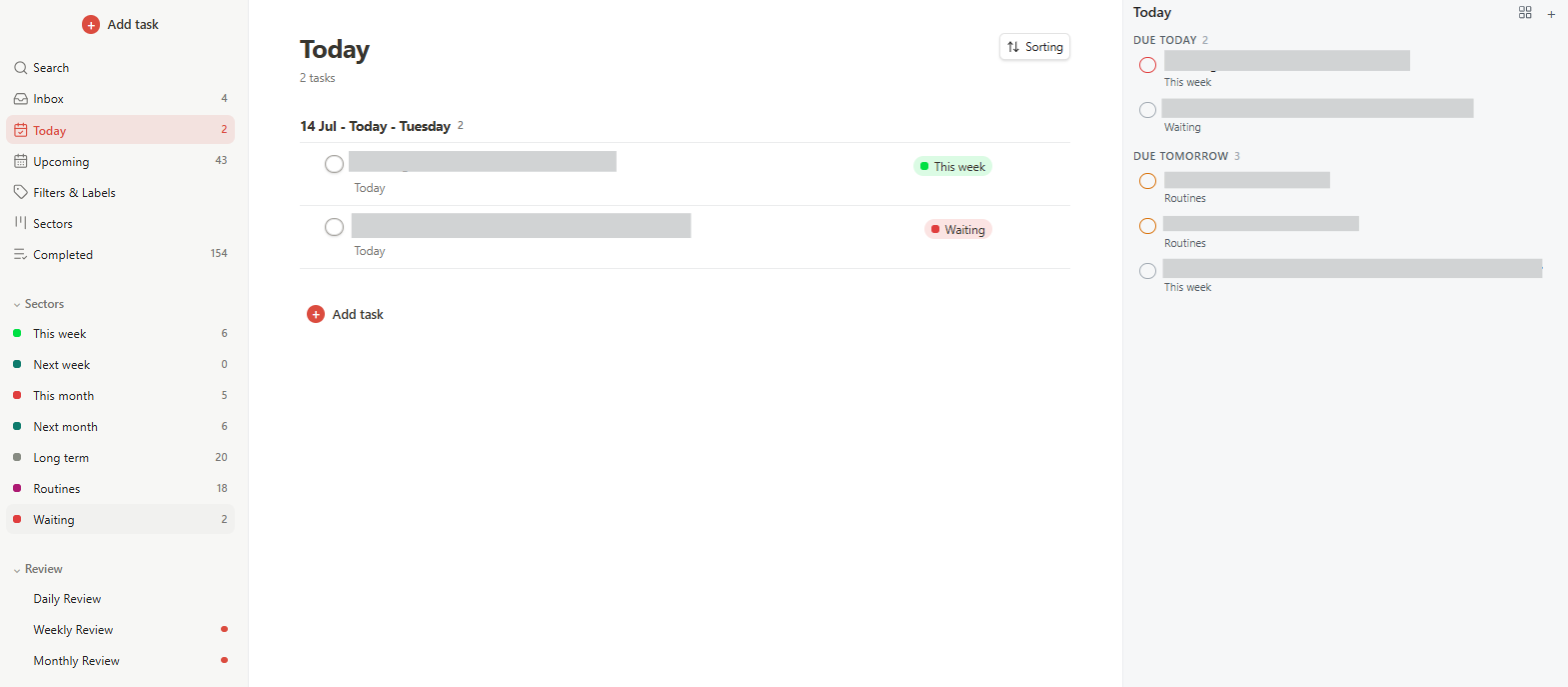 Overview.
The Time Sector System
The default sector setup implements the Time Sector System by productivity coach Carl Pullein. Its core idea: instead of organizing tasks by project, you organize them by when you will do them — this week, next week, this month, next month, or long term. Processing a new task then requires only one decision: When will you do it? Daily, weekly and monthly planning sessions move tasks up between sectors; routines and waiting-for items live in their own sectors. The system builds on Pullein's COD workflow (Collect, Organise, Do): capture everything quickly, organise by time sector, then focus on doing this week's list. Pullein explains it in depth on his YouTube channel.
However, this plugin doesn't enforce any of that: sectors are just configurable tags, and you can name, order, and review them however you like.
Why
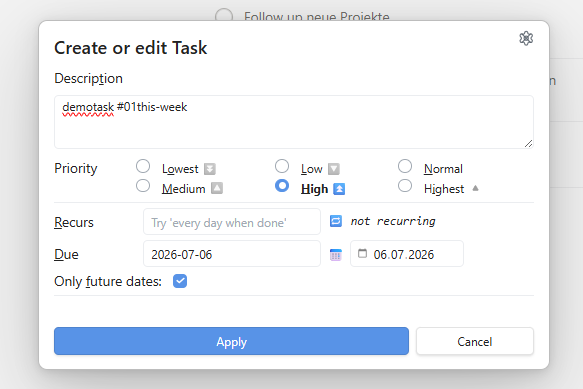
Many task plugins manage their own data format. But if you already use the Tasks plugin, you want a single source of truth in the file — not a second, parallel task syntax. Sector Tasks only reads/writes Tasks-compatible lines and delegates creating/editing to Tasks' own input modal. The board itself is pure view + sorting, not its own task engine.
Features
Board & sectors
- Board view grouped by sectors (default:
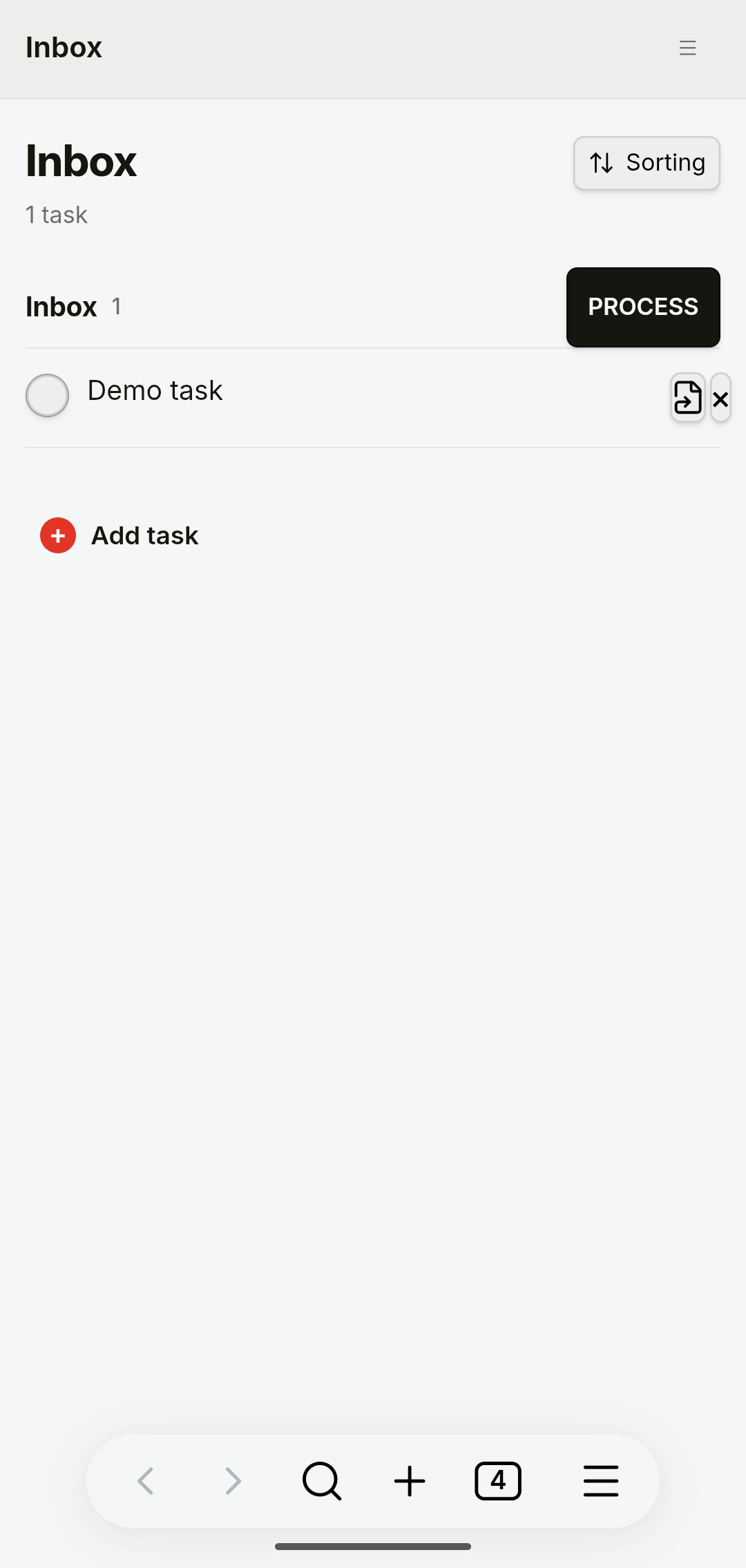
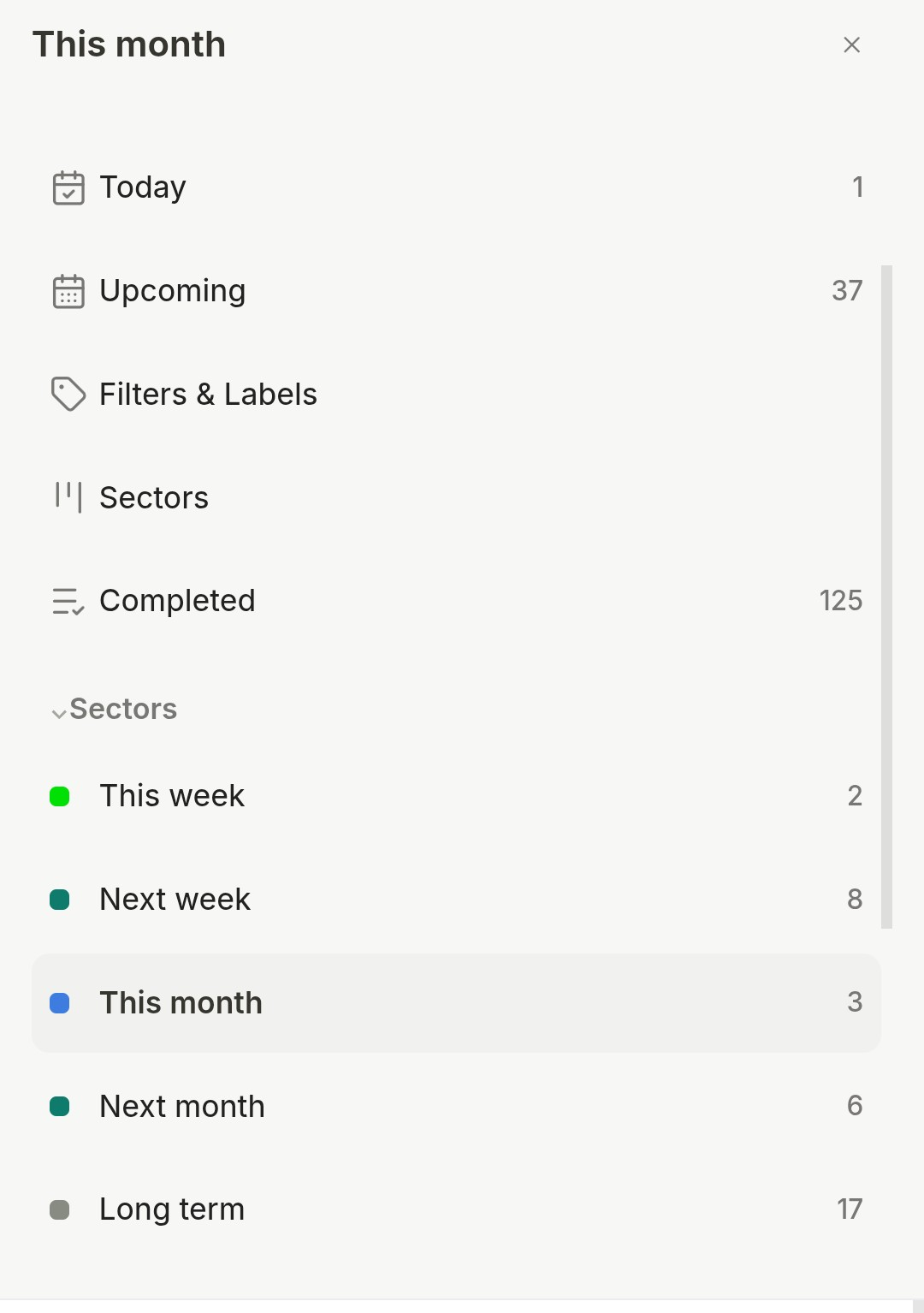
#01this-week→#02next-week→#03this-month→#04next-month→#05longterm→#routines→#waiting), plus an Inbox for tasks without a sector tag - Sectors are fully configurable: tag text, display name, order, and count can all be adjusted, including automatic migration of already-tagged tasks when renaming; one sector can be marked Waiting for (its own review handling instead of the sector logic)
- Multi-select (Ctrl/Cmd+click) with shared drag-and-drop (sector, due date, Inbox)
- Sort modes: smart, due date, priority, deadline, created, project
- Full-text search across all tasks; the Open search command jumps straight to it — assign a hotkey under Obsidian's Settings → Hotkeys — and an optional setting excludes completed tasks from results
- Jump button per task: opens the underlying note at the matching
🆔line
Capturing & editing
- Creating & editing tasks exclusively through the native Tasks modal (
apiV1.createTaskLineModal/editTaskLineModal) — full compatibility with Tasks free-text syntax, including recurrences likeevery 15 july - Only lines tagged
#taskare managed; everything else in the file is left untouched; additional#tagson the line are preserved - Quick add task (Inbox) command: opens the Tasks modal and files the new task straight into the Inbox — assign it a hotkey under Obsidian's Settings → Hotkeys to capture tasks without opening the board
- Right-click due dates: right-click any task row (board or Today sidebar) to set the due date to Today / Tomorrow / Next week or clear it, without opening the Tasks modal
Reviews
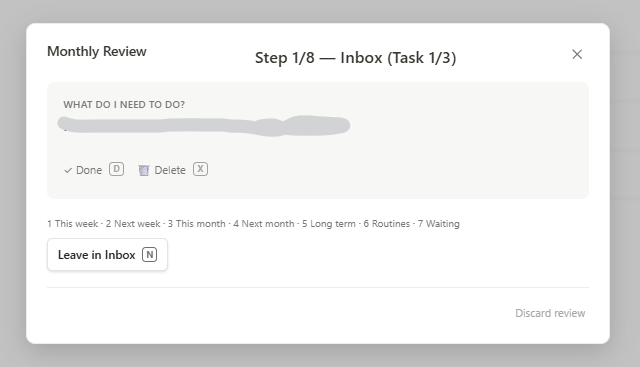
- Each sector can be independently included in Weekly and/or Monthly Review — no fixed positional assumption about which sectors belong where
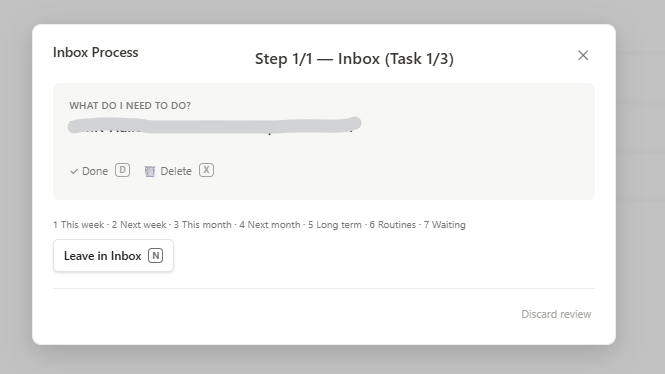
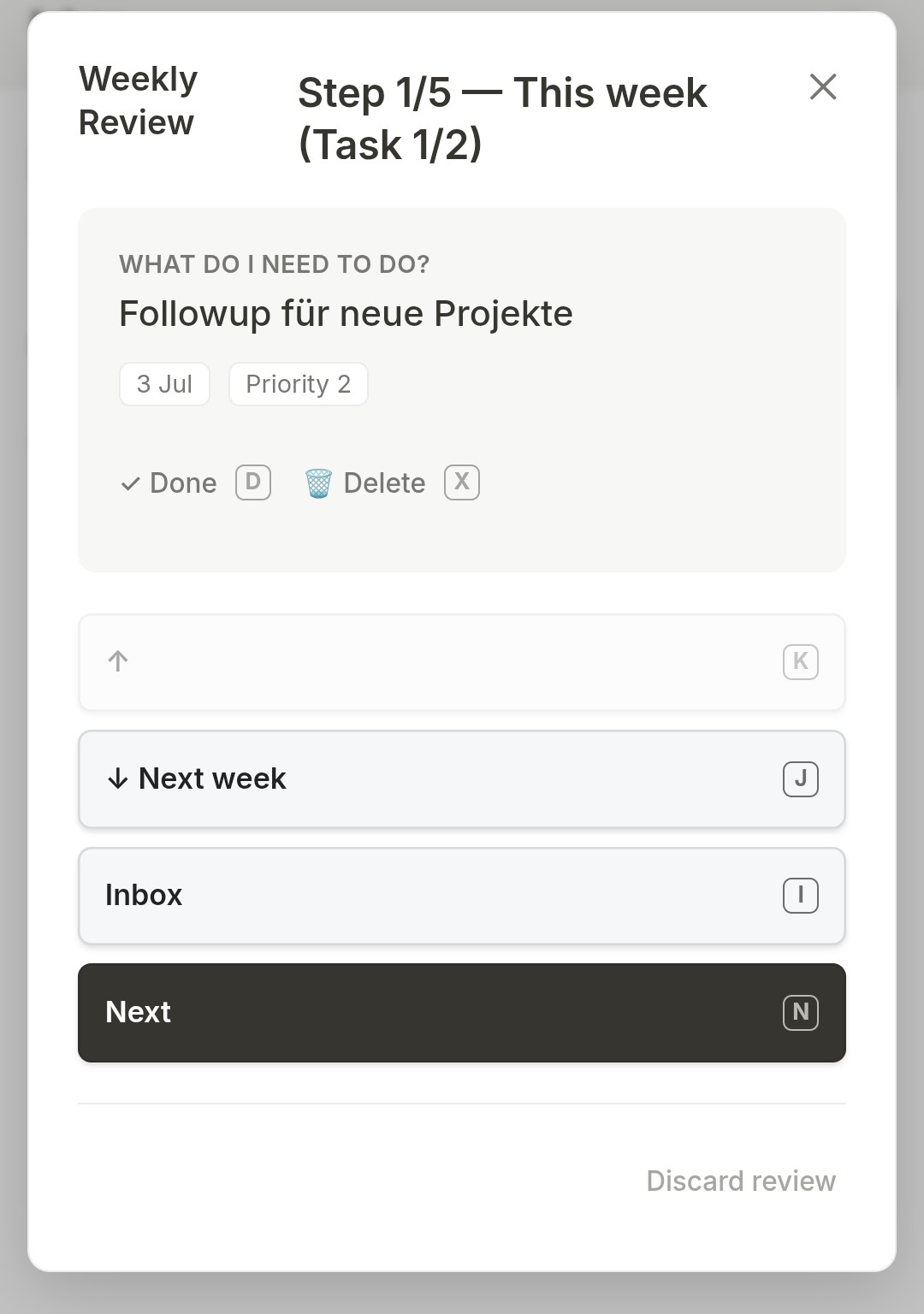
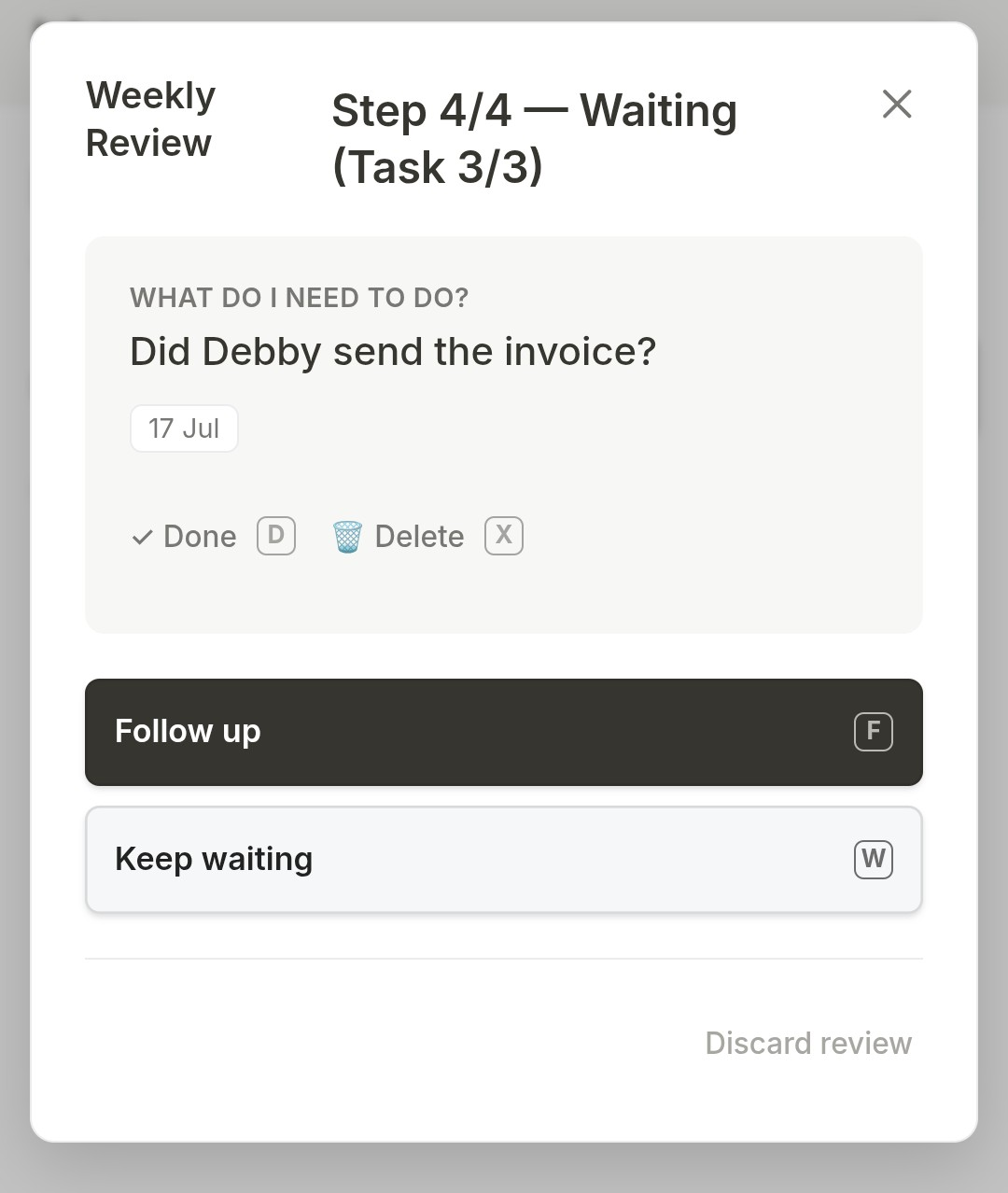
- Weekly/Monthly Review: a guided, sector-by-sector walkthrough (Inbox → configured sectors → Waiting), with Stay/Up/Down/Inbox per task, or Follow up/Keep waiting for Waiting-tagged tasks; progress persists across interruptions
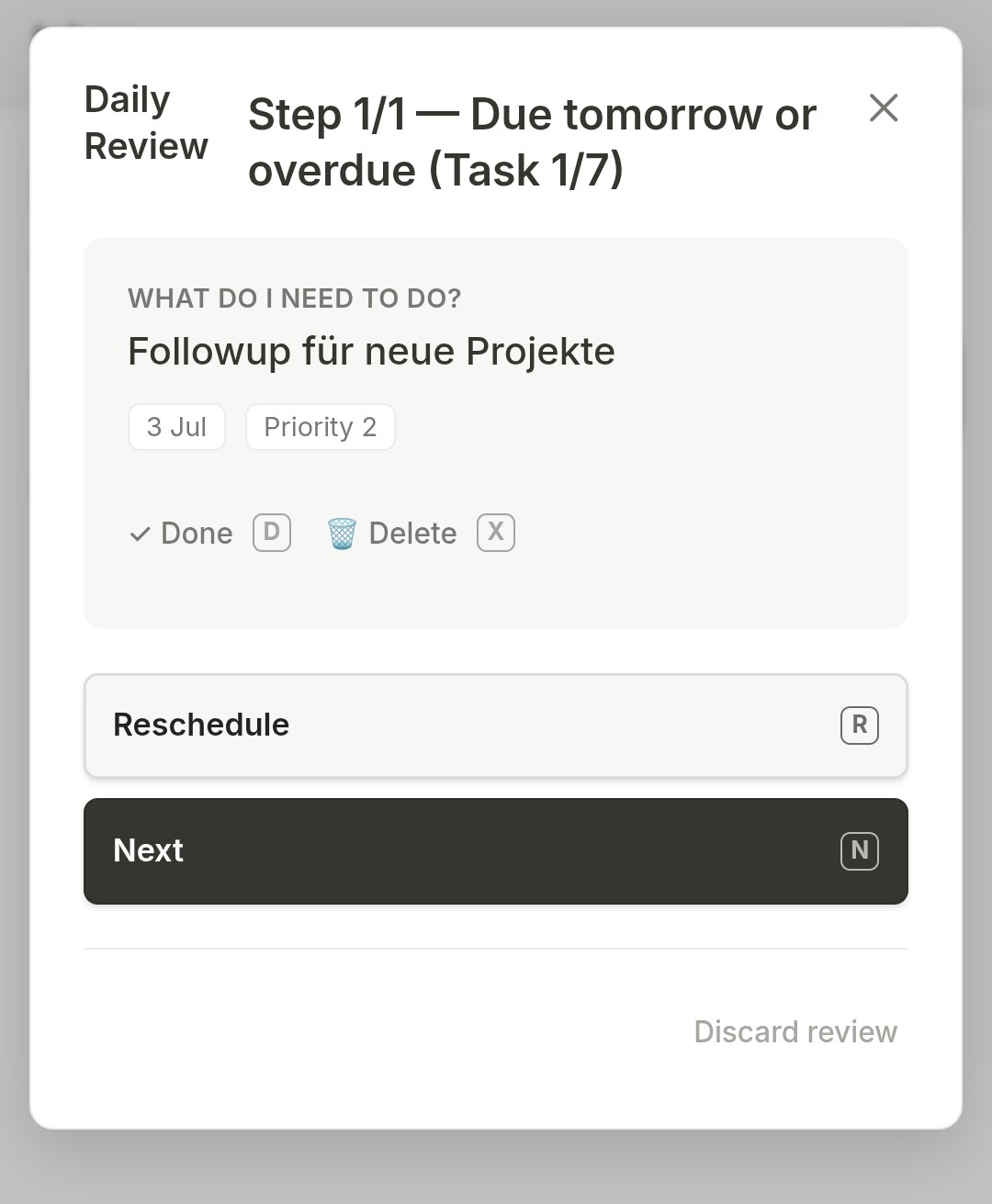
- Daily Review: a shorter, date-based walkthrough (Inbox → due today → due tomorrow or overdue), with Reschedule/Next per task instead of sector logic
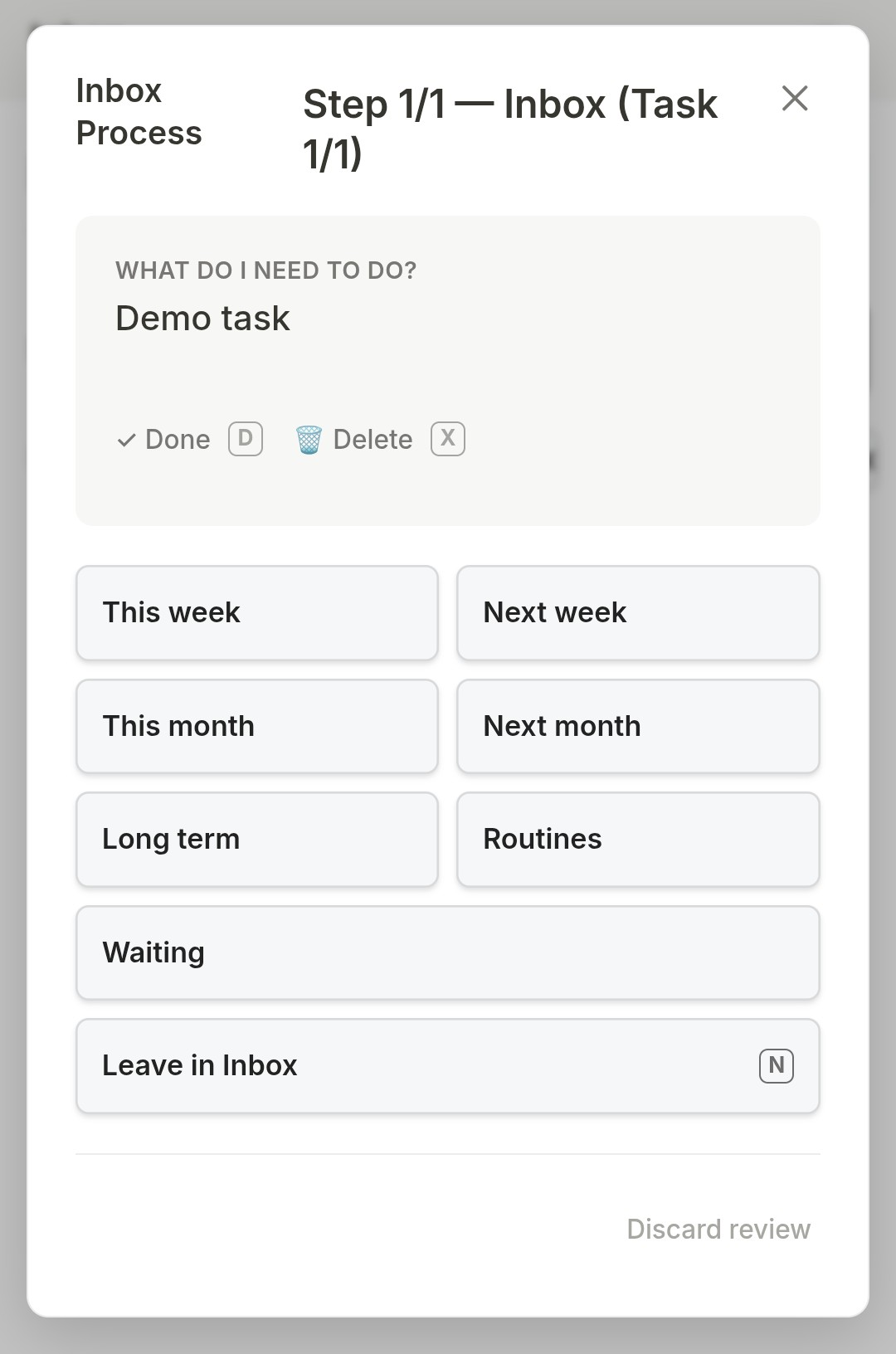
- PROCESS button in the Inbox: runs the review workflow for the Inbox only
- Review reminders: the Weekly and Monthly Review buttons show a dot as long as no review of that kind has been completed in the current ISO week / calendar month
- Review hotkeys (desktop):
Kmove up,Jmove down,Ito Inbox,Nnext/leave unchanged,Ffollow up,Wkeep waiting,Rreschedule,Ddone,Xdelete (press twice to confirm). In the Inbox step,1–9assign the task directly to the corresponding sector (order as configured in settings; the current mapping is shown inside the review). On mobile, the Inbox step shows one button per sector instead.
Today sidebar
- The Open Today sidebar command opens a compact panel in the right sidebar with overdue, due-today, and due-tomorrow tasks — check them off or click to edit next to whatever note you're working in
- The tab shows a badge with the count of overdue + due-today tasks; header buttons quick-add to the Inbox and jump to the full board
Housekeeping & appearance
- Auto-cleanup: optionally delete completed tasks from the file N days after completion (settings, default off); removed tasks are archived to a sibling
… (archive).mdnote first, and deletion is skipped if that archive write fails. The Clean up completed tasks now command runs it on demand and reports what happened - Path warning: the settings show a note when the configured Tasks file path points to a folder or a file that doesn't exist yet
- Theme: follow the active Obsidian theme, use a fixed light/dark palette, or customize every color individually; all cosmetic options live in a collapsible Appearance settings group
Screenshots
Desktop version
Mobile
Requirements
The community plugin Tasks must be installed and enabled. Also, tasks should be kept in a single file.
Installation
See INSTALL.md for step-by-step setup, the field-mapping table, and notes on recurrence rules.
Not supported (by design)
Descriptions, attachments, sub-tasks, deadlines on the board — the plugin stays lean and delegates anything beyond sector, due date, priority, and recurrence to Tasks itself or to the note.
Status
The current version is the latest release (also in manifest.json). Full history in the changelog; ideas not yet built are in the roadmap.
Development transparency
This plugin was developed in close collaboration with an AI assistant (Claude). All code is AI-generated; direction, feature decisions, testing, and bug reports are human. Review the code before trusting it with your notes — as you should with any plugin. The task-line parsing/serialization (the part that writes to your file) is covered by an automated test suite (npm test / node --test).
License
MIT, see LICENSE. Based on belki by Yasin Aribuga (also MIT).
Contact
Questions, bug reports, or feedback: [email protected]