Search...Search plugins and themes...
⌘K
Sign in
  • Get started
  • Download
  • Pricing
  • Enterprise
  • Account
  • Obsidian
  • Overview
  • Sync
  • Publish
  • Canvas
  • Mobile
  • Web Clipper
  • CLI
  • Learn
  • Help
  • Developers
  • Changelog
  • About
  • Roadmap
  • Blog
  • Resources
  • System status
  • License overview
  • Terms of service
  • Privacy policy
  • Security
  • Community
  • Plugins
  • Join the community
  • Discord
  • Forum / 中文论坛
  • Merch store
  • Brand guidelines
Follow us
DiscordTwitterBlueskyThreadsMastodonYouTubeGitHub
© 2026 Obsidian

Search++

nhaouarinhaouari6k downloads

Insert text context search results in the active note.

Add to Obsidian
  • Overview
  • Scorecard
  • Updates1

This is plugin is based on the code of mrj-text-expand, it inserts the found results on the note you're working on.

Install

  • If you have previous versions of plugin - remove them
  • You need Obsidian v0.9.7+
  • Get Latest release
  • Extract files and place them to your vault's plugins folder: <vault>/.obsidian/plugins/
  • Reload Obsidian
  • If prompted about Safe Mode, you can disable safe mode and enable the plugin. Otherwise head to Settings, third-party plugins, make sure safe mode is off and enable the plugin from there.

How to use

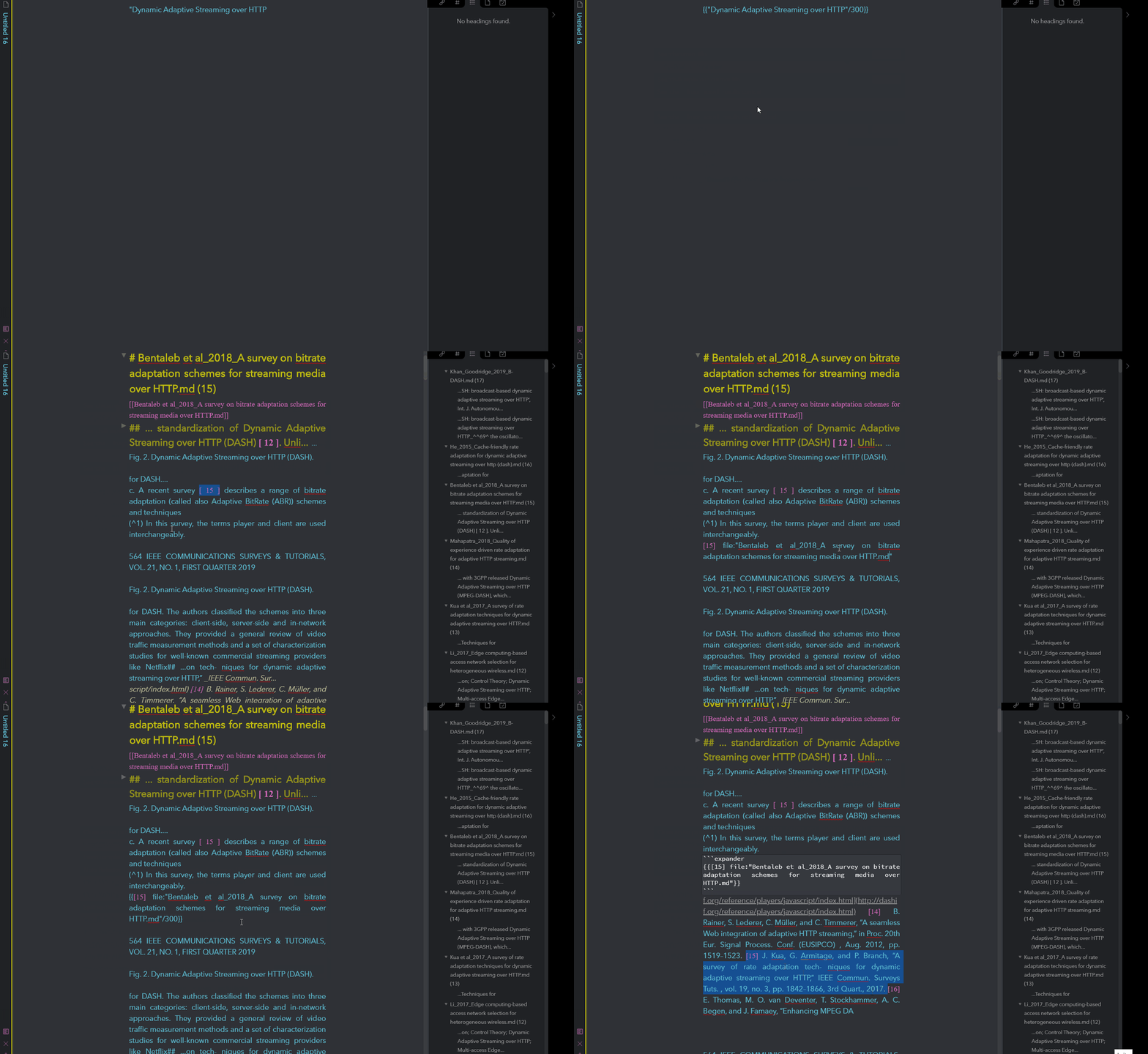
  • Type {{SEARCH_TEXT/NUMBER_OF_CHARS}} in your note where SEARCH_TEXT a text which you want to search, and NUMBER_OF_CHARS is the number of chars before and after the found text you want to extract.

Examples: {{My Note/300}}, {{tag:#tag/500}}.

  • Put a cursor on that line
  • Open command palette and find Search++: commands (you can attach hotkeys in settings menu)

It should wrap the {{ }} line and add notes which was found below. You can call command in a {{ }} line to update results.

56%
HealthNeeds work
ReviewCaution
About
Insert search results into the current note using inline placeholders like {{SEARCH_TEXT/NUMBER_OF_CHARS}}. Extract matching snippets with the specified surrounding character count and append found notes below the placeholder, then refresh results by running the Search++ command.
SearchEditingTemplating
Details
Current version
0.0.1
Last updated
6 years ago
Created
6 years ago
Updates
1 release
Downloads
6k
Report bugRequest featureReport plugin
Sponsor
Buy Me a Coffee
Author
nhaouarinhaouari
haouari.com
GitHubnhaouari
  1. Community
  2. Plugins
  3. Search
  4. Search++

Related plugins

Templater

Create and use dynamic templates.

Advanced Tables

Improved table navigation, formatting, and manipulation.

Smart Connections

AI link discovery copilot. See related notes as you write. Lookup using semantic (vector) search across your vault. Zero-setup local model for embeddings, no API keys, private.

Outliner

Work with your lists like in Workflowy or Roam Research.

Meta Bind

Make your notes interactive with inline input fields, metadata displays, and buttons.

Various Complements

Complete words similar to auto-completion in an IDE.

Omnisearch

Intelligent search for your notes, PDFs, and OCR for images.

LanguageTool Integration

advanced spell/grammar checks with the help of language-tool.

Fantasy Statblocks

Create, manage and view a Fantasy Bestiary with Dungeons and Dragons style statblocks.

Lapel

Show the heading levels in the gutter of the editor.