Scribe of Lagash - Goals and Stats
 Alejandro80 downloads
Set daily writing goals for your story and track word counts, progress and stats over time.
- Overview
- Scorecard
- Updates14
An Obsidian plugin that helps writers set goals and see detailed statistics for those goals and for the story as a whole. It is part of the Scribe of Lagash series, a set of independent, focused tools for planning and writing stories in Obsidian.
Installation
Requires Obsidian ≥1.10.0.
You can install it from the
community plugins page,
or download main.js, manifest.json, and styles.css from the
latest release
and copy them into <vault>/.obsidian/plugins/scribe-of-lagash-goals-stats/.
Scribe of Lagash Plugins
Scribe of Lagash is a series of independent, single-concern Obsidian plugins for planning and writing stories:
- Scribe of Lagash - Visualization (github repository) — helps writers visualize their chapters and scenes.
- Scribe of Lagash - Goals and Stats (github repository) — helps writers set goals and see detailed statistics for their story.
About the name
"Scribe" is the writer at the center of every plugin in the series, and "Lagash" nods to Nippur de Lagash, the classic Argentine comic.
Current features
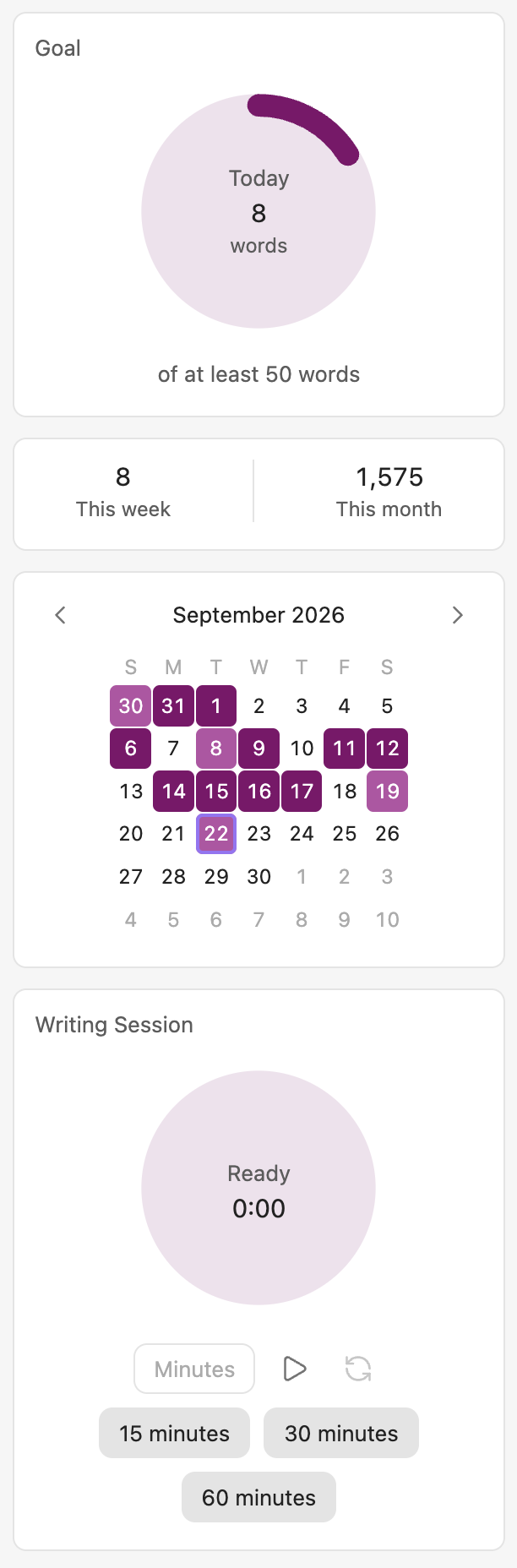
Writing-goal widget — a right-sidebar view (ribbon icon or the "Open writing goal widget" command) with a ring for today's progress toward the daily goal, a week/month summary, and a month calendar coloring each day by whether it met, partly met, or missed the goal. History is kept in a plugin-managed file in the vault, so it survives a plugin uninstall/reinstall and travels with the vault through whatever the author already syncs it with.
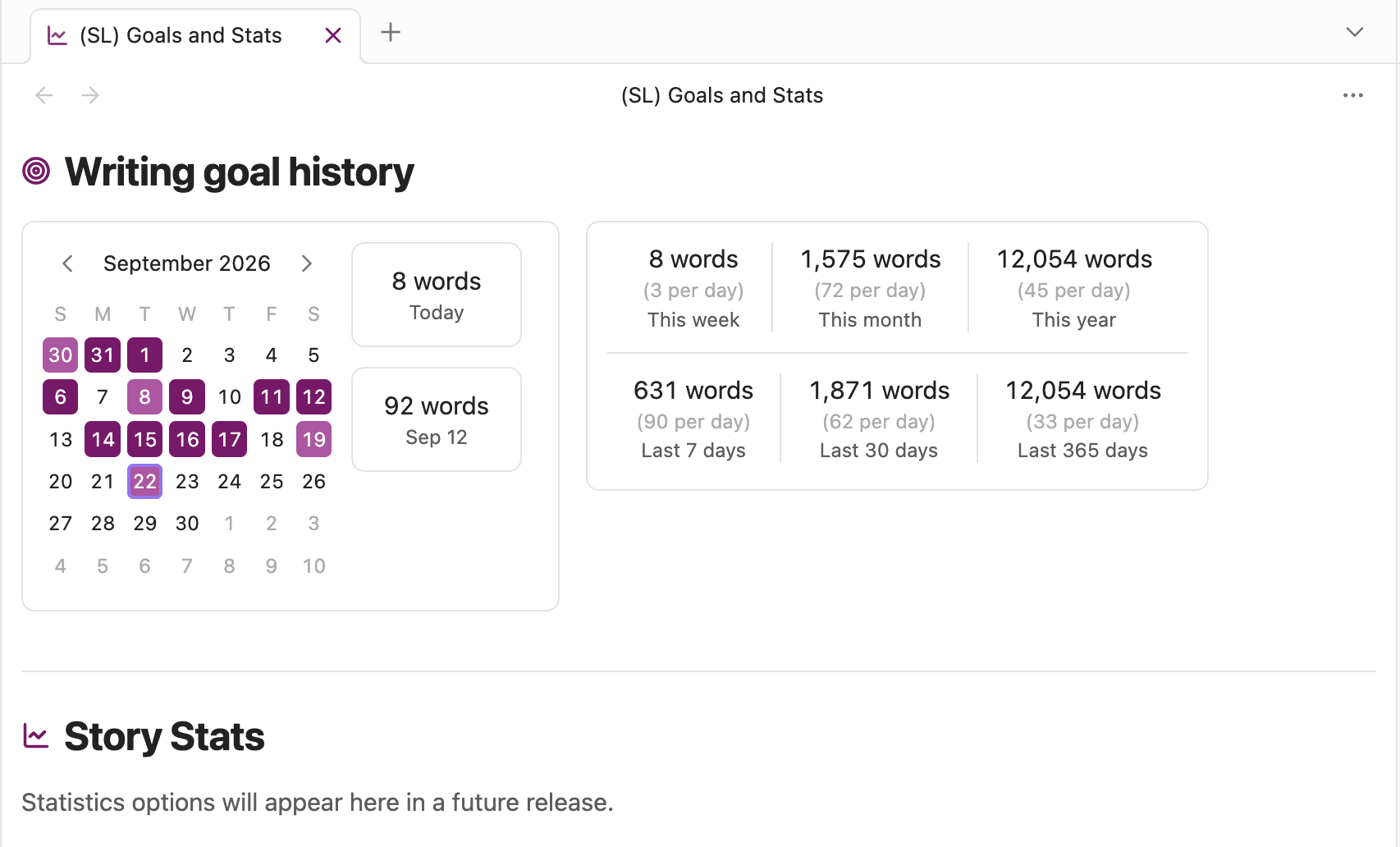
Goals and Stats tab — a main-area tab (ribbon icon or the "Open Goals & Stats" command) with a "Writing goal history" section: week/month, rolling 7-/30-day, and year/365-day totals with daily averages, beside the same month calendar as the sidebar widget with today's total and, when clicked, any other day's total shown next to it.
Daily-goal celebration — the moment you reach the daily goal, a toast notification plus a confetti burst say so, and a status-bar item lights up for as long as it stays met, whether or not the writing-goal widget is open.
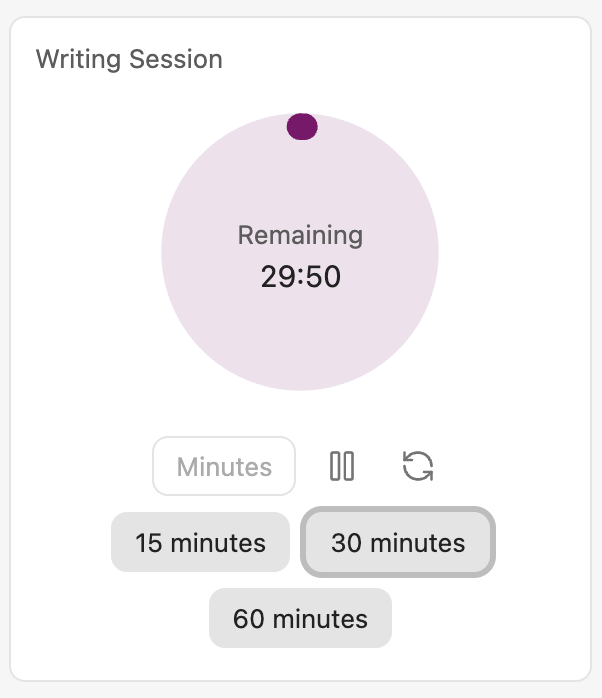
Writing session — a plain countdown timer in the writing-goal widget, unrelated to the daily goal or any particular day: 15/30/60-minute presets or a custom length, with the same ring styling as the daily-goal progress ring, play/pause, reset, and a toast plus a short bell sound once time's up. A session in progress survives closing Obsidian — reopening shows it paused, ready to resume with a click.
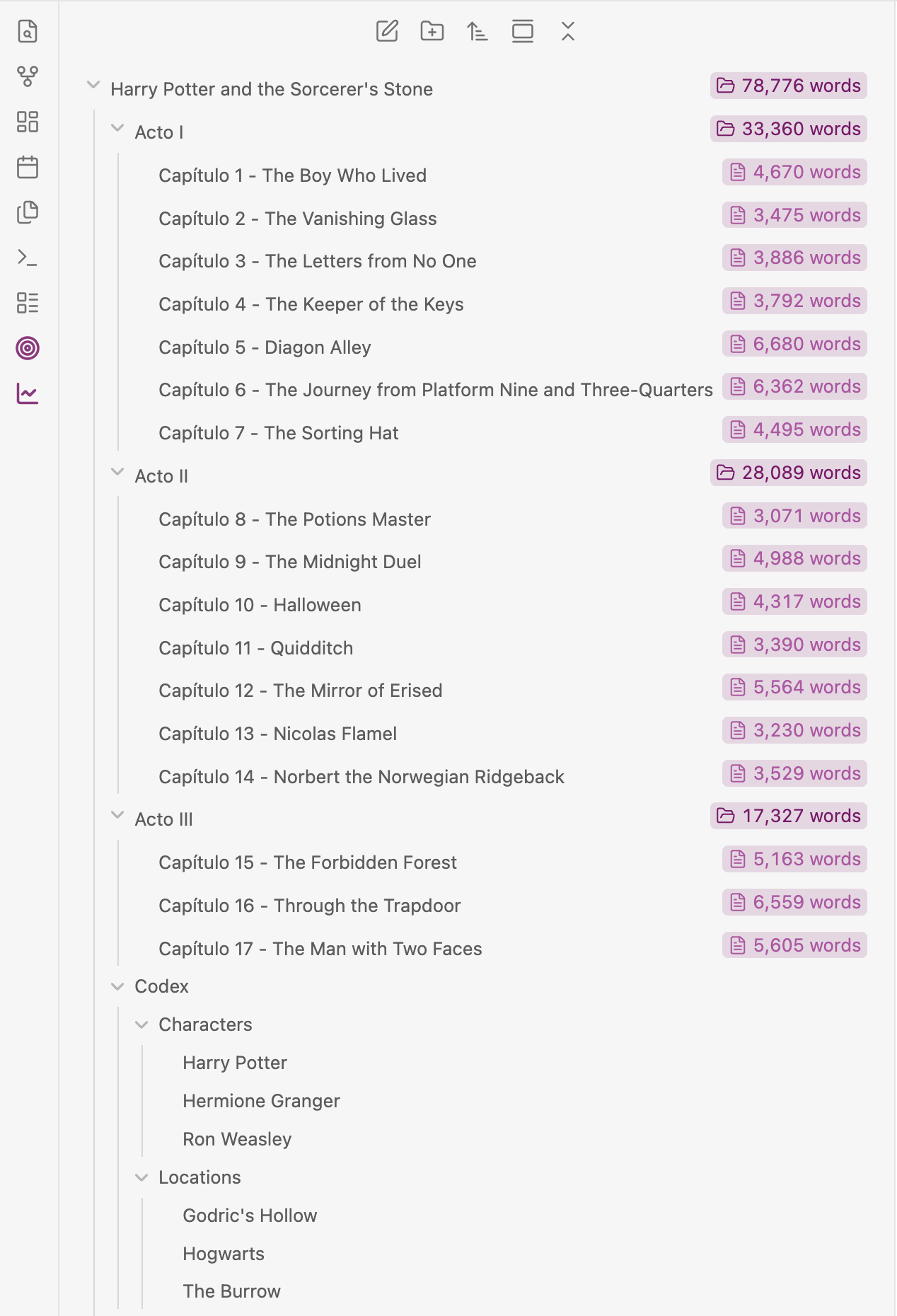
File-explorer counts — every note inside the story folder shows its word (or character) count next to its name in the file explorer, and every folder shows the total of the notes beneath it. Counts update as you write. Set a story folder in settings to count only that folder instead of the whole vault, and add specific notes or folders to the exclusion list to leave them out of the count entirely. Character counts default to "characters without spaces", so they'll read lower than Obsidian's own word-count status bar, which counts every character including spaces and line breaks — turn on "Count spaces in character counts" in settings to match that convention instead.
Writing-goal settings — a story folder (with folder autocomplete; switching it away from a different folder you've already used asks you to confirm first, since it starts today's writing count over for the new one — the previous folder's history is kept, ready to pick back up later), a words/characters metric (with a with/without-spaces toggle for characters), a daily goal, and the days of the week you write; the weekly and monthly targets are worked out from those. Plus a list of notes and folders to exclude from everything the plugin measures.
How "written today" is counted
Today's count isn't just "how much longer is the note now" — it's genuinely new writing, worked out by comparing what each note says right now to what it said at the start of the day and counting only the words that weren't there before. That has one nice effect: cleaning up old work doesn't punish you.
- Deleting something you wrote on an earlier day never lowers today's count. Cut a whole tired paragraph from last week, reorganize a chapter, trim an old scene down to nothing — none of it counts against you, because none of it was written today.
- Deleting something you wrote today does lower today's count, same as any ordinary word counter. Write a new sentence, then cut a couple of words from it before you're done for the day, and the count reflects what's actually on the page.
So the number always answers "how many new words are sitting in my story right now," not "how many keys did I press today" — a big cleanup of old material can never accidentally erase a day's progress.
Planned:
- Goal targets — total word count and a deadline, per-chapter or per-scene length targets, and a projected completion date.
- Goal stats — writing streaks and how each day compares to the target pace.
- Story stats — total and per-chapter/scene word, sentence, and paragraph counts; average scene and chapter length; reading-time estimate. Will live in the Goals and Stats tab's "Story Stats" section (already there as an empty placeholder).
- Repeated-word analysis — most-frequent words and phrases across the whole story or a single chapter, with common stop-words filtered out, to surface overused crutch words.
- Per-story scoping — every statistic can be computed for one story folder or the whole vault.
See docs/feature-plans/ for the detailed plan of each
feature (one file per feature).
Development
npm install
npm run dev    # watch build, outputs main.js
npm run build  # type-check + production build
npm test       # unit tests (Node's built-in runner; no test framework dependency)
Supply-chain safety
- Every dependency in
package.jsonis pinned to an exact version — no^/~ranges and nolatest..npmrcsetssave-exact=trueso futurenpm install <pkg>additions stay pinned by default. .npmrcalso setsignore-scripts=true, sonpm install/npm cinever runs a dependency'spreinstall/install/postinstallscript automatically. The only dependency that ships one isesbuild, and its script just optimizes linking its already-installed platform binary — the build works fine without it. On the rare platform where it doesn't (e.g. an environment without a matching prebuilt@esbuild/*package), runnpm run rebuild:esbuildto explicitly and visibly opt that one script back in for that single command.
To try the plugin in a vault, copy (or symlink) manifest.json, main.js,
and styles.css into <vault>/.obsidian/plugins/scribe-of-lagash-goals-stats/,
then enable it from Obsidian's Community Plugins settings.
Contributing
Found a bug, or have a feature request? Open one on the GitHub Issues page — there's a template for each.
Contributions are welcome — see CONTRIBUTING.md for dev setup, code conventions, and the PR process. This project follows a Code of Conduct.
Found a security issue? See SECURITY.md instead of opening a public issue.
See CHANGELOG.md for release history.
License
MIT.