Resonance
 blackajiro178 downloads
A local-first AI recorder with live transcription, diagnostics, and session-based notes.
- Overview
- Scorecard
- Updates5
Resonance is a local-first AI recorder for Obsidian.
It is built around:
- Web Audio capture
- Whisper for transcription
- Ollama or an optional cloud provider for summaries
- Session storage with a built-in library
The product is desktop-only.
What Resonance Does
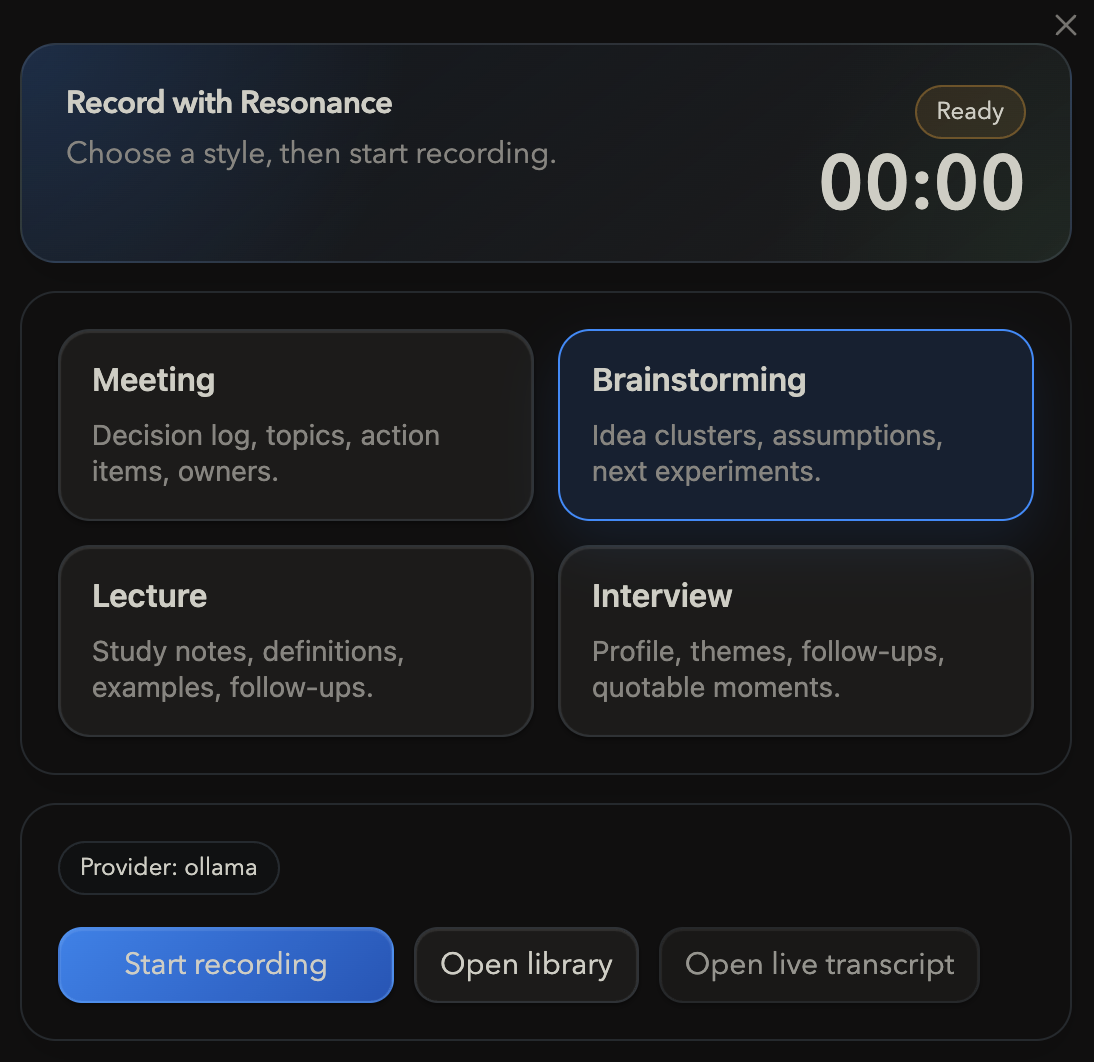
- Records from one main microphone plus optional extra audio inputs in the same Web Audio graph
- Writes live transcript updates while recording
- Builds a final summary note after the recording stops
- Stores each session with audio, transcript, summary, and diagnostics
- Lets you inspect, recover, clean up, and bulk-delete session artifacts from the Library
Screenshots
Recorder
Library
First Successful Session
- Install the plugin in your vault.
- Open the Resonance settings page.
- In
Capture, choose your microphone. - Optionally add loopback or monitor inputs under
Additional sourcesif you want call or desktop audio in the same recording. - In
Transcription, set thewhisper.cpprepo, CLI, and model paths. - In
Summary, keepOllamaor choose a cloud provider. - Run
Quick test. - Open the recorder and make a short recording.
- Stop the session and confirm that the transcript and summary appear in the Library.
Setup Overview
Capture
Microphone device: the voice input you speak intoAdditional sources: optional extra audio inputs such as loopback or monitor devicesSegment seconds: how often live transcript updates are committedQuick test: verifies microphone access and the local pipeline
Transcription
Resonance expects a local whisper.cpp build plus a readable ggml model.
Typical setup:
git clone https://github.com/ggerganov/whisper.cpp
cd whisper.cpp
cmake -S . -B build
cmake --build build -j
Then download a model, for example:
cd /path/to/whisper.cpp/models
./download-ggml-model.sh small
Set:
whisper.cpp repowhisper.cpp CLIModel path
Summary
Recommended local path:
- provider:
Ollama - endpoint:
http://localhost:11434 - model:
gemma3
Cloud providers are also supported, but they require API credentials on the machine where the plugin runs.
Library
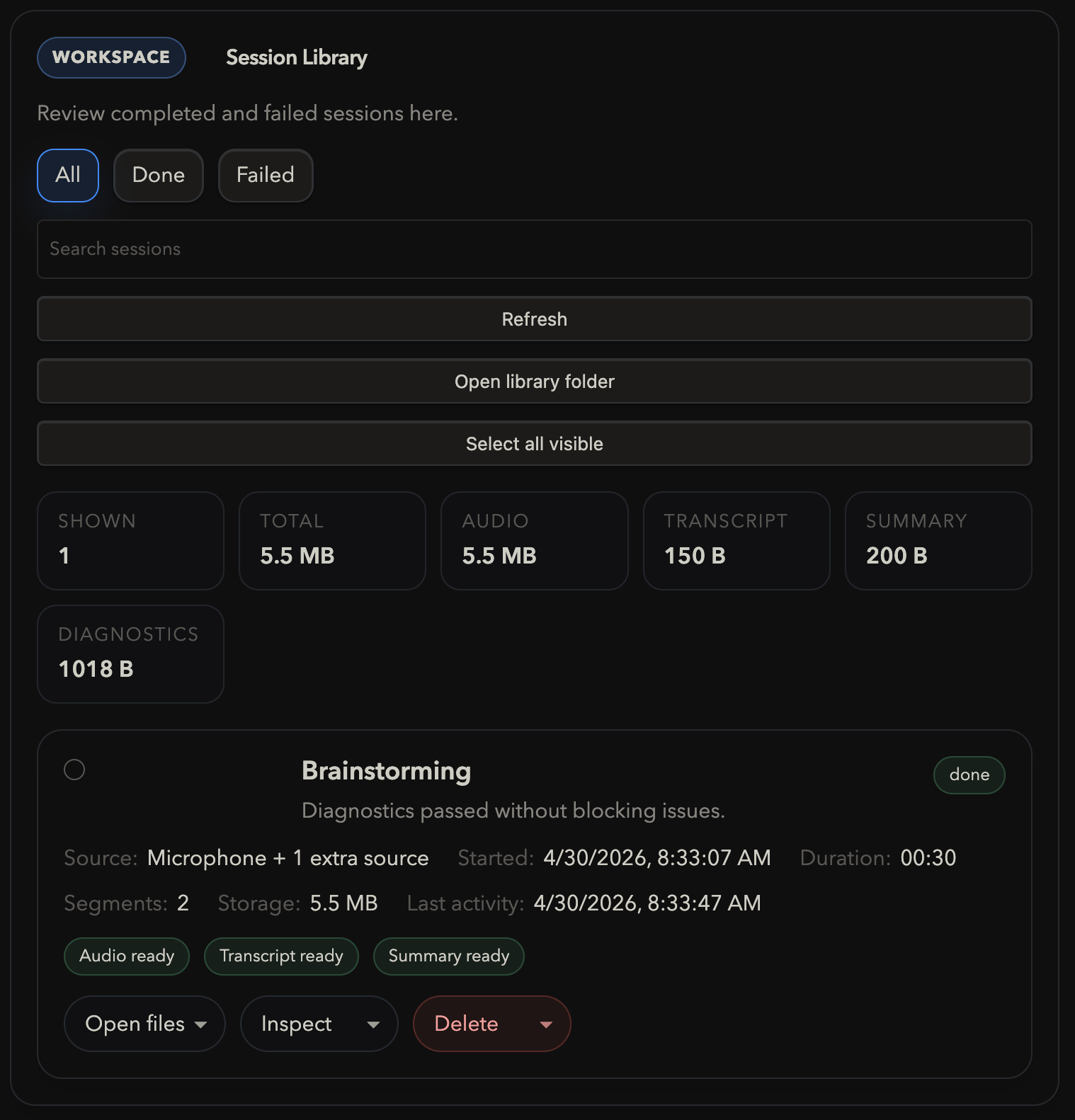
The Library is the operational workspace for finished and failed sessions.
It supports:
- previewing transcript and diagnostics
- opening transcript and summary notes
- audio playback and export
- recovery actions when transcript or summary is missing
- bulk cleanup with storage estimates
- storage stats for visible sessions
Runtime Artifacts
Each supported session persists:
session.jsonaudio/recording.wavaudio/segments/transcript/live-transcript.txtsummary/summary.mddiagnostics.log
The session Library reads these manifests rather than scanning arbitrary files.
Common Failures
Microphone access denied
Symptoms:
- Quick test fails before recording starts
- Capture diagnostics show microphone access denied
Fix:
- Re-enable microphone access for Obsidian in the operating system settings
- Return to Resonance and run
Quick testagain
whisper.cpp or model missing
Symptoms:
- Diagnostics block recording
- Quick test captures audio but transcription fails
Fix:
- Point Resonance to a working
whisper.cppCLI - Set a readable ggml model file such as
ggml-small.bin
Additional source unavailable
Symptoms:
- A saved loopback or monitor input no longer appears
- Diagnostics warn that extra sources will be skipped
Fix:
- Re-select the source in
Capture - Remove stale additional inputs you no longer use
Local Development
Requirements:
- Obsidian desktop
- Node.js
whisper.cppwith a local ggml model- Ollama if you want the default local summary path
Commands:
npm run typecheck
npm test
npm run build
Manual Install in Obsidian
- Run
npm run build. - Copy
dist/main.js,dist/manifest.json, anddist/styles.cssinto your vault plugin folder. - Enable
Resonancein Obsidian community plugins. - Open the Resonance settings page.
- Work through
Capture,Transcription, andSummary. - Use
Diagnosticsfor health checks andLibraryfor saved sessions.
HealthGood
ReviewSatisfactory
About
Record audio from your main microphone and optional extra inputs while generating live Whisper transcripts and post-session summaries via Ollama or a cloud provider. Store and manage sessions in a built-in Library with audio, transcripts, summaries, diagnostics, and tools to inspect, recover, clean up, or bulk-delete artifacts.Details
Current version
0.1.1
Last updated
5 months ago
Created
Last year
Updates
5 releases
Downloads
178
Compatible with
Obsidian 1.6.6+
Platforms
Desktop only
License
MIT
Sponsor