Search...Search plugins and themes...
⌘K
Sign in
  • Get started
  • Download
  • Pricing
  • Enterprise
  • Account
  • Obsidian
  • Overview
  • Sync
  • Publish
  • Canvas
  • Mobile
  • Web Clipper
  • CLI
  • Learn
  • Help
  • Developers
  • Changelog
  • About
  • Roadmap
  • Blog
  • Resources
  • System status
  • License overview
  • Terms of service
  • Privacy policy
  • Security
  • Community
  • Plugins
  • Join the community
  • Discord
  • Forum / 中文论坛
  • Merch store
  • Brand guidelines
Follow us
DiscordTwitterBlueskyThreadsMastodonYouTubeGitHub
© 2026 Obsidian

Resize Mobile Split View

churnishchurnish811 downloads

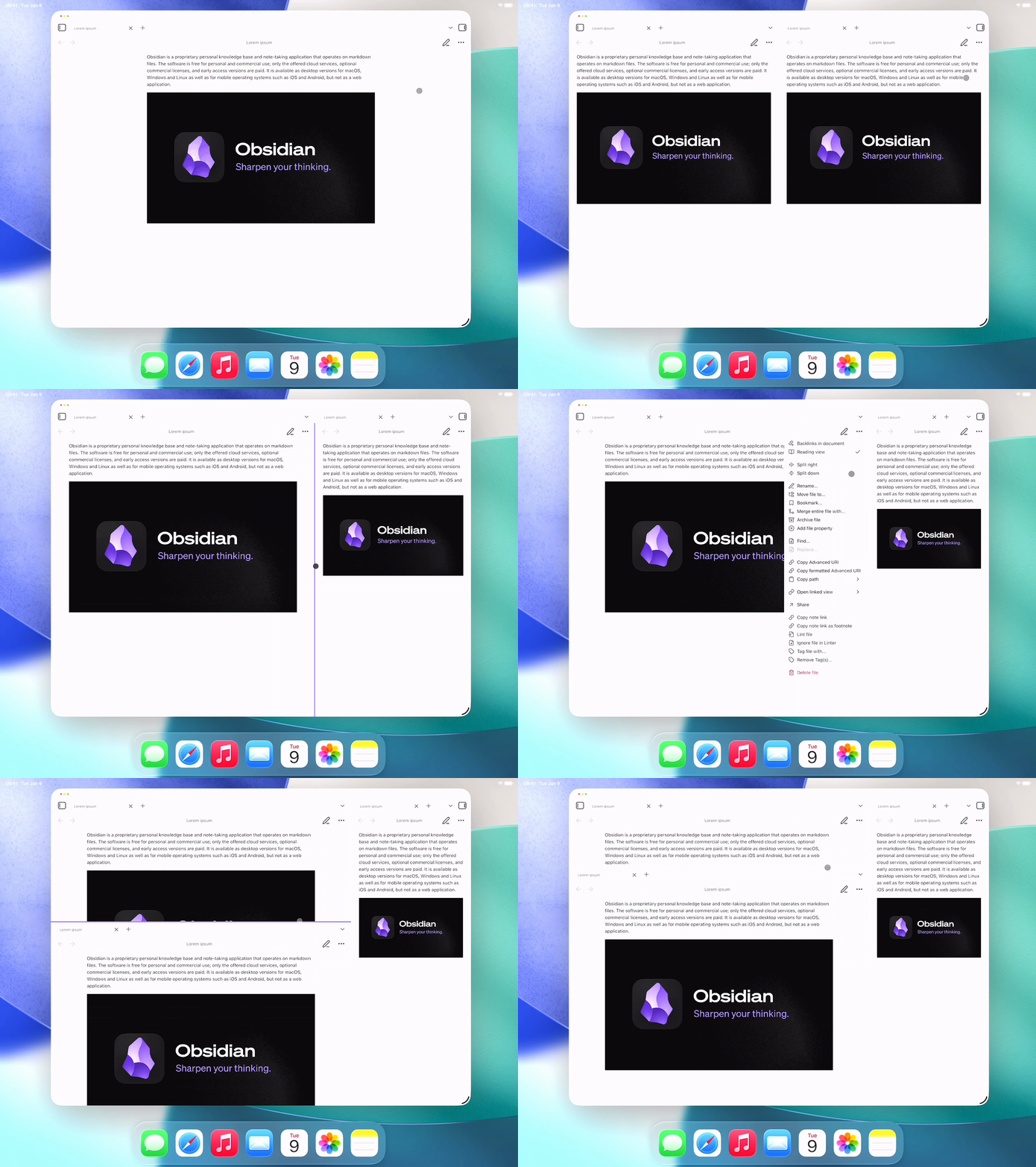
Drag divider line to resize tab groups on mobile.
Add to Obsidian
  • Overview
  • Scorecard
  • Updates4

Drag divider line to resize tab groups on mobile.

Demo of mobile split view resize

Touch: Hold down on a line for a brief moment then move as it lights up.

Pointer: Press on a line then move as you hold — just like on desktop.

Tested on iPadOS 26.

87%
HealthExcellent
ReviewSatisfactory
About
Resize mobile split view panels by dragging the divider line to adjust tab-group widths on phones and tablets. Use touch hold-and-drag (line lights up) or press-and-drag with a pointer to move dividers like on desktop.
InterfaceWorkspacesSidebar
Details
Current version
1.2.0
Last updated
2 months ago
Created
2 months ago
Updates
4 releases
Downloads
811
Compatible with
Obsidian 1.0.0+
Platforms
Desktop, Mobile
License
GPL-3.0
Report bugRequest featureReport plugin
Author
churnishchurnish
GitHubchurnish
discord.com
  1. Community
  2. Plugins
  3. Interface
  4. Resize Mobile Split View

Related plugins

Hide Sidebars on Window Resize

Automatically hides the sidebars when your window is narrow on window resize.

Oxygen Theme Settings

Configure advanced customization options in Oxygen Theme.

Notebook Navigator

A better file browser and calendar inspired by Apple Notes, Bear, Evernote and Day One.

Homepage

Open a note, base, or workspace on startup, or set it for quick access later.

Recent Files

Display a list of recently opened files.

Hider

Hide interface elements such as tooltips, status bar, titlebar, and more.

Meta Bind

Make your notes interactive with inline input fields, metadata displays, and buttons.

Vertical Tabs

Offer an alternative view that displays open tabs vertically, allowing users to group and organize tabs for a better navigation experience.

Commander

Customize your workspace by adding commands everywhere, create macros and supercharge your mobile toolbar.

Agent Client

Chat with Claude Code, Codex, Gemini CLI, and more via the Agent Client Protocol — right from your vault.