
- Overview
- Scorecard
- Updates24
Review notes using spaced repetition from right within Obsidian.
Mark any note for repetition with the repeat property. Notes become due according to their schedule and appear in a dedicated Repeat view. All repetition state is stored in the note's frontmatter, making it easy to understand and edit.
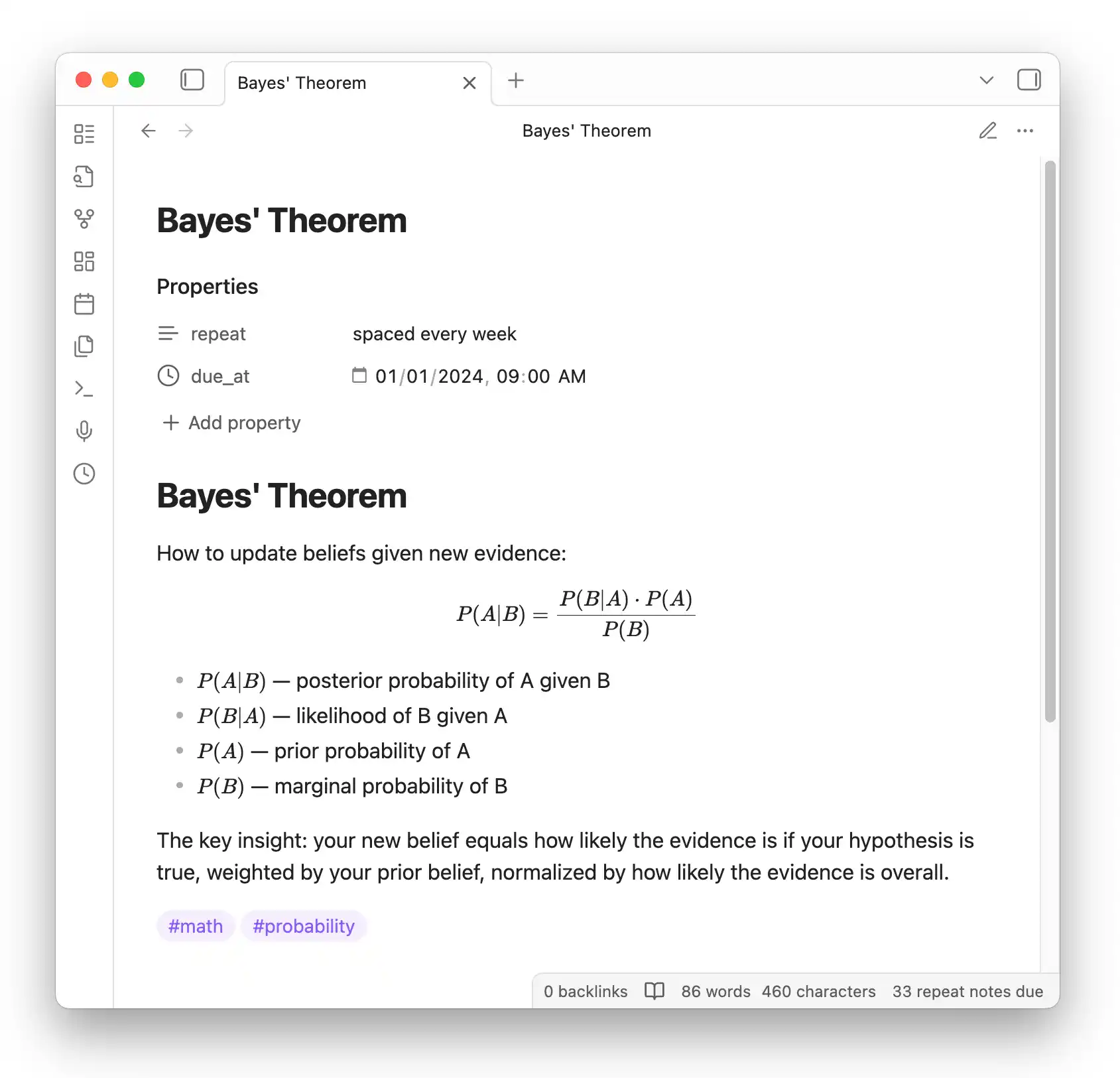
Quick Start
- Install Dataview and Repeat Plugin from Community Plugins
- Add a
repeatproperty to any note (e.g.,repeat: every week) - Open the Repeat view via the clock icon or
Repeat: Review due notescommand
Marking Notes for Repetition
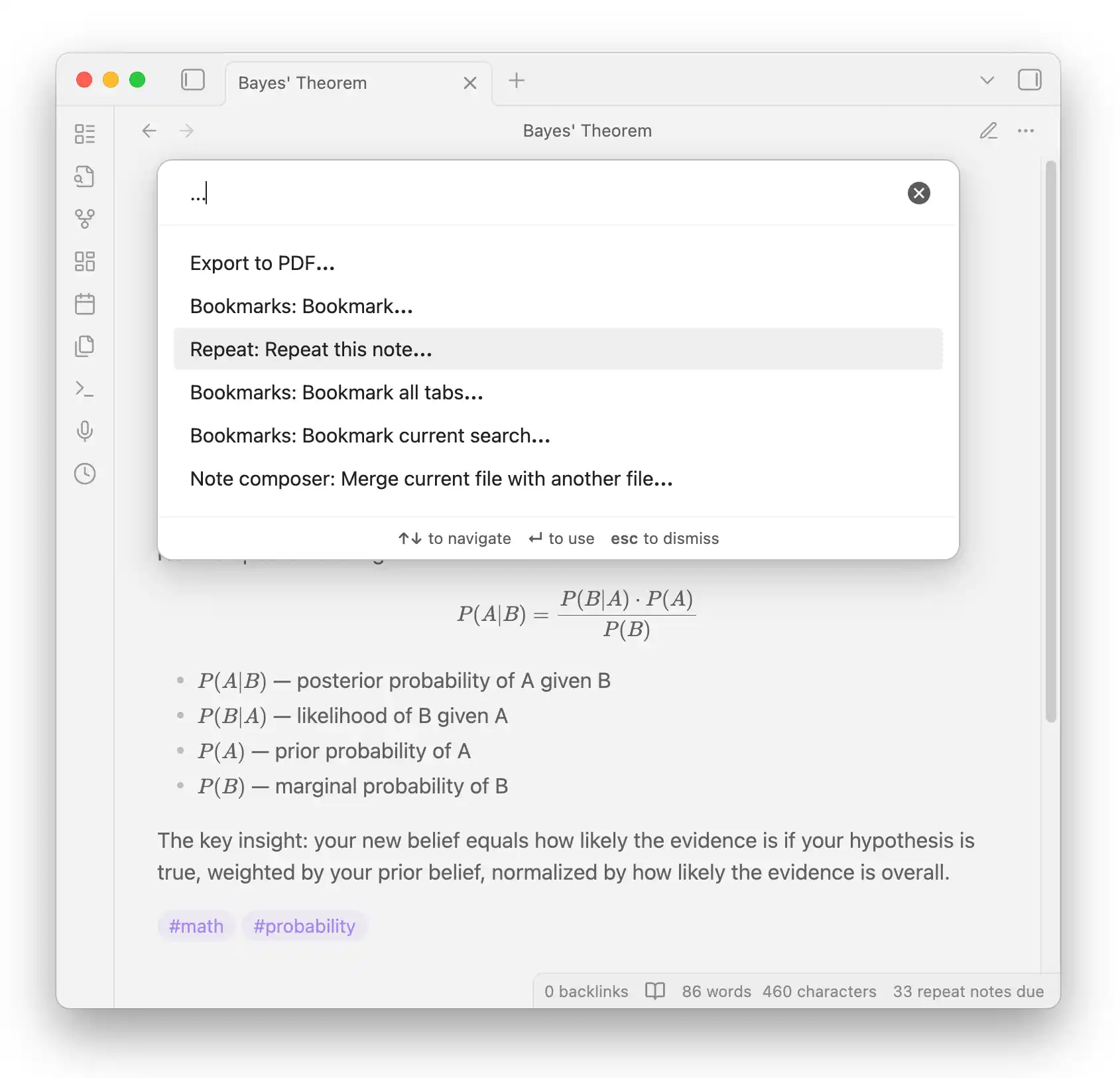
Add a repeat property to any note. You can also use the Repeat: Repeat this note... command:
Periodic Repetition
Notes become due after a fixed interval:
daily,weekly,monthly,yearlyevery day,every week,every month,every yearevery 3 days,every 2 weeks, etc.every monday,every tue, thu,every sat and sun
Spaced Repetition
Add spaced to choose when to review next during each review:
spaced daily,spaced weekly,spaced monthlyspaced every 3 days,spaced every 2 weeks, etc.
Other Options
- Hidden content: Add
hidden: trueto obscure the note body during reviews (click to reveal) - Evening reviews: Add
in the eveningto the repeat value (e.g.,every day in the evening) - Disable repetition: Use
repeat: never(oroff,no,false)
Reviewing Notes
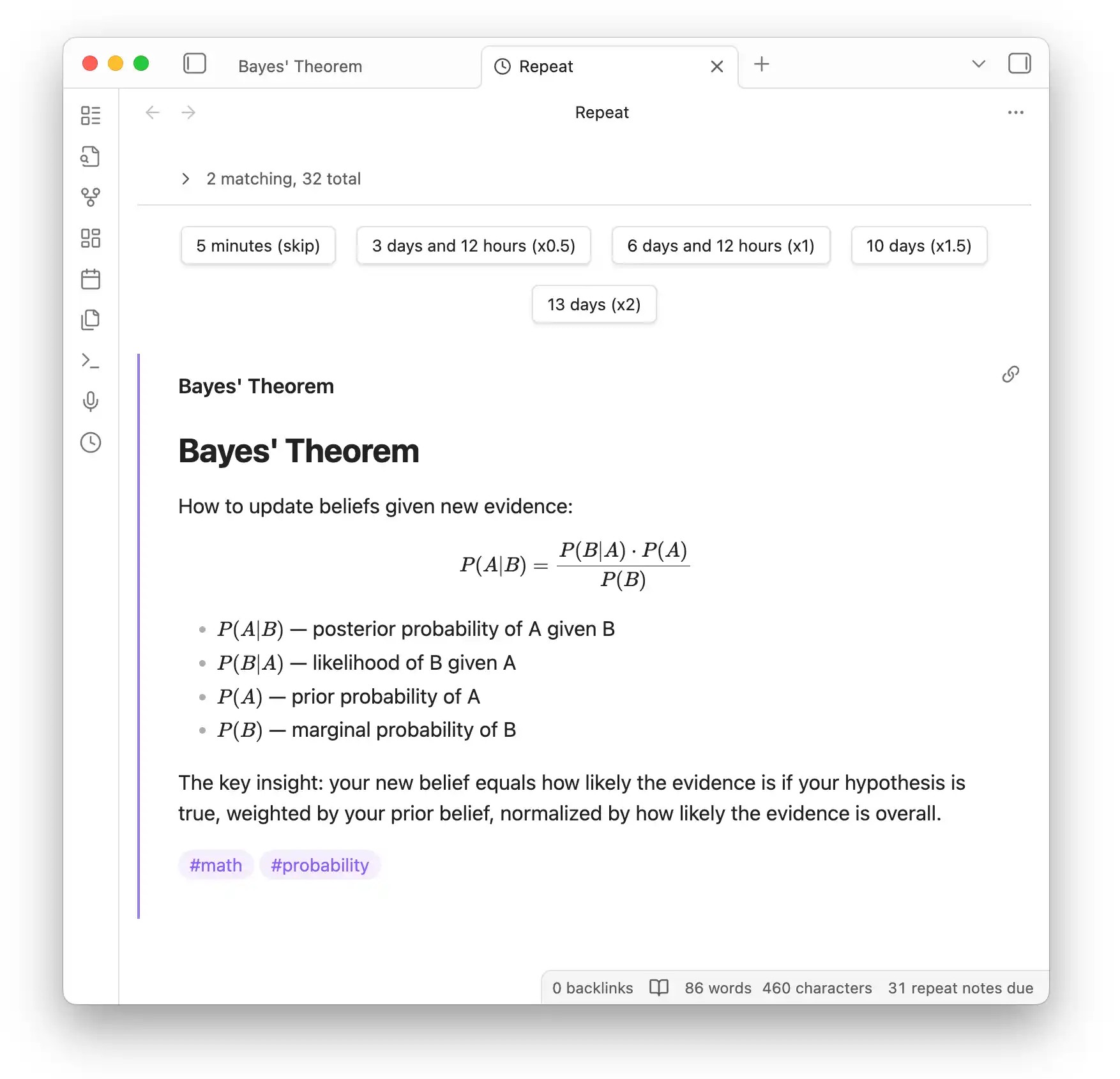
Open the Repeat view to see due notes. Click a button to schedule the next review:
Filtering
Click the note count to expand filter options. Filter by tags or any Dataview source expression:
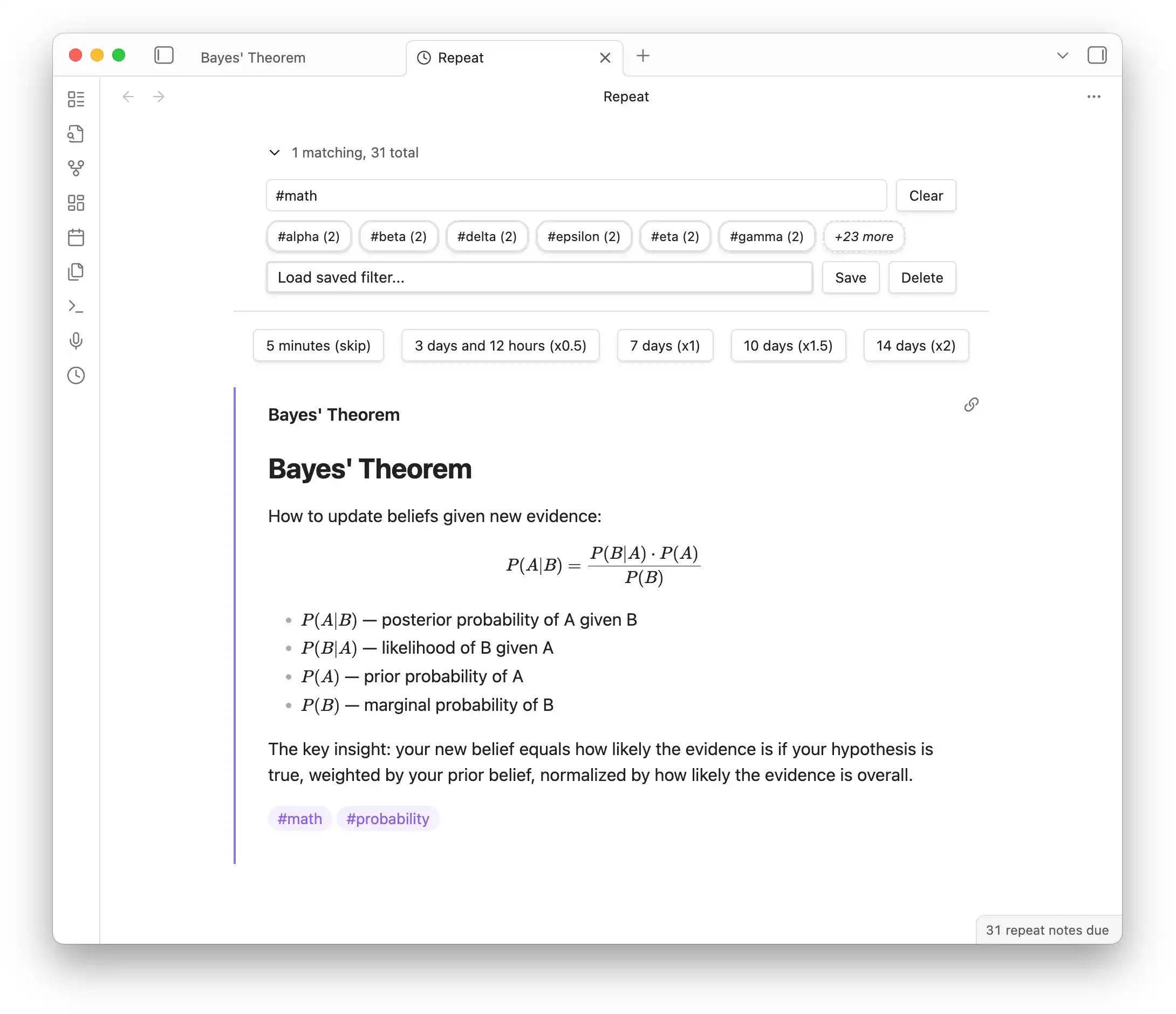
- Click tag shortcuts to filter (e.g.,
#math) - Use expressions like
#math OR #physics - Save frequently-used filters for quick access
How Scheduling Works
- Periodic: Due dates stay evenly spaced. If you miss reviews, the note catches up to the next occurrence.
- Spaced: You pick a multiplier (x0.5, x1, x1.5, x2) to adjust the interval each review.
- Skip: The
5 minutes (skip)button bumps the due time without changing the schedule. - The
due_atproperty is calculated automatically after each review.
Installation
Install from Settings > Community plugins > Browse:
- Dataview Plugin (required)
- Repeat Plugin
Resources
- GitHub Issues — Report bugs or request features
- obsidian-scripts — Bulk add
repeatto existing notes - Development:
yarn install && yarn dev
HealthGood
ReviewCaution
About
Review notes with spaced and periodic repetition directly inside Obsidian. Mark notes by adding a repeat frontmatter property, see due items in the Repeat view, and schedule next reviews with interval or spaced algorithms; support hidden content, evening reviews, and tag/Dataview filtering, with all repetition state stored in each note's frontmatter.Details
Current version
2.0.0
Last updated
9 months ago
Created
4 years ago
Updates
24 releases
Downloads
14k
Compatible with
Obsidian 1.1.0+
Platforms
Desktop, Mobile
License
MIT