Regex Line Filter
 64mm4-kn1f3842 downloads
Filter a note with regex so that only lines that match are displayed.
- Overview
- Scorecard
- Updates4

Version 1.3.5
Purpose:
The plugin allows users to filter the active editor view in Obsidian so that only lines matching a user-supplied regular expression are displayed. Users can edit these visible lines. Toggling the filter off restores the full view of the note with the edits preserved. Toggling it back on re-prompts for a regex (pre-filled with the last used one).
Key Features:
Regex Filtering: Filters the current note based on a JavaScript-compatible regex (including emoji support).
Hotkey Assignable Custom Filters: Create custom filters and assign individual hotkeys to them. Toggling multiple custom filters will allow for incremental additive/subtractive filter output.
Live Editing: Allows editing of the filtered (visible) lines directly. Edits are saved to the actual note.
Toggle Command: Provides a command palette action (and assignable hotkey) to toggle the filter on/off.
Regex Input Modal: A clean modal prompts for the regex when activating the filter.
Persistent History: Remembers the last 5 unique regex strings used across sessions and displays them as pinable/saveable entries in the input modal for quick reuse.
Template Date Variables: Use relative dates in your filters. Eg
{{date:YYYY-MM-DD}}or{{today}}for the current date,{{yesterday}},{{last-month}},{{last-year}},{{tomorrow}},{{next-month}}and{{next-year}}.Empty Line Handling: Includes a setting to choose whether empty lines (containing only whitespace) should also be hidden when the filter is active (defaults to true).
**Visual Indicator:**Adds a subtle darkening effect (inset box-shadow) to the editor margins when the filter is active, providing clear visual feedback.
Child indents: Child indents will be included in an active filter by default. This behaviour can be disabled in plugin settings if desired.
Copying filtered text: Selecting across filtered lines then copying will copy only the visible lines to clipboard. This default behaviuor can be disabled in plugin settings.
Known Limitations:
- Negative lookaheads: Possible issue with negative lookaheads in regex.
How To:
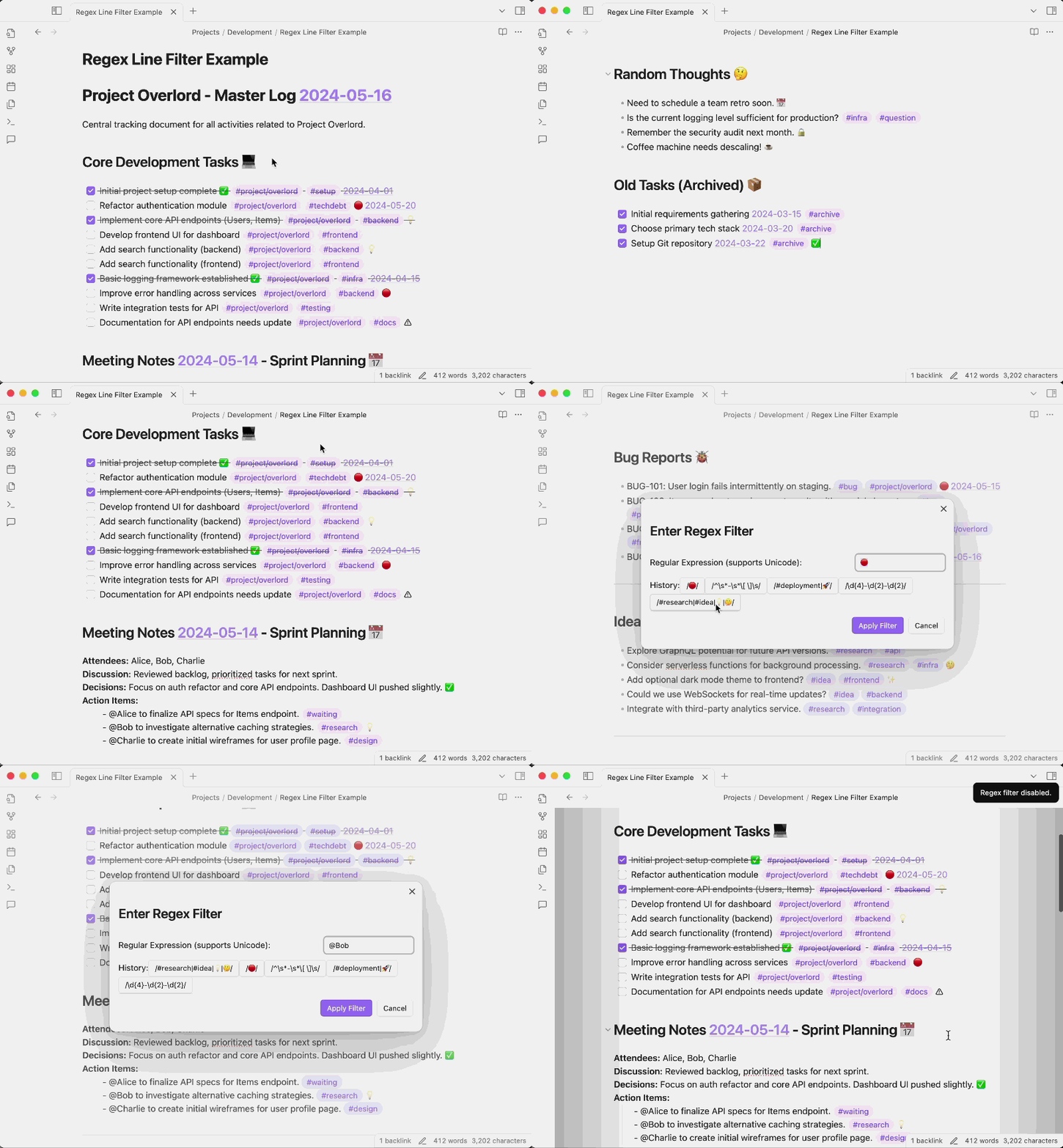
Demo showing a number of regex filters used with the plugin assigned to a HotKey.
Thank You:
- To SkepticMystic for the inspiration for saveable individual filters in your Advanced Cursors plugin.
- To FelipeRearden, stef-rausch and nanjingman for the feature suggestions!
License: Apache 2.0