
- Overview
- Scorecard
- Updates4
Find the note. Keep the flow.
ReNotes is a visual Obsidian recent notes plugin that brings Markdown notes and Canvas boards into one focused sidebar. Browse recent work using preview cards, pinned notes, date navigation, search, and flexible sorting, with English and Traditional Chinese interface support.
Download ReNotes · Features · Installation · FAQ · 繁體中文
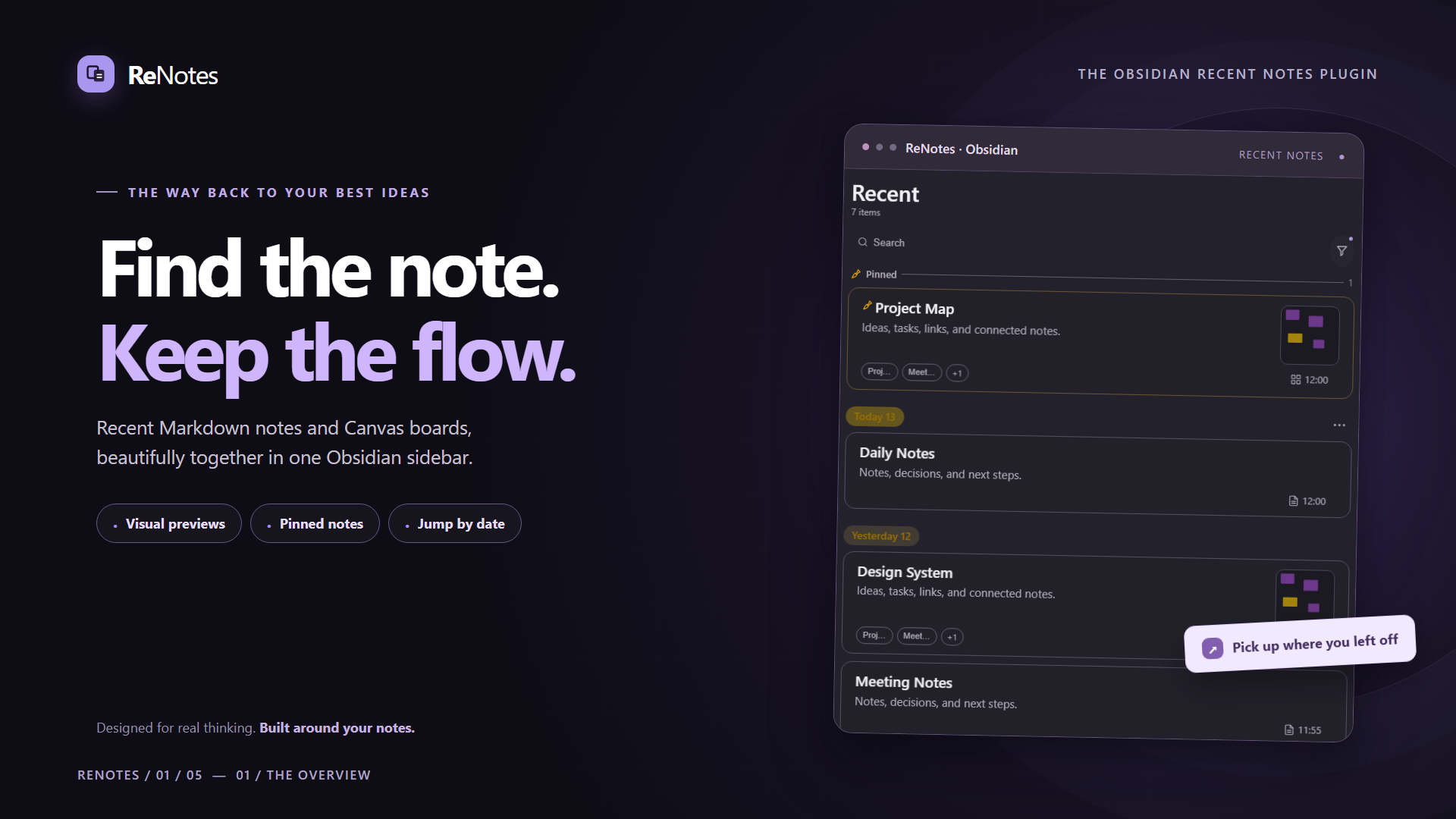
Find the note. Keep the flow. — Code-rendered ReNotes interface with illustrative sample notes.
English — Obsidian Recent Notes & Canvas Sidebar
Find recently edited notes and Canvas boards faster
ReNotes is a visual Obsidian recent notes plugin that organizes Markdown notes and Canvas boards in one sidebar. Browse recent work with preview cards, pinned items, date groups, search, file-type filters, and flexible sorting—without navigating through folders every time you need an older note.
It is a useful companion for daily notes, Bullet Journaling, project notes, knowledge management (PKM), and Obsidian Canvas workflows.
Key features
- Recent Markdown notes and Canvas boards: Browse titles, snippets, file-type icons, timestamps and optional preview thumbnails in the same sidebar.
- Multiple sorting options: Use file modification time, effective edit time, recently opened time, local edit time and other available sorting modes.
- Jump to a date: Select from seven recent active dates, see note counts, or expand earlier dates by month. Choosing a date scrolls to that section without filtering out other notes.
- Linked Canvas documents: Fine-outline chips below Canvas cards open linked
.mdand.canvasfiles, with short five-character labels and full-name tooltips. - Pinned notes, search and filters: Find relevant work by note type, folders and tags.
- Flexible card layouts: Choose compact, standard or spacious density, with responsive layouts for narrow sidebars and mobile devices.
- Traditional Chinese and English: Follow the Obsidian interface language automatically or choose a language manually.
- Desktop drag-to-Canvas: Use a drag handle to add a Markdown file reference to an Obsidian Canvas board; compatibility may vary by Obsidian version.
Feature showcase
01 — Recent notes, one focused sidebar
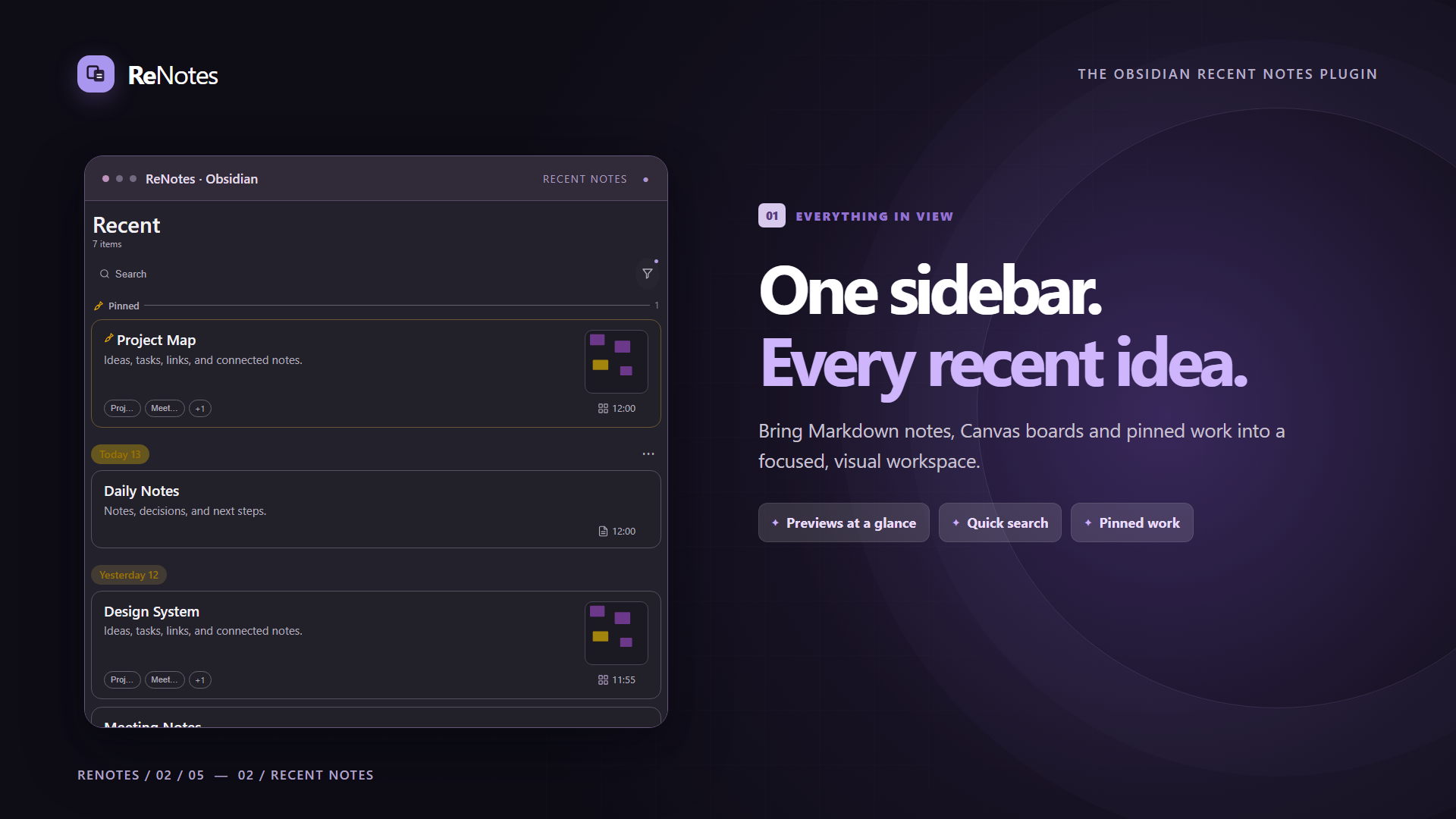
ONE SIDEBAR. EVERY RECENT IDEA. — Visual previews, pinned notes and quick search.
02 — Jump directly to a date
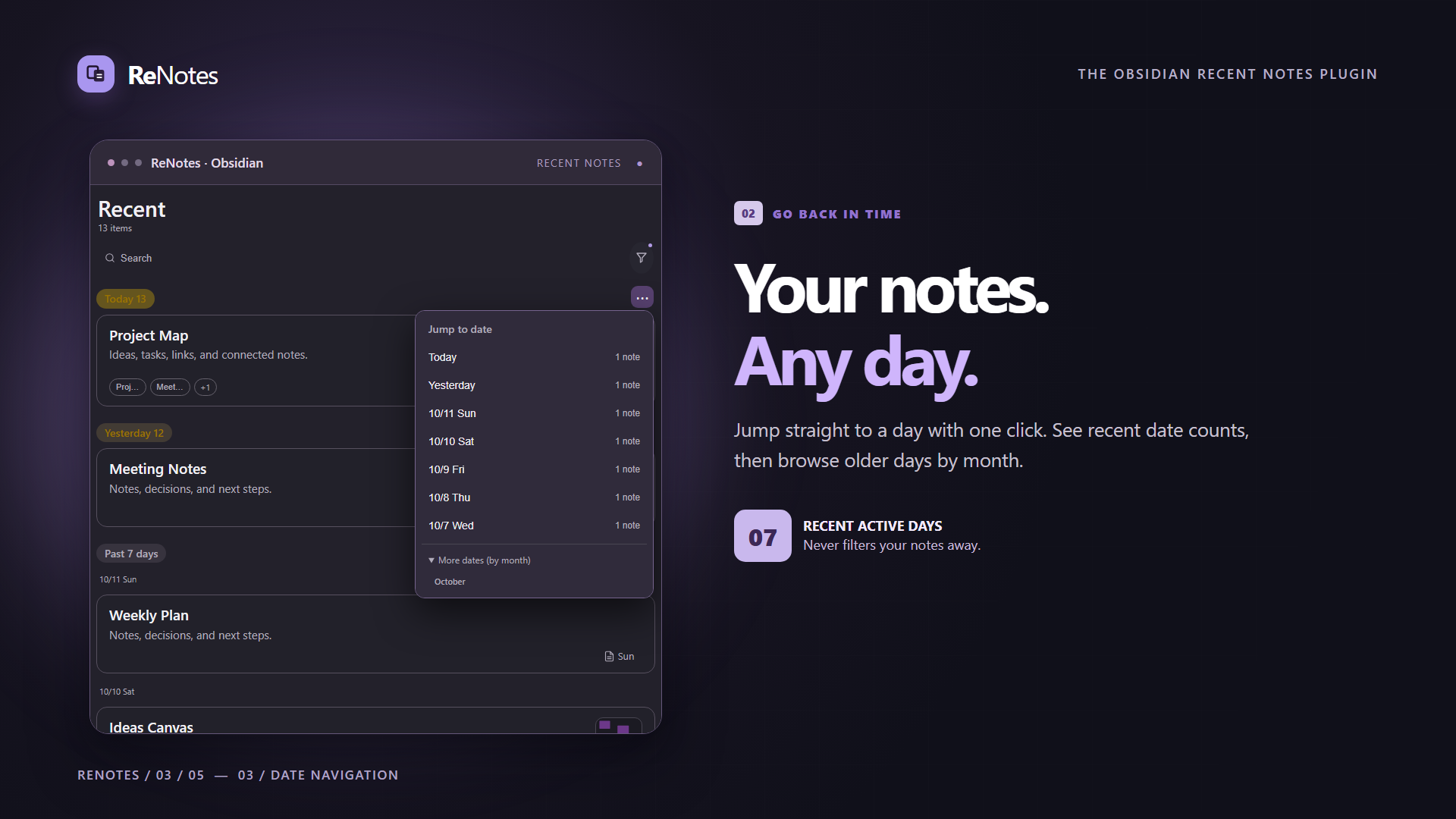
YOUR NOTES. ANY DAY. — Jump to the selected day without filtering the list.
03 — Follow Canvas connections
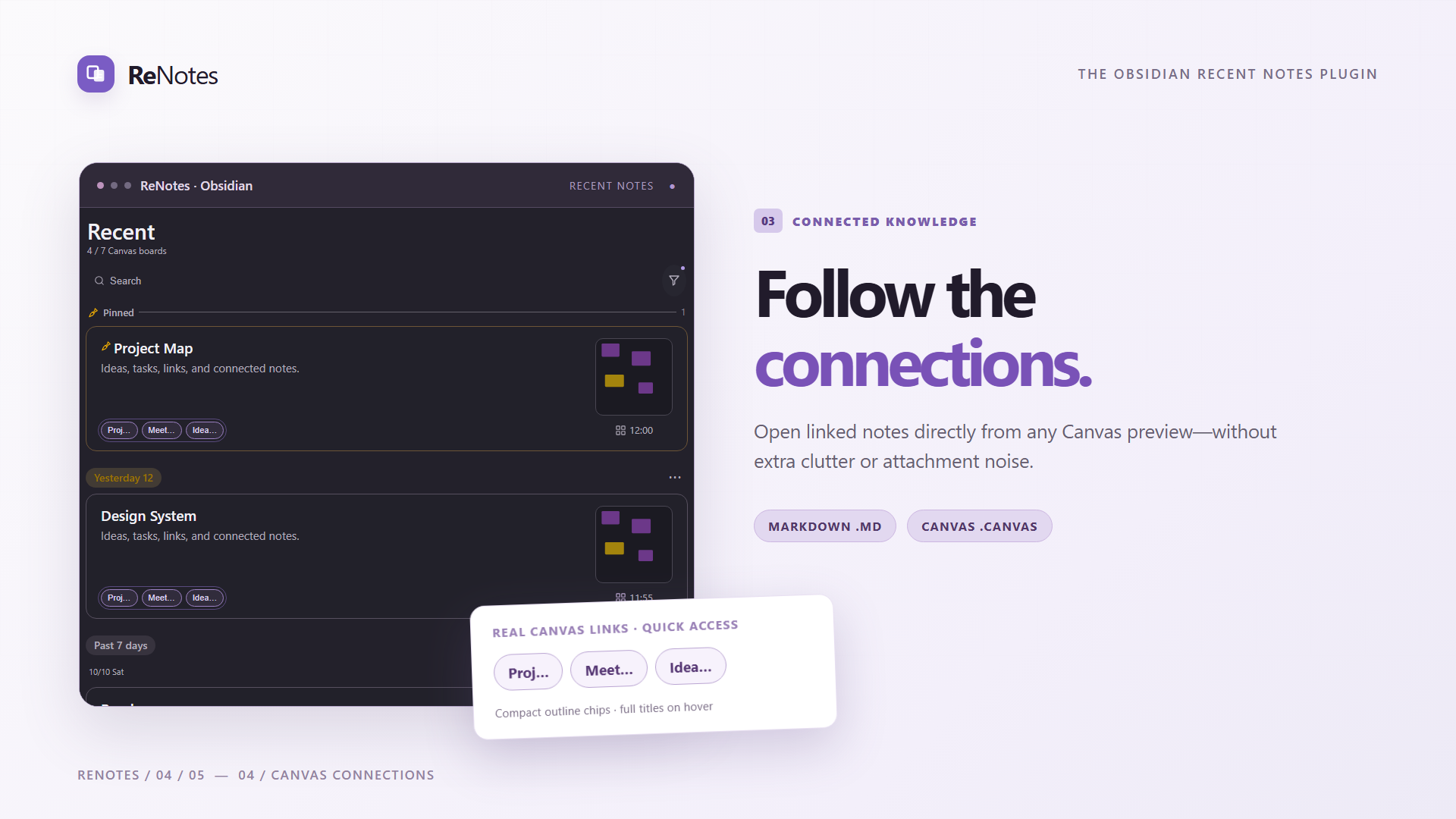
FOLLOW THE CONNECTIONS. — Compact links to Markdown notes and Canvas boards.
04 — English and Traditional Chinese
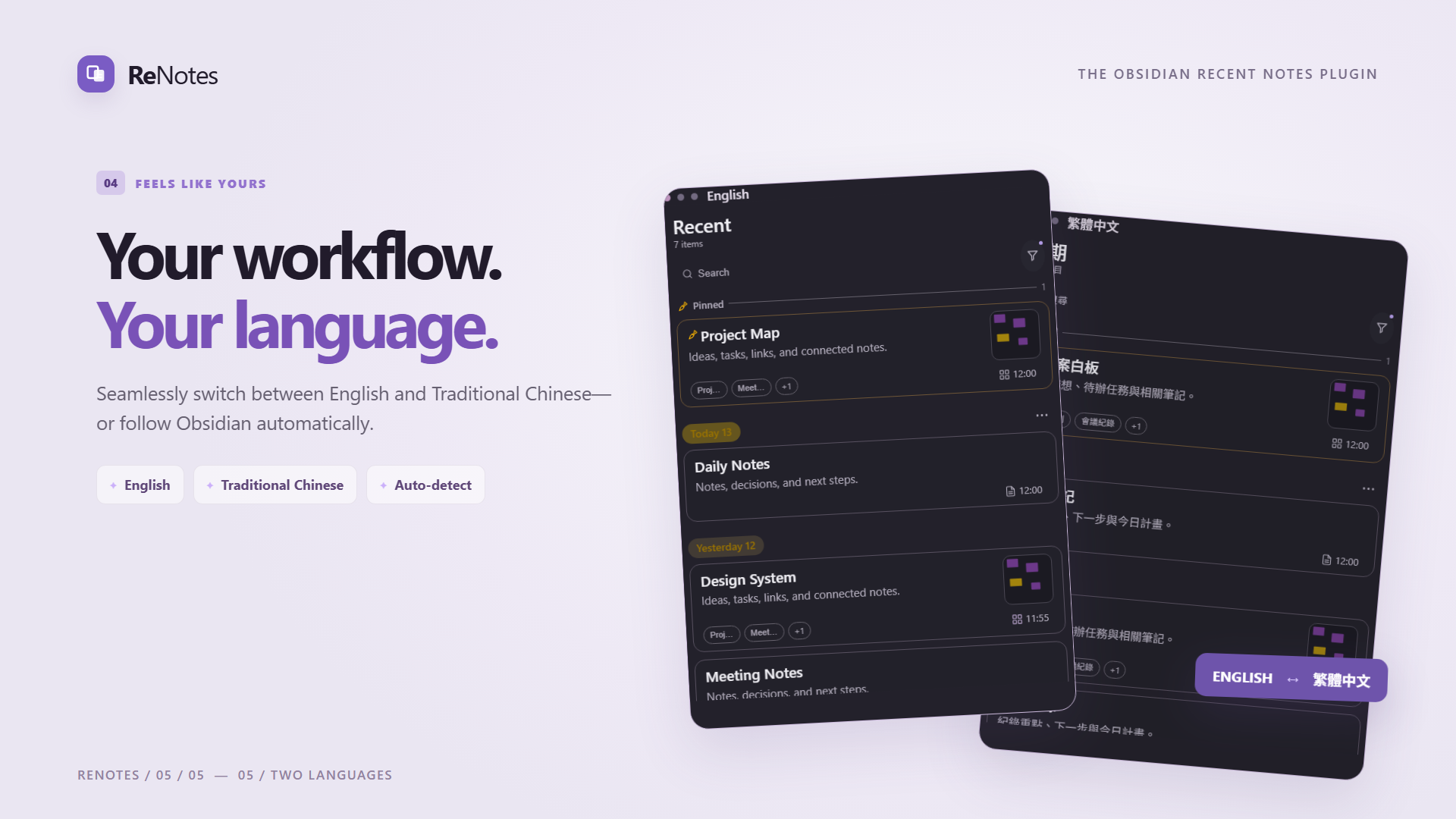
YOUR WORKFLOW. YOUR LANGUAGE. — Choose English, Traditional Chinese or automatic selection.
Screenshots
Explore the new full-resolution marketing visuals: hero, recent notes, date navigation, Canvas links, and bilingual interface. A 1280 × 640 social preview is also available.


All visuals use ReNotes interface components and illustrative sample content, rendered with HTML, CSS and SVG.
Release 1.2.3: Improves CSS compatibility with Obsidian 1.4.5, removes an unnecessary !important, and introduces signed artifact provenance via GitHub Actions. User-facing features and note data remain unchanged.
Installation
- Open the latest GitHub Release and download the three individual assets:
main.js,manifest.json, andstyles.css. - Place all three files inside
.obsidian/plugins/recent-notes-feed/in your Obsidian vault. - Restart Obsidian, then enable ReNotes in Settings → Community plugins.
- To change the interface language, open Settings → Community plugins → ReNotes → Interface language.
Frequently asked questions
Does the date menu filter notes? No. It scrolls to the selected day and keeps the rest of the list available.
Can linked Canvas cards open images? The linked-document chips are intentionally for Markdown notes and Canvas boards; Canvas thumbnail previews still work.
Can I use it on mobile? ReNotes includes mobile-friendly layouts. Dragging Markdown into Canvas is a desktop-oriented feature.
Is the plugin listed in Obsidian's Community Plugins directory? Installation is currently available through the individual GitHub Release assets.
License
ReNotes is released under the MIT License. You may use, modify, distribute, and use it commercially, provided that the copyright notice and license text are retained in copies or substantial portions of the software.
繁體中文
ReNotes|Obsidian 近期筆記與 Canvas 白板側欄外掛
把最近編輯的筆記、Canvas 白板與重要內容,整理成隨手就能找到的側欄。
ReNotes 是一款 Obsidian 近期筆記外掛。無論你使用 Markdown 寫每日紀錄、以 Canvas 整理構想,還是在不同專案間切換,都能透過日期分組、視覺縮圖、釘選與快速搜尋,直接回到需要的筆記。
上方英文區塊包含完整功能圖文;以下為完整繁體中文介紹。
為什麼使用 ReNotes?
當 Obsidian 裡的筆記與 Canvas 愈來愈多,檔案總管適合管理資料夾,卻不一定適合快速回顧「我最近正在處理什麼」。ReNotes 把近期內容整理成可閱讀的卡片,讓你少翻找資料夾,把時間留給寫作、整理與思考。
特別適合 子彈筆記(Bullet Journal)回顧、每日紀錄、專案筆記、知識管理(PKM),以及頻繁使用 Obsidian Canvas 的工作流程。
功能圖文介紹
01|近期筆記一目了然:Markdown + Canvas 同一個側欄
以時間排序的卡片整合 Markdown 筆記與 Canvas 白板,保留標題、摘要、檔案類型、時間,以及可選的圖片或白板縮圖。重要內容可釘選於上方;也能依類型、資料夾或標籤縮小查找範圍。
支援多種排序依據,包括檔案修改時間、有效編輯時間、最近開啟時間及本機編輯時間;可依使用情境選擇。
02|日期快速跳轉:回到某一天,不必篩掉其他筆記
點擊日期標題旁的 ⋯,即可查看最近 7 個有筆記的日期與各日期筆數;更早的日期可以按月份展開。選擇日期後會捲動到該天,原本的近期筆記清單仍完整保留。
03|Canvas 連結筆記:用極細圓框快速開啟關聯文件
在 Canvas 卡片下方,以 A1 極細圓框顯示白板內連結的 .md 筆記與 .canvas 白板。每個連結最多顯示 5 個字元,滑鼠停留可閱讀完整名稱;圖片、PDF 等附件不會佔用連結圓框。
右下角的檔案類型圖示+時間與上方縮圖保持水平置中,讓卡片資訊更整齊,也減少視覺干擾。
04|釘選、搜尋與自適應卡片版面
ReNotes 提供釘選筆記、關鍵字搜尋、檔案類型篩選、資料夾/標籤條件,以及精簡、標準、寬鬆等不同卡片密度。側欄變窄時也會自動調整布局;行動裝置提供適合觸控的操作方式。
在桌面版 Obsidian,Markdown 卡片另有拖曳把手,可將筆記引用拖入 Canvas。實際拖曳行為取決於所使用的 Obsidian 版本。
05|繁體中文與 English:跟隨 Obsidian 自動切換
支援 繁體中文(Traditional Chinese)與英文(English),可自動跟隨 Obsidian 語言,或在 ReNotes 設定中手動選擇。側欄、日期名稱、設定選項與操作提示都有對應翻譯。
安裝 ReNotes
目前透過 GitHub Releases 提供手動安裝:
- 前往 ReNotes 最新 GitHub Release,在 Assets 分別下載
main.js、manifest.json與styles.css。 - 將這三個檔案放入 Obsidian Vault 的
.obsidian/plugins/recent-notes-feed/資料夾。 - 重新啟動 Obsidian,進入「設定 → 社群外掛」,啟用 ReNotes。
在「設定 → 社群外掛 → ReNotes → 介面語言」可選擇「自動(跟隨 Obsidian)」、「繁體中文」或「英文」。
目前版本: 1.2.3 · 外掛 ID: recent-notes-feed · Manifest 最低版本: Obsidian 1.4.0
常見問題(FAQ)
ReNotes 與 Obsidian 檔案總管有什麼不同?
檔案總管主要依資料夾顯示檔案;ReNotes 著重最近使用的筆記與 Canvas,並提供時間分組、縮圖、釘選和日期跳轉。
可以從 Canvas 卡片開啟關聯筆記嗎?
可以。下方圓框可開啟 .md 或 .canvas 文件,圖片與其他附件不會列入這組快捷連結。
選擇日期會把其他筆記隱藏嗎?
不會。日期選單只會捲動到對應日期,完整清單仍可往上、往下瀏覽。選單筆數依目前載入及顯示的近期卡片計算。
可以在手機使用嗎?
外掛包含行動裝置版面與觸控操作;Markdown 拖曳進 Canvas 的功能則主要針對桌面版 Obsidian。
需要從 Obsidian 社群外掛目錄安裝嗎?
目前請從 GitHub Release 的 Assets 下載三個必要外掛檔案,依上述步驟手動安裝。
授權條款
ReNotes 採用 MIT License 開源授權,允許使用、修改、散布及商業使用。重新散布軟體副本或其主要部分時,請保留著作權與授權聲明。
宣傳圖片與下載
完整功能縮圖請參閱上方英文介紹,或瀏覽 英文宣傳圖。
下載 ReNotes · 更新紀錄 · 返回英文介紹