Prompt Shelf
 Milad Samimifar8 downloads
Keep your AI providers, keys and reusable prompts in one place, and run them on any text from the command palette or from your own scripts.
- Overview
- Scorecard
- Updates1
Keep your AI providers, API keys and reusable prompts in one place, and run them on any text — from the command palette, or from your own dataviewjs and plugin code.
An action is a named prompt such as Summarize, Translate or Clean up transcript. Write it once in settings, then use it anywhere.
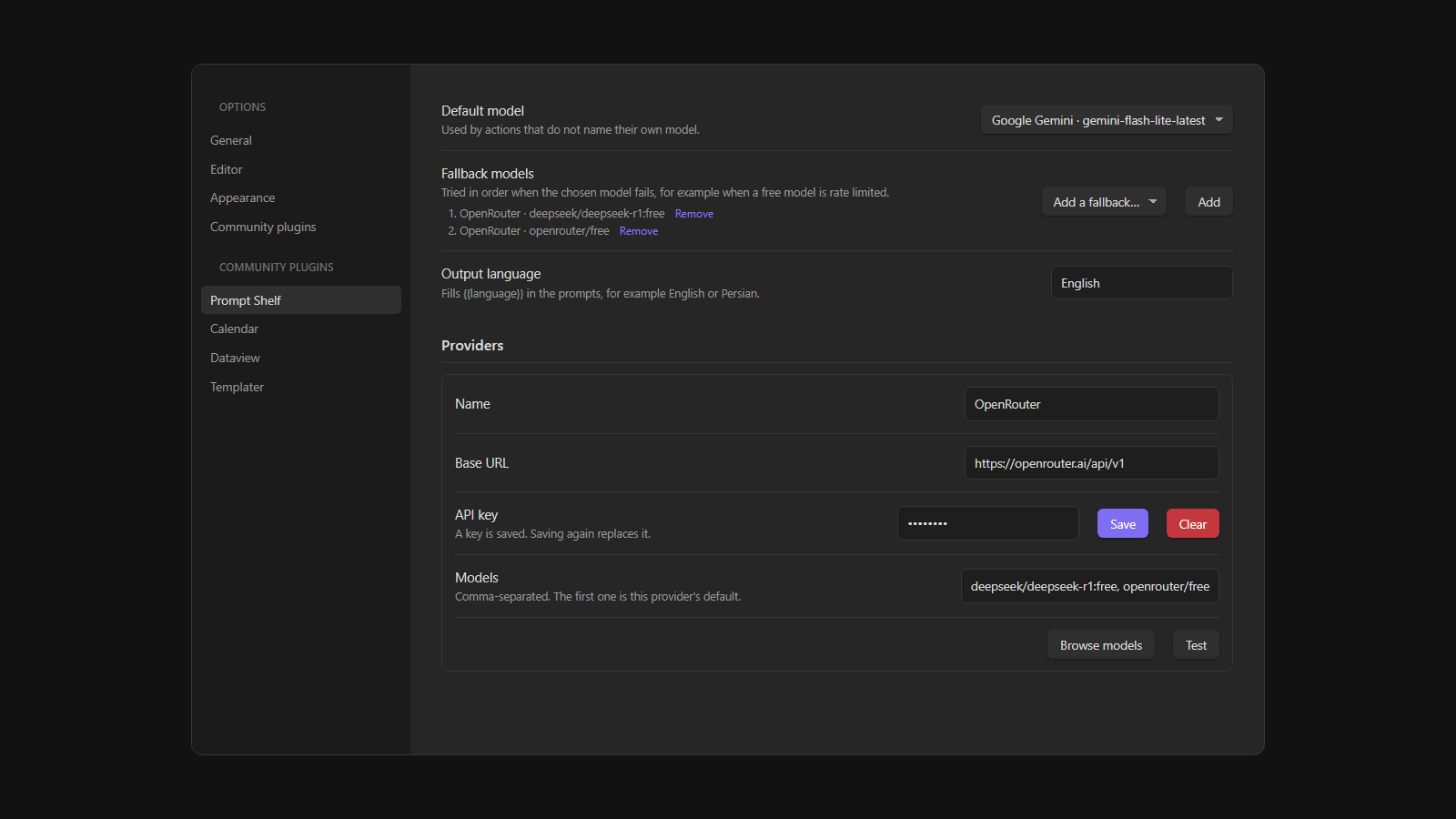
Providers
- OpenAI-compatible: OpenRouter (including its free models), OpenAI, DeepSeek, Groq, Ollama and LM Studio, and any gateway that speaks the OpenAI chat API
- Anthropic
- Google Gemini (a Google AI Studio key)
Each provider has a Browse models button that lists what the service offers (free OpenRouter models are marked) and a Test button.
Using it
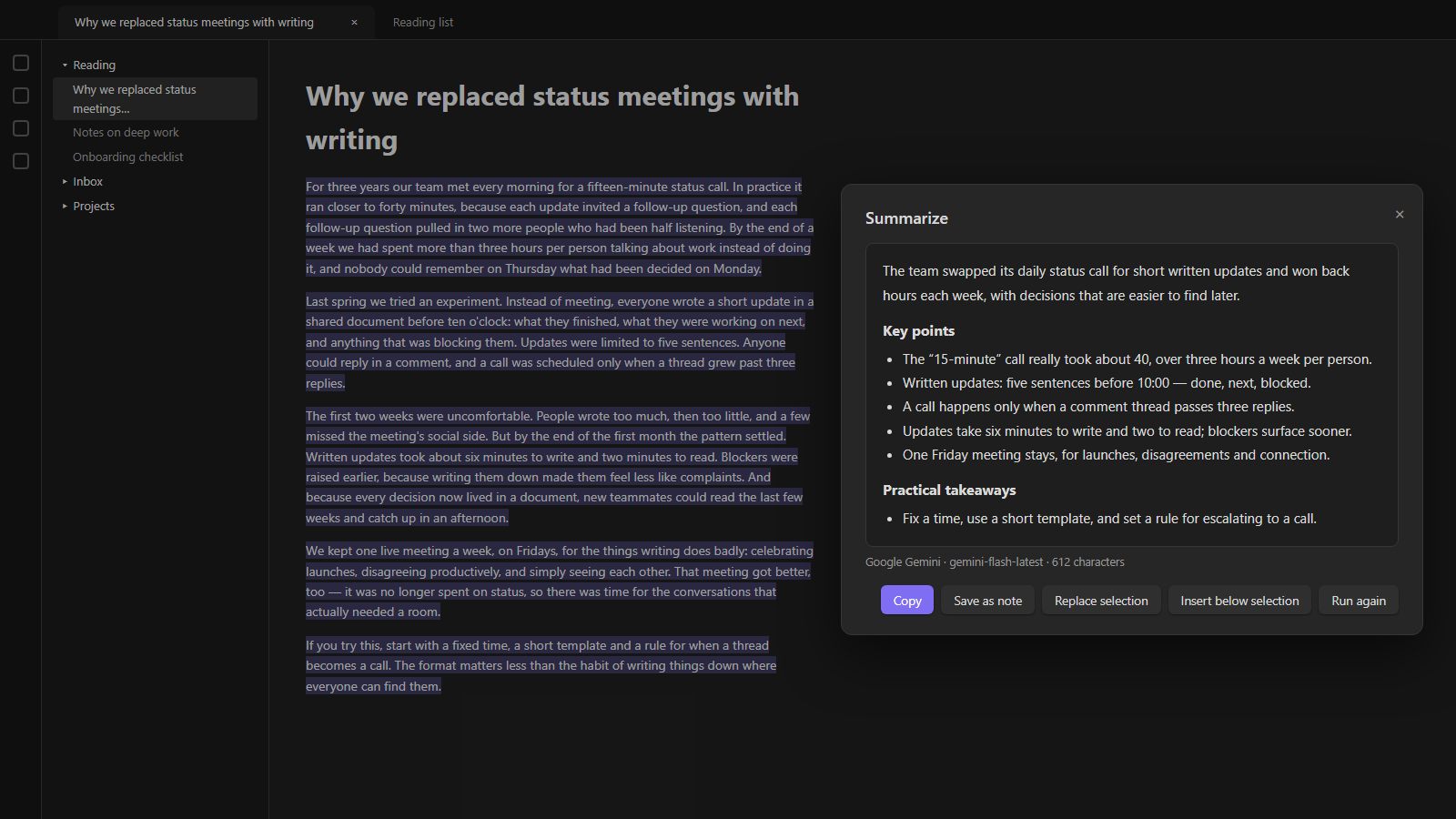
Right-click or command palette — select some text (or nothing, for the whole note), then right-click and choose Run AI action on selection…, or run Prompt Shelf: Run an action on the selection or the whole note from the command palette. Pick an action; the answer streams into a window where you can copy it, save it as a note, replace the selection or insert it below.
Answers appear while they are being written, and a Stop button ends a run early. Providers that do not allow streaming from Obsidian fall back to waiting for the whole answer.
From a script — the plugin exposes an API. Here a note shows a video's transcript and summarizes it with a ready-made panel:
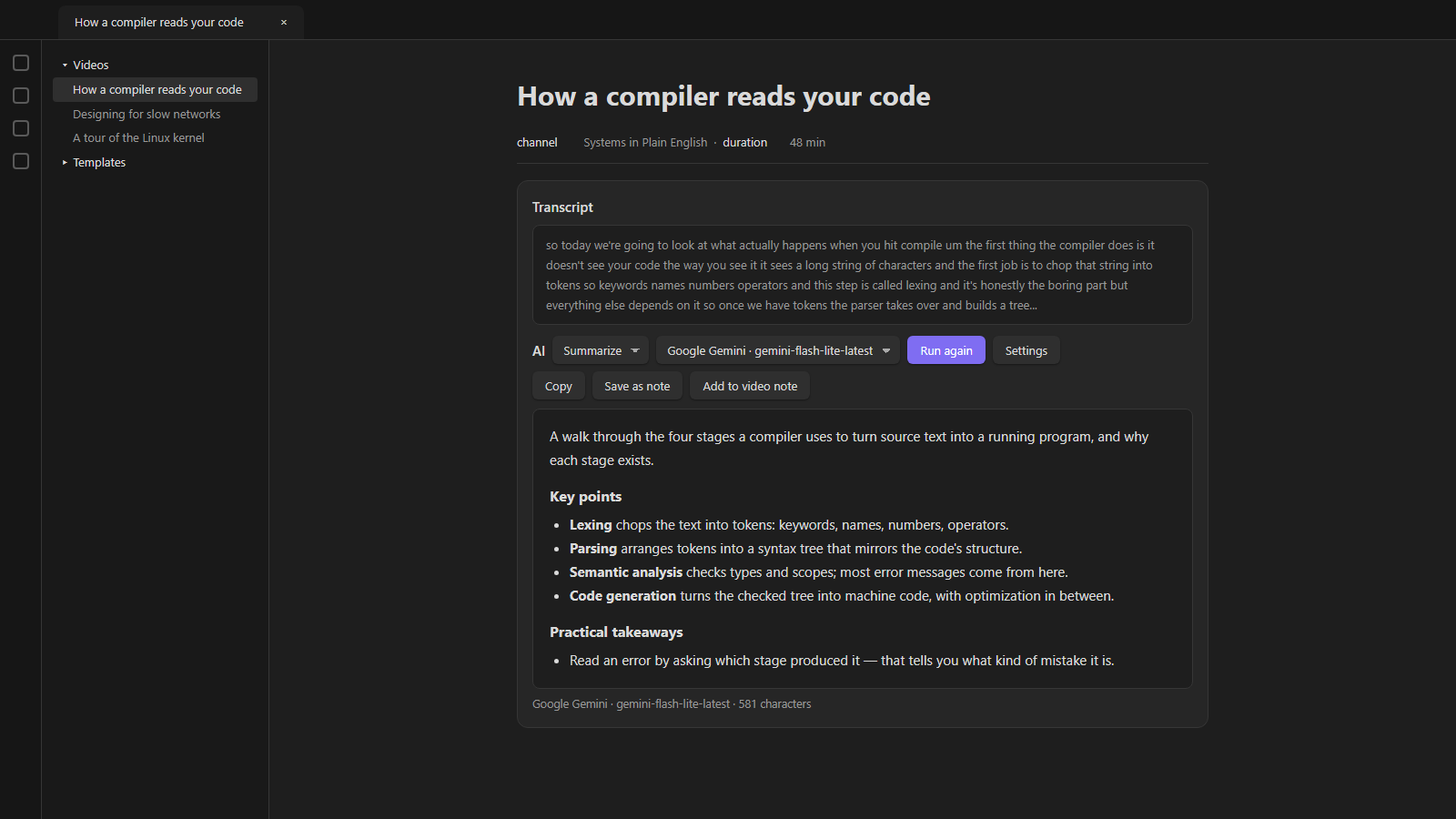
const ai = app.plugins.plugins["prompt-shelf"]?.api;

// A ready-made panel: action and model pickers, Run, the answer and Copy
const panel = ai.panel(dv.el("div", ""), {
  id: "my-note",                  // remembers the chosen action and model
  getText: () => myText,
  getKey: () => currentItemId,    // answers are cached per key for the session
  vars: () => ({ title: myTitle }),
  defaultAction: "summarize",
  buttons: [{ text: "Add to note", onClick: (answer, action) => { /* … */ } }],
});
panel.result();                   // the answer currently shown, or null
panel.refresh();                  // call after the text changes

// Without UI
const summary = await ai.run("summarize", text, { vars: { title } });
const reply = await ai.chat({ system: "…", prompt: "…" });
ai.saveNote(text, { action, vars }), ai.actions(), ai.models(), ai.ready(), ai.pick(text) and ai.openSettings() are also available.
Saving answers
Save as note creates a note in the folder set in settings (Inbox by default), named from a template such as {{title}} - {{action}}. The action, model, date and the script's variables — a title or a URL, say — become note properties.
Thinking
Each action has a Thinking level: model default, off, low, medium or high. Lower is faster, and a summary rarely needs more than low. It maps to reasoning_effort (OpenAI), reasoning.effort (OpenRouter), a thinking budget (Anthropic, Gemini 2.x) or thinkingLevel (later Gemini models). A model that does not accept the setting says so, and the error tells you to switch it back.
Prompts
{{text}}is the input. If a prompt has no{{text}}, the text is appended to it.{{language}}is the output language from settings.- Scripts can pass any other variable, such as
{{title}}. A line whose variables are all empty is dropped, soTitle: {{title}}simply disappears when there is no title.
Long texts
Texts longer than Chunk size are sent in parts. If the action has a merge prompt, the parts' answers are combined with it — this is how Summarize turns a two-hour transcript into one summary. Otherwise the answers are joined. Set the chunk size to 0 for models with a large context window, such as Gemini.
When something goes wrong
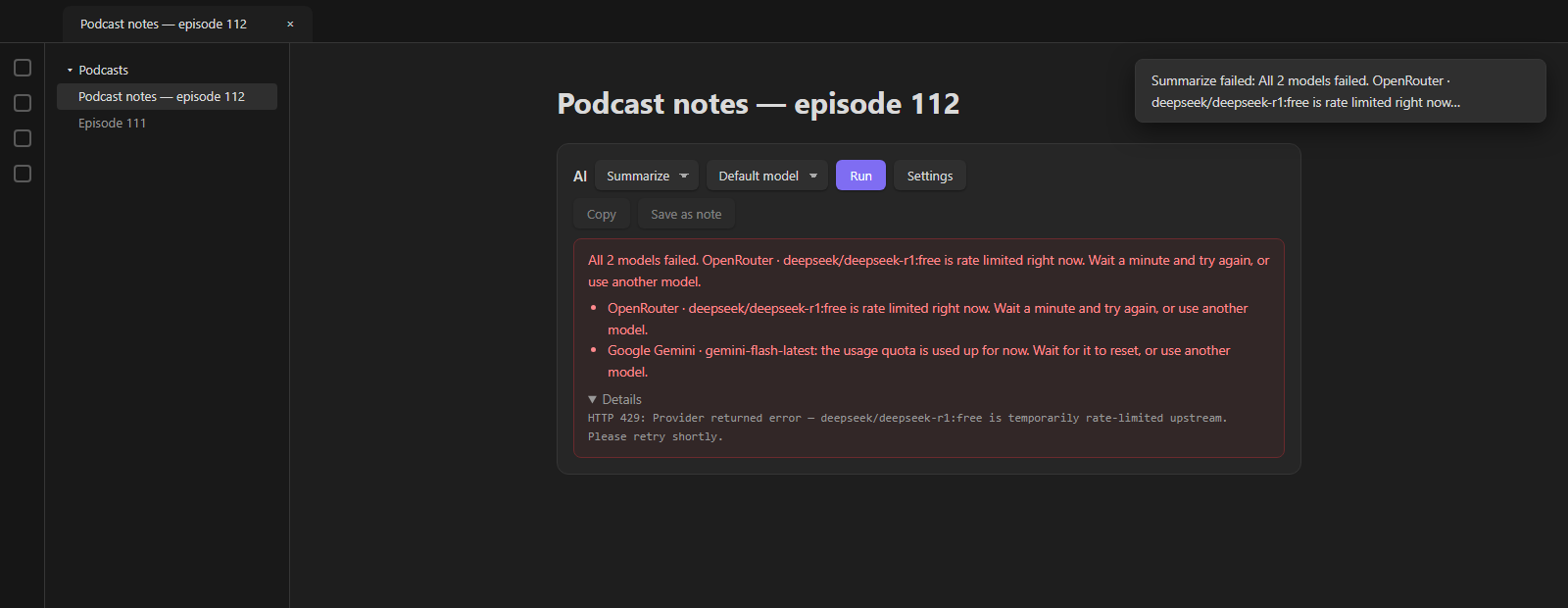
Errors say what happened in plain words — a rejected key, a rate-limited free model, a used-up quota, a model that does not exist, a text too long for the model, a region the provider does not serve, OpenRouter privacy settings that block free models — with the provider's own message under Details.
Add fallback models in settings and a failed request moves on to the next one, which is handy with free models that are often rate limited.
Network
Every request goes through Obsidian's requestUrl, except streamed answers: requestUrl cannot read a response as it arrives, so streaming uses fetch. When a provider does not allow that from Obsidian, the plugin falls back to requestUrl and waits for the whole answer. Streaming can be turned off in settings.
Nothing is sent anywhere except to the providers you configure, and only when you run an action.
About the keys
Keys are stored in the plugin's own secret.json, not in data.json, because many vaults commit data.json to git. The settings never show a saved key again; saving replaces it and there is a Clear button. Keys never appear in error messages.
The file is plaintext: a plugin has no OS keychain on mobile. Keep it out of git and other sync tools:
.obsidian/plugins/*/secret.json
Since the file does not sync, enter your keys once on each device.
Support
This project is offered for free so everyone can use it without restrictions. If you found this tool useful, you can support its continuous development and improvement through donations.
Licence
MIT — see LICENSE.