Search...Search plugins and themes...
⌘K
Sign in
  • Get started
  • Download
  • Pricing
  • Enterprise
  • Account
  • Obsidian
  • Overview
  • Sync
  • Publish
  • Canvas
  • Mobile
  • Web Clipper
  • CLI
  • Learn
  • Help
  • Developers
  • Changelog
  • About
  • Roadmap
  • Blog
  • Resources
  • System status
  • License overview
  • Terms of service
  • Privacy policy
  • Security
  • Community
  • Plugins
  • Themes
  • Discord
  • Forum / 中文论坛
  • Merch store
  • Brand guidelines
Follow us
DiscordTwitterBlueskyThreadsMastodonYouTubeGitHub
© 2026 Obsidian

Progress Clocks

tokenshifttokenshift

Progress clocks and other useful widgets for real-time status tracking.

  • Overview
  • Scorecard
  • Updates9

Progress clocks, counters, and stopwatches for Obsidian.md.

Usage

Use the Progress Clocks: Open Sidebar View to open the progress clocks panel.

By default, the panel is empty; use the "Add Section" button to create a new grouping of progress clocks (and other trackers), then use the buttons at the bottom of the panel to add clocks, counters, and stopwatches to the section (see below for explanations of each kind of tracker).
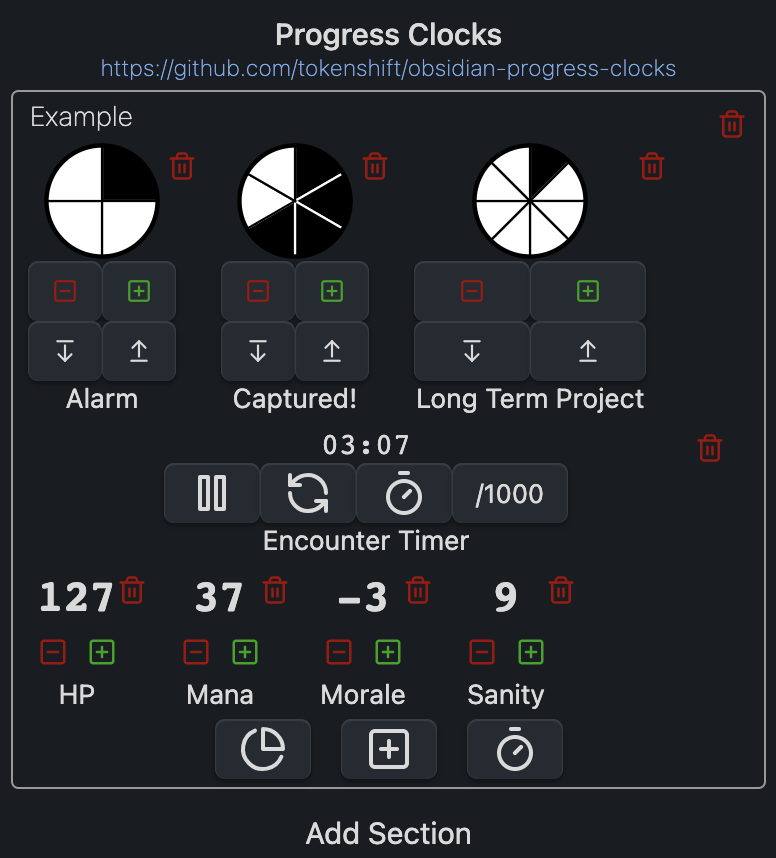
Example of the Progress Clocks sidebar view

Types of Trackers

Progress Clock

Progress clocks are pie-chart-style counters with a configurable number of segments, useful for tracking progress/steps. They were introduced in the Blades in the Dark RPG by John Harper.
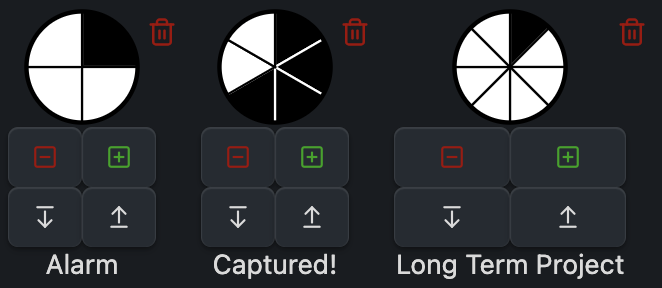
Example of progress clocks with 4, 6, and 8 segments

When you add a new clock, enter how many segments you want it to have. You can add & remove segments later on the fly, as well as incrementing the current count (i.e. how many segments are filled), using the buttons below each clock (or by ctrl/cmd-clicking on the clock itself).

Counter
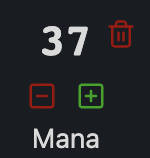
Example of a counter

A number (defaulting to zero) with increment/decrement buttons next to it. You can also click on the current value to enter an exact number, or enter +/- in order to add/subtract from the current value.

Stopwatch
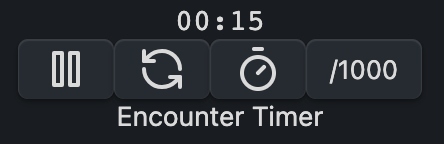
Example of a stopwatch

Keeps track of time (in seconds by default; click the /1000 button to toggle between seconds and milliseconds). The other buttons under the stopwatch can be used to pause/resume the stopwatch, reset it (to 0:00), or record a lap time (which will show up in a list under the stopwatch).

Inline Usage

You can also use inline clocks and counters; use `clock 2 / 4` to get a 4-segment clock with 2 segments filled in, or `counter 42` to get a counter initially set to 42.

While inline clocks and counters will render in "view" mode, interacting with them won't alter the markdown source. In edit mode with live preview enabled, the clocks and counters will render, and interacting with them will update the underlying markdown.

HealthFair
ReviewNot scanned
About
Add progress clocks, numeric counters, and stopwatches to Obsidian to track steps, counts, and elapsed time. Create segmented pie-chart clocks with editable segments, increment/decrement counters, and lap-aware stopwatches. Place trackers in sidebar panels or inline and update values directly in Markdown.
ChartsSidebar
Details
Last updated
2 years ago
Created
3 years ago
Updates
9 releases
Compatible with
Obsidian 0.12.0+
Platforms
Desktop, Mobile
License
MIT
Report bugRequest featureReport plugin
Author
tokenshifttokenshift
github.com/tokenshift
GitHubtokenshift
  1. Community
  2. Plugins
  3. Charts
  4. Progress Clocks

Related plugins

Notebook Navigator

A better file browser and calendar inspired by Apple Notes, Bear, Evernote and Day One.

Tag Wrangler

Rename, merge, toggle, and search tags from the tag pane.

Vertical Tabs

Offer an alternative view that displays open tabs vertically, allowing users to group and organize tabs for a better navigation experience.

Flexplorer

Enhance the file explorer with custom sorting, pinning, and hiding.

Recent Files

Display a list of recently opened files.

YTranscript

Easily fetch transcription for any YouTube video.

Checklist

Consolidate checklists across all files into a single view.

TagFolder

Show tags as folder.

Longform

Helps you write and edit novels, screenplays, and other long projects.

Tracker

Track occurrences and numbers in your notes.