Pinyin Replacer
 larrysal1k downloads
Use the Pinyin tones without having to install extra keyboard layouts.
- Overview
- Scorecard
- Updates2
Allows you to take pinyin notes without having to install another keyboard layout.
Adds 4 commands which will replace the vowel behind your cursor into it's "toned" version and 1 command which will remove the tone.
How to Install
From within Obsidian
From Obsidian v0.9.8+, you can activate this plugin within Obsidian by doing the following:
- Open Settings > Community plugin
- Make sure Safe mode is off
- Click Browse community plugins
- Search for "pinyin replacer"
- Click Install
- Once installed, close the community plugins window and activate the newly installed plugin
Demo
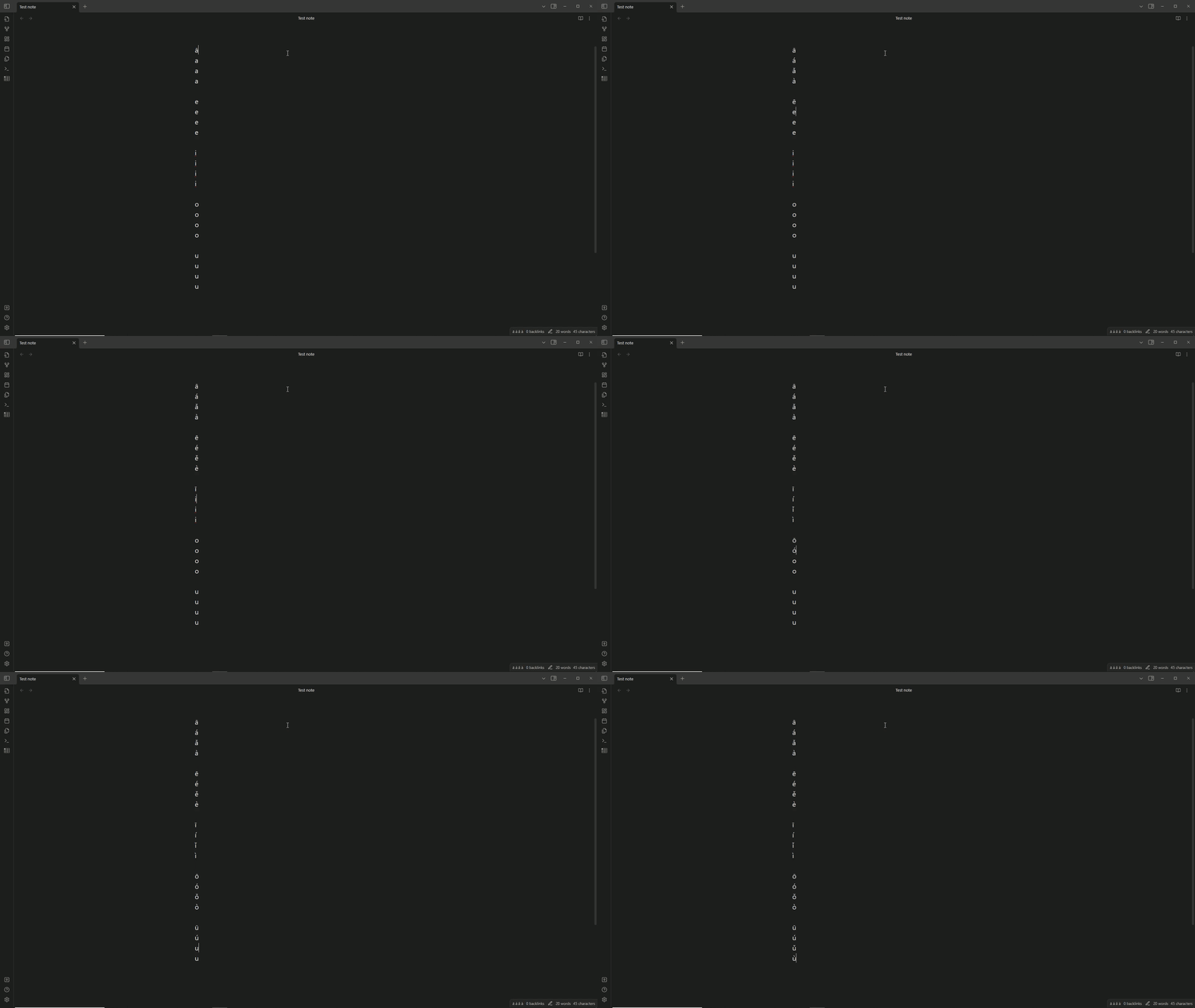
How to use
To replace the vowel with its "toned" version, 4 commands/hotkeys have been added.
| Command Name | Shortcut |
|---|---|
| Replace first tone | "ALT" + "1" |
| Replace second tone | "ALT" + "2" |
| Replace third tone | "ALT" + "3" |
| Replace fourth tone | "ALT" + "4" |
| Remove tone | "ALT" + "R" |
The letter "v" can be used to produce the "ǖ", "ǘ", "ǚ", "ǜ" tones the same way as it works with the vowels.
Additional features
Adds a status bar item to the status bar to remind you the order of the tones.

Further Credit
- VishalJagan - added the "ǖ", "ǘ", "ǚ", "ǜ" tones
- Manzolillom - added flexibility to switch between tones
Funding
If you wish, you can pay me a coffee by donating to my paypal!
HealthGood
ReviewSatisfactory
About
Replace the vowel under the cursor with its pinyin tone mark or strip tones via quick commands. Use v for ǖ/ǘ/ǚ/ǜ variants and read the status-bar reminder for tone order.Details
Current version
1.0.1
Last updated
2 years ago
Created
3 years ago
Updates
2 releases
Downloads
1k
Compatible with
Obsidian 0.15.0+
Platforms
Desktop only
License
MIT
Sponsor