Pin Indicator
 nicholaskj53 downloads
Show a lock icon in the note's more options button while the note is pinned.
- Overview
- Scorecard
- Updates1
Show a lock icon in the note's more options button while the note is pinned.
The problem
Obsidian has a Pin feature that keeps a tab from being closed. The only hint that a note is pinned is a small icon in the tab bar.
On a phone the tab bar is narrow enough that the hint is effectively invisible — you have no way to tell at a glance whether the note you are looking at is pinned or not.
What this plugin does
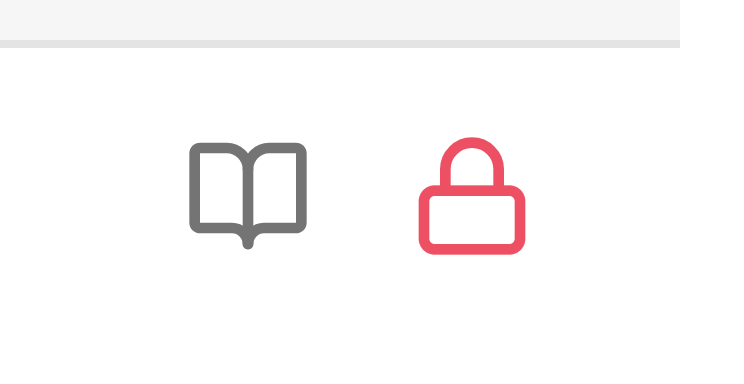
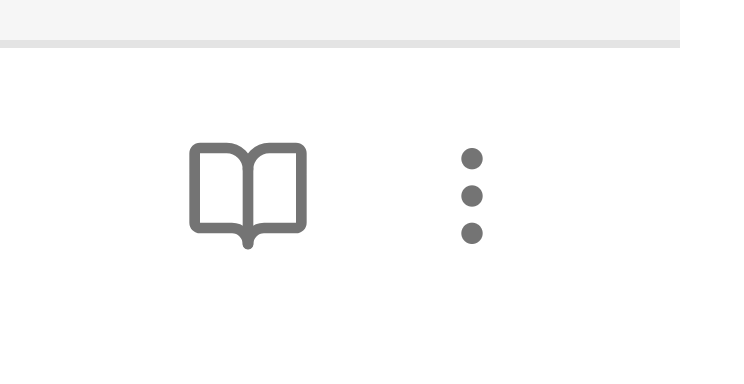
While the current note is pinned, the ⋯ button in the top-right corner of the note header:
- switches to a lock icon
- turns red
Unpin the note and the button goes back to its normal three dots and default color.
| Not pinned | Pinned |
|---|---|
 |
|
The button keeps working as a menu — only its icon and color change.
Usage
Nothing to configure.
- Open a note.
- Pin the tab. Either right-click the tab and choose Pin, or run the Toggle pin command from the command palette.
- The
⋯button in the note header turns into a red lock icon. - Unpin the tab and it returns to normal.
Installation
From the community directory
Search for Pin Indicator in Settings → Community plugins → Browse.
Manually
- Download
main.js,manifest.jsonandstyles.cssfrom the latest release. - Create the folder
<your vault>/.obsidian/plugins/pin-indicator/. - Copy the three files into it.
- Reload Obsidian.
- Enable Pin Indicator in Settings → Community plugins.
From source
There is no build step — main.js is the source. Copy the three files as described above.
How it works
Obsidian exposes the more options button of each view as view.moreOptionsButtonEl, and each leaf carries a pinned flag. The plugin reads that flag, swaps the button icon with setIcon, and toggles a CSS class that colors the button.
It listens on each leaf's pinned-change event, plus the workspace layout-change and active-leaf-change events, and re-applies the state a couple more times shortly after a change in case Obsidian's own header update overwrites the icon. There is no polling and no background work.
Why not a CSS snippet
Obsidian only applies .is-pinned to side drawers. There is no ancestor class on the tab itself, so pure CSS cannot select "the ⋯ button of a pinned tab", and :has() is not reliable on mobile.
Compatibility
- Works on desktop and mobile (
isDesktopOnly: false). - Requires Obsidian 1.4.0 or newer.
- No third-party dependencies — the only
requireis the hostobsidianmodule. - No network access, no telemetry, no filesystem access.
- No settings, no data stored.
Naming
Obsidian's own UI calls this feature Pin in English and 锁定 in Chinese. Both mean the same thing: the tab is kept from being closed. This plugin does not lock or protect anything — it only makes the pinned state visible.
Relationship to existing plugins
Several community plugins deal with pinned notes, but none of them surface the native pinned state in the note itself.
| Plugin | What it does | Why it is not the same |
|---|---|---|
| Pinned Tabs Customizer | Custom icons for pinned tabs | Styles the tab bar; desktop only |
| Pinned Tabs Row · Pinned Tabs · Shrink pinned tabs · Pinned Tab Utils | Change how pinned tabs look or behave | Tab bar appearance |
| Pin Enhancer · Pin Tab Guard · Real Pin | Prevent a pinned tab from being closed | Do not show the state |
| Pins Save · Pinned Daily Notes | Restore pins after a restart | Does not show the current state |
| Pinned Files · Pinit · Pinup · Pin to Top · Star Pins · Folder Pin | Pin items to the top of the file explorer | Maintain their own pin list, unrelated to Obsidian's native pin |
| Pinned Notes · New Tab Pins | Pin notes to the ribbon or a launcher | Own list |
Obsidian itself renders no pin indicator in a note's view header — the tab bar hint is the only cue, and on mobile that hint is effectively invisible.
This plugin reads Obsidian's own leaf.pinned flag and reflects it on the note's more options button. It stores nothing and keeps no list of its own.
FAQ
Does it prevent the note from being closed? No. It only shows the pinned state. Preventing a pinned tab from closing is Obsidian's own behavior.
Does it work with multiple panes? Yes. Each leaf is tracked separately.
Does unpinning remove the lock icon immediately? Yes.
Why does my button show a lock even after I closed the tab? It should not — the class is re-evaluated on every layout change. If it does, please open an issue.
License
MIT — see LICENSE.