Personal Kanban
 Jesuspinarte378 downloads
A simple plugin to manage your personal projects with a Kanban Board.
- Overview
- Scorecard
- Updates1
I wanted to have my own personal Kanban because Trello, Jira, Monday, and those kinds of tools are either expensive or overkill. I just wanted something simple for my personal projects without the need to go on the web, log in, deal with loading screens, or get a bunch of spam emails. This is just for simple stuff. If you need a straightforward, local, and fast Kanban board right inside your notes, this is for you.
How to use
Personal Kanban is designed to be fast and invisible. Here is how to get started:
Opening your Kanban Boards
Once installed and enabled, you can access your boards in two ways:
- Command Palette: Press
Ctrl+P(orCmd+Pon Mac) and typeOpen Personal Kanban
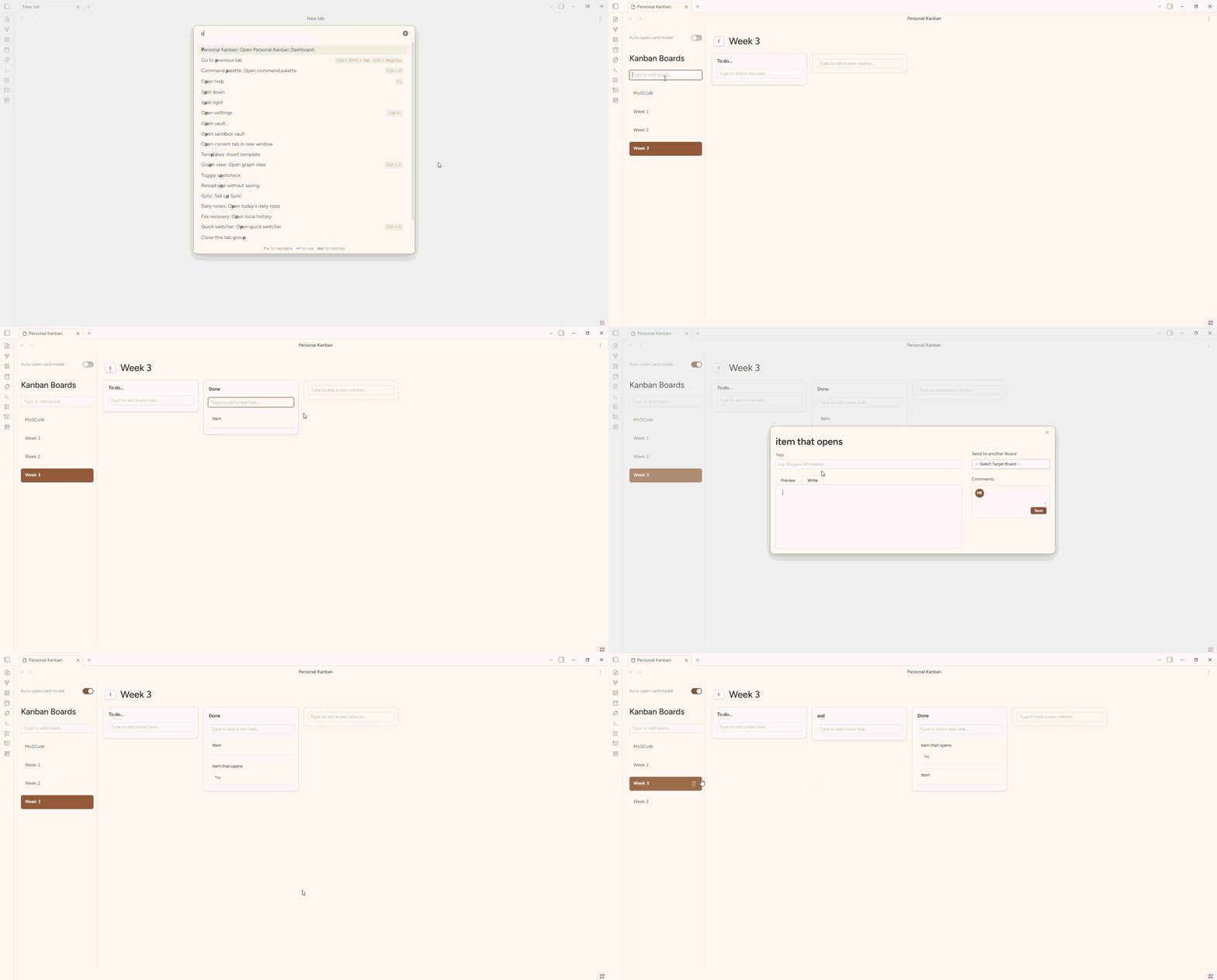
Managing Boards
- Create a board: Type the name of your new board in the input box located at the top of the Kanban sidebar and press Enter.
- Switch boards: Simply click on any board title in the sidebar.
- Reorder boards: Drag and drop the board items in the sidebar to change their order.
- Delete a board: Hover over the board title in the sidebar and click the Trash icon that appears.
Working with Columns & Tasks
- Create a Column: In the main board view, use the "New Column" ghost box (the dashed border area). Type the title and press Enter.
- Add a Task: Every column has a dedicated "Type to add a new task..." input. Write your task and press Enter.
- Reorder Items: Click and drag any card or column to rearrange them to your liking.
- Move between Boards: Open the Card Modal, go to the "Send to another Board" section in the sidebar, select your target board/column, and click "Send Card".
Customizing your Workflow
- Auto-open Modal: Toggle the "Auto-open card modal" switch in the sidebar if you prefer the modal to pop up every time you create a new card. If turned off, the input will remain focused, allowing you to add multiple tasks in a row quickly.
‼️Upcoming features
- Ribbon Icon for quick access
- Comment seccion to add some notes to the tasks
- Inline card view to see the card content in a preview without opening the full card
Disclaimer: Built with "Vibe Coding"
!!! Be ware: This plugin was made heavily relying on AI (Vibe Coding). Why? I have 7+ years of experience with web development, but right now I'm focusing my personal time on game dev projects. I was not gonna learn how to code an Obsidian plugin from the ground up just for a personal tool. I wanted something quick.
I don't know if it's 100% reliable yet, which is why I'm keeping it in an Alpha version. I plan to properly review the code and do a heavy refactor later when I have more time. However, this is not a project that AI gave me in a single prompt; I spent time debugging, fixing DOM event bubbling, adjusting CSS for a Trello-like feel, and giving strict architectural direction. Use it, enjoy it, but know it's a work in progress.
Features
- Multiple Boards Management: Create and manage several independent Kanban boards from a collapsible sidebar.
- Trello-like UI/UX: Clean, minimalist design that feels native to Obsidian but modern.
- Full Drag & Drop: Smooth DnD functionality to reorder cards within columns, move cards between columns, reorder columns, and even reorder your boards in the sidebar.
- Smart Columns: Columns have quick-add inputs for tasks. Every board starts with a default "To do..." column.
- Detailed Card Modal (70/30 Layout): Clicking a card opens a modal where you can edit the title, add tags, and write a full Markdown description (with Preview/Write tabs).
- Cross-Board Transfers: Move a card from one board to a specific column in another board with a couple of clicks.
- Keyboard Friendly: Press
Enterto create cards, columns, and boards instantly without leaving the keyboard. - Native Obsidian Integration: Uses Obsidian's native icons, variables, and modals so it adapts perfectly to your light/dark themes.
Issues & Feature Requests
If you want a new functionality, have an idea to make the code better, or if you see a bug, please raise an issue in this repository.
☕ Support
If you find this plugin useful for your own projects and want to buy me a coffee to help me dedicate more time to maintaining and refactoring it, you can do it here: