PDF Cover Cards
 theluckystrike1 downloads
Shows the first page, or a chosen page, of the PDF linked from each note as the card cover in a Bases view.
- Overview
- Scorecard
- Updates2
PDF Cover Cards shows the first page of a PDF as the picture on a card. You keep one note for each book, paper, manual or scan, with a link to the PDF. The plugin draws page 1 of that PDF on the card, so a base of notes looks like a shelf of documents. You can also pick another page with #page=N.
PDF Cover Cards is a layout for the core Bases plugin. The base selects, filters and sorts the notes, and the plugin draws the cards with the PDF reader that comes with Obsidian.
Features
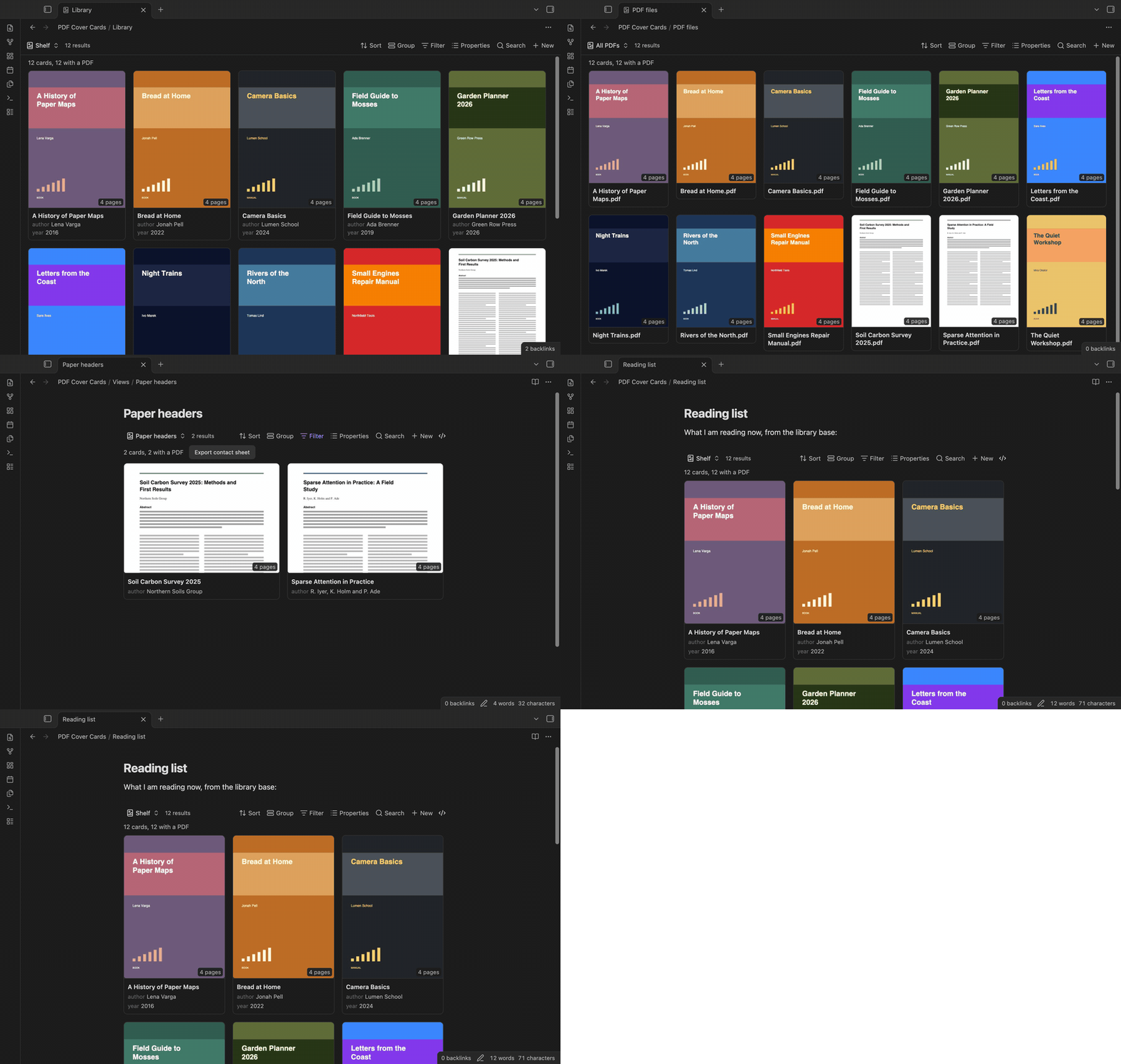
Page 1 of the linked PDF on each card
Choose a property that links to the PDF, for example pdf: "[[Field Guide to Mosses.pdf]]". Each card shows page 1 of that file, the note name, the properties of the view and the page count. Click a card to open the note. Ctrl-click (Cmd-click on macOS) opens it in a new tab.
Which PDF and which page
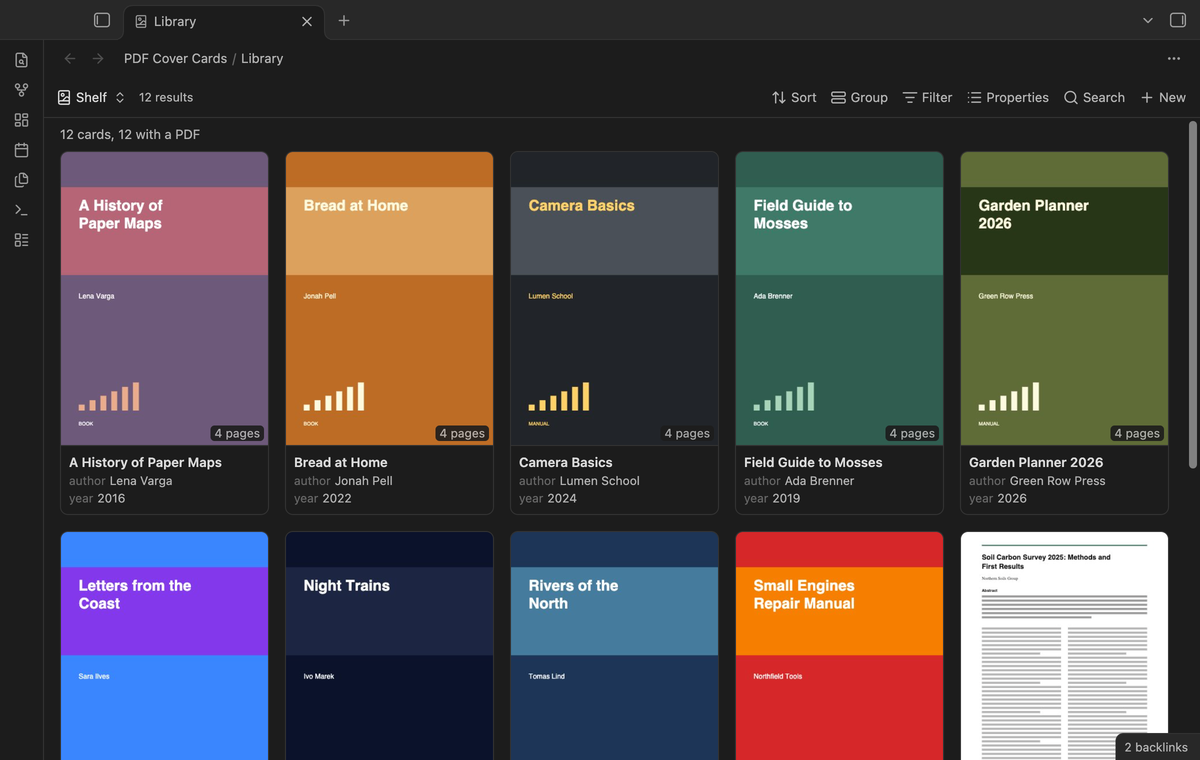
The plugin looks for the PDF in this order. A PDF file in the base is its own cover. Next comes the PDF property of the view, which can hold one link or a list. Last comes the first PDF that the note links to or embeds, so a note with ![[Bread at Home.pdf]] in its text gets that cover with no property at all.
Add #page=N to a link to show another page, for example [[Manual.pdf#page=3]]. Wikilinks, Markdown links, embeds and plain paths all work.
PDF files as cards
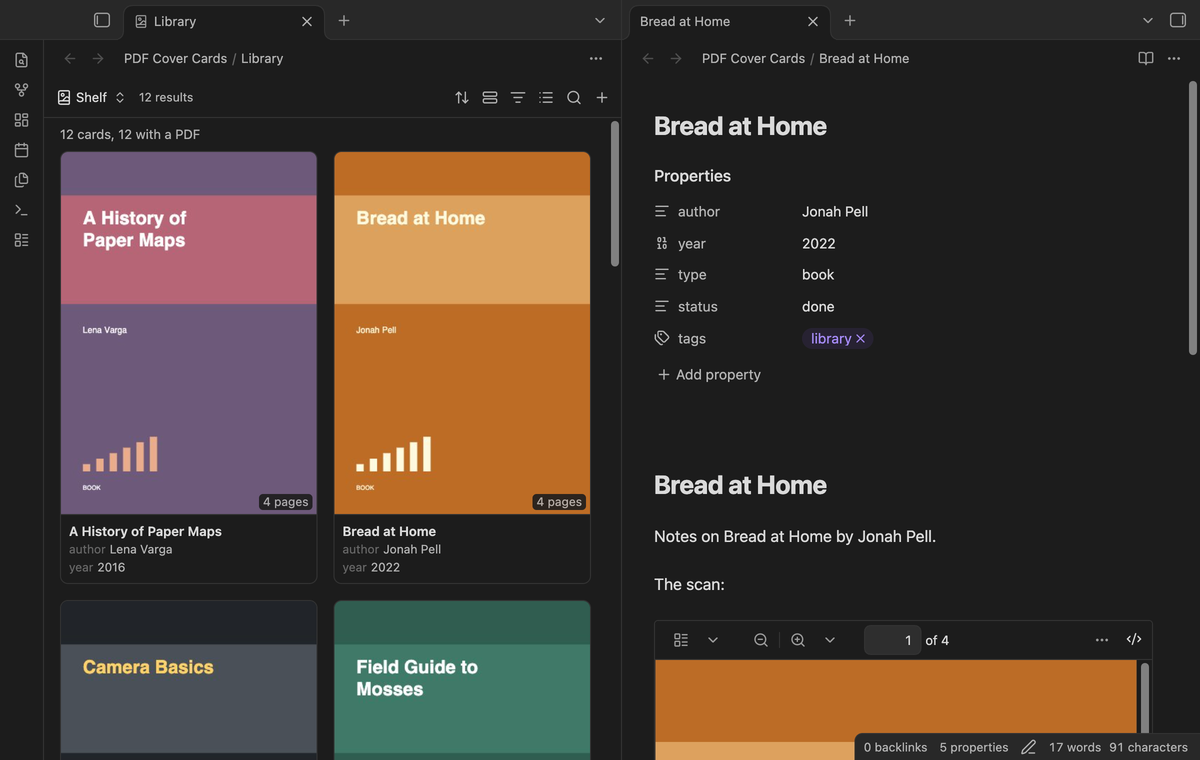
A base can select the PDF files themselves, for example with the filter file.ext == "pdf". Then each PDF is a card with its own cover.
Embeds and live update
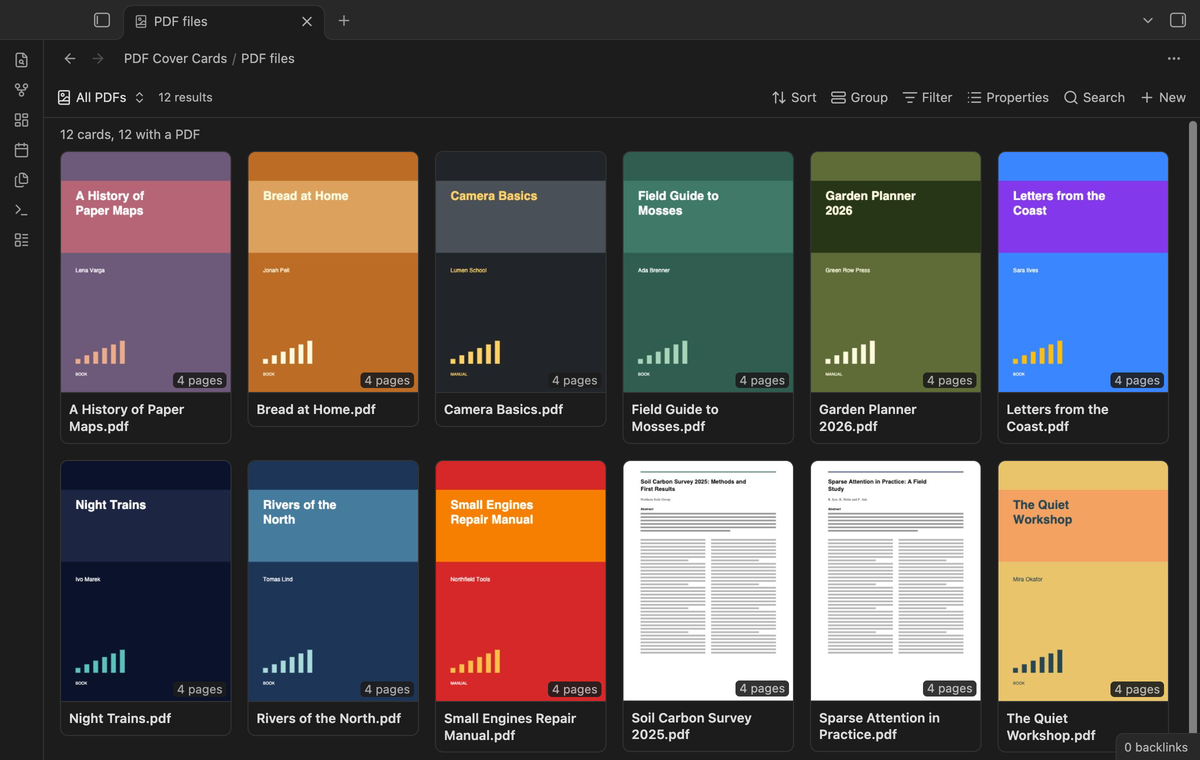
Embed the layout in any note with ![[Library.base#Shelf]]. When a PDF changes, its cover draws again.
Cover crop (Pro)
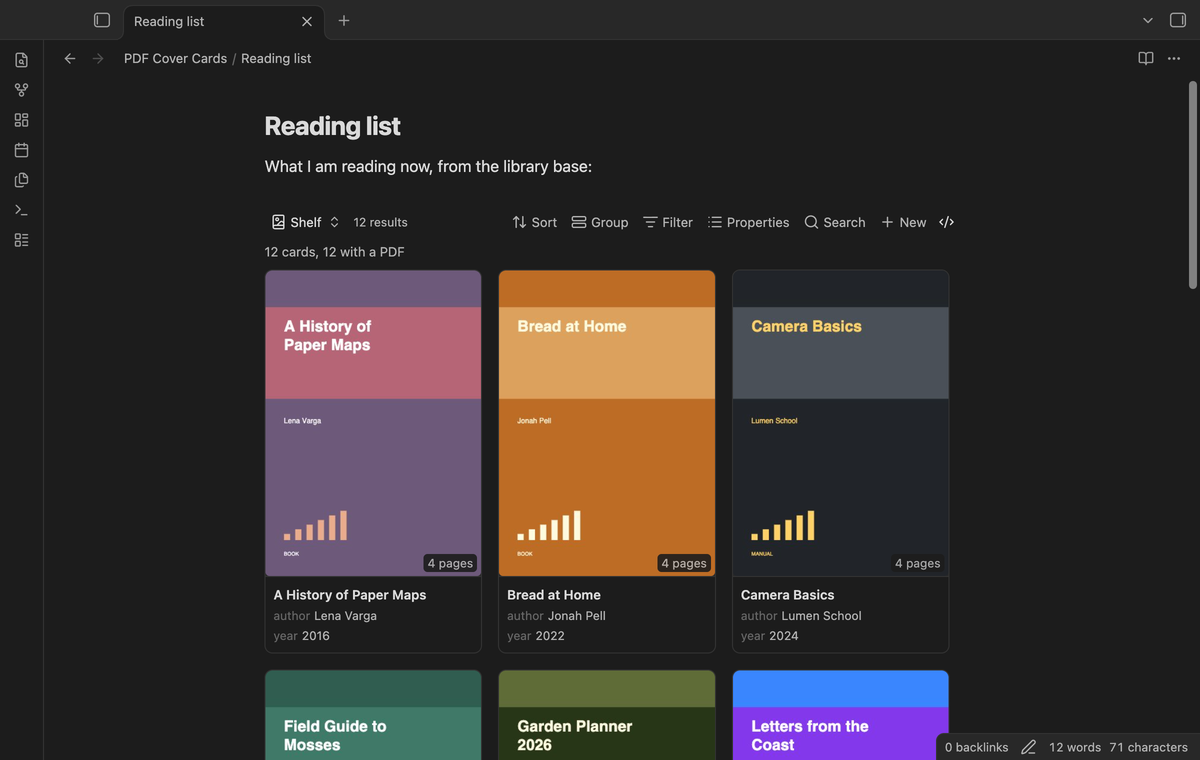
Show only the top half or the top third of the page. For papers and reports, the title and the abstract are then large enough to read on the card.
Contact sheet export (Pro)
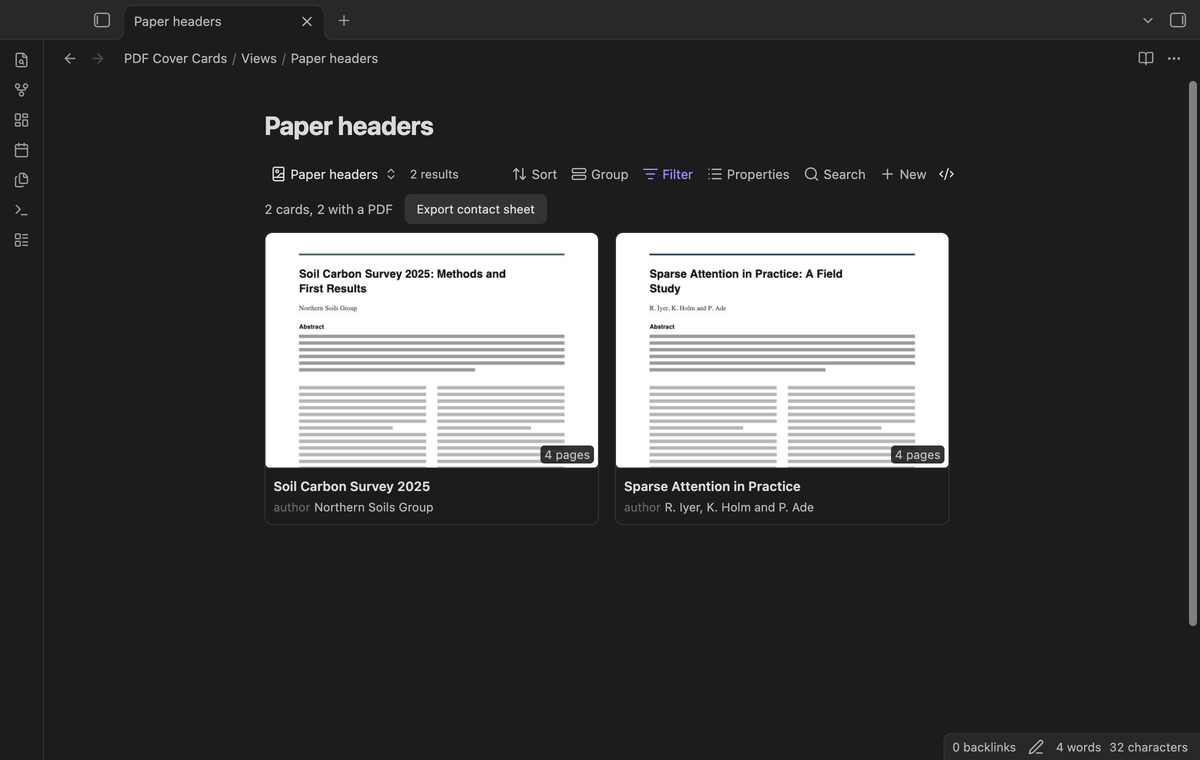
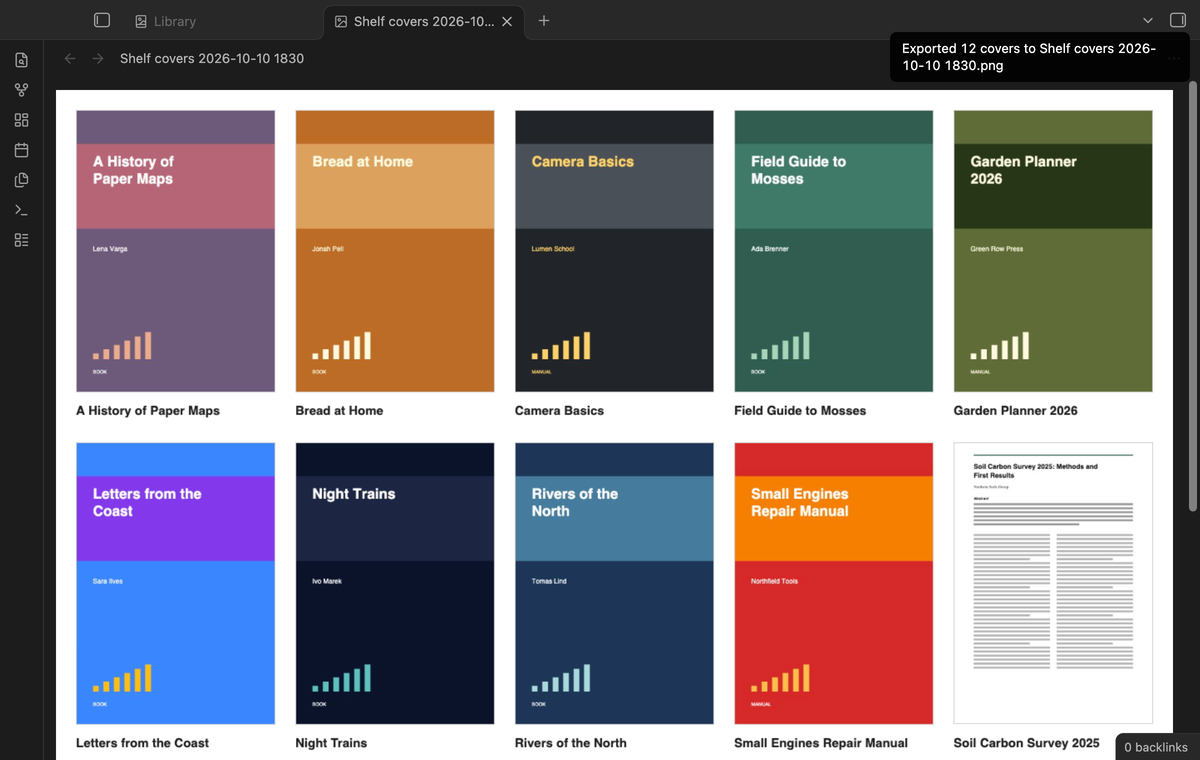
Export every cover of the view to one PNG image, with the note name under each picture. The image goes into the folder for new files. Use the button above the cards or the command "Export the covers of this view as a contact sheet".
Install
- Open "Settings → Community plugins" and turn off restricted mode.
- Select "Browse", search for "PDF Cover Cards", then select "Install" and "Enable".
- Make sure that the core plugin "Bases" is on ("Settings → Core plugins").
To install by hand, copy main.js, manifest.json and styles.css from the latest release into <vault>/.obsidian/plugins/pdf-cover-cards/. Then enable the plugin. You need Obsidian 1.13.4 or later. The plugin works on desktop and on mobile.
Usage
- Create a base, or open one. Set its filters so that it selects your document notes, for example a folder or a tag.
- Select the view menu in the base toolbar and add a view of the type "PDF covers".
- Open the view options. In "PDF property", choose the property that holds the link to the PDF.
- Use "Properties" in the base toolbar to choose the properties that show under the title.
The plugin draws a cover only when the card comes near the screen, and at most two PDFs at the same time, so a large base stays smooth while you scroll. With Pro, the drawn covers are saved as small JPEG files in the plugin folder, and the base shows them at once the next time.
Pro
The free version draws the covers of the first 30 cards of a view that have a PDF. It includes the property and link rules, #page=N, PDF files as cards, the properties on the cards, embeds and live update. When a view has more cards with a PDF, a line above the cards says how many covers it did not draw.
Pro draws covers on every card (the free version draws the first 30), crops covers to the top of the page, saves drawn covers so large bases open fast, and exports the covers as one PNG contact sheet. To get it:
- Sponsor theluckystrike on GitHub Sponsors with $5 a month, or $15 once. When you have paid $15 in total, Pro stays on.
- In Obsidian, open the settings of PDF Cover Cards and select "Sign in with GitHub".
- The plugin copies a code and opens github.com/login/device. Paste the code there and approve.
The status line then shows your GitHub login and the tier. If you sponsor after you sign in, select Refresh. If a monthly sponsorship ends before you have paid $15 in total, Pro turns off at the next check, within 7 days.
Settings
The view options are in the base toolbar. Bases saves them with each view in the base file.
| Option | What it does |
|---|---|
| PDF property | The property that links to the PDF. It can hold one link or a list. |
| Use the first PDF link in the note | When the property gives no PDF, use the first PDF that the note links to or embeds. On by default. |
| Card width | From 120 to 400 pixels. |
| Show properties | Shows the properties of the view under the title. |
| Cover crop (Pro) | Whole page, top half or top third. |
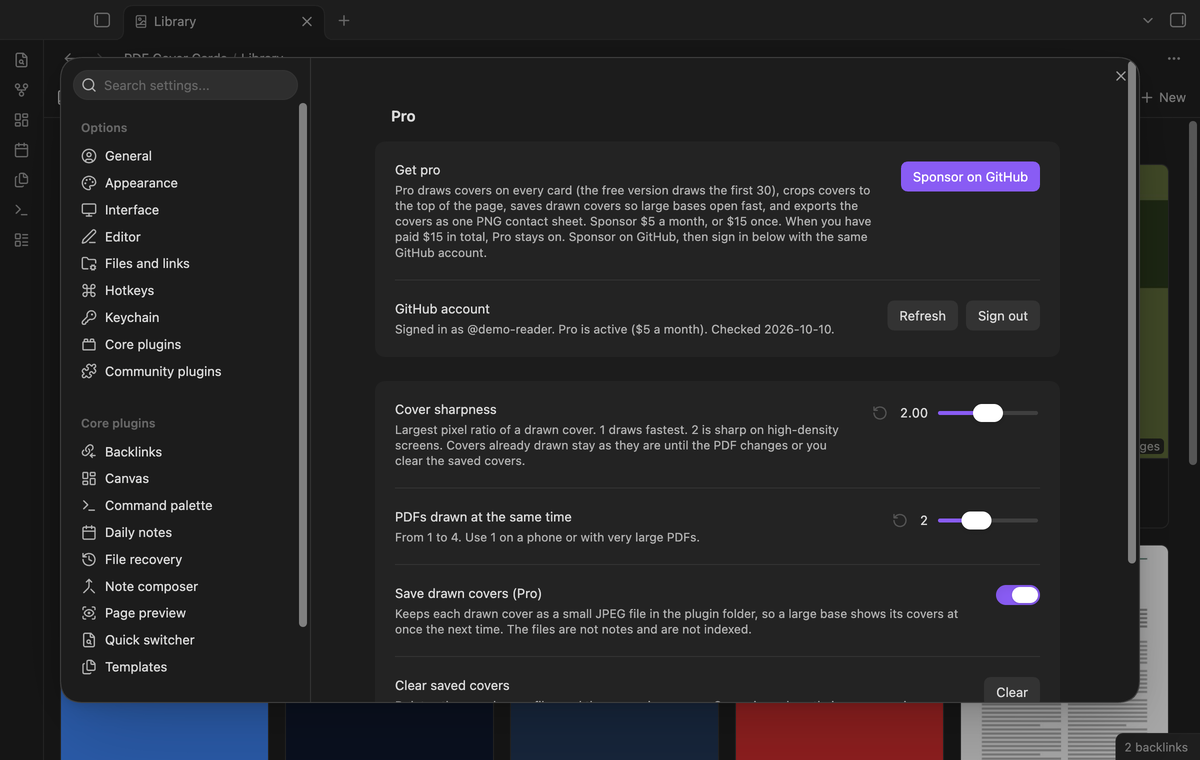
The plugin settings tab has the Pro section (sign in with GitHub, status and Refresh) and these settings:
- "Cover sharpness" is the largest pixel ratio of a drawn picture, from 1 to 3. 1 is the fastest, 2 is sharp on high-density screens. The default is 2.
- "PDFs drawn at the same time" is from 1 to 4. Use 1 on a phone or with very large PDFs. The default is 2.
- "Save drawn covers (Pro)" keeps the drawn pictures in the plugin folder. On by default.
- "Clear saved covers" deletes the saved pictures. The command "Clear saved covers" does the same.
FAQ
Does PDF Cover Cards change my notes or my PDFs?
No. It only reads them. The contact sheet export makes a new PNG file. Saved covers go into the plugin folder, not between your notes.
How is this different from the core Cards layout?
The core Cards layout shows an image property as the picture. It shows nothing for a PDF link. This plugin draws the PDF page. The request for this has 16 votes on the Obsidian forum ("Allow PDFs as card image in Base").
How is this different from Dynamic Views?
Dynamic Views has card and masonry layouts with image covers. Its code treats a PDF as a file icon, not as a picture.
How fast is it?
In the end-to-end test, a base of 200 notes drew its first 30 covers from 12 PDFs in 0.9 to 1.2 seconds on Obsidian 1.14.4 on an M3 Pro Mac. The first open after the app starts is slower, because Obsidian loads its PDF reader then. Large scanned PDFs take longer.
Which PDFs work?
Each PDF that the Obsidian PDF viewer opens. A damaged or locked PDF shows a short message on its card.
Payment, account and network
The core features are free and stay free. Pro features need a GitHub Sponsors sponsorship of theluckystrike: $5 a month or more, or $15 once. When you have paid $15 in total, Pro stays on. Your notes stay readable and editable with or without Pro.
GitHub handles the payment. Sponsor at https://github.com/sponsors/theluckystrike. You need no account for the free features. Pro needs the GitHub account that sponsors.
Until you select "Sign in with GitHub" in the settings, PDF Cover Cards makes no network requests. Sign in uses the GitHub device flow. PDF Cover Cards sends its public client ID and the scope read:user to https://github.com/login/device/code and shows you a code. While you enter the code at https://github.com/login/device, it asks https://github.com/login/oauth/access_token every few seconds whether sign in is done. The scope read:user is read-only access to your profile, which GitHub needs to show the sponsorship tier. It gives no access to repositories and no write access.
After sign in, PDF Cover Cards sends one query to https://api.github.com/graphql: does the signed-in account sponsor theluckystrike, at which tier, and how much it has paid theluckystrike in total. It asks again at most once every 7 days, or when you select Refresh. It sends no note content, file names or other vault data, and it has no telemetry.
Pro keeps working for 14 days without a successful check. The GitHub token stays in the secret storage of Obsidian on this device. It is not written to data.json or other vault files, so it does not sync or reach a git repository. The local storage of this device keeps your GitHub login, the tier and the time of the last check. Sign out deletes the token. You can also revoke the access in your GitHub settings, under Applications.
Support
Report bugs and ask for features in the GitHub issues of this repository. Add your Obsidian version and, if you can, a small sample PDF.