PaperMark
 laginae86 downloads
Merge images into PDFs, add searchable OCR text, and create editable bookmarks from papers or scanned books. Local processing by default.
- Overview
- Scorecard
- Updates15
PDF OCR & Bookmarks · Maintained by laginae
Merge images into PDFs, add searchable and copyable text to scanned pages, and automatically create and edit PDF bookmarks. PaperMark reads paper headings and scanned book contents, helps calibrate printed page numbers, and lets you review the result before exporting a new copy with the original pages preserved. The interface supports English and Chinese.
Local processing is the default. Built-in OCR works on your device without uploading documents. Optional MinerU processing uses your own Token and a local connection helper; the entire selected PDF is uploaded to MinerU only after explicit confirmation for that document. The local features are free; MinerU quotas and charges may apply.
Obsidian plugin
PaperMark runs inside desktop Obsidian on Windows, macOS and Linux. Install it from the Obsidian Community directory, or search for PaperMark under Settings → Community plugins → Browse, then install and enable it. Manual installation is also available in the installation guide. Built-in OCR is bundled and free; it needs no account, installation of Node.js, or first-run download. Paddle Small/Tiny is an optional Windows x64 engine.
The self-contained plugin is about 17 MB because it includes OCR models. This exceeds the Obsidian Sync Standard 5 MB file limit; install the plugin separately on each desktop device when using that plan.
Local mode makes no document-related network requests. You choose which vault or device files to open and where to save new outputs. Optional Paddle OCR executes the user-configured Cozy OCR program, which may be outside the vault, and reads its adjacent models/runtime files. It receives page pixels through local process pipes. The plugin does not automatically download or update that helper.
Optional MinerU needs a separate MinerU account, your own Token and a locally running connection helper. After per-document upload consent, that helper sends the entire selected PDF to MinerU and retrieves the result. MinerU's own quotas and pricing apply; a paid API plan may be needed. PaperMark charges no fee. Imported/exported files can also be outside the vault when you explicitly choose a device file or browser download. Plugin settings save preferences and the optional executable path, never Tokens or document contents.
Open online or download
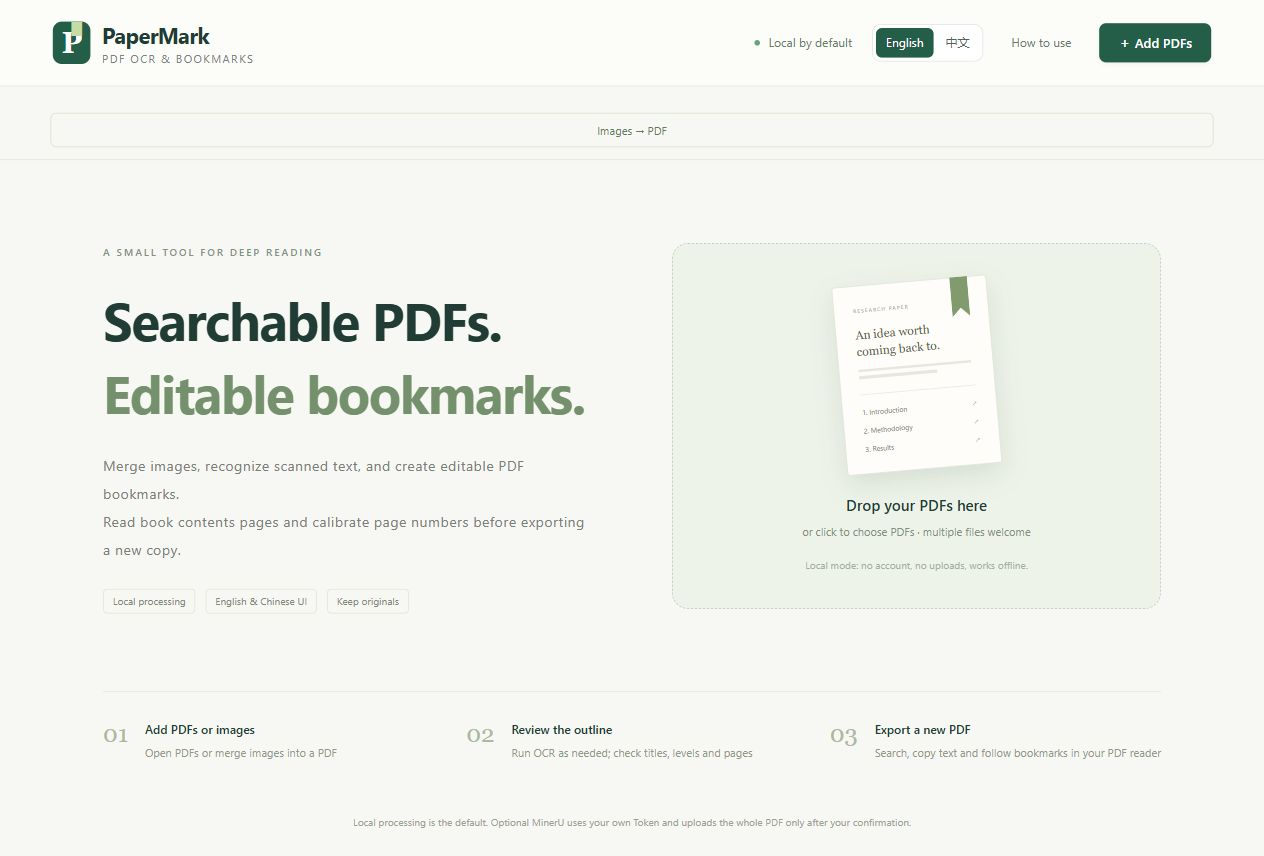
Open PaperMark in your browser — no download or installation required.
Download PaperMark.html from the latest release, then open it in a recent desktop browser. No installer, account or server is required. An offline ZIP is also available.
- Add one or more PDFs. Papers without bookmarks are analyzed automatically.
- Review the outline against the page preview. Edit titles, nesting, page numbers and positions as needed.
- Export a PDF, or export available documents together as a ZIP. Open the bookmarks/outline panel in your PDF reader to navigate.
The interface starts in English. Use the English / 中文 buttons in the top bar to switch, including while a PDF is being processed. The choice is remembered when browser storage is available. Switching languages preserves the loaded files and edits; it never translates paper text or bookmark titles.
On first open, wait for the Loading PaperMark… notice to disappear before adding files. A slow or failed start offers Reload page. HTML previews that cannot run scripts are not interactive: open the complete downloaded file in a browser or use the online link above. Use the app's language buttons; browser translation can alter labels.
Use Export PDF at the top or in the sticky bottom action bar after reviewing your document. Both buttons save the same new copy and leave the original unchanged. The bottom button expands to the available width in narrow windows.
Features
- Obsidian workspace with vault-file selection and non-overwriting exports; see the plugin installation guide.
- Merge JPG/PNG/WebP images into PDFs, with page ordering, rotation, natural filename sorting and image-sized or A4 pages.
- Optional desktop Paddle Small/Tiny OCR using the local Cozy helper; built-in Tesseract remains the default.
- English and Chinese heading detection using numbering, font size and page layout.
- Local OCR for scanned pages, with English and Simplified Chinese models, progress and cancellation.
- Searchable PDF export with selectable, copyable OCR text, preserving page images and existing bookmarks.
- Balanced and conservative detection, with uncertain candidates marked for review.
- Page preview, editable nested bookmarks and click-to-position destinations.
- Load existing bookmarks, undo edits and save/load outline JSON for the same original PDF.
- Batch PDF export as ZIP with an export report.
- Single offline HTML file with embedded PDF and OCR workers, recognition models, character maps, fonts and WebAssembly resources.
Scanned PDFs
Add the PDF first, then click Recognize & create bookmarks in the default Local recognition mode. Under Local OCR options, choose English, Simplified Chinese or both before recognition. Auto OCR PDFs added next is optional and off initially, so you can choose the mode before a scan starts. Text headings and existing outlines still load automatically. Existing bookmarks are retained.
Review the generated headings and destinations before exporting. OCR bookmarks are marked for review. Cancel stops recognition and keeps completed pages. Run local OCR → Unprocessed scans resumes remaining pages; choose All pages to repeat recognition with another language. OCR keeps original and manually edited bookmarks. Use Detect again to deliberately rebuild the outline; that action asks for confirmation and can be undone.
Export searchable PDF is enabled by default. Export adds an invisible Unicode text layer to completed scan pages while retaining the original page images, page geometry, annotations and current bookmarks. Open the downloaded PDF in a PDF reader to search, select and copy text. The app's canvas preview is for checking page appearance and bookmarks. Export is also available when OCR finds text but no headings. Turn the option off to export bookmarks only.
Pages with at least 30 non-whitespace characters already extracted are skipped for text-layer insertion. Reopened PaperMark text layers are also protected against duplication. Manual OCR can help detect headings from a poor old text layer, but does not replace that layer. A canceled or partially failed OCR run adds text only to completed pages.
Local OCR uses higher-resolution images, contrast adjustment and correction of small tilts (up to about four degrees), without altering the original PDF. It is intended for legible printed text. Blurry, skewed, complex or handwritten pages may be misread; check important quotations against the image. Selection follows approximate OCR bounds, and columns or tables may copy in a different reading order. Large files and mobile devices can be slow.
Scanned books with printed contents
Choose Book contents pages in local mode, enter the PDF pages containing the printed contents, then Read contents → Auto-calibrate pages → Review and apply. The separate draft supports single/two-column layouts, hierarchy editing, Roman front matter, chapter-local page numbers and manual page anchors. Existing bookmarks are kept by default. Only completed OCR pages gain searchable text; run All pages OCR for the entire book. See the book contents guide for the sampling limits and review steps.
Choosing OCR
Open Which OCR should I choose? in the recognition area or How to use for a concise comparison of built-in Tesseract, Paddle Tiny, Paddle Small and MinerU. It distinguishes local processing from whole-PDF uploads and explains searchable text layers. These are selection tips, not a universal accuracy ranking. See the OCR guide.
Optional MinerU high precision
After adding a PDF, select MinerU online recognition to follow three steps: Connect helper → Enter Token → Confirm upload. Every user enters their own API Token; it is never embedded in the app or saved. On Windows 10/11 x64, download the helper ZIP, extract it and double-click PaperMark-MinerU.exe — no Node.js installation or commands. Its control page provides a connection code and a Stop button. The guide is available in English and Chinese. The script helper remains available for other desktop systems with Node.js.
The confirmation displays the selected filename and page count. Check the consent box, then click Upload & start recognition to send the whole PDF to MinerU. Changing files clears the Token and consent; every retry requires fresh consent. Existing or edited outlines and original page images are retained. See setup, privacy and limitations, including unsigned Windows program notices. Expand Import or save recognition results to import a saved result locally into the same original PDF, without connecting a helper or entering a Token.
Privacy and file handling
In the default local mode, PDF processing and OCR happen in browser memory without uploads. Optional MinerU mode uploads only after explicit per-file confirmation, using the user's own Token. There is no shared Token or telemetry. Only the language preference is written to browser storage; PDF data and OCR text are not stored in IndexedDB or local storage. Refreshing or closing the page loses loaded files and edits.
The online version downloads the static application from GitHub Pages. The first OCR operation in a tab also loads about 10 MB of fixed recognition resources from the same site and verifies their SHA-256 hash. These requests contain no PDF contents, filename or recognized text. Once these resources are loaded, OCR can continue without a connection while the tab stays open. The OCR worker uses bundled data and rejects external resource requests. GitHub receives ordinary requests for the site files, as with any hosted web page.
Opening or refreshing the online page may need a connection. For reliable offline access, download the full PaperMark.html (about 17 MB); it includes the OCR resources and works without a first-run download.
Export creates a new file; it does not overwrite the original. Saved outline JSON includes the original filename, SHA-256 fingerprint and bookmarks. Batch reports include filenames and export results. These downloads remain on your device unless you choose to share them.
Adding bookmarks is not anonymization: existing PDF metadata, text and annotations remain part of the exported document. Review your files before sharing them.
Scope and limitations
- Supports selectable-text PDFs and local OCR of English/Simplified Chinese scans. Other languages need manual bookmarks or an external OCR tool.
- Detection is heuristic and needs review, especially for unusual layouts. It does not insert a printed table-of-contents page.
- Encrypted PDFs, signed PDFs, writing restrictions and unsupported original outline targets prevent export.
- Limits: 100 MB and 2,000 pages per PDF; 20 files and 250 MB total; up to 1,000 new bookmarks. Large files can use substantially more memory than their file size.
- Designed for current desktop Chrome, Edge, Firefox and Safari. Release 0.7.1 was checked in Chrome on Windows; macOS, Linux and other browsers have not been verified for this release. Mobile local-HTML support varies; a static web host may be needed.
- Page numbers are physical PDF pages, starting at 1, rather than printed page labels.
Build from source
Use Node.js 22.13 or later and npm:
npm ci
npm run lint:obsidian
npm run fixtures
npm test
npm run build
Open dist/PaperMark.html, or use npm run serve and the local URL it prints. npm run serve -- --web serves the hosted variant with lazy OCR resources. Building requires downloading locked npm dependencies; using the finished standalone HTML does not require a network connection.
npm run audit:public checks the publication allowlist for common private-path and credential patterns. npm run package creates the offline and source ZIPs plus SHA-256 checksums under release/. Generated test PDFs and browser logs are excluded from publication. Tests generate only synthetic research documents.
GitHub Pages deployment
The Pages workflow checks build hashes and audits public files, then publishes dist/index.html, the hashed OCR resource JSON, the build manifest and the license. The web HTML differs from PaperMark.html: it loads the OCR resource bundle on demand. GitHub Pages has no server component or upload API; optional MinerU mode uses the separately downloaded local helper. The manifest records separate hashes for the standalone HTML, web HTML and OCR resources.
After changing the app, build it and commit the updated dist/ files to main; the workflow deploys automatically. It also supports manual dispatch. In a fork, enable Settings → Pages → Source → GitHub Actions before running the workflow. node scripts/prepare-pages.cjs prepares the same site locally under the ignored _site/ directory.
Credits and license
PaperMark is released under the MIT license. PDF layout and bookmark foundations are adapted from Note and PDF Voice Reader / note-reader-core, with their MIT notices preserved. PDF parsing and rendering use Mozilla PDF.js; writing uses pdf-lib; ZIP export uses fflate. Local OCR uses Tesseract.js and bundled English/Simplified Chinese data; see OCR provenance.
Upstream notices are in licenses/ and embedded in the app's credits dialog. See CHANGELOG.md for release changes and docs/verification.md for the validation scope.